


[nextpage title=”Overview and Specifications”]
Overview
Huawei has shipped high-end flagship devices under Ascend P series before. The mid-range Honor 6 is however the first to introduce the new high-performance SoC, the HiSilicon Kirin 920 with Octa-core CPU made up of two quad-core units of 1.3GHz Cortex A7 and 1.7GHz Cortex A15. Later launched phablet Mate 7 equips with little higher Kirin 925 4x 1.8GHz and 4x 1.3GHz. That’s what we do not know if we’ll get to try.

Huawei Honor 6 Review – A mid-range Flagship
We’ve spent a good time with this device to have enough opinion for our readers if it really suites their demands. Positives or negatives, there are both coming later in the following review. Before that let’s have an overview of the specifications of the Huawei Honor 6 with the first impressions of the device.
Honor 6 borrows pretty much the same sized dimensions from its cousin Ascend P7. The 5″ screen of Honor 6 is LTPS display with 1080p resolution serving at pixel density of 441 PPI. There is no Gorilla Glass on the front. However I actually found the glass on the Honor 6 good fighting against glares. The octa-core Honor 6 has also the support of 3GB of RAM and comes in the 16GB and 32GB storage variants. 13 MP rear camera is decent with the better 5 MP camera on front for better selfie captures.
Features and Specifications
- Software: Android 4.4.2 KitKat (EmotionUI 2.3)
- SoC: HiSilicon Kirin 920
- CPU: Octa-core (8-core)
- Quad-core 1.3GHz Cortex A7
- Quad-core 1.7GHz Cortex A15
- GPU: ARM Mali T628MP4
- CPU: Octa-core (8-core)
- RAM: 3GB DDR3
- Storage: 16GB / 32GB
- Display: 5″ screen, 1920×1080 resolution, JDI In-cell LTPS LCD.
- Support full fit, support suspending touch, gloves, supports 10-point touch, anti-fingerprint.
- Camera:
- Primary rear facing: Sony BSI 13 MP sensor, aperture f/2.0,
- Secondary front facing: 5 MP fixed-focus camera.
- Connectivity: WiFi 802.11a/b/g/n, Bluetooth 4.0, USB 2.0, GPS, GLONASS
- Other features: FM Radio, Micro SIM Card, MicroSD card
- Sensors: Gyros sensor, Gravity sensor, Acceleration sensor, Light sensor, Proximity sensor, Electronic compass.
- Dimensions & Weight:
- 139.6mm x 69.7mm x 7.5mm
- 130 grams (with battery)
- Network and Frequencies: TDD-LTE/FDD-LTE/WCDMA/GSM
- FDD-LTE:B1/B3/B7/B20
- TDD-LTE:B38
- UMTS:B1/B8
- GSM:B2/B3/B5/B8
- Power and Battery: Li-Polymer Lithium-polymer battery 3100mAh.
- 3G standby: 463 hours
- 3G talk time: up to 27 hours
- LTE standby: 414 hours
- LTE talk time: up to 27 hours
Looking at the specs chart above along with having the price in mind, it really blows that the package you get is actually impressive for Rs. 40,000/-
What we didn’t like here:
However the Honor 6 looks good visually, it’s packed fully with plastic while hinting it to be somewhat like metal on the wall and glass on the back. Well it’s not.
There is more to say and the next is all about the build and the design. We’ll look into the controls as well.
[nextpage title=”The Build, Design and Display”]
Design and The Build Quality
The Huawei Honor 6 is very short in features on front with only a few including ear-piece, a camera and a few sensors on top. There is no Huawei logo or branding on the front. Also the Android navigation keys are skipped in favour of the on-screen software rendered navigation keys.

Leaving the most consumers confused, there is no “Huawei” branding on the front nor on the rear. If you wouldn’t recognize the phone by its design elements, you won’t be able to tell if it’s a Huawei product.
Honor 6 comes without the Gorilla Glass protection but it does have some good anti-fingerprint coating with oleophobic layer to let you wipe off the smudges from the screen . The frame of the device represents as a metal but it’s fully plastic which is not an impressive thing to us whereas the back panel is also made of transparent plastic which looks like a glass too in first impressions. Unlike the front, the fingerprints are easy to stay on the back panel as well as it’s too good to catch scratches – after all it’s a shiny, transparent plastic. With the slippery back, you would really need to take care of the place you are placing it on – it must be an even surface or something that is not slippery too.
A matte plastic would have been much better choice for this phone.

OK, if we have started talking about the rear-panel, lets finish it first.
Controls and Components
“Honor” branding is placed right at the top-middle portion of the device on the back. The 13 megapixels camera is placed on the top-left corner exactly like the iPhone camera placing. Along side the lens of the camera, a dual LED flash is on the right of it.

On the bottom section, a speaker grille is provided at the left side with the product labels in the middle. That’s only where you can see the “Powered by Huawei” label little at the last.

Coming over to controls, the side of the device’s frame is completely empty with nothing more than a sticker with IMEI and Serial Number of the product. While on the right side of the device we have the volume rocker and the power/lock key.


In addition on the right side, the micro SIM slot and the micro SD card slot are also covered under the easily removable door. You can easily open that cover with your nail.

The back panel is not removable – hence the battery is not user-replaceable.
At the bottom, there is simply a micro USB (USB 2.0) socket present for PC connectivity and charging while the 3.5mm audio jack is provided on the top side of the device. There is also an IR blaster on the top to remote control your devices such as TV in your home or anything that support infrared remote control – detail is covered in the software/apps section of this review.

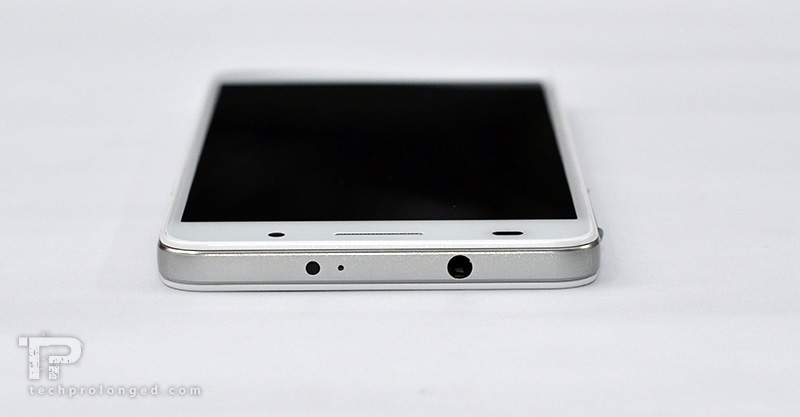
Huawei has offered dual-microphone in the Honor 6. The primary microphone (mouthpiece) is placed just besides the micro USB port on the bottom. An extra noise-cancellation microphone is also present on the top side of the phone.
Display Quality
Honor 6 comes with the 5″ display that is manufactured by JDI. It’s an LTPS display but does not come with Gorilla Glass protection – it was easy for the screen to get little scratches in just a few days. However, the oleophobic layer on the screen helps enough for the fingerprints to be wiped off easily. The screen was very smooth and soft like a good Gorilla Glass but it won’t protect from damages. I would have preferred some guaranteed protection on the Honor 6.
Honor 6 offers high performances in brightness and delivers appreciable visibility in bright outdoor conditions.
 |
 |
| Display: Indoor visibility | Display: Outdoor visibility |
When talking about visibility in bright conditions, that’s only if not effected by direct sunlight and something in between to reflect on the screen. The display suffers at other viewing angles as well as it reflects heavily.
 |
 |
| Display: a viewing angle | Display: heavy reflections |
The “Rog” Mode: 720p Switch
The 1080p FHD display on the other hand is much impressive on the Honor 6 offering great readability of documents and browsing web. In addition, a surprising “Rog” option in the settings lets you switch the resolution to HD 720p (1280×720) – well it saves more power.
It actually switches your phone to run on 720p resolution instead of the native 1080p. It requires a reboot to take affect each time you turn the switch on/off. It does not only scale the screen – The DPI of the OS is reduced as well as the whole graphic elements are effected. Technically it up-samples a pixel to 1.5px to plot 720p on the native 1080p resolution.
In result, you will get reduced sharpness and a little blurriness as well as you can easily tell the difference between the pixels densities with 720p and 1080p resolutions on the same 5 inch display. That’s (if not exactly) much like a phone with 5 inch screen and 720p resolution.
So what benefit you get? The answer is simple; You will convert your high-res smartphone to a low-end temporarily in favour of more battery life.
[nextpage title=”Software and Applications”]
Emotion UI 2.3 and Android KitKat
Well, like any OEM, Huawei has its own software user interface and customization over the Android OS which is called Emotion UI. Again, like others, the Huawei has optimized its products’ hardware and software, however the company allows you to unlock bootloader while waving any guarantee off the product for its performance.

Huawei Honor 6 comes with the Emotion UI (EMUI) 2.3 and has not yet been enlisted to be updated with the EMUI 3.0 but hopefully it will come to this device sooner or later. Second, the device we are reviewing is running the EMUI software layer based on the the Android 4.4.2 KitKat. As a few other OEMs and brands have started delivering Android Lollipop, Huawei has not yet confirm about Android Lollipop update for Honor 6. However we believe the hardware package inside this device has enough guts to not get overlooked and will receive latest Android OS.
We are reviewing here EMUI 2.3, which in the first impressions, we find it much like a combination of iOS user interface with the icon set from MeeGo OS. The Emotion UI’s resemblance with iOS includes the same swipe dashboard with the standing icons on the bottom of the home screen. There is no other app launcher but only the home screens with the app icons to launch apps along with the standard Android navigation keys rendered into the software.
Lock, Home and Launcher
After lock screen is swiped away, the home screen appears as likely to be an iOS elements. Widgets are additional what you see on an Android smartphone. Likewise you can add multiple home screens and add new app icons into it. As well you can add widgets.
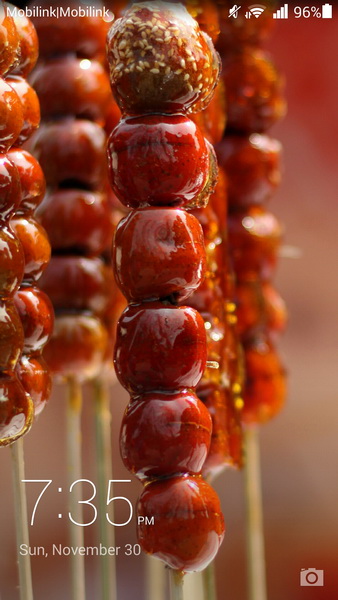
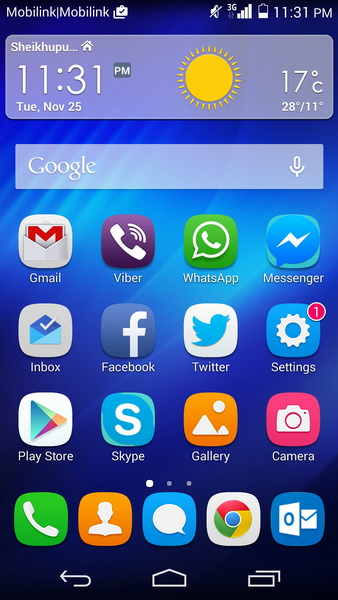
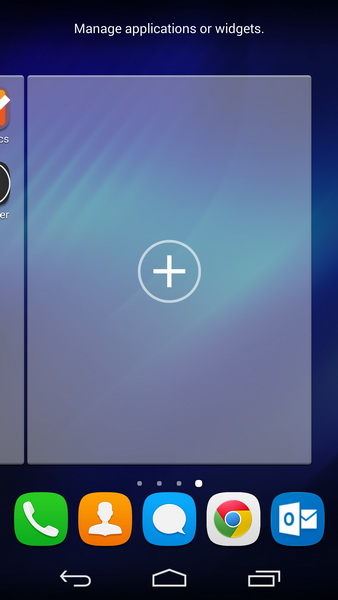
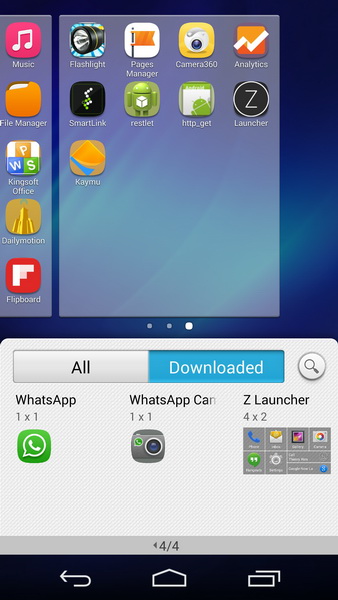
Notifications, Switches and App Switcher
Huawei has managed to make it differently when you drop-down from the top status bar, the notifications and shortcut switches are kept separately in two tabs. I personally liked it that way as mostly Android implementations stack them up with the notifications down there on the drop-down panel. The thing we didn’t like was the light blue and grey accent in the drop-down menu which always looked odd to me when the interface suddenly changes from the main theme style to what I am talking about.
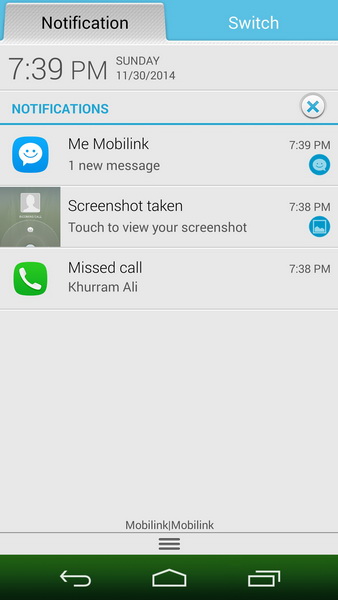
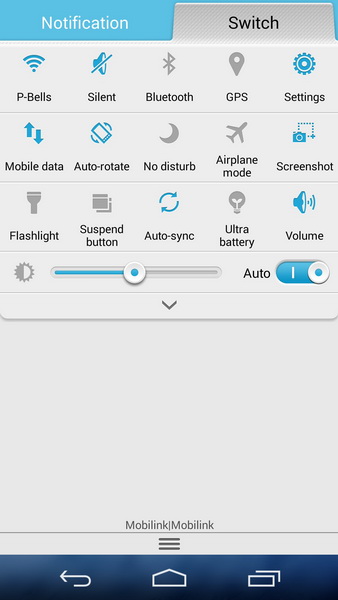
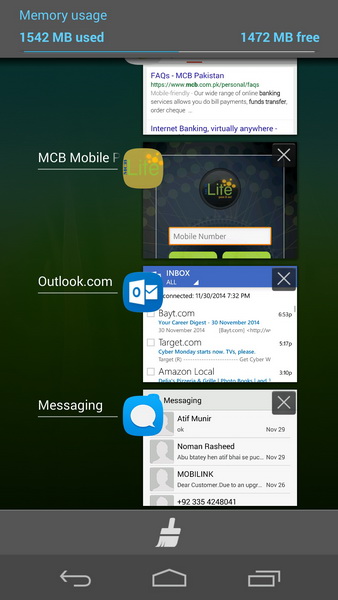
The third screen above is showing the app switcher of Android OS that you must be familiar with as it mostly stays the same in any OEM’s customization.
Settings
The same light blue and grey accent will follow you through out the system when you get into the settings of some app or in the main settings of the software. Another thing follows through out the system are the icons where ever they are found, they are rounded squares with the soft colours as the background.
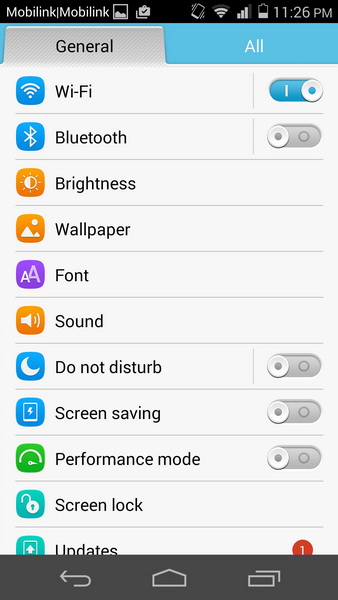
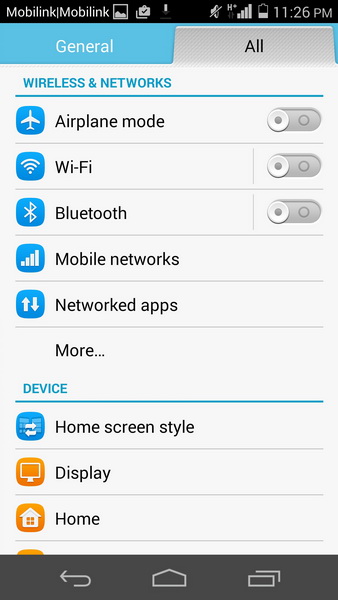
In the “Settings”, the options are again separated into “General” (mostly used options) or “All” for all the options you may want to play with. The options are categorized into well captioned sections. One thing I want to tell about it that it’s really well implemented in the settings.
Themes and Motion Controls
Honor 6 comes with the three themes pre-installed as well as you can choose online too if you prefer to regularly change your phone’s look and feel.
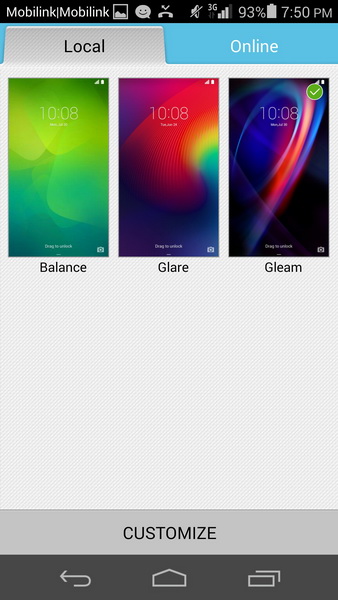
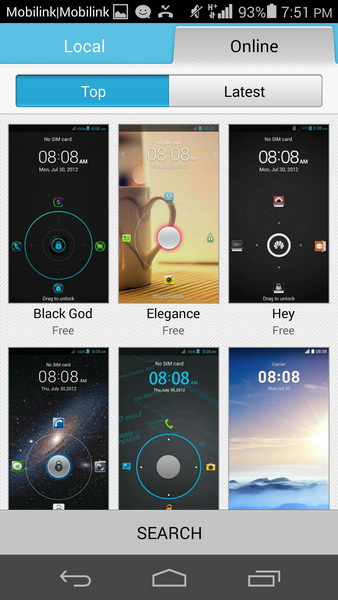
After selection the theme can be customized more.
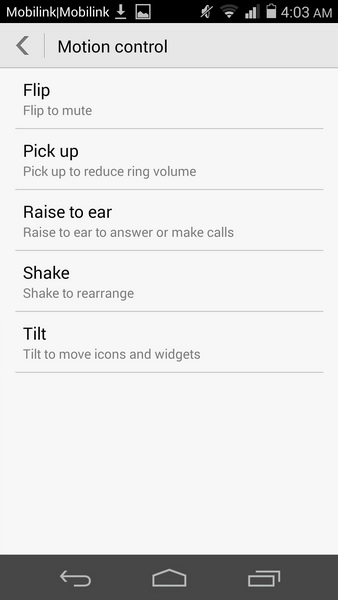
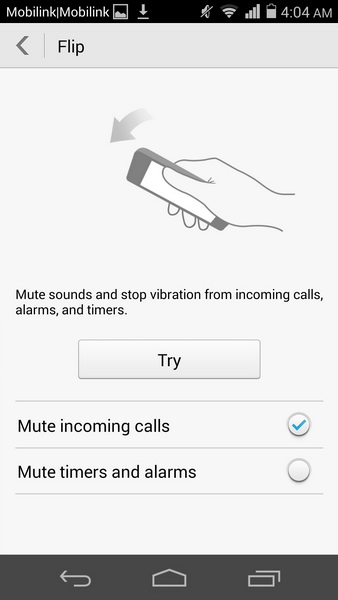
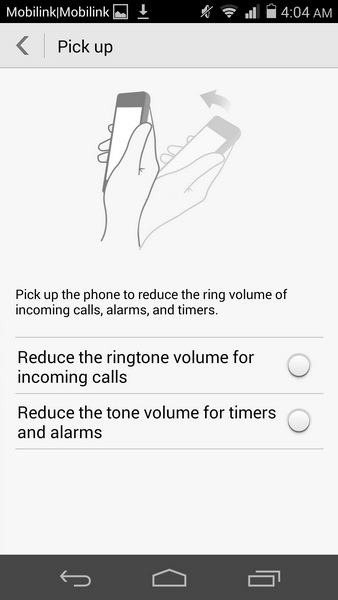
A few motion controls are also featured in the software like the Flip to mute, Pick up to reduce ring volume, Raise to ear to answer a phone call, Shake to rearrange and Tilt to move icons/widgets.
Phone Manager
Phone Manager, in the Emotion UI, is also an interesting thing for any one who wants to optimize the their phone whenever they feel their phone is going through some hard time with the performance.
The Phone Manager can be accessed from phone settings as well as an app icon is also provided for it on the home screen. The main interface of the manager presents with the further options of Phone accelerator, Storage cleaner, Harassment filter, Power saving, Virus scanner, Permission manager, Notification manager and Startup manager.
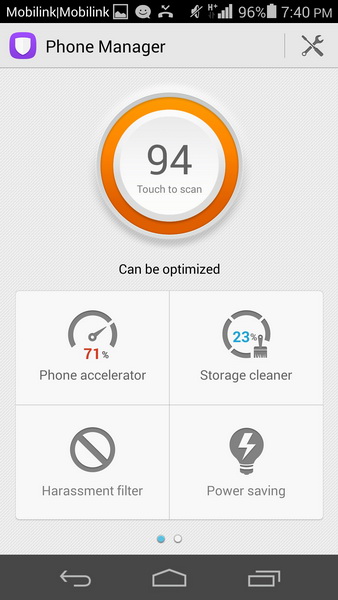
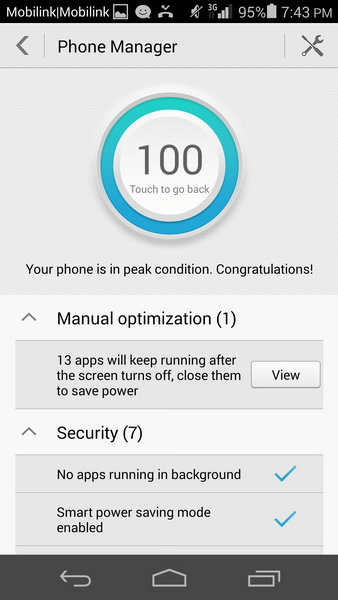
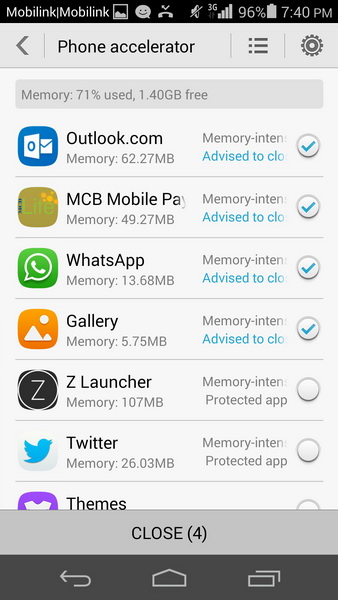
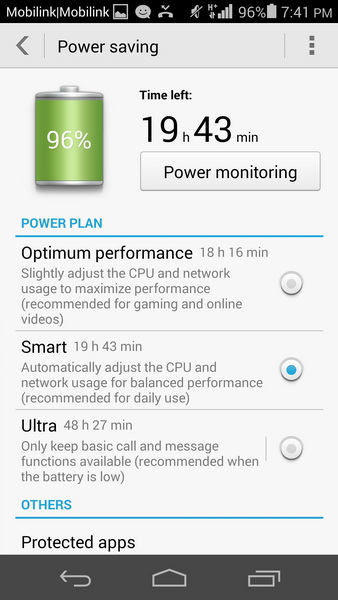
This is really impressive that you can almost fully control your apps and phone features whenever you want from the phone manager after once they have been installed. Taking from the permissions you have given to an app to the storage cleaning as well as power saving in an extensive manner.
IR Blaster
Last but not the least, a real thing that reminded me of an era when the Infrared was a very important feature in some mobile phone for data transfer and in addition the Infrared was used many developers to offer cooler functionality for the IR to work as a remote control for a TV or any other device. If you are not familiar, decades ago Nokia has manufactured a bundle of its feature phones with the Infrared and later it was added to the smartphones running Symbian, Palm and Windows Mobile when developers started developing apps to control your TV remotely before.
Then the IR blaster surprisingly returned in the Android devices from Samsung and HTC in 2013 while LG and Sony also followed accordingly. Now we have a contender from Huawei, sporting the IR blaster in Honor 6 right at the top besides the audio jack.

This is true that some people won’t appreciate the IR blaster, I actually preferred this in the Honor 6. I am one of those who normally has his phone in hands while watching TV and rather than attempting to look for the remote control around, it’s actually helpful to have it in your smartphone for quick change the channel or control the volume.
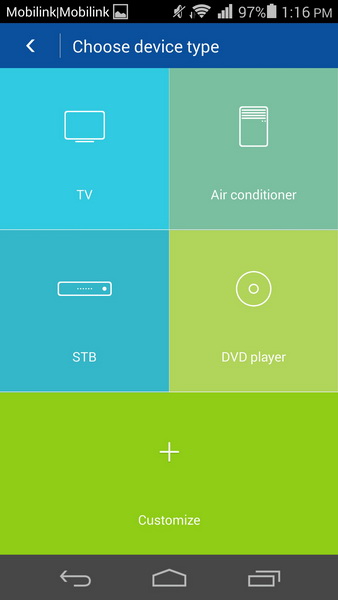
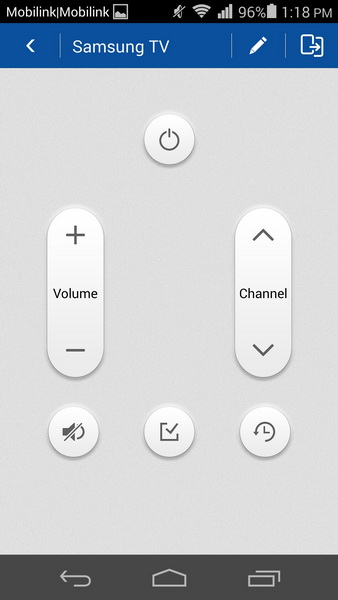
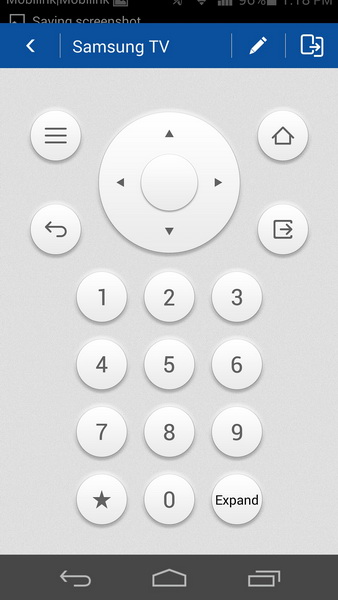
The international variant of Honor 6 doesn’t come pre-built with the supported app for the IR blaster for any use, however Huawei Club Forums has provided the Smart Controller app for the Honor 6 that provides enough functionality for a smartphone to be full-fledged remote control of any appliance at your home that has an Infrared receiver. The Smart Controller app provides a wide range of manufacturers for different kind of devices. Even for an unfortunate reason if your device is not listed, you can design a custom remote control with the app and program it for your device – for that purpose you will at least need to have a working remote control of your device. The IR blaster in the Honor 6 is a receiver itself to be programmed with any kind of remote control.
I think I am going to do a detailed review of the Smart Controller app with how-to. It’s really interesting.
We have the performance and benchmarks next.
[nextpage title=”Performance and Benchmarks”]
No wonder, the Huawei Honor 6 is a mid-range device when you look at its price. But it sure is wonder to find the new high-performance SoC with Octa-core CPU in this mid-range smartphone. The HiSilicon Kirin 920 with two quad-core 1.3 GHz Cortex A7 and 1.7 GHz Cortex A15, is supposed to perform at higher level in the Honor 6.
We only tried with a couple of tests and not with most of the benchmark apps. The list includes Antutu Benchmark and Basemark OS II for the whole system performance and for the web we tested with SunSpider and the HTML5 feature test.
Starting from the Antutu Benchmark, which of course yet not compatible fully with Windows Phone devices leaving them always at the end. They are still building to match at every platform for the sake of comparison. Well here we are talking about an Android device, the Honor 6 which scored higher than any other Android smartphone in the line we tested. Nexus 5 was the first runner up, later came the Note 3 and iPhone 5C.

Second we tried with the Basemark OS II. It’s the popular cross-platform benchmark tool which performs most of the tests equally on each platform covering system, memory, graphics and web tests. The Huawei Honor 6 didn’t perform up to our expectations as it had the more power among any other participant smartphone.

Coming to web benchmark, as we can see the javascript seems more friendly to Windows Phone devices we tested. Huawei Honor 6 even came third among the Android flagships.

Lastly, we have HTML5 features score where of course Android web browsers peformed much better and later the Chrome browsers came to perform even better than AOSP browsers. We tested the Honor 6 with Chrome browser as well as in AOSP browser to check the HTML5 features compatibility. Note that the Nexus 5 in our test was running on the Lollipop preview build and was above any other browser on any smartphone. However with the KitKat 4.4.2 the Chrome browser in Honor 6 performed ahead of any other device. This score, however is not related to the hardware but software. So it’s good to give credit to Android OS in this regard.

Performance wise, the Honor 6 did not perform as we expected but looking at its class it has to be told that within this price range it would a best performer. We still feel, Huawei needs to optimize more within the software to work better with the hardware they have put into a smartphone.
Battery Performance
Let’s not wait and move on to test the camera quality of the Honor 6 with a few of still photos and videos.
[nextpage title=”Camera, Still Photos and Video”]
Camera Features
The primary camera in Honor 6 is equipped with Sony IMX214 Exmor RS of 13 megapixels sensor and 28 mm lens with aperture f/2.0. With features like that we can expect something good out of this camera. The stock camera app offers almost basic functionality with enough controlled user interface to give simple and clean look.
The camera functions include a set shooting modes you can choose from but I mostly used the “normal” mode where most users may have interest in “smart” and “HDR” modes. While there is no dedicated shutter button on the device for camera, there is an option in settings bind the volume buttons as a shutter key if you prefer.
Supported resolutions for still photos include 4160 x 3120 (13 MP) and 3264 x 2448 (8 MP) with the aspect ratio of 4:3 or 4160 x 2336 (9.7 MP) and 3264 x 1840 (6 MP) in 16:9 mode.
Now let’s have a look at some normal camera shots in bright sunlight as well as in indoors low light.
Outdoor shots with shadows and direct sunlight.
 |
 |
| 1/2402 sec | ISO 200 | 1/2028 sec | ISO 200 |
 |
 |
| 1/16017 sec | ISO 200 | 1/2826 sec | ISO 200 |
In the brightly lit conditions we found the Honor 6 camera handled the exposures well but it could not keep the image detail even on lower ISO sensitivity which we believe should not be like that considering Sony’s IMX214 image sensor. Instead blurry spots can be seen easily all over the image.
In low light conditions, the camera in Honor 6 can go down to 1/16th of the second but it can not be handled manually. Following shot was taken at the auto ISO and the system managed to take it at moderate ISO 640.

At first glimpse, I liked the image. Honor 6 actually managed to deliver good colors in this night scene. However the image still struggled with maintaining the detail while the focus really didn’t performed well and shows heavy blurriness along with the noise.
Indoor performance of the camera can be said as good as any other mid-range camera smartphone. Following shot was taken at ISO 100 in a enough lit room. It really produced managed colours. Due to closer subject we can even see that image detail is not bad but still the fuzziness can be seen all around.

Another shot indoor was taken in normal lit room with lower ISO sensitivity and can be remarked as below average (without flash on the left). I wanted to check the image detail and noise level with the lower ISO settings and it failed to deliver usable results. While on the other hand using flash on Honor 6 is just a not recommended as like many LED flash on the smartphones, it delivers same unimpressive light which starts to glow bright objects from the middle of the frame and slowly looses intensity of the light.
 |
 |
| 1/16 sec | ISO 200 | 1/16 sec | ISO 200 – Flash On |
Digital zoom in any camera has never worth mentioning but I tried to take a 4x zoom photo (without flash) of the horse and the fat man sitting on my side rack. In a small frame like below it actually looks good but if you look at a 100% image you will find a healthy loss of detail even from what we have talked above. As expected, JPEG artifacts can be easily identified. One more thing is still present which existed through out our test shots, the fuzziness.

In addition to regular still photography, the panorama mode in Huawei Honor 6 supports resolution of up to 38 megapixels of a well stitched photos.
Video Recording
Huawei Honor 6 offers to record videos at 1080p and 720p resolutions. In addition, you will have an option to record at lower resolutions as per your needs such as VGA and 176×144 for sharing purposes. Besides the powerful SoC, the features like HDR and Beauty Mode are only available for 720p recordings and several lower resolutions.
While the 1080p video has limited from extra video features, it is recorded with some standard elements which records at bit-rate of 24 Mbps. The 720p video we recorded was at bit-rate of 14 Mbps Advanced Video Codec profile [email protected]. The audio recording was not that impressive and so fading audio was easy to identify. The electronic image stabilization or the digital video stabilization is not kind of something usable. It decreases the video quality by reducing the image detail.
At first impression, we didn’t think that the HiSilicon SoC could refrain from performing well in the imaging department. Provided the high end chipset, we are actually not impressed by the camera performance at all in the Honor 6.
[nextpage title=”Final words and Conclusion”]

First comment first; we appreciate Huawei’s attempt to bring high-end portfolio of the hardware to this mid-range device. The company’s own chipset is actually promising but has a little less than we expected as it really didn’t help the on-board camera to outperform any other smartphone from its mid-range category.
The battery is actually long lasting only when you use the Honor 6 only for calls and text messages on the 2G/GSM network. When connected to a 3G network, it didn’t impress me with any extra ordinary timing as you would expect from a battery capacity over 3000mAh. However what I liked about its power management was the third level of critical battery usage which even lowers down the user interface with no heavy graphics and only a basic functionality left on.
Another thing I want to point out is the big.LITTLE implementation of HiSilicon SoC which should have impress someone in the power management, Honor 6 actually did not. It differs the CPU performance which was quite good to us.
On the positive side, the Emotion UI of Honor 6 impressed me as well as the built-in features like Phone Manager is appreciable. Honor 6 currently runs on the version 2.3 of the EMUI and for that specific reason, I would love to review the Emotion UI 3.0 which have been available on Ascend Mate 7.
Remaining is the design of the Honor 6 which is just an average and I am not very keen to the glossy plastic on the back of the phone. Handling was good however but if there was some matte finish rather than a transparent plastic over an underlying panel, I would have preferred it more.
What we have to justify the Honor 6 is its price of course. Rs. 42,000/- can be a point where we can deal with it but still I would think for another time for a below average camera as it’s one of the major factors I see if buy a smartphone for myself. Within that price range I would also consider Oppo N1 Mini but that is already highly priced device for me for what it offers. At last it all comes to your preferences.
What I believe, the Honor 6 would improve in itself with the software update. As there is the Emotion UI 3.0 coming up there with visibly improved and impressive features as well as more cooler user interface. Hopefully, the Honor 6 may have its value upwards with the update – we are not sure though. Still the lacking in the device and less optimized software system to work the with a healthy SoC is needed to be look at. It’s the manufacturer who knows if their chipset or their software has something to be addressed.


