


[nextpage title=”Introduction and Unboxing”]
Introduction
It’s pretty much late for Mate 8 arriving at our table for review but it’s still the second latest flagship from Huawei which was launched in Pakistan earlier this year following the global launch during the CES 2016.
So here we have it with the review of a phablet featuring 6″ display from the Chinese manufacturer. Huawei Mate 8 was the first smartphone (or phablet) to feature the company’s proprietary HiSilicon Kirin 950 SoC which in turn was first to equip with ARM Cortex A72 cores. Launch price of the phone was 55k and 64k for 3GB+32GB and 4GB+64GB models respectively which were later reduced by 8% at a cricket event. Right now the listing price of the phone is around 50k and 60k for respective models. That is now the lower price than of Huawei P9 – the most recent flagship from the company.
Unboxing Huawei Mate 8
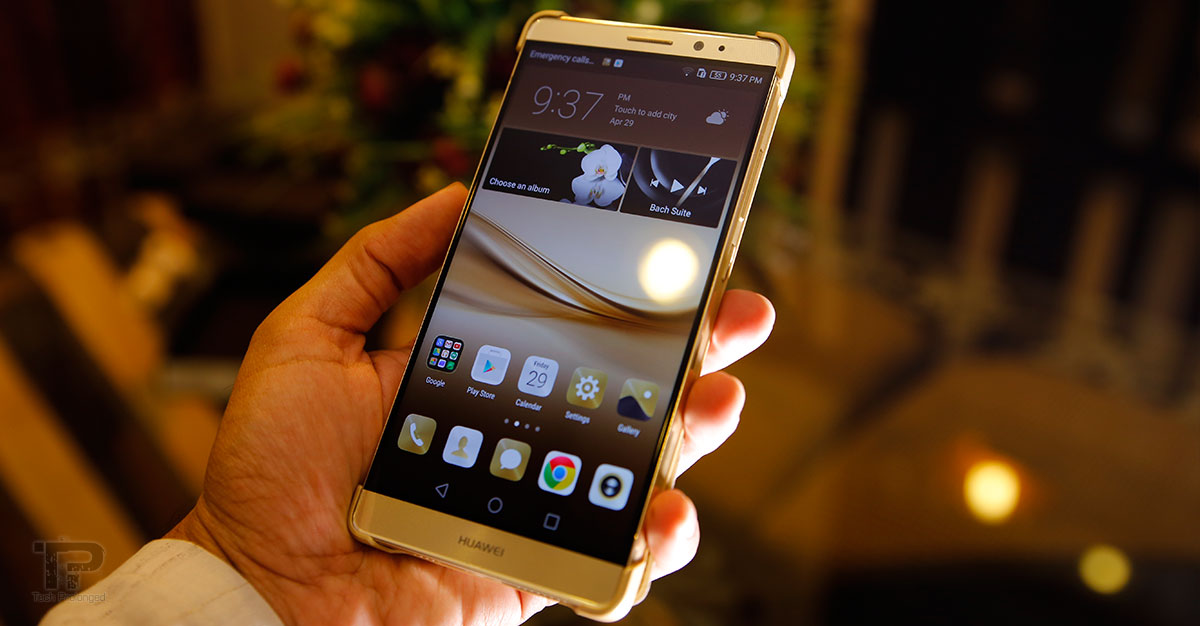
We received the champagne gold variant of Huawei Mate 8 which gave impressive first look out of the box lying down on the top tray on a little more than half of it with the branding “Huawei Design” on the other half. The first impression actually gets the eyes spot on its larger screen-to-body ratio.
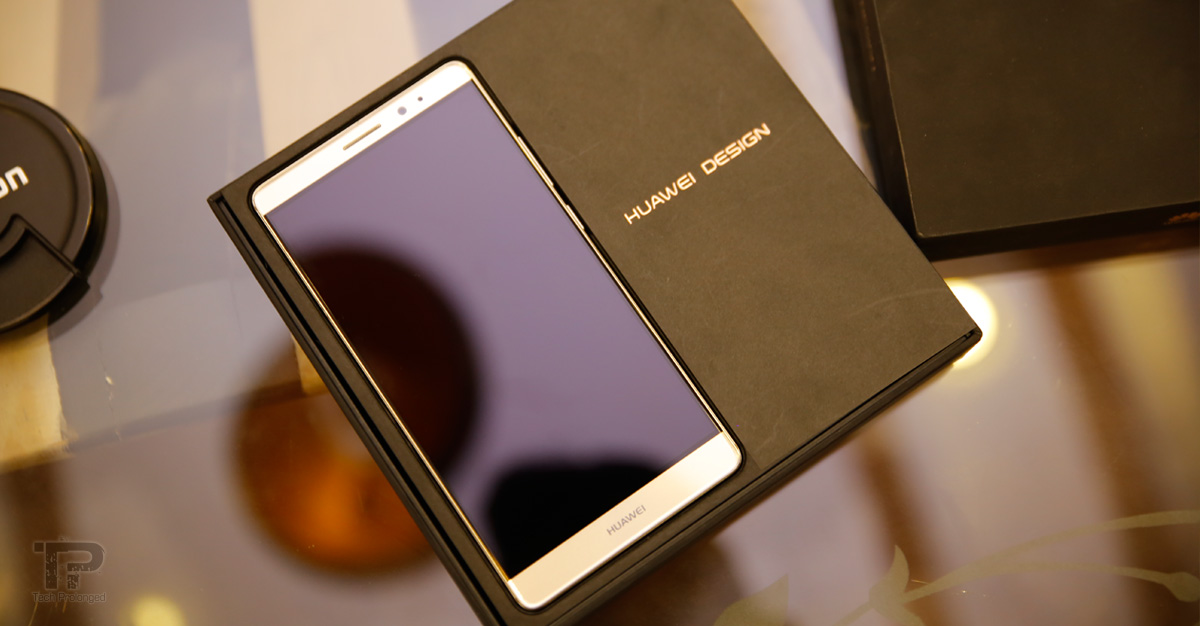
Beneath, under the tray, the retail box brings the standard material along the Mate 8, which include the standard two pin charger for the region in a box container – it supports Huawei Quick Charge with 9 volts and 2 ampere. Beside we get the standard Micro USB to USB cable in its separate box container along side a stereo earphones.
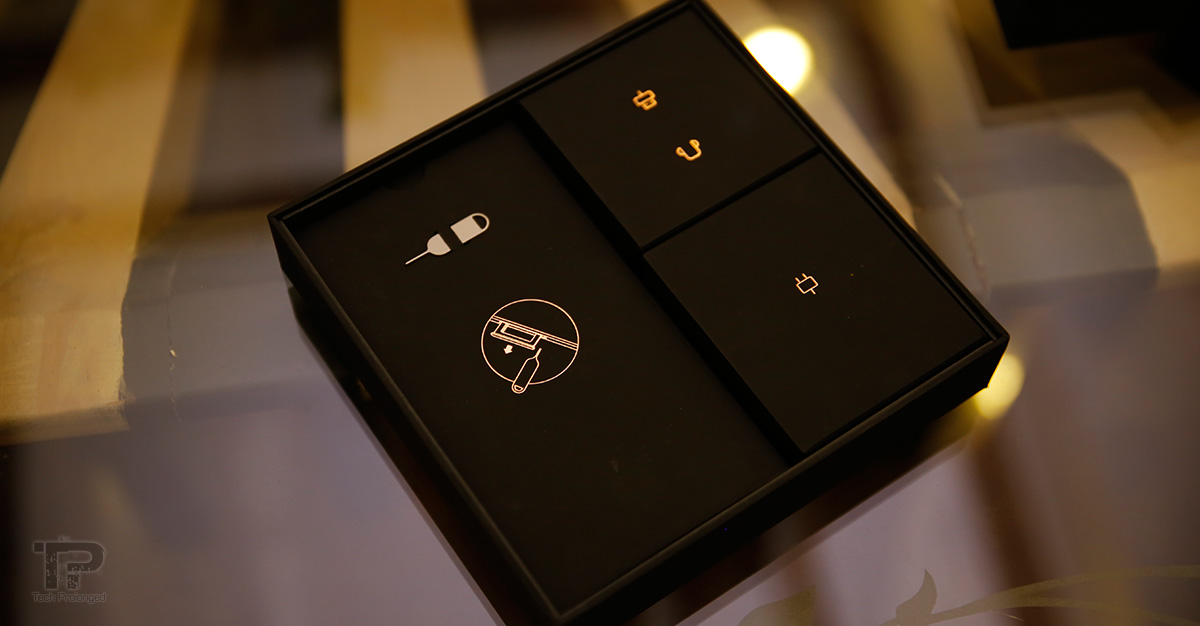

In another large box container, the user guide comes with a smart case that is included in the sales package. A SIM eject tool is also added for easiness.
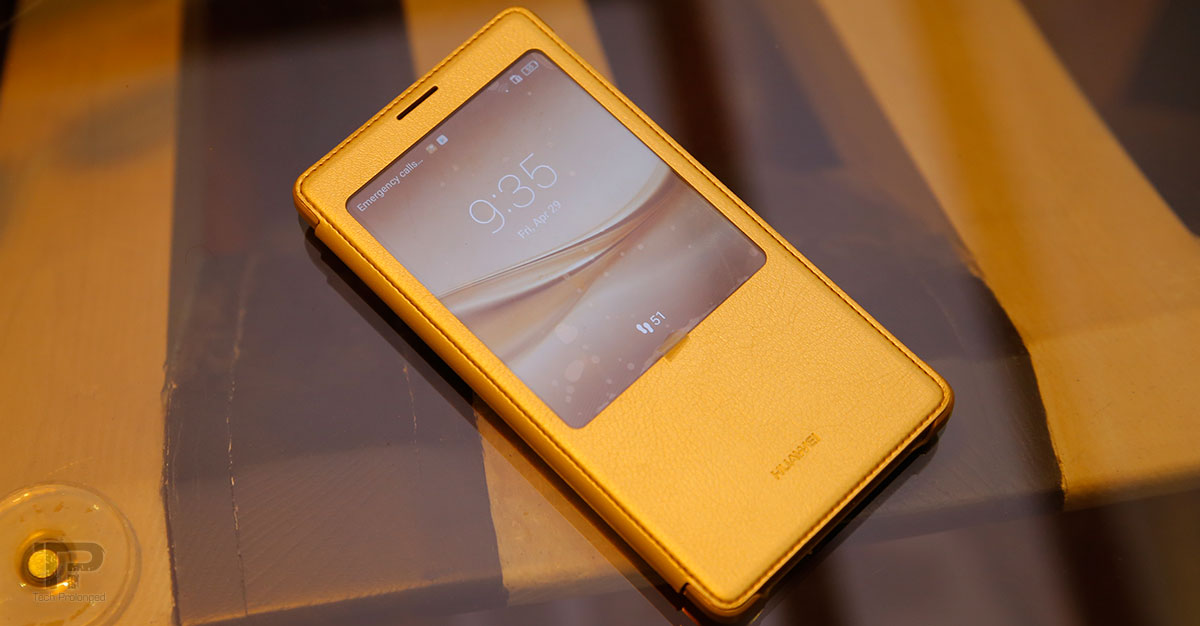
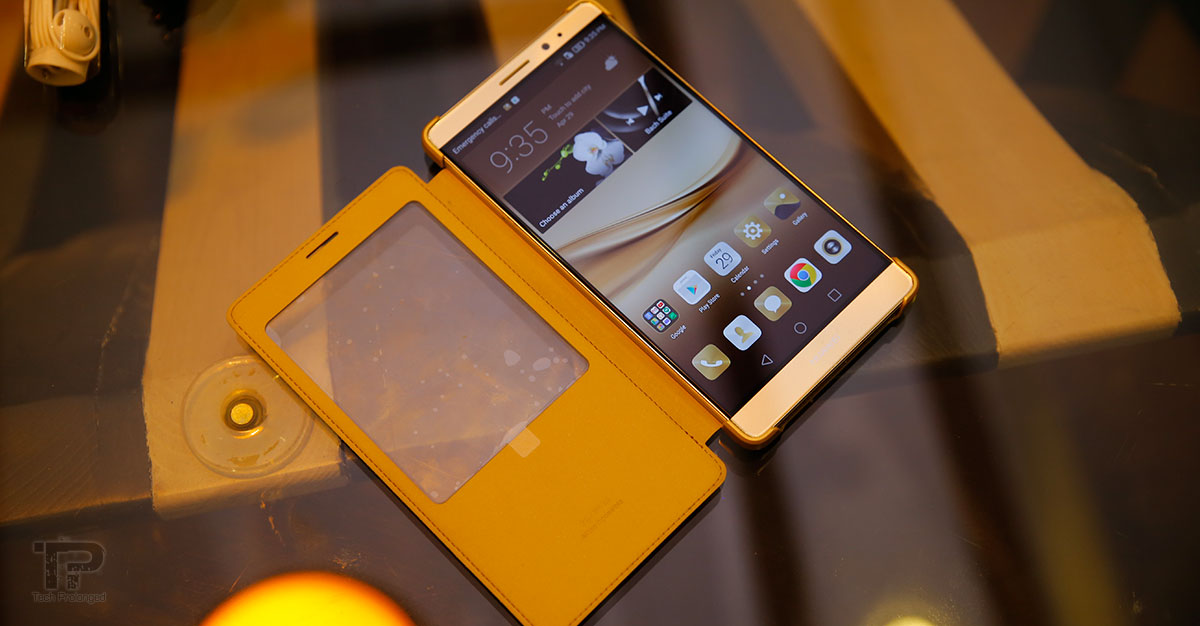
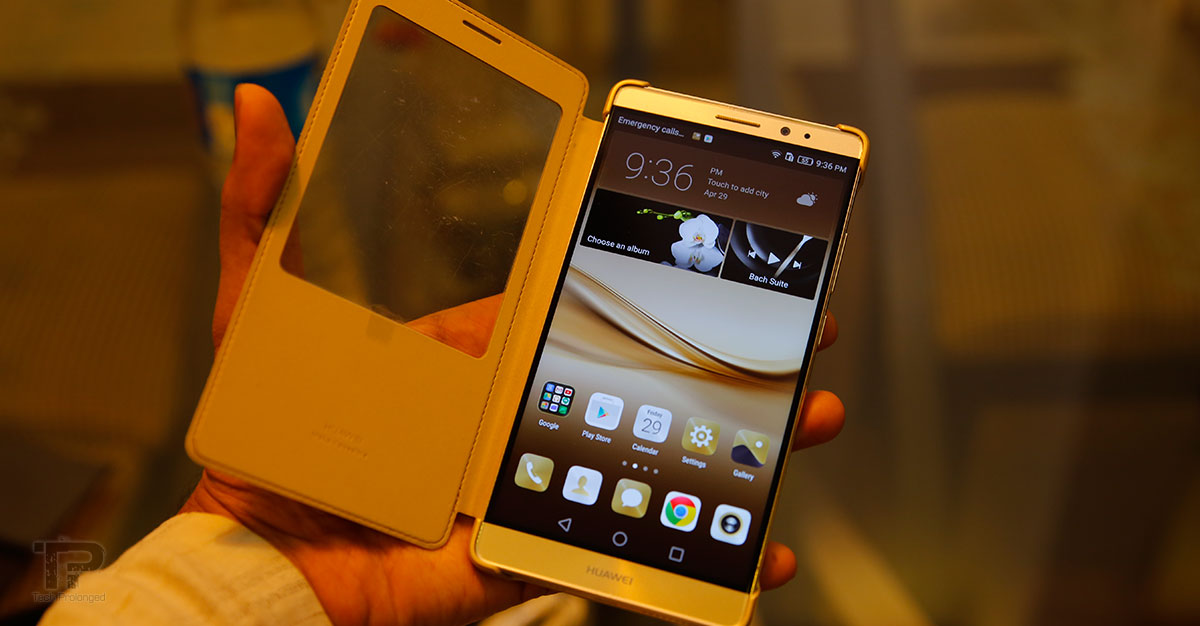
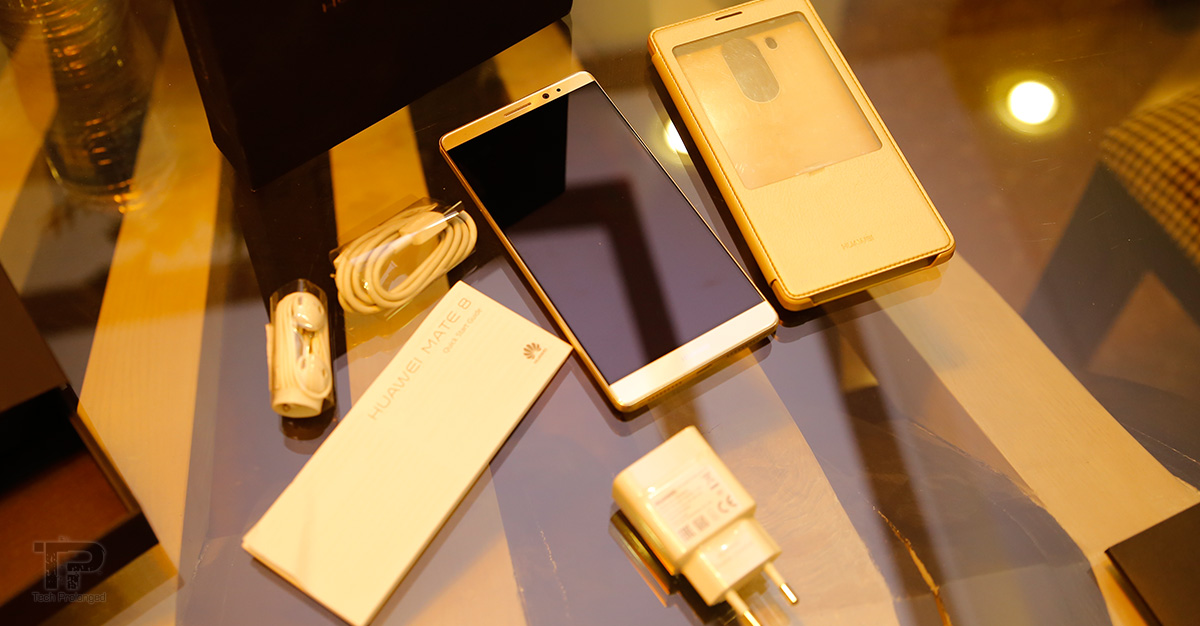
Have a look at the video unboxing the Huawei Mate 8 with a quick design overview.
Video: Unboxing and Design Overview
[nextpage title=”Design and Build Quality”]
Build Quality and Design
There is no question the Huawei has been working with really good manufacturing team out there and have been making quite competitive designs and with the premium build quality. The Mate 8 is no exception wearing the slim and sturdy outfit. Fully aluminium with matte finish on the back the panel slightly curves from one through the other edge.

Still on the rear, the Mate 8 hosts a bundle of things including the 16 megapixel camera with a prominent hump on the module. Besides, there’s a dual-tone flash. Following the placement of the fingerprint scanner on the wide array of their devices, the company puts it right there below the camera unit in Mate 8.
Huawei’s graphical logo and branding are present at the lower half of the rear side along side the device model and made information.
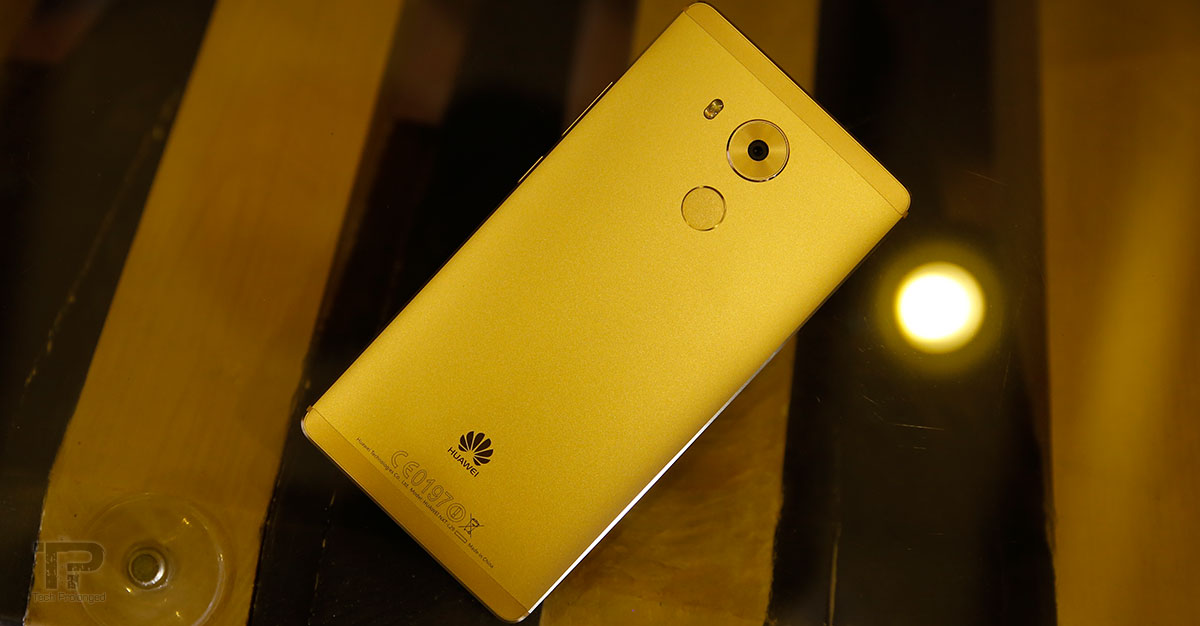
Top and bottom panels seem to be covered with thin layer of plastic probably to allow antenna signals pass through.
With the aluminium/metal frame on the back and chamfered edges on both the back and front, this thing is really sturdy and give premium feel – well it actually is.
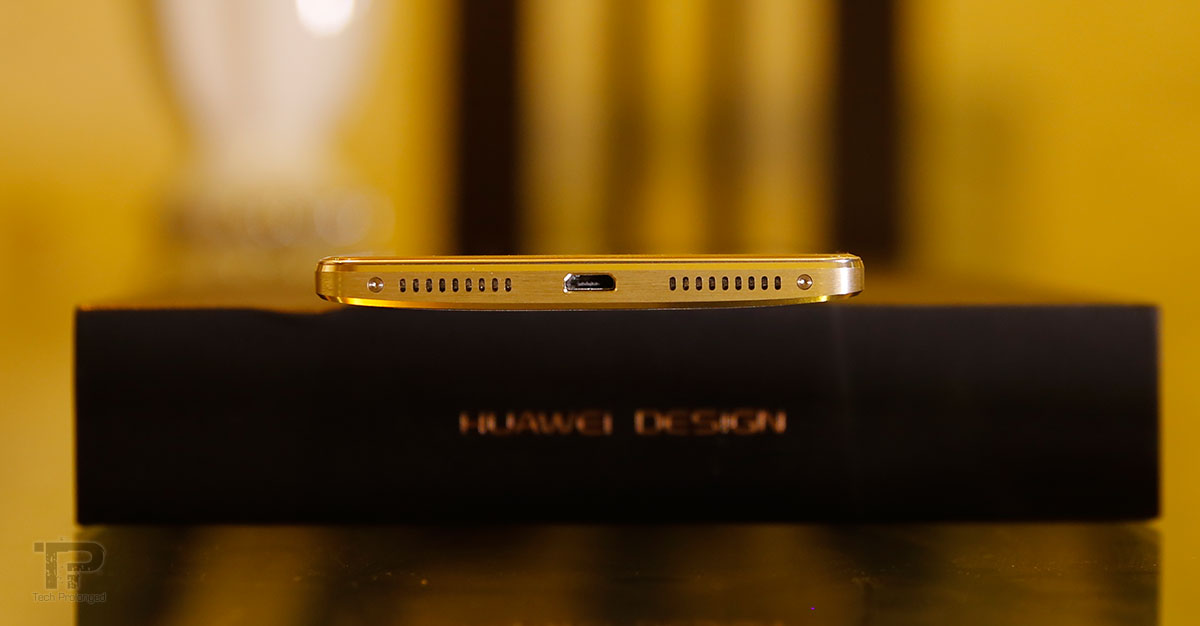
Looking over at the device components, the top side of the Mate 8 hosts 3.5mm audio jack along side a secondary microphone for nose cancellation. While on the bottom of the side you can see duo of the speaker grille, only one of them covers a speaker that is mono. In the middle the micro USB port is provided. On the sides, you can see screws for the assembly.
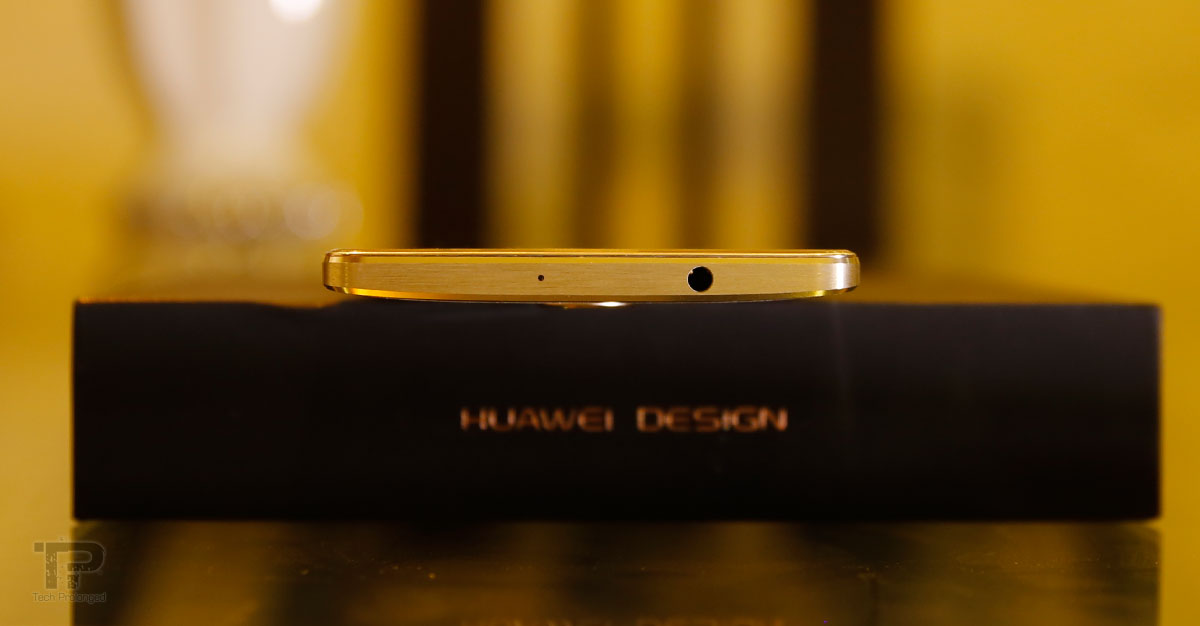
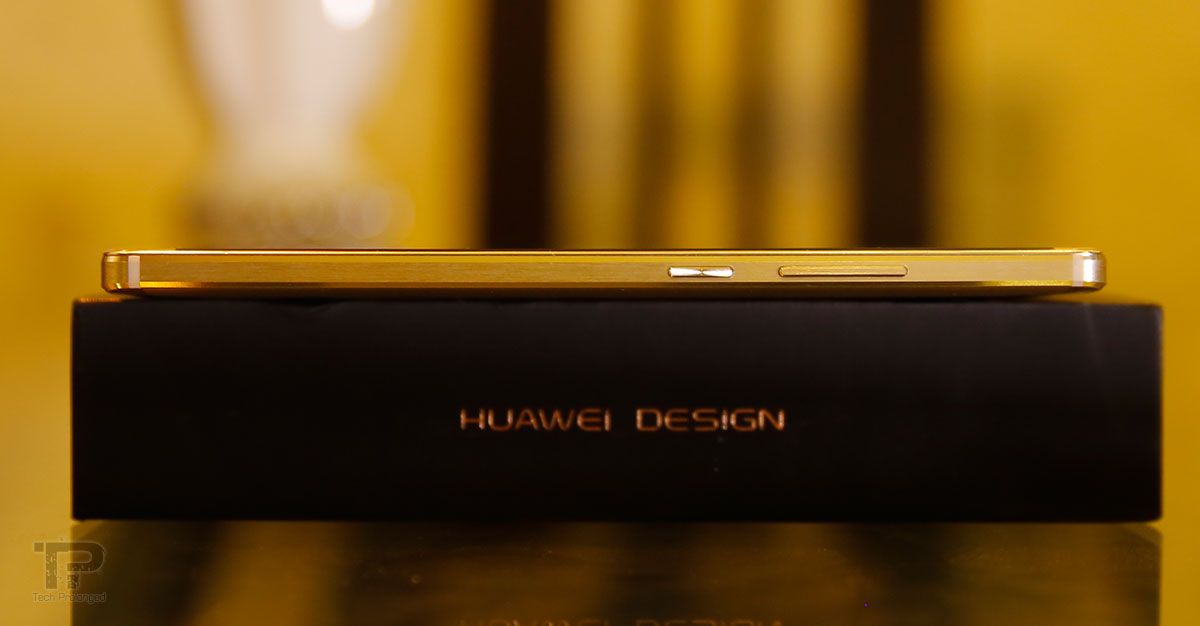
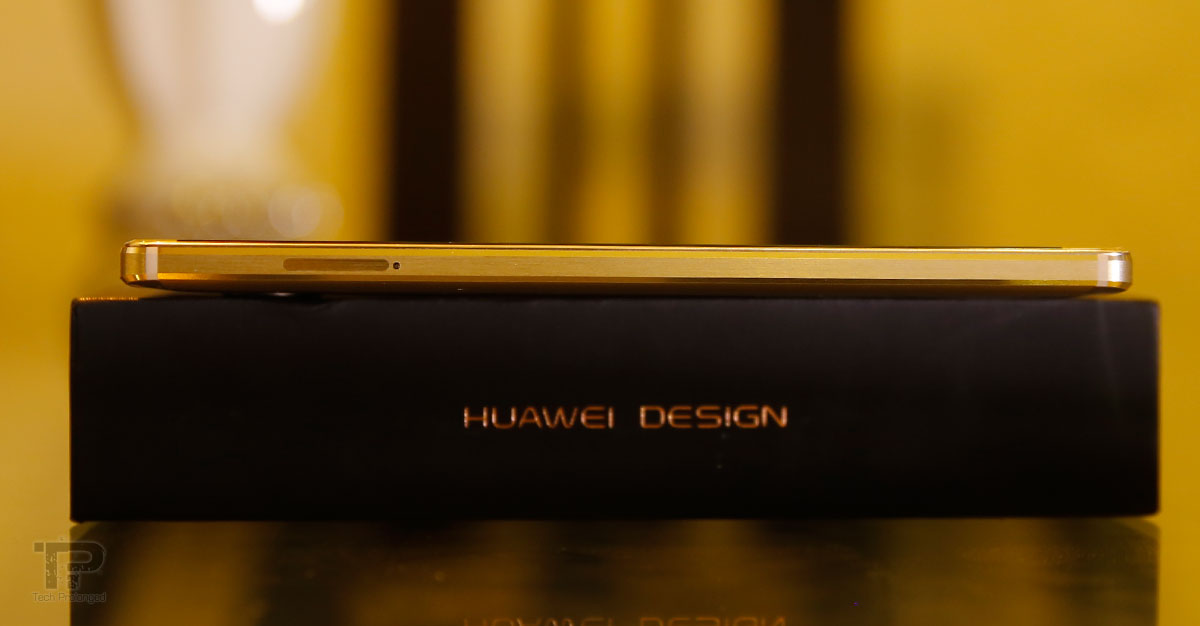
Volume up/down buttons are on the right side of the Mate 8 with the power key below them. The left side of the phablet hosts the SIM slot which is a Dual-SIM slot and can serve for a micro SD card as well if you give up with one of the two SIM cards. It’s SIM1+SIM2 or it’s SIM1+microSD card. You can’t use all of the three at once.
Let me add here, that it’s a phablet measuring as 80mm wide and 157mm tall with 6 inch display. So you will not be in any luck to hold and operate the phone with single hand – there is a single-handed mode however, unless you have bigger hands. First element is only the size that you will decide over to buy it or not but it’s all about personal preference. So if you like carrying bigger devices than it should not be a trouble for you.
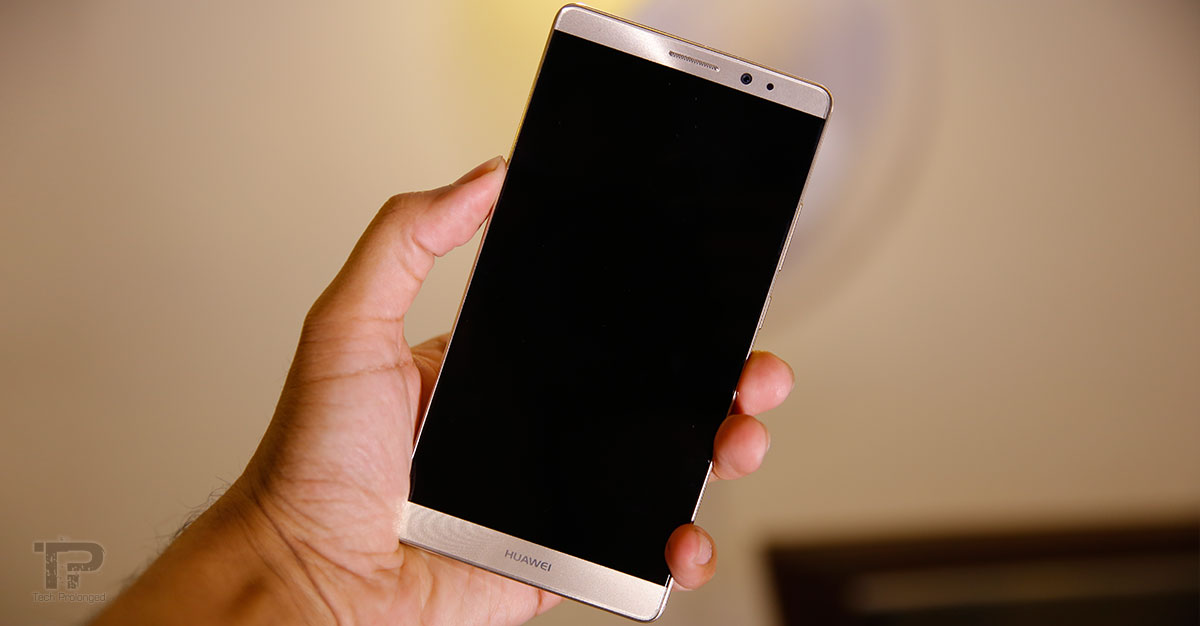
Handling the device doesn’t seem to be so easy due to its slim edges but it does have support for chamfered edges and sharply rounded corners which do not bother at all when fit into the thumb’s base near your palm.
Another element is that picking the device up from the desk is rather easy due to its slightly curved rear panel so that you could be comfortable while picking the device that has its edges up away from the table surface.

In a single statement, Huawei Mate 8 indeed has a high-end quality with components built with precision-machined metal, glass and frame. Labeling it as bigger, doesn’t mean it’s something bad but in its size with 6 inch display, Mate 8 is much compact among competition and have 78% screen-to-body ratio that means it has minimal spared space on the front side and mostly covered by the display.
So visually, Huawei Mate 8 can be said as beautifully stunning design, finished with clean and fine aluminium that is not slippery. Looks heavy but feels lighter than that. But one thing again, Mate 8 is not for average or smaller sized hands.
Display
As Huawei believes that smartphones even with 6 inch displays don’t need the resolution more than FHD. Following their believes – which I guess are alright, Mate 8 is no wonder to have another 1080p display instead of the most competitors offer QHD resolutions on their high-end smartphones. With 1920 x 1080 pixels of resolution Mate 8 still serves at the pixel density of 368PPI which is still above what we know as Retina resolution, a point where human eye can not differentiate at pixel level.

The company prefers providing quality battery life with moderate resolution which is quite right.
The Mate 8 features an IPS-NEO LCD display developed by JDI. It indeed offers deeper blacks but sure not comparable to what we have on OLED displays. However it seems to be better than other IPS displays. Outdoor display performance was pretty nice with Mate 8.
[nextpage title=”Software and User Interface”]
Software and UI
Set with Android 6.0 Marshmallow, the Mate 8 has proprietary Emotion UI (EMUI) which most people don’t prefer and can’t get used to. The version 4 of it mostly brings from the previous versions but there is still a room for customization.
Overview
The most I hear about the EMUI, people won’t tell exactly what it lacks but they don’t just like it as there is a variety of Android user interfaces including OEM ones or the ones in the market which they believe are better to get used to. I do believe it’s just a matter of time, you get used to what you keep using for a good amount of time. Huawei’s EMUI doesn’t have anything that is specially wrong but it has its own way of presenting the things to its users.

With no app drawer, as mostly would already know it, the we have only the home screens that can be rearranged in anyway how the users like it to be for them. There are ways how the home screens swipe through, there are widgets what we can add into home screens along side the app icons and folders. We can switch from 4 columns grid to 5 columns if we prefer.
Lock Screen
In a mannered way when you turn on the Mate 8 from a black screen, the lock screen appears that can be customised with Magazine style which shows a different wallpaper on each turn-on event. Swiping in any direction the the screen gets unlocked but swiping from the exact bottom edge, a set of quick controls and shortcuts appear.
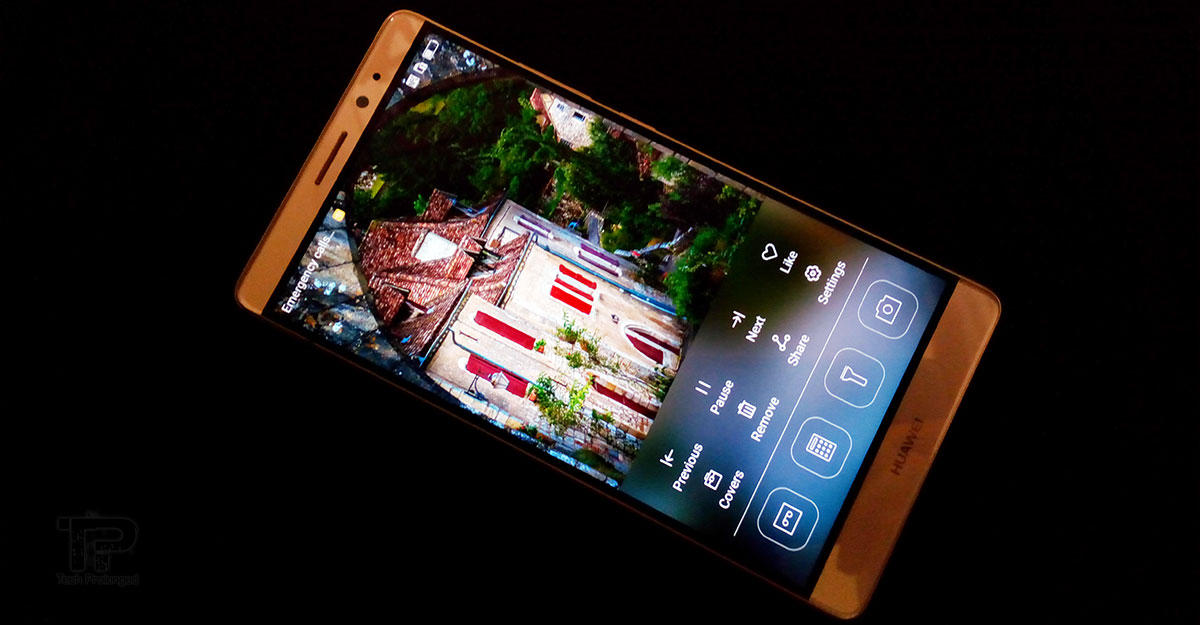
Sure the lock screen has the security feature that’s been there on feature phones since decades. However the fingerprint security is what will void to stay at the lock screen and take you straight to the home screen if you are identified as an authentic user of the phone.
Home Screens and Features
Home screen offers with multiple walls of app icons and a sticky bottom row that could be used for most frequent functions of the phone e.g. Calling, Messaging, Internet browsing etc. As mentioned above, There is no app drawer which is mostly felt as the iOS way but it’s good that Huawei kept the way of Android with widgets and customizable home screens. But if you like the app drawer for all of your apps and instead want only a few (your favourite) ones on the home screen then you are not entertained. That’s way the EMUI offers.

Swiping anywhere on the home screen but not from top initiates the search feature that is also pretty much like the iOS with blurred background and search box on top with recently used apps or functions below. This feature searches through everything on the phone, in contacts, in messages, in emails, in apps, in settings etc. If you don’t find anything, it also provides a link to search online for the keyword you have put in.
Notifications and Shortcuts
Notification center can be pulled down from the top status bar that brings to sections to switch from. There are shortcuts in the right tab, and the notifications on the left.
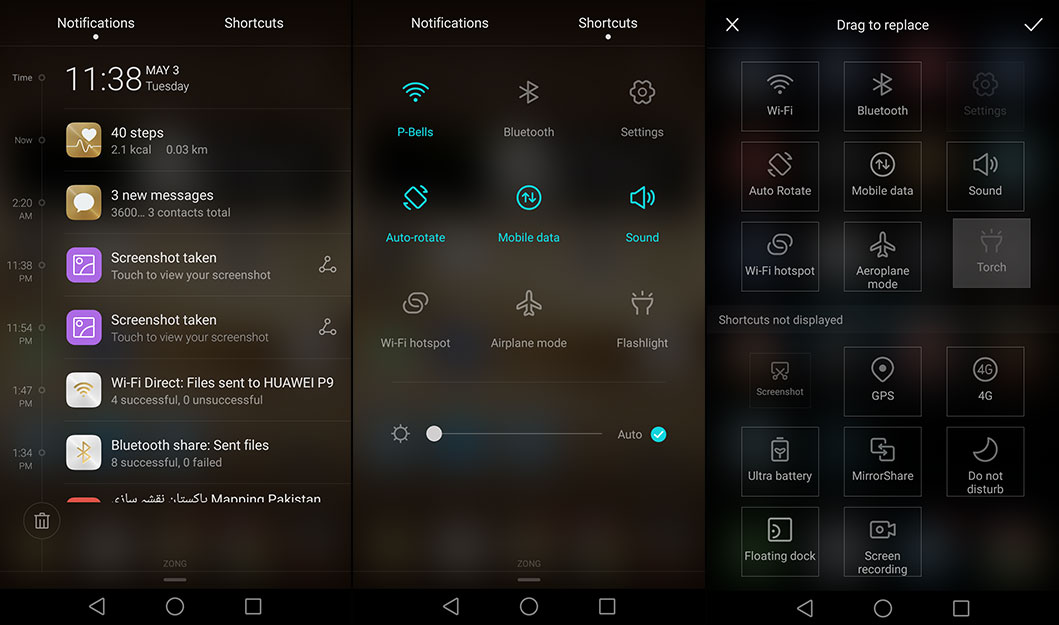
The third screen above is customization section that opens right from the shortcuts section and serves with all the available shortcuts where the upper half lists the shortcuts which are currently present on the main shortcuts section (center). The shortcuts in the lower half are unused which can be dragged to the upper half to display in the main shortcuts section.
Fingerprint Scanner
Most importantly we have fingerprint scanner on board with Mate 8 that’s been considered a must have option in every next high-end flagship. In Mate 8, with absolutely no objections, it’s really efficient and quick. Talking about the action, take the unlock screen mechanism, you would hardly feel a fraction of second as the screen is unlocked before you.
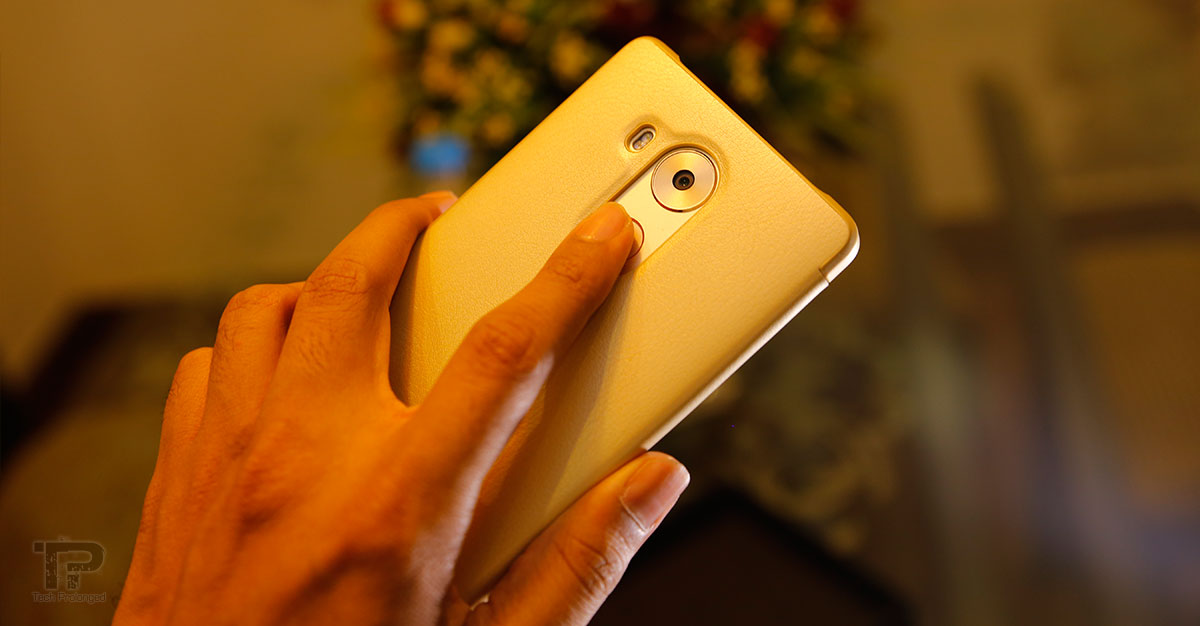
The placement of the fingerprint scanner on the back is much easily accessible when you hold the phone. Pick the phone up from the table and touch the enrolled finger tip on the scanner, the screen is on an unlocked. It’s pretty quick, you should see for yourself in the video demonstration below.
Video: Fingerprint Enrollment & Performance
Multi-screen or Multi-window
With the bigger screen the Huawei Mate 8 offers multi-window support to run two simultaneous apps on a screen but it doesn’t seem to be capable fully to run most apps as it only works with a handful of built-in apps. So you hardly will need to use that feature. The feature can be initiated via recent apps key on the on-screen navigation keys or you can use a knuckle gesture for that.
The Knuckle Gestures
Yes, the Mate 8 comes with one of the most hyped feature Huawei has talked about – the Knuckle. That’s actually what Huawei has done to use your knuckles to perform something on touch a screen phone that won’t accidentally initiate something you don’t want to. Such as if you perform a Knuckle gesture with your finger joint on the screen where an app icon is there, it won’t open the app. Instead it will initiate some action bound to the gesture. Actions include, taking screenshots, draw a letter on the screen, no matter where you are, to open an assigned app, turning on the dual window (multi-window) option.
One-Handed Screen Mode

To support one handed use of the larger phone, the Mate 8 has option to switch to smaller screen on either of the sides (left or right). You swipe from the middle navigation key to left to shrink down the screen size for left hand or vice versa. Swiping from the side where it is now, will resize the screen to full mode.
[nextpage title=”Camera”]
16 Megapixels Camera
In labels and numbers, Huawei Mate 8 features a 1/2.8″ CMOS sensor (first to use Sony’s IMX298 stacked image sensor that time) with phase detection autofocus and it has a lens aperture of f/2.0. Full 16MP resolution serves an image with 4:3 aspect ratio. The wider shot of 16:9 will consume only 12MP resolution. Well, that’s not a true wider shot as it’s only a crop from actual 16MP resolution and you will get the same angle of view and width in images shot at both the aspect ratios. Only the lesser vertical view will be available in 12MP shots. So my recommendation is to stick with full 4:3 (16MP) shot so you can crop it later easily.

The Mate 8, like the P8 and Mate S, has a dedicated image signal processor (ISP) to avoid the load on main chip which should be good performance wise. “The ISP calculates the distance between the lens and the focal point for faster focusing, higher clarity and more accurate color reproduction.” OIS (optical image stabilization) and dual-tone flash are also present to improve images in low light.
Video recording support only up to 1080p at 60fps along with the option for 720p slo-mo (4x slower). Unfortunately there is no 4K video recording.
Huawei’s been doing aggressively in camera department. Specially they have worked impressively with the camera user interface. Still if we try to find something that is not good, it might be the cold start of the camera app – it’s not that bad either. However the later usage of the camera app is pretty much quick.
Camera UI
User interface is rather impressive for camera usability for manual usage. There is Professional Mode that manually settings to tell the camera how to take that shot. ISO sensitivity from base 100 to 1600, shutter speed allows exposure from 1/4000 sec (faster) to as slower as 8 seconds long, Exposure Compensation ranges from -4 to +4, focus can be set manually with a ring slider or set to automatic AF-S or AF-C. In fact, the white balance can also be manually controlled with Kelvin Temperature values from 2800K to 7000K.
Video: Camera UI Professional Mode
Other Camera features
include panorama, super night, HDR, all-focus, watermark, slow-mo, audio note and document readjustment. Light painting is an exclusive camera feature from Huawei which has not yet been provided from any other OEM. The feature includes several tricky shots that can be taken without the technical knowledge as required to take those shots on a digital SLR. Tail light trails, Light graffiti, Silky water, and Star track.
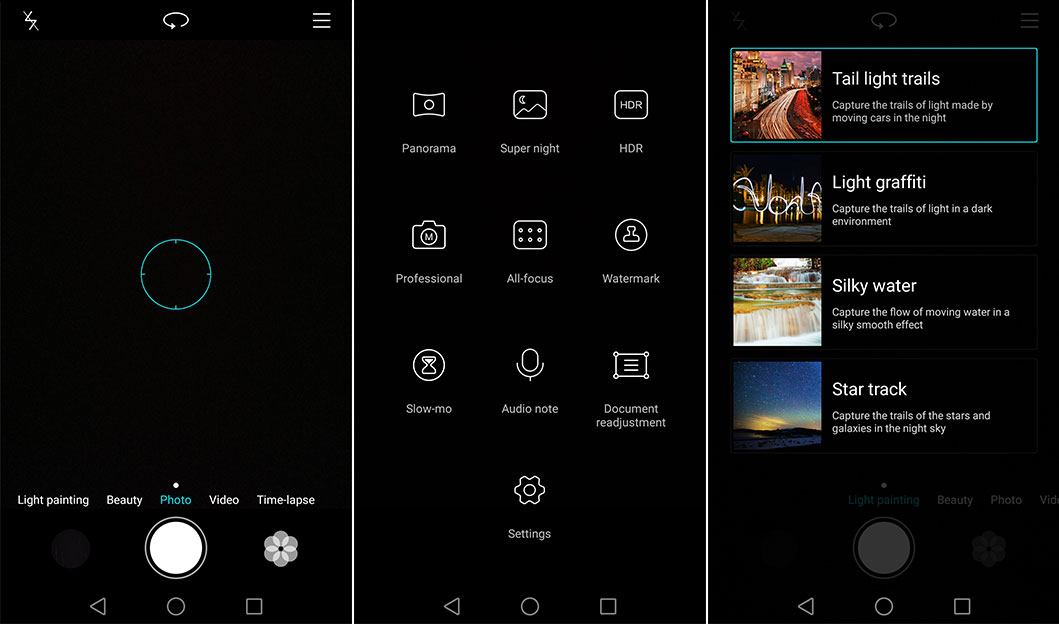
Although the camera app is feature-full with most of the professional/manual functions, the Mate 8 doesn’t offer to shoot in RAW format but only in JPEG format. But that’s fine for most users.
Camera Performance
With all that good numbers and features, we are literally not impressed with the camera output. The images mostly lack the detail and focus doesn’t seem to be accurate all the time due to which we have mostly soft images. Dark portions of the photos introduces much noticeable noise specially when shot indoor. That’s what we found when took some shots indoors.
When shot in daylight (outdoors), Mate 8 seems to expose nicely across the frame with pretty good dynamic range – not that much impressive though when we compared to the Huawei P9’s. Clipped highlights can be easily spotted. In outdoor shots the over sharpening can be seen on the edges of the objects however less noise is there than we see in indoor shots.
When looking at the colors reproduction, they are not that bad but not too good either. For the level of the phone, we are talking about, it’s not too good for a camera shoot out. Sure it’s much better than the mid-range units.
The dual-tone flash and the OIS are actually something in Mate 8 that we can appreciate their performance. While less shaky images can be shot with a little camera-shake with the OIS working within, the flash produces much better skin tones with better detail and less noise. However using flash does have its flaws as you may loose the background due to faster shutter speed and smaller flash range.
Front facing camera is 8 megapixel which is pretty decent in color reproduction, and skin tones are nice. Dynamic range is good too and it too have nice detail with little noise. I am sorry I am not a fan of taking photos of my own with front facing camera so I am not expert in that too but for quality check you can check the detail in the photos below.
Mate 8’s camera is just not up to the expectations as one would desire from a high-end smartphone, the pictures are fine to take and share away on social media. Or else if you could, the manual override of the controls would give much better results than automatic camera functions.
[nextpage title=”Performance and Battery Life”]
Performance & Battery Life
The in-house manufactured SoC, Kirin 950 is powering up the Mate 8. The chipset is a setup of ARM based octa-core processor with four cores of the high-power Cortex-A72 and four cores of low-power Cortex-A53 – respectively clocked at 2.3GHz and 1.8GHz. Additionally there’s an i5 co-processor powered by an ARM Cortex-M7 core which can provide much more performance at much lower power while staying “always on” to constantly monitor the sensors in the device.
Throughout the time period when I used Mate 8, it didn’t let me feel that it went down to something even for a second specially in graphically rich content. Thanks to the variant that we got – the 64GB Storage and 4GB of RAM. Although the GPU is ARM Mali-T880 MP4 which is not quite as performer as Gaming performance was smooth in titles like Asphalt 8, Need for Speed, Modern Combat 5, etc.

With all that the Mate 8 comes with 4000mAh battery capacity. No wonder we had a good experience with Mate 8 how it performed and how long it lasted in one full charge.
With regular usage Mate 8 would last up to 2 days that include web surfing, social interaction, voice calls text messaging as well as instant messaging. Sure to charge that huge battery, you won’t want to wait for hours. The Mate 8 comes with 9V / 2A charger for rapid charging that with a 30 minute charge would give you a full day with the phone. Lastly the phablet gives variety of power plans including the ultra power saving mode that leaves you with a bunch of phone features for urgent power saving.
For numbers we performed some benchmarking where the Mate 8 performed pretty well overall but specifically with Graphics, it fell far behind the competitive devices. The Mali T880 with 4 cluster configuration clocked at 900MHz is indeed much better than the previously found GPUs in Kirin chipsets. But in user experience we actually didn’t feel anything that should be told as bad.
[nextpage title=”Conclusion”]
Conclusion
The Huawei Mate 8 with its 6 inch display and shrunk profile could be labeled as one of the best in compact sizes. Display performance is also too good for an IPS LCD which is impressive as it performs exceptionally outdoors. Huawei is focused with only 1080p display resolution where other manufacturers have been using QHD resolution on their displays. For an example, the Mate 8 display sure won’t be as sharp as the one on Galaxy S7. But if not comparing, the Mate 8’s display is still above the point where you can see in detail with your eyes. It’s really not something for which it should be deduced.
Dual SIM importance can be seen by the company as lower, mid-range or even high-end devices by Huawei feature dual SIM option. If you use the second SIM, you’ll have to sacrifice the micro SD slot. However there is dedicated variant of Huawei Mate 8 with only single SIM and the micro SD card slot.

Performance of the phablet is also on par with powerful Kirin 950 chip and 4GB of RAM module. The storage capacity is also more than enough along with the option to expand via micro SD card. With all that the battery capacity is also there to support you the whole day long – even could be doubled if used fairly. The Mali T880 GPU also improved the 3D/Graphics performance of the Mate 8 from the previous versions, however it didn’t score as high as competitive devices running on latest Qualcomm chip.
Sure there need to mention about the software, Emotion UI, which mostly people don’t like – I personally don’t hate it as it’s just a matter of preference. It’s my task here to alert you about that too. If you are not so much fan to other Android User Interfaces, then you should really be fine with Huawei’s EMUI.
What we aren’t impressed of is the camera. I believe the camera could been improved in great way with all the hardware support Mate 8 has. The focusing issue was the most bad thing I noticed. However, it’s not that the camera is bad at its job, but such remarks are only because the output doesn’t match the high-end class of the smartphone. So if I say the “Mate 8 camera is decent” it won’t be wrong.
Huawei Mate 8 is all what you can see above. If it suites your desires, you can literally go for it. Camera and the Software parts are the two you should think about. And yes, the Mate 8 brings a smart case along in the sales package.
Update: Rating fixed with correct calculations below.


