


[nextpage title=”Overview and Specifications”]
Overview
Nokia Lumia 930 being a successor to the Lumia 920 and more to Lumia 925 may be said as the combination of design elements from various Lumia devices released previously. The latest smartphone from Nokia is actually the best I have used in Windows Phone lineup to date, whether it’s build and design or the hardware package inside it. Windows Phone 8.1 with the added support of Lumia Cyan software pushes it right up to the concerns. We’ll see how does Lumia 930 stand up in the competition and how may it (or may not) attract the consumers.

Lumia 930 Review: Cool and Iconic
If you didn’t know, the Nokia Lumia 930 is the global variant of the early US release of Lumia Icon. Both of the devices are just identical to each other leaving a few bits of network frequencies. Icon was exclusively available on Verizon supporting their CDMA network. On the other hand the Lumia 930 is to serve you out at your place.
We covered the middle east launch of the Lumia 930 directly from Dubai with quick hands-on and first impressions. Following on with it lately we had an unboxing session of Lumia 930 and surprised to see the absence of a stereo headset with such a high-end smartphone. With the sales package you get only USB data/connectivity cable and a charger. Well that was the first bad impression I got. Look at what you get in the sales package.

The wonderful thing was that in UK, a wireless charging plate is included with the sales package in replacement of the stereo headset. Well that was quite a healthy deal.
For a couple of weeks Lumia 930 has gone through our regular use cases which include primary purpose of phone – calling and texting through out the day and then frequent browsing on WiFi and/or 3G, social interaction, voice/video calling on Skype, video playback, gaming etc.
Before we take it to the next part, checkout the specifications of the Lumia 930 below
The Specifications
- Main camera: (Page 5: Camera Review)
- 20 MP, PureView, Carl ZEISS Optics, Aperture: f/2.4, Optical Image Stabilization.
- 2x digital Zoom, Dual LED flash
- Video recording: 1080p @ 30fps, 3x zoom
- Secondary camera: 1.2 MP, 720p
- Size/Volume:
- Screen Size: 5” screen
- Dimensions: Height: 137 mm x 71 mm x 9.8 mm,
- Weight: 167 grams
- Display features:
- AMOLED ClearBlack display and Gorilla Glass 3
- Display resolution: Full HD (1920 x 1080) pixel density of 441 PPI
- Processor: Qualcomm Snapdragon™ 800 Quad-core 2.2 GHz
- 2GB of RAM
- Mass Memory: 32GB internal. NO expandable memory (microSD card) option.
- Nano SIM card support,
- NFC: Pairing, Secure NFC for payment, Sharing, Tagging
- Maximum talk time (3G): 15.5h
- Battery capacity: 2420mAh
- Wireless charging: Built-in (Qi standard)
- Supported networks:
- 2G/GSM: 850, 900, 1800, 1900
- 3G/HSDPA: 850, 900, 1900, 2100
- 4G/LTE: 800, 900, 1800, 2100, 2600
2GB of RAM is really worth appreciation as it comes right down to Lumia 930 from the 6″ phablet Lumia 1520. Bringing almost everything impressive from that bigger screen phablet to a handy phone is really a brilliant move.
Expandable memory found the phablet is however missing from the Lumia 930 which, if were present, would have been a great option for consumers. Otherwise the fixed on-board 32GB storage is the maximum and only option in the Lumia 930.
Improvement is that, Lumia 930 adopts the AMOLED display with the ClearBlack layer on it and Gorilla Glass 3 protection instead of the IPS LCD and the Gorilla Glass 2 found on the Lumia 1520. Chipset Snapdragon 800 is same which, we think, could also have been replaced with the newer that time Snapdragon 801. But the question is why? Windows Phone 8.1 and all those features it got run perfectly with the current hardware it owns. Unless it fails, there is no need of upgrades. In fact it’s a point that should be given to the OS which performs better on lower requirements.
Next we are going to check the look and feel of the device where we’ll the user controls of the device as well as the design and build of the Lumia 930.
[nextpage title=”The Build, Design and Display”]
The Build, Design and Display

Well of course, today’s smart phones have taken the place of the older feature phones, they also have been more fragile than before. Nokia has a tradition of making good and solid phones. Their products are meant to be relied on. They are still better in that factor and the Lumia 930 is no different. With the Windows Phone 8.1 and the Lumia Cyan software, it’s even good for its job.
Build and the Design
Getting over to the build, the Lumia 930 impressed us with its aluminium frame at the sides of the phone while the back panel is made of polycarbonate and that’s where the phone serves the options to choose from different colors. The color options include black, white, orange and green. We got the orange one.
I’ve personally preferred the black or the white in a smartphone to use as my primary device but this orange color actually impressed me and didn’t give any fancy impression.

Full aluminium frame is really beautifully crafted on the sides and connect flat to the front screen and the back panel. The frame is flat enough on each sides that the Lumia 930 can stand on it easily on a plain surface. Of course not at the side where the control keys are present.


The back panel is completely fixed into the frame curving at the edges and joining to frame but you can easily feel the offset between the back panel and the frame where they join. It really feels odd and I literally felt at the first impression that if the Lumia 930 features a removable back panel, Well it’s not. It seems that Nokia made it intentionally as the offsets is perfectly matched at each side and equally elevated alongside the frame.

On the front, the screen is obviously protected by the Gorilla Glass 3 and it’s curved at the edges giving a really pleasant feel in hands. The front glass also joins the aluminium frame at the very edges covering the whole front screen from top to bottom, left to right.
Most importantly the Gorilla Glass 3 on Lumia 930 really impressed us to touch just like previous high-end Lumia devices or may be more.

At top of the screen there is an earpiece and right besides it there is 1.2 MP front-facing camera for video calling and selfies now a days. Next to it there is proximity and ambient light sensors right above the NOKIA branding.


At the bottom you can easily see the standard Windows Phone navigation keys, “Back”, “Start” and the “Search”. They are capacitive touch keys.
Left side of the frame hosts nothing and is completely free of any component or control while the right side of the frame hosts the dedicated camera shutter key which is two-stage obviously for auto focus. Next there is the power/lock key and a volume rocker. These are impressively made of the same aluminium parts as of the frame.


At the bottom side of the frame there is simply a micro USB port for connectivity and charging purposes. The top of the phone hosts a 3.5 mm audio jack and a micro SIM card tray. There is also a little attraction on the frame with the strips on each side of the audio jack. The same strips can be found at the bottom around the micro USB port


Micro SIM card tray fits just inside the frame leaving a space for you to pick and extract the tray out. It’s really easy to remove and push back in the tray.

Coming to back panel again to get a glimpse of the main 20 MP PureView camera. It’s Carl ZEISS optics with the Optical Image Stabilization inside along with a larger sensor – we’ll sure going to take an in-depth care of the camera later in this review. Along side the camera there is dual LED flash.


On the bottom part of the back panel you can see a big speaker grill. The two dots in both pictures above on the top and the bottom of back panel, are the mics to record stereo sound while recording videos with Lumia 930.
Once again, note that the back panel is not user-removable.
Display
Lumia 930 features a 5 inch AMOLED display with full HD resolution of 1080p (1920×1080). Nokia’s proprietary ClearBlack technology provides better outdoor visibility and of course better black levels with reduced reflections in display.
Before we go into some deep investigation, the point to mention is that the Lumia 930’s display is brilliant outdoors and contrast ratio is very good. With the initial stock Lumia 930’s display had got into trouble with purple tint in blacks, which of course was possible to be fixed with the adjustment in color profile (Settings > display > color profile), but later was fixed via a software update 1 to Windows Phone 8.1.
On the top “Lumia Cyan” firmware brings more customization for display settings than before. It gives you full control to the adjust brightness, gives you the ability to adjust color temperature, tint and saturation. You can just configure to your personal viewing needs.
Checkout some comparison shots along with the iPhone 5C, Nexus 5 and Galaxy Note 3.


Checkout on the next page the Benchmark performance of Lumia 930 in comparison with the other flagship devices.
[nextpage title=”Windows Phone 8.1 and Lumia Cyan”]
Windows Phone 8.1 and Lumia Cyan
Mostly Windows Phone 8.1 OS is for every smartphone running Windows Phone 8. In fact it has already hit the devices already. Lumia 930, along with the Lumia 630, is the first smartphone came with the Windows Phone 8.1 pre-loaded as well as Lumia Cyan software update is built-in. We have seen Dual SIM support in Windows Phone 8.1 on the Lumia 630 but as Lumia 930 is not a Dual SIM phone, hence the this functionality will not be available in the device. Another newly introduced feature in Windows Phone 8.1 was the software rendered navigation bar (back, start, search buttons) which will also be not present on Lumia 930 as you have seen the dedicated hardware capacitive touch keys on the screen.
Customization is also enhanced in the new OS from Microsoft, if you have read the list of features in the Windows Phone 8.1. Background customization and the start screen customization are two of them. Lock screen can be customized with desired notification items as well as notes from various supported apps like calendar. On the other hand the start screen can be customized with the background behind the tiles that floats as you scroll up and down on the screen.
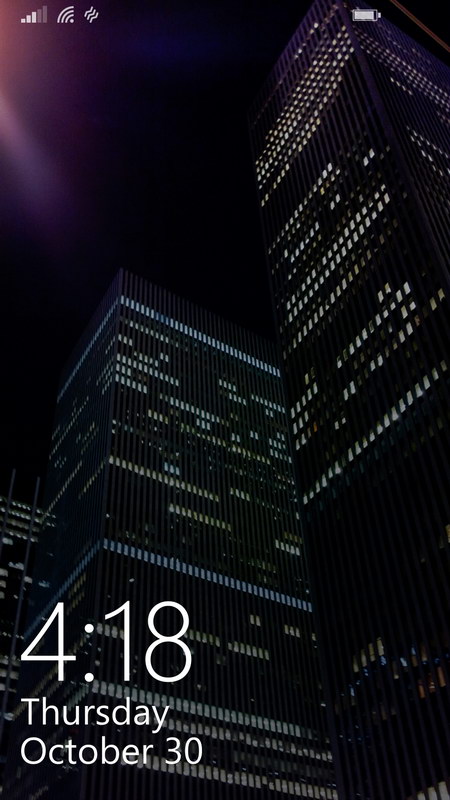
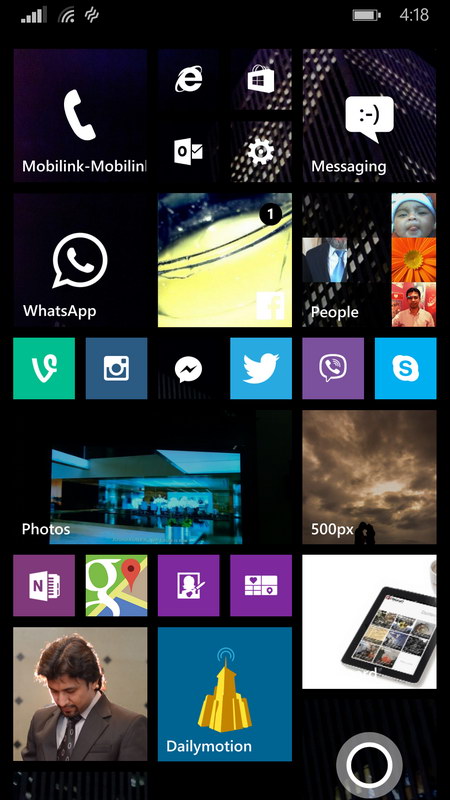
Windows Phone 8.1 first brought more column support to the bigger screen devices and later added to all devices. However the new 3rd column is more useful and brilliant on the high resolution devices unlike on lower resolution devices such as Lumia 630 as smaller tiles were not so sharp.
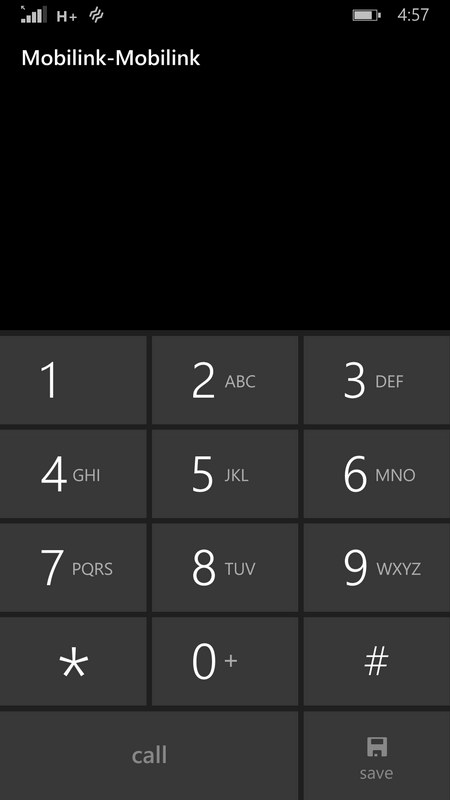
Coming to the dial screen of Windows Phone 8.1, I am still disappointed to not see the smart dialing option – that is when you use T9 to type a contact name on the dialer and the name with a valid number just comes up. This is the feature Nokia had for years on its feature and Symbian phones but Windows Phone, till 8.1 GDR1, has not equipped with this option. You need to flick through the contact list and search your desire contact name to call. The history page presents the full call and messaging log classified by the contact name or number.
Note: However the smart dial option is not available on Windows Phone dialer, you can still use Cortana – the virtual assistant to say a name you want to call. You will have to activate the Cortana first to command something. Cortana features are listed after the break.
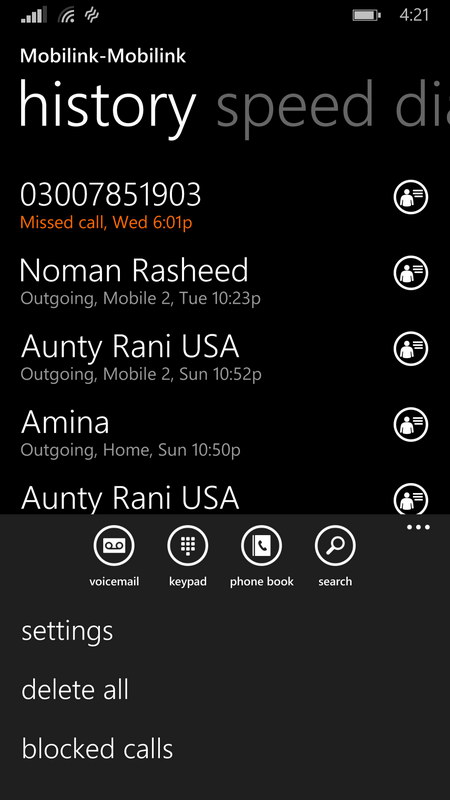
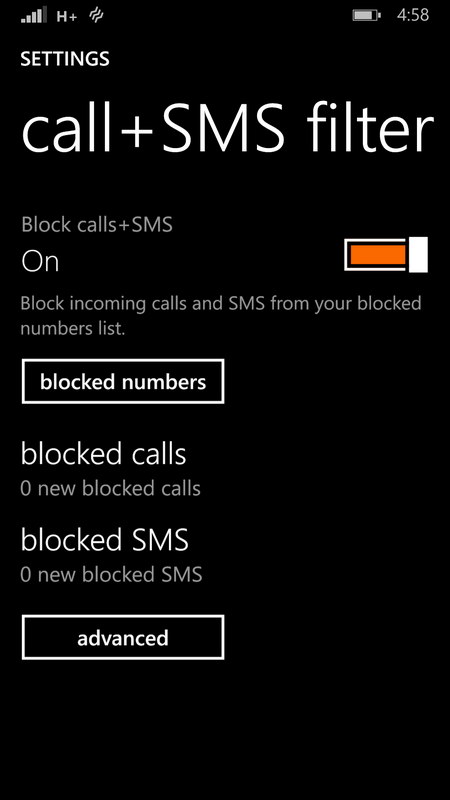
You can block contact name or number right from the history screen – for that you need to update your phone to have call+SMS filter in settings. You can also install it manually from the Windows Phone store.
When you call a number, the next screen provides you with a few options including the new one introduced in Windows Phone 8.1, “Skype” which enables only once the call is connected. The Skype option is only available if the contact you are calling is linked to a Skype ID.
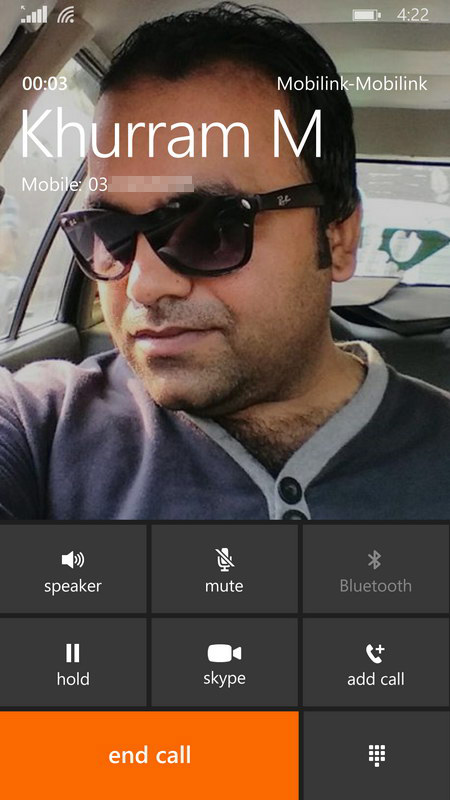
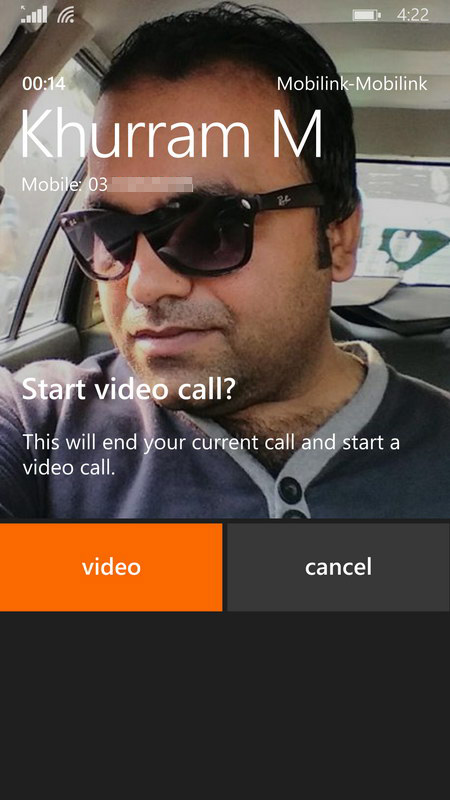
Official: You can switch from a voice call to a video call if you and the person you’re talking to are both signed in to a compatible video-calling app, such a Skype, and both have the app installed on your phones. When you do this, your cellular voice call will end and a new video call will start right from there. This feature isn’t available on Windows Phone 8.
Action Center and Notifications
The drop-down from status bar of the phone brings a lot more and user interactive features to Windows Phone 8.1. The Action Center and Notifications are presented in the drop-down screen where you can tap on the individual notification to go straight to the app. The shortcuts to the apps/switches are presented in a row on top. Those shortcuts are not only switches, they are multipurpose. e.g. the WiFi shortcut enables the the WiFi adapter on the phone if it’s disabled in the settings, or otherwise takes you to the settings to choose another WiFi connections.
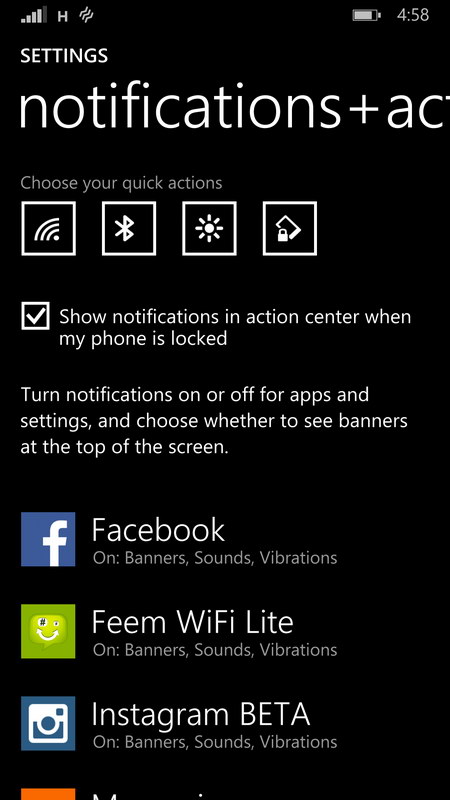
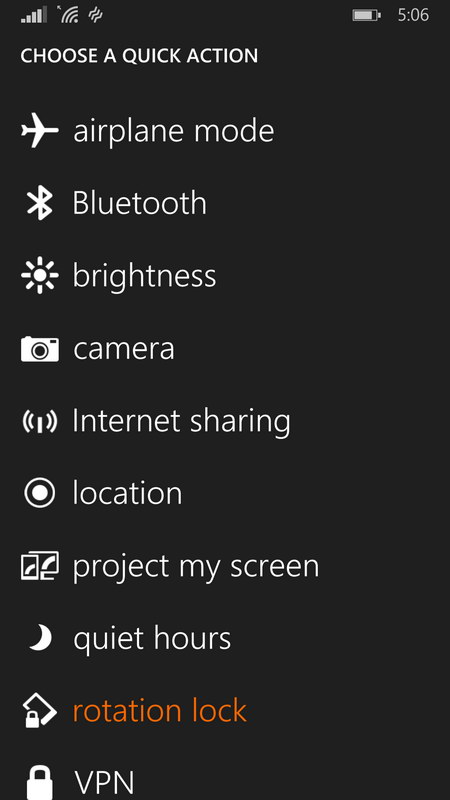
You can change the presentation of this section in Settings > Notifications+actions. You can change the quick actions to be presented on the shortcuts row. You can add/remove apps you want to get notifications on/off the drop-down screen.
Cortana – Personal Voice Assistant
Cortana was actually the biggest one of the features in Windows Phone 8.1. It’s a personal voice assistant in Windows Phone more like Siri in iOS. Otherwise its alternatives on Android are Google Now or S Voice on Samsung’s devices.
Cortana takes commands by voice and actually respond in the same way. Where needed, it questions you in order to ask your permission, that also by natural female voice. To me, Cortana responds in more natural way than Siri as well as Cortana is more intelligent in understanding non-native English speakers (of course like me). I mostly struggled with Siri to get me understood.
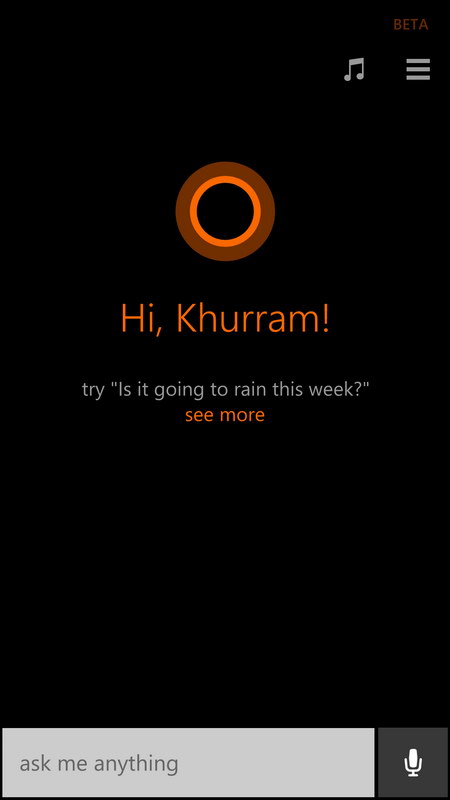
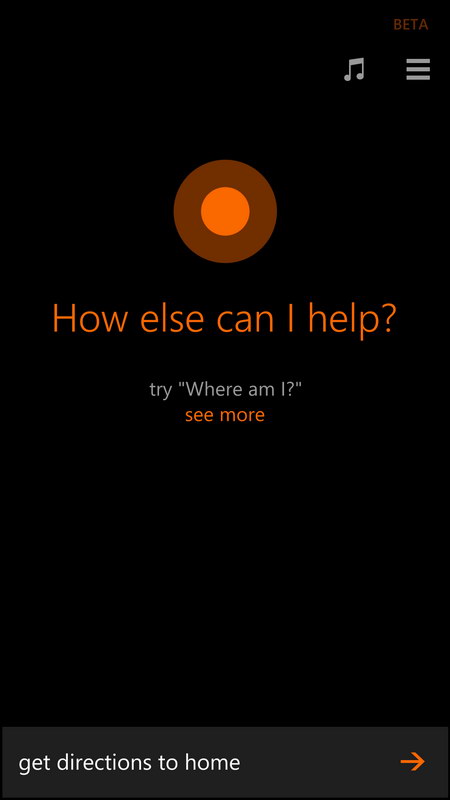
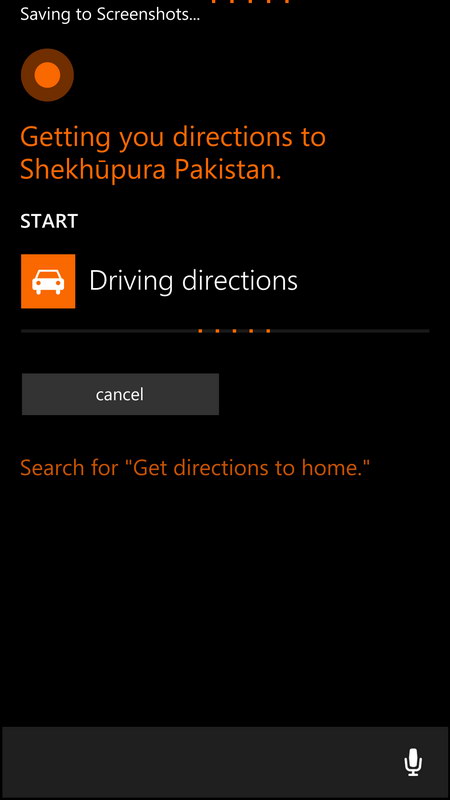
Cortana can initiate anything on your Windows Phone on your voice command. It can open an app, take you to the settings, can initiate a voice or video call, text message to some contact in your phone, give you the driving directions from your current location to your destination, can bring you the weather report of a specific location. It listens to you as you speak naturally in your language before it responds accordingly. You ask her to do something as you ask your buddy in person.
Cortana is actually limited to the US and a few other countries. Officially it’s not yet supported in Pakistan – You must read our tutorial to enable Cortana in Pakistan or in any other country which is not yet officially supported.
I always mention that that Nokia Maps and GPS/Navigation is still not available for Pakistan. Hence any third party Maps/Navigation with Google Maps or Open Street Maps can work as your primary GPS/Navigation app on Windows Phone. e.g. Waze.
Productivity
Productivity in Windows Phone is just out of the box as before. Improvements always are made and added to the smartphones by software updates via OTA. Lumia 930 as come pre-loaded with Windows Phone 8.1, it brings improvements to the built-in apps like Office products such as MS Word, Excel. One Note is also built-in.
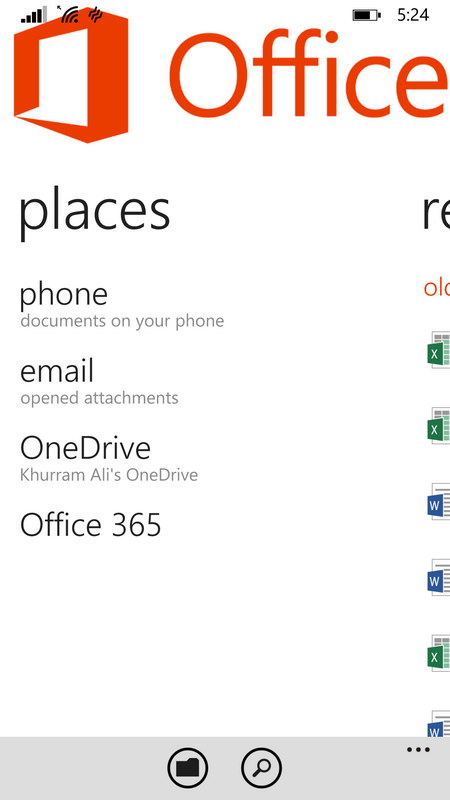
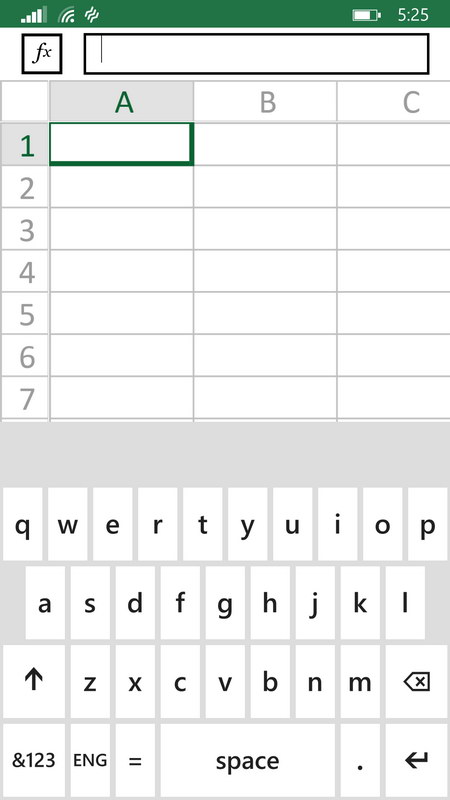
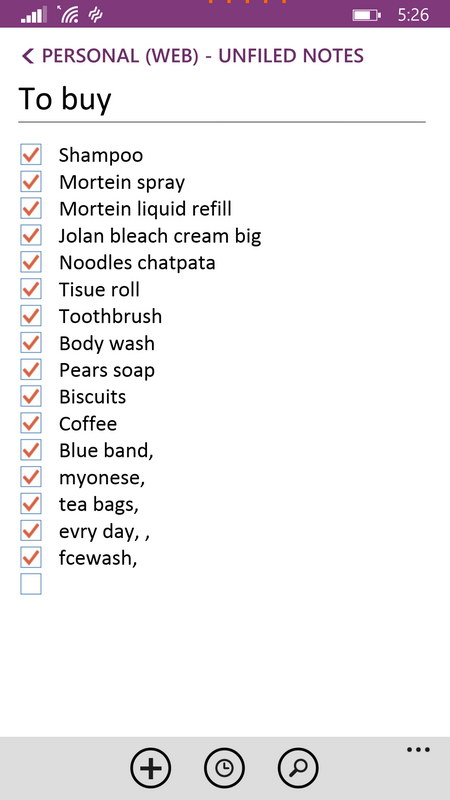
As long as productivity goes on hand held devices, Microsoft suites are much better in comparison. With Windows Phone it of course is a plus point for those who prefer these productivity apps over anything else.
Word Flow keyboard
Windows Phone 8.1 has a new Word Flow keyboard that suggests words and corrects misspellings. You just swipe your finger through the letters on the keyboard and the Word Flow keyboard knows what you want to type.
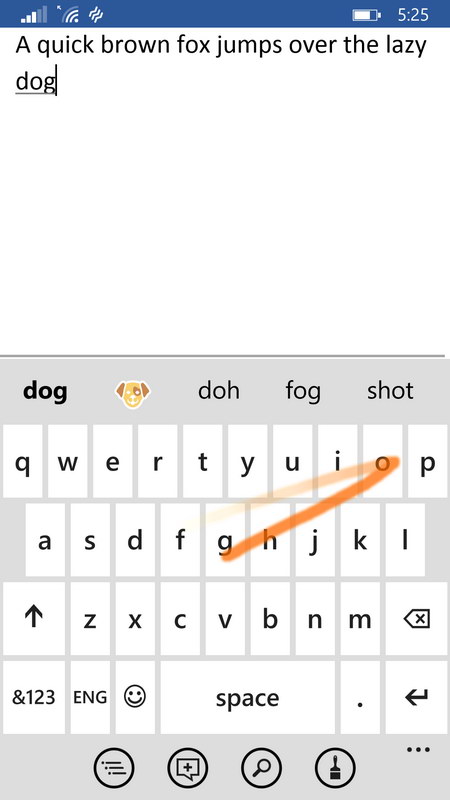

Windows Phone 8.1 update 1 or GDR 1
Lumia 930 comes out of the box with Windows Phone 8.1 and Lumia Cyan software update pre-loaded. However Microsoft lately announced the update 1 to Windows Phone 8.1 which has not yet been shipped to consumers but have been rolled out to developers for preview.
The update brought a number of fixes, improvements and features to the system. We also tried Lumia 930 with the Windows Phone 8.1 update 1 and tried to notice the differences. Let’s have a look on some as these are somethings you will want to go with if you decide to own a Lumia 930 as your next smartphone.
Live Folders
There was no folders support on Windows Phone up until the update 1 to Windows Phone 8.1. But it’s appreciable that Microsoft listens to its customers and brings features accordingly. The Live Folders support Windows Phone 8.1 is actually appealing for those who want to categorize their apps in sections. You just need to pick an app tile and drag it over another app. They system will know that you want to combine both of the apps in a section and it will create a folder for that, place both app tiles in it and leave you to edit the name of the folder.
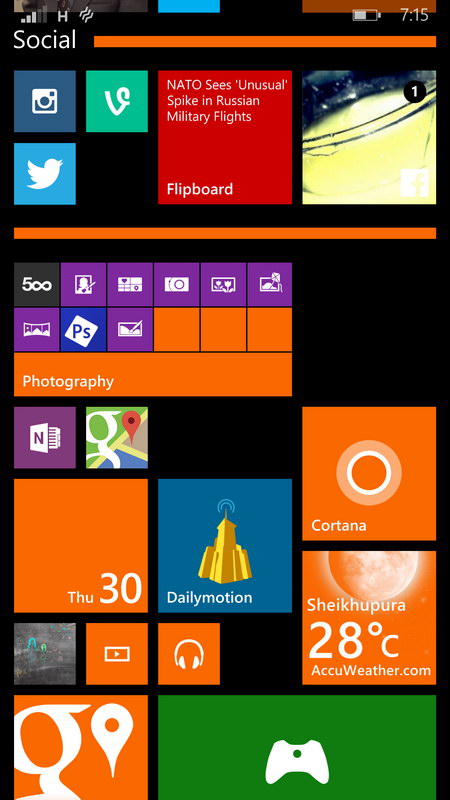
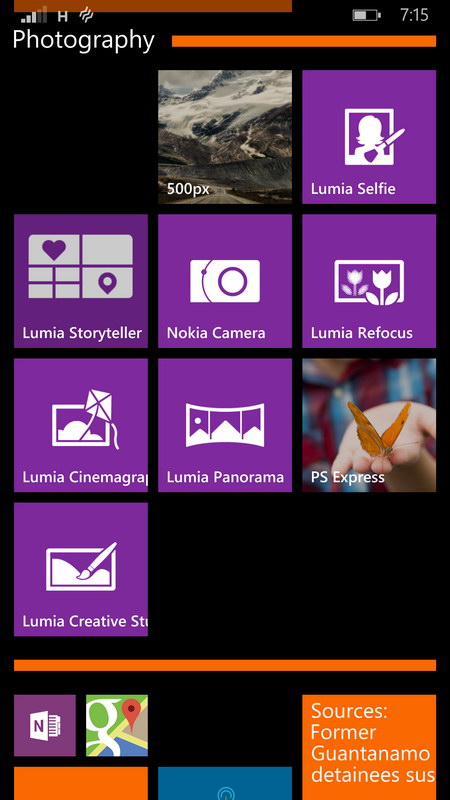
Folder will be placed on the start screen just like an app tile does but it will give the glimpse of the app tiles which are currently in it and that also with the notifications if they have.
Browser: Internet Explorer 11
Better rendering of mobile websites on Internet Explorer. That works by changing the user-agent string of the browser to show as another browser. It’s to support features that worked best on webkit engines. We tried a few websites on Windows Phone 8.1 before and after updating to the GDR1(update 1).
A select websites were tried because they used to render on Windows Phone 8.1 with a degraded experience as some feature full mobile browser and not a smartphone.
Left (WP8.1) Right(WP8.1 GDR1)

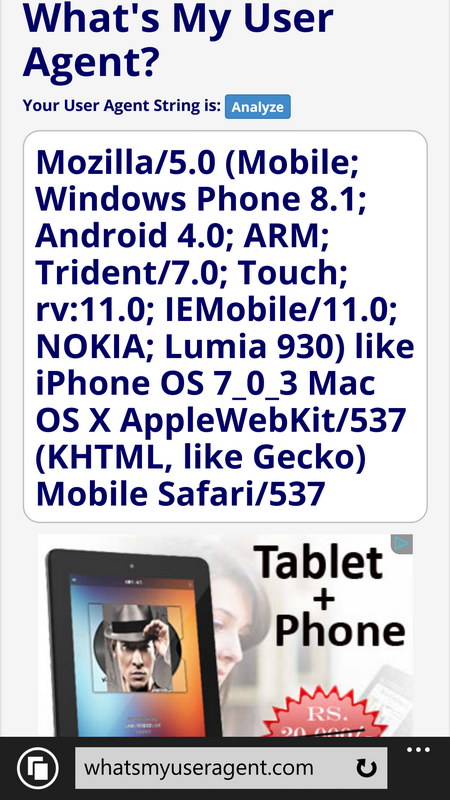
You can easily see a user agent string that changed after the update showing some webkit references as well as iPhone OS 7 and Mac. Microsoft here wanted its Internet Explorer to show up as some other rendering engine to the websites which for some reason do not want to facilitate IE users. This reminds me of an article I wrote three years back to bring some issues related to the approach websites usually use to present an experience. Instead of testing a feature on the client browser, they check only the browser identity and decide which experience is to be presented.
I think Microsoft did good changing the user agent string of the IE 11 browser to proxy as some different one. Which insanely changed the user experience of most of the popular websites. However there are some improvements in the IE where they implemented legacy webkit-prefixed features.
Screens on the left are before applying the update. Screens on the right are after the update.


The New York Times


You can see more at an article published by MSDN.
There is no doubt that Windows Phone app ecosystem is not close to either of Android or iOS. If you prefer apps on your smartphone and count them first before the actual OS features, UI and UX then of course Windows Phone has less apps in store for you which sure include most of the popular titles. Many of them also have come to Windows Phone as well in a mater of time. It all based on your preferences. But Windows Phone itself is really something I always like using as my primary device on daily basis.
We’ll cover a few words in our final conclusion. For now let’s move on and check the performance benchmarks of Lumia 930 with the Windows Phone 8.1 OS.
[nextpage title=”Performance Benchmarks”]
Performance Benchmarks
Nokia Lumia 930 has been packed with the Qualcomm Snapdragon 800 SoC with Quad-core 2.2 GHz and Adreno 330 GPU. 2GB of RAM in the Lumia 930 really makes it up to competition. With this set of hardware and the Windows Phone 8.1 OS, Lumia 930 was supposed to do much better.
Lumia 930 was running out of the box Windows Phone 8.1 and Lumia Cyan firmware when these tests were performed.
We only tried with a couple of tests and not with most of the benchmark apps. We tested with Antutu Benchmark and Basemark OS II for the whole system performance and for the web we tested with SunSpider and the HTML5 feature test.
Starting from the Antutu, which has not yet built an app for Windows Phone that matches the algorithms in Android, yet available on Windows Phone store. They are still building to match at every platform for the sake of comparison. Anyway the test didn’t go in favor of Lumia 930 ranking it at fourth. Nexus 5 topped our test, then Note 3 and iPhone 5C were first and second runner up respectively.

Second we tried with the Basemark OS II. It’s the popular cross-platform benchmark tool where Lumia 930 came up second after the Lumia 1520. Note 3 and Nexus 5 went down in this test

Coming to web benchmark, there is a need to mention that the Windows Phone 8.1 really has improvements with regard to overall javascript handling. As Lumia 930 comes pre-built with Windows Phone 8.1 it also came up first in the SunSpider test. Later was the Lumia 1520 and then Android flagships.

Moving on with the regular HTML 5 Test, the IE 11 in Windows Phone 8.1 has also been improved to have more HTML 5 features than before but it still has not caught up with the competition. During our tests iOS 8.1 on iPhone 5C was still ahead with covering more features of HTML 5 matching up with Android 4.4.3. Surprisingly the upcoming Android 5.0 Lollipop has tremendous bump in the HTML 5 features compatibility.
Performance wise, of course the Lumia 930 is best improved device in Windows Phone line from Nokia. When comparing to other competitors, it has guts to stand by them. But when you look closely the Android flagships used in our tests have higher hardware components to make Android drive them easily. We’ll sure give our points to Windows Phone 8.1 here that it performs much better with lower hardware components.
[nextpage title=”Camera, User Interface, Features and Lenses”]
Camera UI, Features and Lenses
Windows Phone comes with its native camera app but OEMs also add their proprietary camera apps in their builds. Just like that Nokia built their Nokia Camera app for their Lumia devices which is now under Microsoft’s ownership but still they seem to be working in this department. Nokia Camera, which has now been replaced with “Lumia Camera” branding, comes pre-built in Lumia 930
The User Interface of Lumia Camera app is no different than found on other Windows Phone devices but have some variations according to the capability of the hardware. Via the UI, in Lumia 930, you can manually control focus, ISO sensitivity, shutter speed and exposure value. In settings you can set aspect ratio to 16:9 or 4:3. Can set to take 5MP + 18MP Raw image as well as 5MP + 18MP jpeg images.
Additionally you can turn-on “Capture living images” which along with every your image, captures a short clip just before the image. Whenever you preview this image on the phone, the clip plays just before and ends up at the frame actually you shot. It was interesting in the phone to show off.
In video mode, you can set to record 720p or 1080p videos as well as you can set audio bass filter to 100 or 200 Hz, or you can turn it off. Dolby digital sound can be turned on or off.
Auto and Expert modes:
Still photo can be shot in auto and expert modes. Other interfaces include Video and Smart Cam.
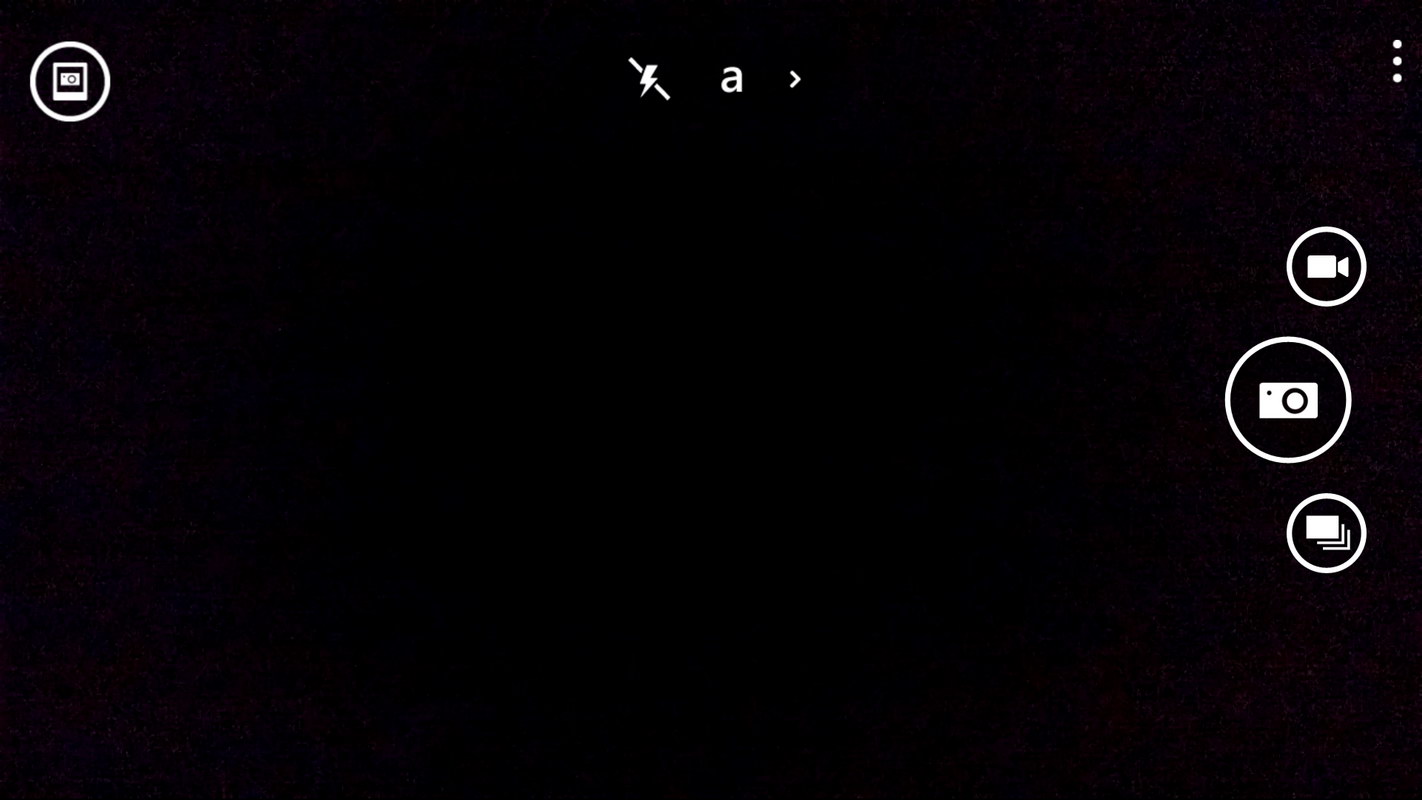
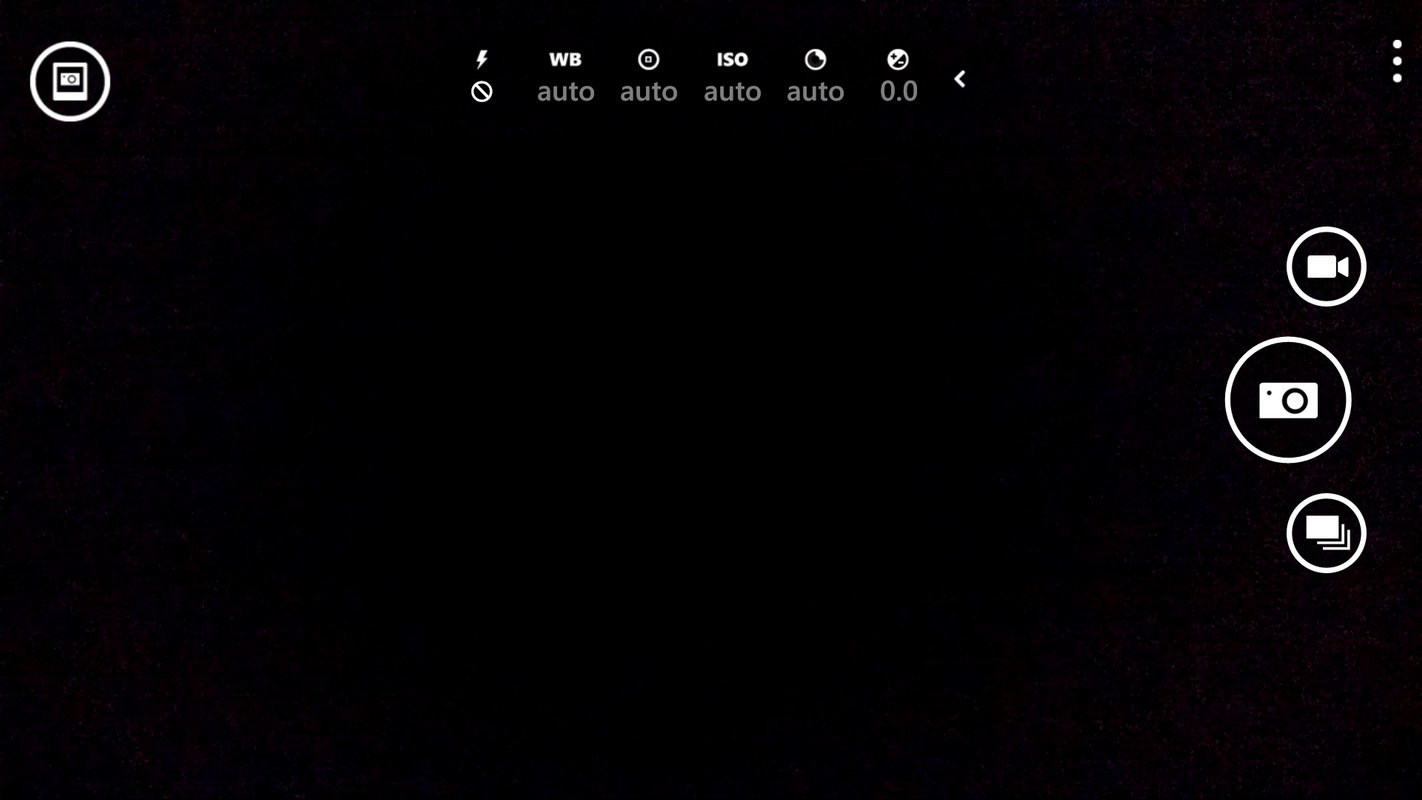
When shooting in auto mode, Lumia 930 controls everything and chooses best values according to the lighting conditions you are shooting in. On the other hand the expert mode provides full access to you to control anything you want as you want.
Expert mode:
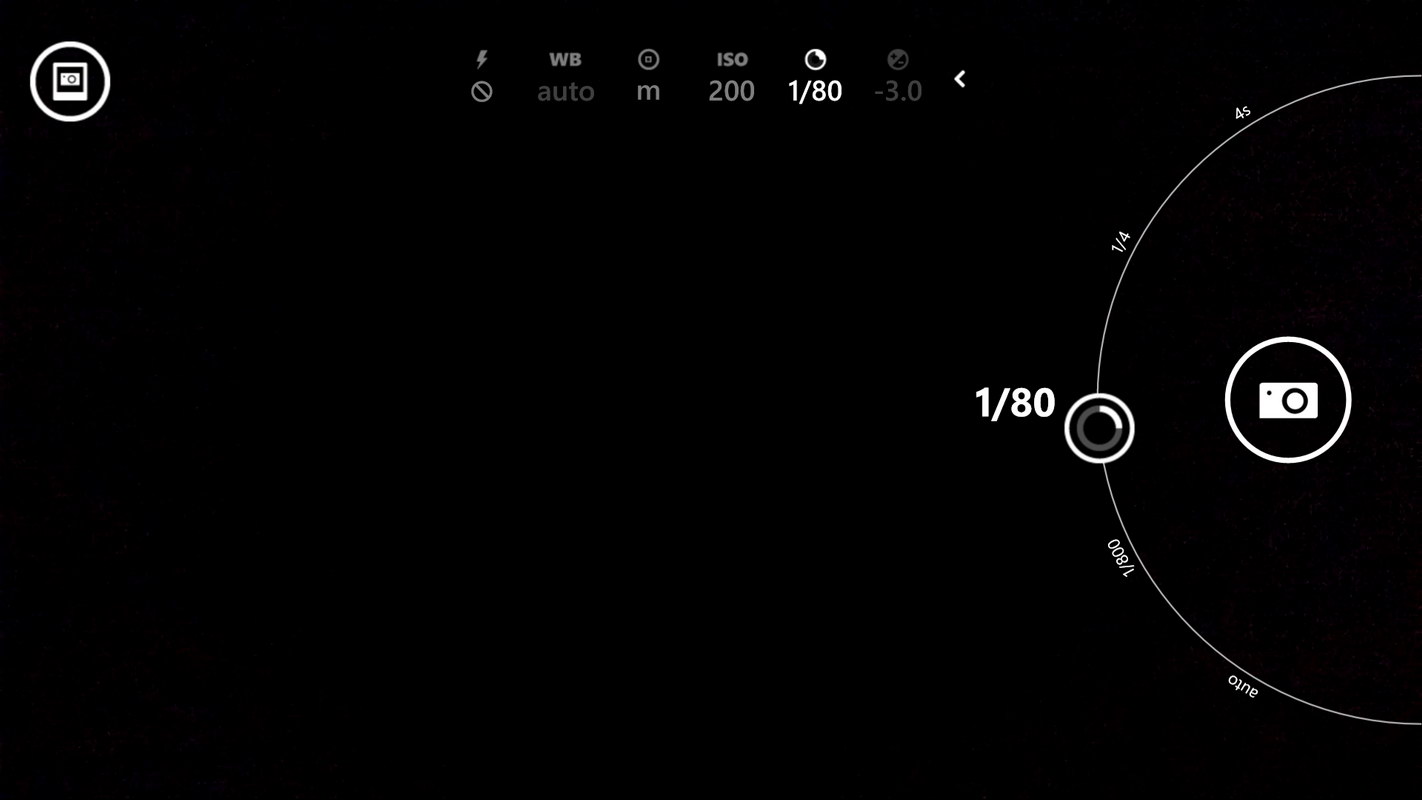
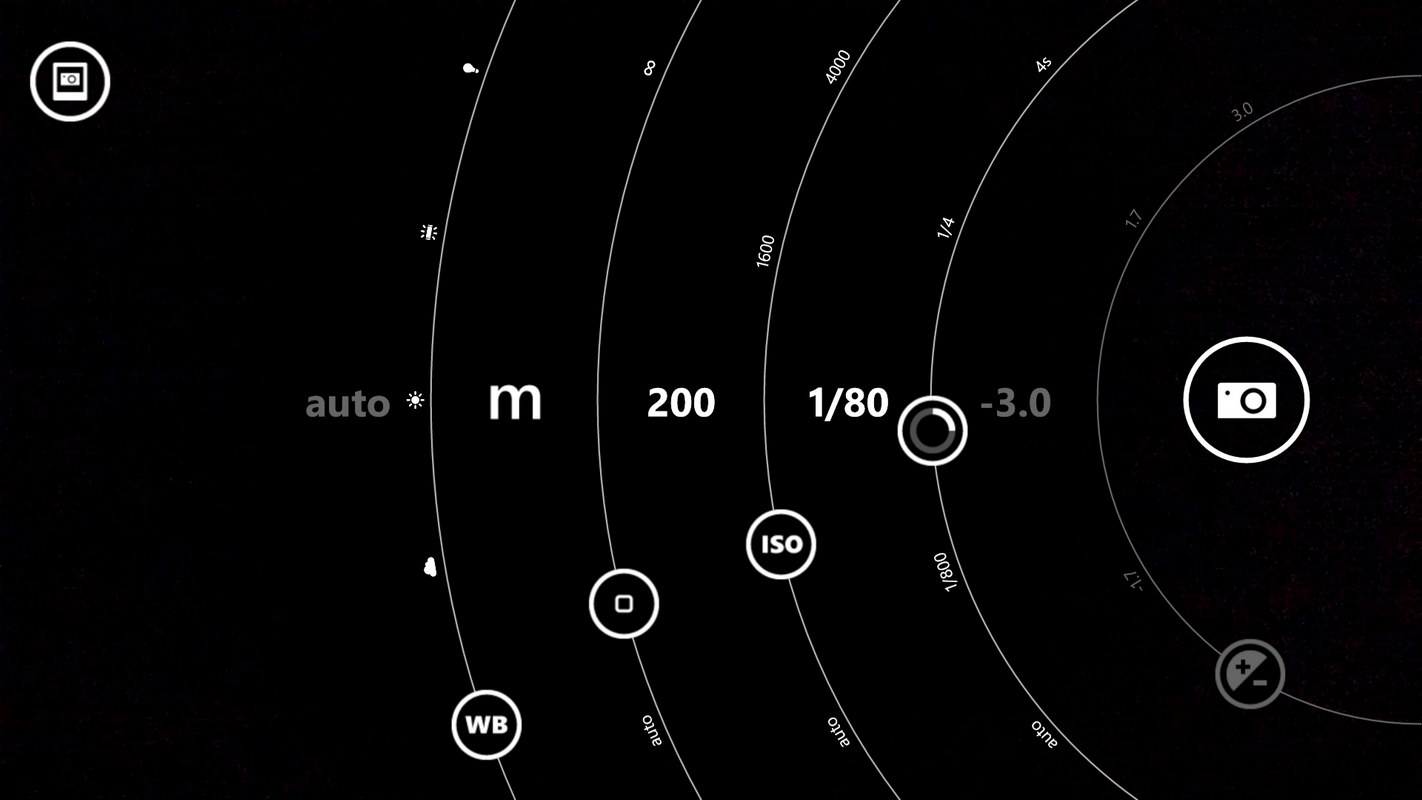
In this mode all the controls are provided right above the screen in a row with the buttons where you tap and the control-circles appears right under your thumb which you can move along the circle to quickly change the values. Another way to open all the control-circles at once is to tap the on-screen camera shutter button and slightly drag to left. This will open all the circles and let you move them one by one.
Video Interface:
User interface for video recording also provides a set of options on the screen as well you can work with a few more options in settings which include resolution/aspect ratio, audio bass filter, Dolby Digital sound etc.
Smart Cam Interface:
Smart Cam, in Lumia 930, takes multiple frames in around 2 seconds and provides you with a set of interfaces to perform. Best Shot, Motion Focus and Action Shot. I love the Motion Focus more than any other but you can read more about Smart Cam in good detail.
A panning shot with Lumia 930 using Smart Cam’s Motion Focus feature.

Settings and Lenses:
You can set timer and bracketing right from the menu and for more options you can go to settings for still pictures and video options. Lenses can be access also right from the main menu.
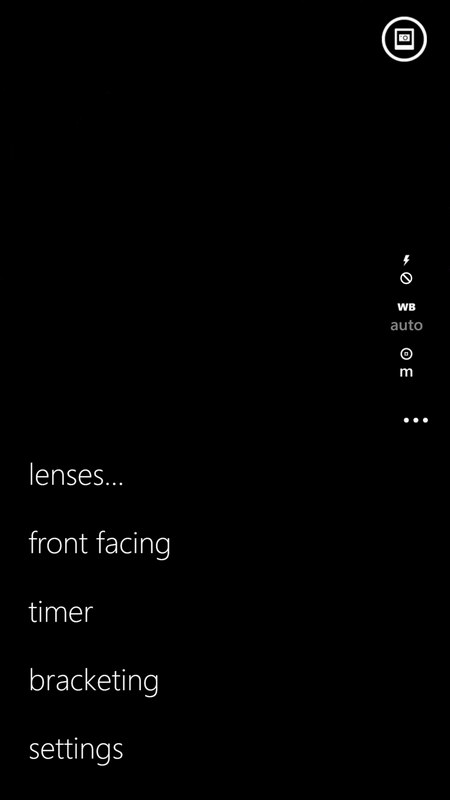

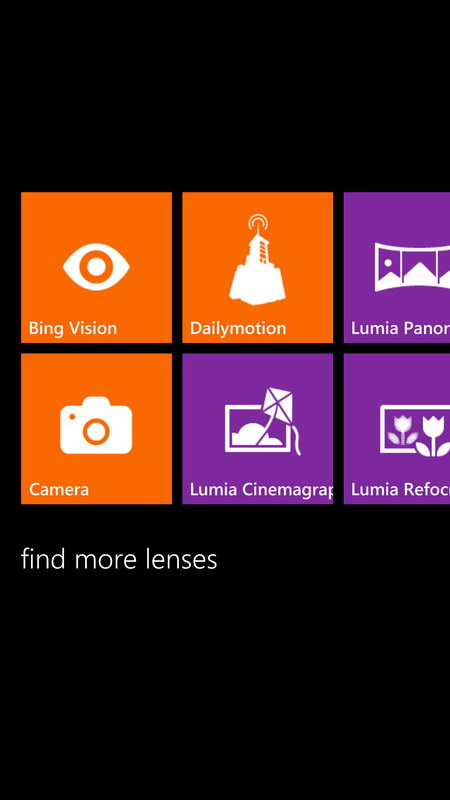
Note: When Cortana is activated in your Lumia device, the Search key on the navigation buttons takes you to Cortana. To access the old Bing vision you need to go through Camera app and choose Bing vision from lenses
Lumia Refocus:
Lumia Refocus (aka Nokia Refocus) is purposely used to perform post-processing on the image. You can use it refocus objects in the image on different depth of fields. Checkout a review of Nokia Refocus.
Lumia Panorama:
Taking panoramas on Lumia 930 is still lacking something that I think it should have brought till now. Unlike the impressive panoramas from iPhone and Android devices, Lumia 930 is still behind in taking high resolution panoramas.
Let’s continue to take an overview of 20 megapixel sensor at technical side as well as look at some samples shots and compare them along.
[nextpage title=”20 MP PureView, Overview, Samples and Comparison”]
20 MP PureView Camera
20 megapixels camera with other important elements like Carl ZEISS optics and optical image stabilizer on Lumia 930 makes it another Nokia device where the company has not left anything making the stronger camera module into a smartphone.

20 megapixels sensor of size 1/2.5 inch with the 1.12 microns (µm) pixel size, is the BSI CMOS. On the front of it, the 6 element Carl ZEISS lens has a fixed wide aperture f/2.4 along with the Optical Image Stabilization. That’s what resides inside the body. At the outside you get Dual LED flash along side the glass protecting the lens. For people who didn’t like the extra bulge found on the pioneer Lumia 1020, the camera module on the Lumia 930 is flattened to the back surface.
Lumia 930 Camera Specifications
Main camera of Lumia 930 is PureView labeled.
- 20 Megapixels camera sensor with maximum resolution of (5376 px x 3744 px)
- Sensor type: 1/2.5 inch BSI Sensor
- Carl ZEISS Optics,
- 6-element lens, Aperture: f/2.4, Optical Image Stabilization.
- 2x digital PureView Zoom
- Dual LED flash (operating range 3 meter)
Secondary camera on Lumia 930 is just 1.2 megapixels
- HD 1.2 MP wide angle 1280 x 960 pixels
- f-number/aperture: f/2.4
- Video recording, Still image capture, Video call
The smartphone from other manufacturers such as HTC One which has larger pixel size on their sensors to somewhat improve performance in low-light conditions. Nokia, on the other hand took rather another path and introduced larger sensor sizes on smartphones which never have been thought about. In a straight simple way, the larger sensors are used to gain much more light on it which directly reduces the smaller pixels’ poor performance. With a really appreciative ideology, Nokia used the higher-pixel count on its larger sensor to produce high quality images. That’s where Nokia gave its newly technique a name as “PureView”.
Sensor size comparison chart

Can you see the large grey box in the illustration above? that’s the sensor size of entry-level and mid-range DSLR cameras mostly known for having crop sensors. High-end DSLR cameras have full-frame sensors which are even bigger than this and are very expensive in price. APS-C sensor is 1.8 inches in size and can be evaluated to be much bigger in the above illustration as compared to the other sensor sizes. Size of the sensor is one of the few factors which makes images greatly fine and amazing to see in detail.  When talking about smartphone cameras then Nokia 808 PureView is still in the lead which we believe will not be beaten as to accommodate larger sensor, the phone has to have larger room for the camera module as we have seen in Nokia 808 PureView at the back. The camera has a much larger extruded module on the back, which people actually objected to have on their smartphones. They also didn’t appreciate the Symbian OS running on that machine. This phone had 1/1.2 inches of sensor in size with 41 megapixels and really amazed us with its quality of photos. We still believe that detail in the photos was really impressive.
  Later Nokia brought that huge 41 megapixel sensor on Windows Phone, Lumia 1020 featuring another larger sensor of size 1/1.5 inch which was still 80% smaller than the sensor found on Nokia 808 PureView. You can check the Lumia 1020 Camera review also. But the factor is, Lumia 1020 also had to have some extruded area on the back of it to accommodate the larger sensor. In Lumia 930 there is no extra bulge on the back for 20 MP camera as you can see at the top but still it has got much larger sensor as 1/2.5″ inch which is a little (0.2″) smaller than most point and shoot cameras but larger than common mobile phone cameras and the sensors in the recent iPhone models.
We have seen the original PureView techniques taken from Nokia 808 PureView, then in Lumia 1020 and other high-end Lumia devices. The same approach of pixel binning is present in the Lumia 930. Nokia uses oversampling technique to narrow down the pixels in the hi-res image and makes an ideal 5 megapixels shot having great detail in the image and that’s with impressively reduced digital noise.
Following illustration shows the 20 megapixels full resolution sensor with the functional 4:3 and 16:9 resolutions 4992 x 3744 (18.7 MP) and 5376 x 3024 (16.3) respectively. The pixel oversampling or pixel binning in the Lumia 930 works the same way as it has been in previous camera smartphones since Nokia 808 PureView and Lumia 1020. It combines and averages multiple pixels on the sensor and creates a single pixel from them. Well it obviously reduces the resolution of the image by up to 4 times but it also reduces noise dramatically. In Lumia 930 a 20 MP full resolution image is created but in addition a 5 MP image is also created which actually contains data from the full sensor, hence it produces much better detail with impressively reduced digital noise.
The above process of combining pixels waves off when you use 2x zoom during the shot. It does produce the 5 MP shot covering the field as you zoomed in but it will not have any benefit from the process we talked about. Technically it will be 5 MP crop from the full sensor and will contain equal detail as you will find in the full 20 MP shot. That is what Nokia calls it a loss-less zoom – which theoretically is. Normally a digital zoom is performed cropping a field of view and enlarge it to match the sensor size where it looses extensive detail in the image leaving it just unusable. You must read about it in original PureView concept. We’ll also compare its loss-less zoom with a traditional digital zoom.
Good thing is that the larger sensor of Lumia 930 produces competitive image at all and shoot impressively in low light with the help of Optical Image Stabilization that works easily hand-held when exposure slows down to 1/7th of the second. 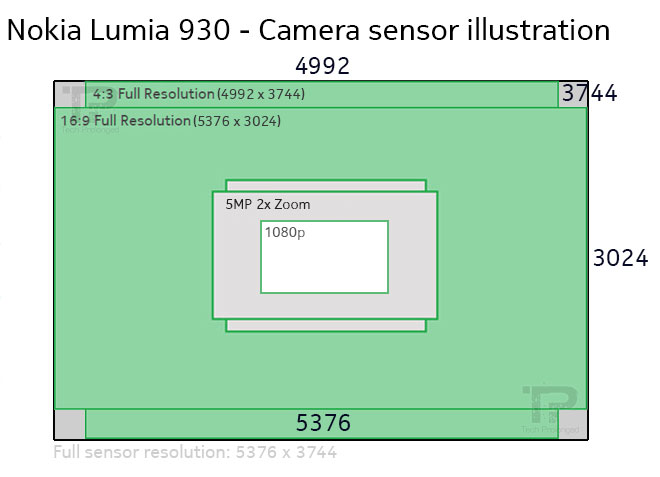
With the real tests however we think the Lumia 1020 did perform better in most situations when we tried, the credit goes to its larger sensor with higher pixel count. But the hardware at that time was not up to the mark which would have supported the 41 MP camera with enough power and Lumia 1020 was found to be much slower in frequent and sudden shooting situations. With the upgraded hardware now, the Lumia 930’s sensor is completely supported. In fact the SoC on the Lumia 930 is Snapdragon 800 which supports 4K video recording and higher frames per second but Lumia 930 only supports 1080p video recording at maximum. That’s also where Windows Phone has to be fast to work with as Android OS has got into that stage of video recording.
In addition to Lumia 930, we took pictures with accompanying devices we had at various times and situations – these included Galaxy Note 3, Nexus 5.
Outdoor (daylight)
Daylight shots were pretty easy for almost every device we had but of course the digital noise was less and the detail was better in the shots taken with Lumia 930. However at some scenes Lumia 930 got the color balance off but it was not something to call as bad image.
Following shots were taken with Lumia 930 (left) and the Galaxy Note 3 (right) just outside my home by chance when it was bright sun on the top. Unfortunately we lost the high resolution shots from Lumia 930 for this test so to compare with 5MP shots from Lumia 930 we down-sampled the Note 3 shots to 5MP.


5MP shot Lumia 930 – 100% crop (Left) – 5MP (down-sampled) Note 3 – 100% Crop
In this comparison, Lumia 930 really did better in getting the detail in the image that you can see in the foliage, which is soft to look at. On the other hand in the shot from Note 3, it’s little over sharpened on the edges and easily can be identified. Secondly, the exposure handling seems to be better in this image from Lumia 930 but when looking closely you can easily see a red tinted area on the background wall which is more accurate on the Note 3 but little highlighted.
Both shots are showing impressively reduced noise but we are looking at the combined pixels detail of 5 MP shot from Lumia 930 as well as soft re-sized photo from Note 3.
Lumia 930’s image is more impressive overall.
Untouched images: Lumia 930 (left) and Note 3 (right)
 |
 |
| Lumia 930 | Note 3 |
Outdoor (daylight)
Following shots were taken with Lumia 930 and the accompanying Nexus 5 right outside our workplace. It was a big Safeda tree (Himalayan poplar) as subject and a wide variety of background elements including fully exposed blue sky with a little bit clouds. The time was just about to have lunch in the mid day with the fully bright sun when I took these shots.
In this shot Lumia 930 again captured a good image with better detail where the Nexus 5 could not keep the detail in shadows. If comparing the full resolution shots from both of the devices, the edges in the Nexus 5 8MP shot are not really clean. On the other side the 18MP shot from Lumia 930 also delivering some noise in dark areas but still keeping the image detail.


Overall the Lumia 930 handled the exposure very well and delivered properly exposed background elements with good blue sky with visible light clouds. In the shot from Nexus 5 was a bit exposed on the background.
Untouched images: Lumia 930 (left) and Nexus 5 (right)
 |
 |
| Lumia 930 – 5 MP 18.7 MP High-res |
Nexus 5 |
Outdoor (daylight)
This is another shot where Lumia 930 gave better result with respect to the detail and the better exposure handling. The color reproduction was found to be better in the image from Lumia 930. Nexus 5 just could not handle the exposure and just create a fully bright image on the foliage while the background sky was also over exposed.
In the high resolution shot Lumia 930 still have some noise but not that bad. However the detail is still impressive.

Untouched images: Lumia 930 (left) and Nexus 5 (right)
 |
 |
| Lumia 930 – 5 MP 18.7 MP High-res |
Nexus 5 |
Outdoor (zoom test)
As Nokia has changed it’s digital zooming feature in its high-end smartphones which they call a loss-less zoom. It’s actually a crop from the sensor. You must have now an idea that how Lumia 930 stores a 5 MP image along with a full high-res image. Also how that 5 MP shot contains an impressive amount of detail in the image which actually is the combination of all the 20 megapixels. When you use the 2x zooming feature in Lumia 930, that impressive detail is lost and you get what the sensor could achieve – which is also much better though. The final zoomed image comes to be a crop from the full sensor. So you
Let’s say it other way around. When you zoom into 2x the field of view on the Lumia 930, it will be captured in the 5 MP shot – as described about a crop from the full sensor. Additionally the high resolution shot will also be stored with a full field of view (without the 2x zoom). Interestingly this feature lets you recompose your field of view after you have taken a shot. It means you can always zoom back out later if you want to. Anyways let’s compare the shots.
In the following picture with crops, you will easily notice that the the top-middle (18.7MP high-res) and top-right (5MP 2x zoom) crops are pretty equal in the field of view – that’s what I mentioned above in the technical note as the zoomed-in image will actually be a crop from the high-resolution image. I have added an actual 5MP field of view (top-left) without zoom from Lumia 930 to compare the result (note that when you are using the zooming feature in Lumia 930, this shot will not be available). When you compare both 5 MP shots from Lumia 930 (top-left and top-right), the zoomed-in image is impressively having the same detail which is actually captured by the full sensor (top-middle)
The bottom row is showing crops from the image from Nexus 5 and undoubtedly the zoomed ones are the traditional digital zoom which seems really unusable comparatively.

Untouched images: Lumia 930 (left full-res, middle 2x) and Nexus 5 (right 2x)
 |
 |
 |
| Lumia 930 – 18.7 High-res | Lumia 930 – 5 MP ~2x Zoom | Nexus 5 – 8MP ~2x zoom |
Indoor (with & without flash)
Next we tried Lumia 930 and the Nexus 5 in a room lit normally with a 40 watt tube light and an energy saver of 24 watts.
When shot without flash, the Lumia 930 intelligently used the possible slower shutter speed with most efficient ISO sensitivity to handle both the light and the camera-shake instances simultaneously where the Optical Image Stabilization also worked great and produced an non-shaky image. On the other hand Nexus 5 does have OIS but I am not sure if it is used during the still image shots. Nexus 5 ended up using a very high ISO sensitivity and losing all detail to a heavy noise and distorted pixels.
With the flash, Lumia 930 used the lowest possible ISO sensitivity and exposure times to produce again an impressive image. Even I could read a bar code on the tooth pick jar. Nexus 5 unexpectedly used higher ISO sensitivity even with a flash-on which still resulted in an unusable image.

However in this test, Lumia 930 add some blue tint with the flash while the Nexus 5 added some yellow but the exposure was well controlled by Lumia 930.
Untouched images: Lumia 930 and Nexus 5
 |
 |
| Lumia 930: 5 MP (Flash-off, Flash-on) 18.7 MP (Flash-off) |
Nexus 5: 8 MP (Flash-off) 8 MP (Flash-on) |
Video Recording:
We have to excuse for that as we could not provide any comparison but according to the tests we performed, Lumia 930 was not any better comparatively. The Optical Image Stabilization however was good on Lumia 930 recordings to bring steady and non-shaky video. Lumia 930 records with the options 1080p and 720p at 30, 25 and 24 fps. In audio recording Lumia 930 supports Dolby Digital 5.1 surround sound with the help of 4 HAAC microphones which, according to the company’s claim, can record up to 140 dB without clipping. Additionally the audio bass filter is what you can set to 100 Hz, 200 Hz or turn it off which can filter out the noises such as engine noise.
Nokia has undoubtedly improved its audio quality in the video recordings by a large margin but it also technically lack features such as 4K (or 2160p) video recording which is now supported on Android devices or on the other hand iPhone 6 supports slow motion video recording up to 240 fps.
[nextpage title=”Final words and Conclusion”]
Final Words and Conclusion
With the Windows Phone 8.1 and the Lumia Cyan software, Lumia 930 is really good for its job. Looking at the hardware specifications Lumia 930 is also the best device running Windows Phone 8.1. I am impressed with its design and handling. The large screen worked really well with its AMOLED + ClearBlack display with the Gorilla Glass 3. As a regular phone, Lumia 930 worked really well more than half and a day after full charge.

If talking about camera then of course the still photography is really impressive with the Lumia 930 that keeps it apart in the competition. Audio recording with the video is really impressive as it’s capable of recording six channel Dolby Digital surround sound. Audio bass filter is also an impressive addition. Lumia 930 does a lot of things really well but it’s nothing like what Lumia 1020 has set a benchmark with its 41 megapixel large sensor. We believe to achieve that quality the sensor has to be bigger in size like it was in the Nokia 808 or Lumia 1020
We find that the Lumia 930 is an excellent upgrade over its older family members including Lumia 920 or 925. The camera is better and has improvements, the display is larger and crisper, and the design is a new take on the polycarbonate unibody design. But we also have to compare it with other devices in the same market, and here things are not so clear. The Lumia 930 has a camera which is one of the better cameras put into a smartphone, so that is a win, but with its thick body, it is less comfortable and possibly less appealing than something like the HTC One (M8) which is now available with Windows Phone as an option. If the Lumia 930 had Glance support, this would likely be an easy win for Microsoft, but right now the battle comes down to individual aspects of the competition and what you value more.
If you are already a happy Windows Phone user than there is no doubt that you are going to love the Lumia 930 and will want to have it as your next smartphone. Otherwise the OS could be a thing for most consumers to consider about as it has always been for other platform users. Windows Phone 8.1 has now been really good with healthy features if you have gone through the software section of this review.
Still if you are waiting for our recommendation in one statement then it all depends on your preferences and your likeness. For you easiness let’s rewind with the features in order which are the best parts of Lumia 930 worth Rs. 64,200/-.
The Good Ones:
- Decent slim and executive flat design with aluminium frame and polycarbonate back panel.
- Brilliant AMOLED display with ClearBlack technology which over great outdoor visibility and readability.
- 20 MP camera is much better for still photography indoor and/or outdoor. The detail is extremely good.
- Loss-less zoom in video recording and audio recording is comparatively impressive.
- Increasing Windows Phone 8.1 apps in quantity and quality.
- Competitive benchmark results which are extremely appreciable.
- The loudspeaker is better without any unpleasant distortion.
- Battery performance was good for regular normal use of the device.
The Bad Ones:
- Panoramas need to be upgraded to support higher resolution. As well the video recording is not up to the mark while missing 4K recording or faster frame rate.
- Mostly felt the heating of the phone when using camera.
- Retail package is just not impressive. No headset or no extra add-on but only a charger and a USB cable.
Lumia 930 includes the top rated package of components inside it ever from Nokia (or Microsoft Devices). On the other hand Windows Phone 8.1 with the GDR 1 (update 1) offers great features to be appreciated and show some frequent updates in roll from Microsoft.
We’ll appreciate your feedback. Let us know about your thoughts on this device. We’ll also like to answer your queries. Do comment below.


