


[nextpage title=”Introduction & Hardware Overview”]
Introduction and Hardware Overview

Huawei P9, probably the most anticipated smartphone from Huawei, was revealed officially in London earlier last month (April). The most fascinating factor of the smartphone was that it was carrying a dual-camera developed in collaboration with Leica Camera – a German camera maker. Although before official launch, it kept coming in leaks with the dual-camera setup as well as in the teasers, the announcement of the smartphone also revealed that the one of the two cameras is monochrome (black & white) while the other features an RGB sensor.
It’s not only the dual-camera but there is more to be informed about in Huawei P9, as it indeed is a remarkable design of a smartphone from Huawei I have ever experienced. In addition to the camera, Huawei P9’s faster hardware and much better design prove that the company has traveled a long way in a short period of time catching up a spot at number three after Samsung and Apple. First impressions are just like that what you have been noticing by my tone. Any how, there is still a lot to learn about the hiccups the Huawei P9 may face.
Huawei P9 comes with in-house built HiSilicon Kirin 955 processor which is an improved version of Kirin 950 present with Mate 8 earlier this year. With the 5.2″ IPS-NEO display on front, P9 comes in three variants as listed below. The P9 is packed with fully aluminium body and is backed up by 3000mAh battery.
Huawei P9 Variants
- EVA-L29: Dual SIM – 64GB Storage + 4GB RAM
- EVA-L19: Dual SIM – 32GB Storage + 3GB RAM (you are reading about this model)
- EVA-L09: Single SIM – 32GB Storage + 3GB RAM
Unfortunately only the single SIM variant (which probably won’t be available in Pakistan) features NFC connectivity. The variant we have under review doesn’t feature this premium thing.
If you look at the competition, Huawei provides option to expand memory storage via microSD card in P9 and that’s pretty much a good deal for higher storage seekers. Dependency for microSD card option is discussed in design section (page 2).
The most important factor, as told above, is its dual-camera co-engineered with Leica. Both of them have 12 megapixel sensor inside – one is monochrome and other one is standard RGB/color sensor to produce more detail in the images. The camera module features Leica optics but it lacks optical image stabilization – may be the reason to embed the camera fully into the rear panel without a camera bump.
You can read more about specifications of Huawei P9, take quick look at below with our ratings and the features we liked or disliked in Huawei P9, or you can continue to the next page to have a deeper look.
Quick Overview
| Pros | Cons |
|---|---|
|
|
[taq_review]
[nextpage title=”Unboxing and Package Content”]
Unboxing and Package Content
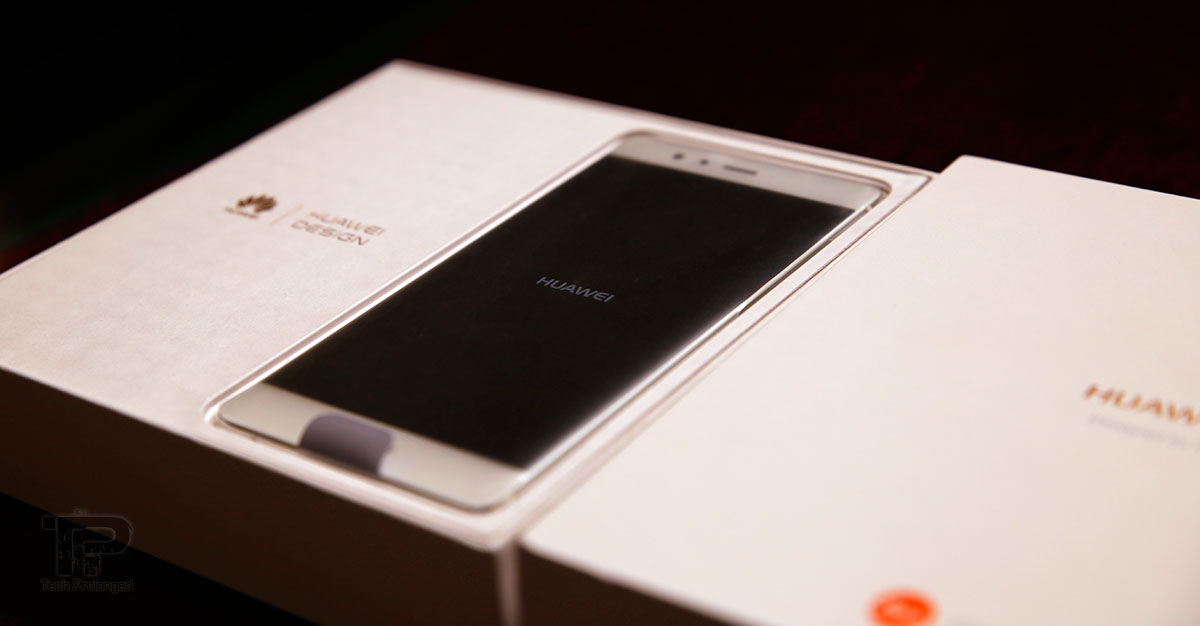
Huawei P9 reached us later last month and spent a set of good days with me. It instantly seduced me with its looks and handling that I had to put the Huawei Mate 8 as secondary device and carry the P9 as my primary device for the days it spent with me. Really, it has got guts to impress anyone with the first look – that’s actually what is important in the long run too. If you don’t like something the first time you look at it, it hardly makes you believe that it has something good inside.
With Huawei P9, the first impressions have already been published and I am confident to recommend the smartphone to anyone who does not hate Huawei EMUI software (in fact it’s been improved a lot) and who do not require their smartphone to run more than a day with more than moderate usage. Have a look down below what came along with the Huawei P9 inside the retail review package.
Unboxing
The simple white box with lined-through canvas-like texture was premium that only “Huawei” and LEICA’s branding on the front. Some device identity labels on the side the box were also present.


This is not as lot as the Mate 8 package brought with it but it’s what most smartphones bring along, A travel charger, USB cable and stereo earphones. Unlike Mate 8, Huawei P9 does not offer a free smart cover but it comes with the new USB Type-C connectivity. The charger shipped with the package is only 5V/2A rated.
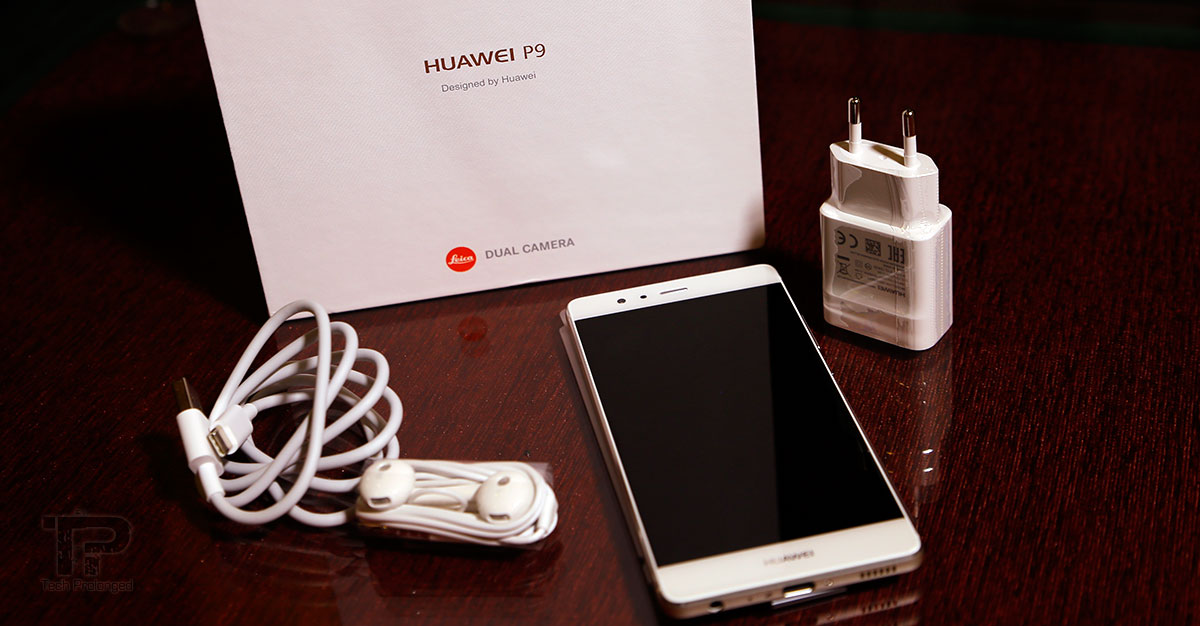
The package we had, also missed the user guide which never been a case before. I believe it’s not a retail package for consumer which sure would have an owner’s guide.
[nextpage title=”Design and Build Quality”]
Design and Build Quality

The Huawei P9 is available in various versions including aluminium and ceramic white. One of the aluminium versions is Haze Gold which has a brushed hairline metal finish and comes in 64GB storage and 4GB of RAM (this version is not available in Pakistan), There are 32GB+3GB models in aerospace-class aluminium which are available in Prestige Gold, Titanium Grey, Mystic Silver colors. The Ceramic White version is also added to the lineup which, according to the company, is “smoother than the painted bodywork of premium cars” – Huawei
Here we got one from the line up which is the aluminium version (EVA-L19) in Mystic Silver color. The aerospace-class aluminium is really well polished with diamond-cut chamfered edges, on both the front and the back, that help a lot in handling the smartphone and make it very less slippery – at least I never faced an exception. In addition, if you don’t get bored of hearing some good stuff about a brand you don’t like, The matte finish of aluminium is really nice to hold. On the front it’s a 2.5D curved glass meeting at the thin frame before the unibody chamfered edges.
It’s really nice in hands and when you look at it, Huawei P9 is no doubt one of the best looking smartphones Huawei has ever made that also gives comfort in your hands as well in your pockets with its compact size that too with a wide range of deliverables. With 144 grams, it’s as light in weight as you won’t expect before experiencing it.


The back of the phone hosts now-familiar antenna stripes through all the way from sides of the phone until they touch the front screen frame. Impressed, how Huawei technically camouflaged the upper antenna stripe by making a fully-wide camera housing embedded right into the back panel.
Not visible though, Huawei P9 has three antennas “virtual Triple antenna” inside the P9. Huawei claims to cover more situations where handling the phone could impact signals. – Huawei


On the back, another thing is the fingerprint scanner that Huawei always thinks the most suitable place for it. I believe it too. When handheld, the index finger can access the fingerprint scanner without struggling – better than using thumb on the scanner embedded into home button. Huawei P9 has one of the fastest fingerprint readers due to their always-on nature. We’ll cover it later in software section.

As we are still on the rear view of Huawei P9, so lets finish this side first. A fully wide camera panel is covering the top most portion of the back – right above fingerprint scanner. It’s not a single but a setup of two 12 megapixel cameras that work altogether to bring most out of a smartphone camera system. It’s co-developed with the German camera makers, Leica Camera. So the Huawei P9 is labeled with Leica branding and lens specifications too. There is a dual-tone flash and a laser component for focusing below the flash.


We’ll see how the camera performs against the competition later in this review.
Coming over at the front side you get the usual components, the earpiece above the screen which is center-aligned. Along at the left of the earpiece there are sensors inside (the proximity and ambient light sensors probably) then at the end, it’s the front-facing camera that has 8 megapixel sensor for video calling or most commonly for selfies.


The navigation keys are on-screen and Huawei didn’t waste on the hardware/capacitive touch nav-keys which sure has its fan following. But on-screen keys are always flexible to re-arrange according to your preference (depending on the software) as well as they get hide when not in use or not usable as they can reappear on your call – just swipe through the edge, the hidden status bar and the nav bar reappear on top of the interface you are currently on; that’s the software side anyway.
The most common controls are on the right side of the phone including the metal volume rocker and the power/unlock button. On the left side there is merely a SIM/microSD card slot. As the phone we have, is a dual-SIM model hence the same slot will serve for the second SIM as well where you have to sacrifice the microSD expansion. The possible combinations are [SIM1+SIM2] or [SIM1+microSD]. Single SIM variant also has the same design except the second SIM place. Instead, it has one dedicated place for microSD card and the other one for a SIM.


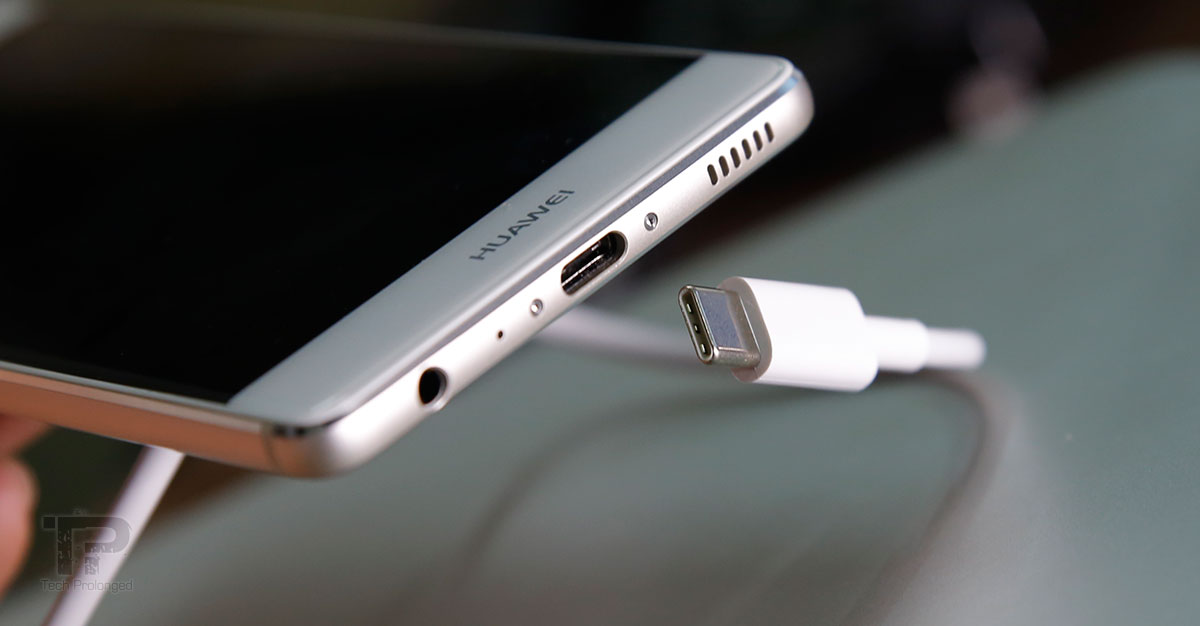
Huawei has gone with one sided components approach on Huawei P9 by providing everything down to the phone that you use little frequently to connect the phone to other devices – that is the 3.5mm standard audio jack and the USB Type-C port. Along side, there’s a loudspeaker grille – it’s a single/mono speaker. What’s remaining is the main mic/mouthpiece right between the audio jack and the USB-C port. The top side of the phone hosts a secondary mic for noise cancellation and for stereo audio recording.


Display
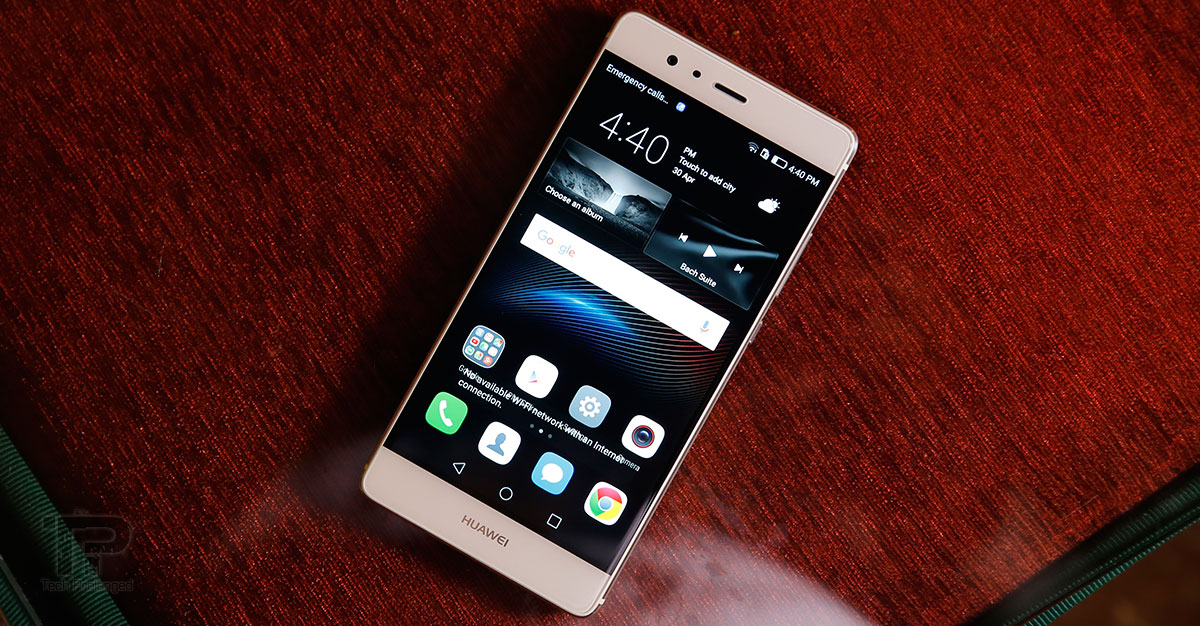
As you would already know, the Huawei P9 features a 5.2 inch display and offers full HD resolution of 1920 x 1080 pixels in the era when most of the manufacturers have moved to QHD resolution on their high-end smartphones. Huawei seems to be promised with the moderate resolution in favour of gaining more better battery life. An easy math tells that it makes a pixel density of approximately 424ppi, while screen-to-body ratio is approximately 72.5%.
Update: Huawei V8 is the chain breaker being the first smartphone from the Chinese manufacturer maker offering QHD resolution.
More to technical note, the display panel on Huawei P9 is an IPS-NEO developed by JDI which is an evolved form of the conventional IPS LCD panels and provides better viewing angles as well as the true/deep blacks which IPS LCD couldn’t have provided for a long time. To what we have experienced, Huawei P9 is indeed an example that can show the IPS-NEO is better than traditional IPS LCD displays.
Comparatively, P9’s display gives is a good contrast ratio but not up to what we have seen on Mate 8. But still much better than most IPS displays out there – you can’t compere it the AMOLED ones. However the maximum brightness is much impressive and it’s greater than the one we saw on Mate 8 recently. Outdoor legibility is also much better than most IPS displays.
The official Huawei P9 specifications claim 500 nits of brightness and 96 percent colour saturation.


Regardless of having an improved form of IPS display, Huawei P9 still stands in the line of smartphones that feature the IPS panels. In that sense, P9’s display outperforms other IPS LCD displays. DJI’s IPS technology can be said as better; no wonder Huawei has been choosing this to tag better prices than the ones with AMOLED units.
So in simple words, Huawei P9’s display is not really that you need to worry about. It’s much better in all types of lighting conditions and viewing angles. It’s sharp and vivid.
[nextpage title=”Performance and Battery Life”]
Performance and Battery Life
Huawei P9 features the proprietary Kirin 955 SoC – an improved version of the Kirin 950 that was featured in Mate 8 launched earlier this year. The chipset empowers with an octa-core processor combined two quad-cores of Cortex-A72 and Cortex-A53 clocked respectively at 2.5GHz and 1.8GHz. An additional i5 (Cortex M7) co-processor is also there for always-on tasks. The Kirin 955 also equips with the Mali-T880 MP4 GPU.
P9 varies in models with 64GB+4GB and 32GB+3GB (storage+RAM) while the one we experienced was the latter one. Speaking about the everyday use, Huawei P9 is just like a smooth and easy driver. It didn’t lag, worked flawlessly at any task we threw at it, be it a 3D game or video playback for several minutes. Multi-tasking is also smooth when switching from app to app – they popup back fast with some exceptional apps.
But when we look at the numbers – the benchmark scores, Huawei P9 is far behind the competitors which are featuring Qualcomm chipsets. More importantly due to the Mali GPU in P9 which has 4 clusters while the Samsung’s Exynos 8890 in Galaxy S7 equips with the same GPU but with 12 clusters. Qualcomm’s Snapdragon 820, which has shown up in pretty good range of high-end smartphones till now, features Adreno 530 which has outperformed in many benchmark tests. In fact last year’s iPhone 6s still leads in scores with their A9 chip. You must be interested in seeing the benchmark scores of Huawei P9, so there you go.
Benchmark scores may very from one device to another due to the load on the system.


Battery Life
Huawei P9’s battery capacity is 3000mAh for which you get only a 5V/2A charger which is fast but not as fast as most of the current devices are supporting. Although the P9 has guts to get charged faster than what the out-of-the box charger can do. Half of the battery can be charged in around 45 minutes but a full charge can take up to 2 and a half hours.
I didn’t put the phone to some test for battery draining but with practical use, the Huawei P9 simply can last as long as a day with one charge if you use quite moderately for regular tasks which include, calling, texting, instant messaging over 3G/WiFi (Not 4G/LTE), some web browsing or social surfing. It also may include some video stuff. Unimpressive thing was that the camera takes more battery than any thing else on the phone (and yes, the GPS/Navigation too). May be Huawei needs to optimize the software for the newly built camera for P9, perhaps?

For instance, after spending a whole day with one charge, fair calling/texting, emailing, tweeting, taking some photos, and in the final hours – playing titles like Need for Speed No Limit, Asphalt 8 on P9 would do no impact as you will end up with a battery to put on charge before asleep.
P9 is good to give you around 15 hours or even less than that with extensive photography and video recording throughout the day if you also going to have a trip of a few minutes with GPS/navigation activated. So that’s not where P9 impressed me at all. Further, you can now guess that a less frequent use of these features would give you a couple of more hours.
With the Cortex-A72 in place into Kirin 955, it was supposed to give much better power efficiency – better than what we got. In fact we have seen Mate 8’s battery consumption – it’s superb. I believe with P9, it’s software which has to be fixed and Huawei has to consider it ASAP as it’s a phone worth buying but I don’t think anyone would prefer a less power efficient high-end smartphone these days. After all it’s a 3000mAh battery inside which actually performs well with idle or lesser activity.
[nextpage title=”Software – Emotion UI”]
Software – Emotion UI
The Huawei EMUI – an Android software user interface from a Chinese OEM for their smartphones. It’s one of the interfaces which is not accepted widely. People don’t like it, in fact the ones I have links to, none of them are interested in anyway with EMUI. But I am here to tell that I am one of those (may be a few) who actually like the Huawei’s user interface. One of the elements which I believe people don’t like in it, is the lack of app drawer which is a standard feature of AOSP (with Google’s default interface). Samsung, LG, HTC, mostly other manufacturers provide their skins with an app launcher along side the home screens only for your favourite items. So there is no doubt that it could be good and required feature for most as the user base combined has been used to with.
On the other hand running on Android 6.0 Marshmallow, Huawei with their EMUI version 4.1 seems to be working more for their customers to give as much useful and quick information as needed than the manufacturers who provide the likes of default UI of Android. More specifically I liked the notifications on P9 which are really well organised and informative as well as they have actions to respond right from there. There are notifications about app permissions as well as it prompts about the apps which are consuming more power than they should (may be annoying to some). So it could be very friendly for power efficiency seekers to know which of their actions need more power on a specific Huawei smartphone.

Turning the phone on (or waking it up) of course bring you a lock screen, on the EMUI you get handful of quick access shortcuts on the lock screen which take you directly into that tool or app unless you don’t have a security mode on. The lock screen can be managed where the default is magazine-style which keeps changing the background photo every time the phone wakes up. You can turn it off from settings and rather have single static image for you on the background if you like.
You should be aware that the lock screen is only presented if you wake the phone by pressing the power button. As Huawei P9 features a fingerprint scanner that is in always-on state and it does not need you to press power button first and then unlock the screen with a fingertip scan. Instead the fingertip scan will take you directly to the home screen from a sleeping phone, if you touch the fingerprint scanner. Video demo after the break.


Home screen also offers great flexibility to ease you desire taking from customizing it with live widgets and backgrounds to resizing the grid layout to adjust more icons in a row. Down at the bottom of the display it offers a sticky apps/icons row which doesn’t change while swiping through the home screens just like any other user interface.
Folders are pretty common which cover the full screen as an overlay when open. Long tapping at a blank area on the home screen initiates edit mode where you can rearrange the the screens, add/remove them, change the transition how the home screens swipe away, add/remove widgets, change wallpapers or themes. Edit mode can also be triggered by pinching on the home screen. In fact you can change the order of the soft keys (back, home and recent) on navigation bar in settings if you like.


The app switcher is presented in a simple horizontal slider with the app’s last state glimpse along with the current RAM information (free/total). App can be closed by swiping up-side while the down-side will lock the app to keep from closing when you hit “kill all” apps.
Huawei P9 offers to rearrange your home screen icons in 3 grid layouts with maximum 5 icons in a row or in a column – 4×5 or 5×4 or 5×5. There is an “auto-align” feature that if you move an icon from its place, another icon will take it to realign all the icons without leaving a blank space unlike what you can see in the first screen above – by default this feature is turned off. You can also manually align the home screen by shaking the phone if the “shake” featured is turned on in settings. The badge (notification counter on app icon) can also be turned off on individual apps.


The status bar reflects most of the things going on in the phone and the drop-down panel provides access to the notifications and shortcuts in two separate tabs/sections. Notifications, as told above are really well designed and organized and when applicable, a notification can be expanded by swiping down where you can have access to the actions to respond. On the other hand the “shortcut” section provides 3×3 grid of quick toggles along with a brightness slider.


Another good thing is that you can select your favourite tools as your shortcuts as the toggles can be customized. Scroll the shortcuts up where you can see an edit option, it gives you a wide array of icons which are not currently visible so that you can switch them with the ones in top 9 (3×3) icons. Sorry, only eight of them can be switched as the “Settings” button will stay there whether you want it or not.
Phone Manager comes along with the Huawei P9 that offers features to optimize system, manage traffic, filtering incoming calls/texts, monitoring and managing battery consumption and managing notifications for individual apps. More importantly the notification manager gives you option to control notifications from apps that you don’t want as frequently and the way they notify you (on status bar, banners and/or lock screen). While the battery manager comes with different types of saving modes including the ultra-saving mode where you are left with the most desirable features of a phone, calling/texting and a few others features to keep you on with the phone for several bonus hours if you don’t have a reach to the charger.
Fingerprint scanner on Huawei P9 is one of the fastest and efficient out there. You can quickly register multiple fingers and start using it with tightened security on the Huawei P9. The always-on state of the sensor in fingerprint scanner is the key that leads you to instant unlocking the phone from a sleeping mode.
[nextpage title=”The Dual-Camera”]
The Dual-Camera

Now the most famous thing of Huawei P9; The dual-camera of the smartphone co-engineered with the German camera makers, Leica. There were also news about the relationship between the two companies that it was merely a branding and product certifications but later Huawei released a press statement denying the speculations and confirming that Leica has actually worked for the camera Huawei P9 is carrying. So here we have the dual-camera of Huawei P9 to try out and see what actually it got.
Well, the dual-camera is the most interesting thing on Huawei P9 that anyone would notice as how they are put together on the back of the phone. The Leica branding is, no-doubt, there to attract photography enthusiasts which may help Huawei in its sales too. If you didn’t know, Leica is one of the optics companies who make professional, premium and most expensive camera units.
Starting with the specifications, Huawei P9’s camera features two 12 megapixels sensors (reportedly the Sony IMX286) having 1.25µm pixel size – Mate 8 had a little smaller pixel size on 16MP sensor. It seems that it’s yet another custom image sensor designed for Huawei P9. Leica’s lenses are out there on top of the two sensors, with f/2.2 aperture with 27mm equivalent focal length.
One might think what good actually the two cameras do comparatively to the single one. First thing is that the two image sensors inside are not equal in P9. One of them is RGB/Color image sensor with a bayer filter which works like the most cameras. The other sensor on P9 is monochrome (black & white) with no bayer filter on top of it. The latter one has to work only with the amount of light as well as it gathers three times more of the light, the color sensor will gather. As well, the monochrome sensors also capture more detail as they really don’t care about the colors and have not to distinct them making it a faster process.

So when you take a picture with Huawei P9, it captures the same frame with both of the camera simultaneously and generate a single image after performing their software algorithms.
Secondly the Huawei P9 has a dedicated Depth ISP which according to Huawei, is twice as faster than software depth calculation. Huawei P9 also features “laser auto focus” for short range and “precise depth focusing” for long range.
When coming over at the camera operations, the native camera app has more than enough features to deal with. There are several modes to take still photos which also include the Leica’s special ones the standard, vivid and smooth. The monochrome mode is also there to take black and white photos which, in Huawei P9, uses only the monochrome sensor and takes the photo purely as it sees unlike other cameras which process the colored image to make a black and white one (aka desaturation). That way P9’s image sure would have great detail and contrast in its image and with the help of B&W sensor the low-light performance would be far better than usual.
Several modes are available to play with on Huawei P9 which, in addition to still photos and videos, are monochrome uses B&W sensor as explained above; Beauty mode simply processes a photo to smoothen skins, HDR mode, Night shot, Light painting, Time-lapse, Slow-mo, and Watermark. Settings bring a lot of options including resolution, film mode which provides Leica’s special options “Standard”, “Vivid colors”, “Smooth colors” and more.


Huawei P9 comes with a wide range of manual controls over the camera for enthusiasts and professionals who mostly prefer that way to take pictures. In manual controls, ISO ranges from 100 to 3200, shutter speed can be as slow as 30 seconds and as fast as 1/4000th of the second. -4 to +4 Exposure compensation values, Focus control with AF-S, AF-C and Manual. Huawei P9 even offers to handle white balance manually in Kelvin values from 2800K to 7000K which is pretty cool to see on a smartphone. However when in pro mode, you can also shoot in RAW format if you prefer to do post processing on a computer later. You can also find a wide range of different settings when in pro/manual mode.


Note: RAW format files are used to be bigger than the compressed JPEG files due to having image data in “uncompressed” or “loss-less compressed” form. Huawei P9 produces 22.5MB RAW image files in addition to a regular JPEG compressed file.


As mentioned above, Huawei P9 along with a laser auto works with the depth map to calculate distance between objects and focus precisely with the help of two sensors. The method also makes it possible for the algorithm to combine shots and simulate a high-quality optical blur on the out-of-focus field. As the technique still involves software to recreate the “aperture effect”, at various situations it manages to tell you that it’s not an original (SOOC) mostly when something in foreground is blurred out.
Aperture Effect: (background/foreground blur, or bokeh effect)
Read: See how to use aperture effect
Close up shots: (with and without aperture effect on)
Low light shots impressively have reduced noise as well as nice detail with proper color rendering when shot outdoors. Indoor results are also impressive in lowlight as well as in a little normal lighting conditions.
Outdoor Lowlight:
Indoor Lowlight & Good light:
I am not a very much fan of using flash with the camera in a smartphone. LED flash are very close to of no-use but when implemented well, it could do much better than most of the smartphone cameras. Remember those days when Nokia used to put Xenon flash in their smartphones but today there is no space in slim smartphone for that flash unit. Huawei P9, where did good with most of the elements in it camera, the dual-LED flash is also not that bad but due to very short range you almost get a washed out background when camera works according to requirements. Turning on flash, increase the shutter speed as well as decrease the ISO sensitivity hence the objects which don’t receive the flash light goes black in the picture.
Outdoor shots in a very good light are no wonder impressive if the lowlight performance didn’t go bad. Color rendering is better just like the actual scene, image detail is good, dynamic range has nothing to object about. Thanks to the monochrome sensor which actually seems to have great hand in such imaging results.
Front facing camera
There was a lot more in Huawei P9’s camera with its features and modes which I just couldn’t spend enough time with as it was a very short time that this dual-camera phone stayed with us as well as I couldn’t find some more appropriate locations to shoot at.
For the same reason, I couldn’t try video recording quality of the phone at all. However it’s worth mentioning that Huawei P9 only support up to 1080p video recording with maximum of 60fps. Slow-mo feature gives you 720p video at 120fps for maximum. We’ll try to get Huawei P9 once again to try out its camera in great detail.
[nextpage title=”Final Remarks – Conclusion”]
Final Remarks – Conclusion

Huawei P9’s hardware is pretty much better and is just according to expectations from a high-end smartphone. If not looking at the benchmark numbers, practical usage and performance is not any less than the competition. Display sure can’t be compared to ones such on Galaxy S7 or any other AMOLED display but its far better than most IPS displays and can’t blame its output by any mean. Software sure has room for improvement as Kirin 955 doesn’t seem to be much optimised for the battery it contains. Huawei should take care about the features its skin is missing, such as the Google Settings which in my first impressions was not that good to miss.
Camera quality on the other hand is better and easily comparable to the competition but Huawei P9 carries lower price tag which must be considered. Most of all, the voice calls quality was impressively fine which I forgot to mention about.
Throughout the period of time Huawei P9 stayed with me, it was really brilliant using it as a primary device despite the just-good battery consumption where I had to put the phone on charge even after half a day once. I loved using the phone mostly for its design and handling as well as for its attractive looks.
For its 54k price (at the time of writing), the Huawei P9 should really do well in market among competitors with higher price tag. “Huawei” as a brand name in smartphone industry is doing really well according to recent months. But one thing that I’ll remind once again is the Emotion UI that might change your plans if you are one of them who don’t like it.
Just take a quick review down below with our rating. Do share your thoughts too in comments section and give your rating in the following rating section.
Quick Breakdown and Our Rating
| PROS | CONS |
|---|---|
|
|
[taq_review]


