[nextpage title=”Introduction, Features and Unboxing”]
Nokia 5 – An Introduction
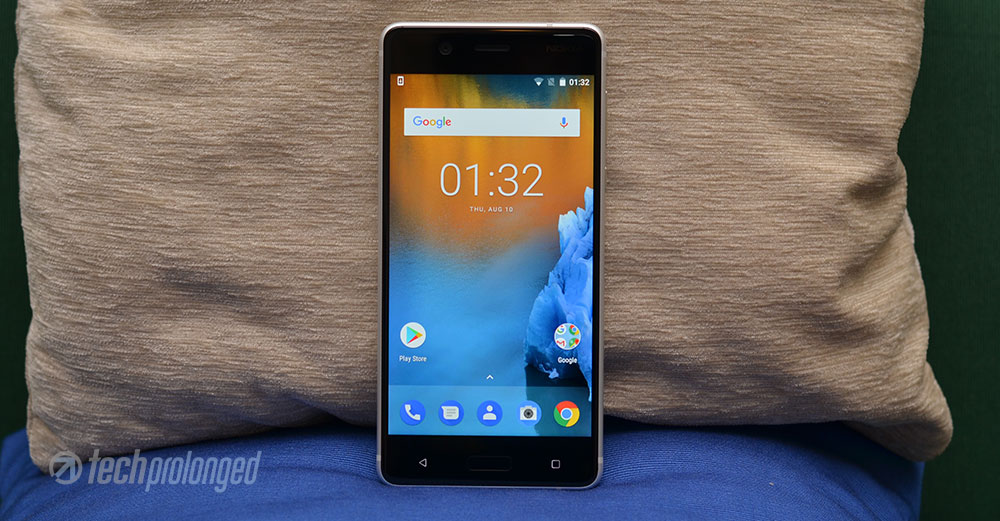
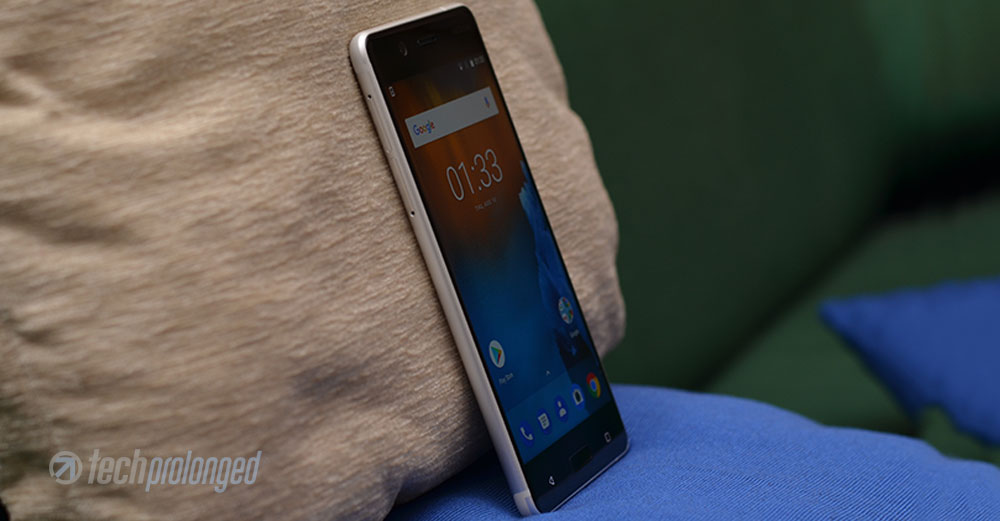
One of the trio, HMD Global launched under the “Nokia” brand earlier this year – Nokia 5 is the middle one between the most basic Nokia 3 (review) and the most sturdy of the the three Nokia 6. Price of the Nokia 5 is PKR 21,900/- (or ~$210) when released in Pakistan.
Currently in the market we have a lot summing around the similar price of Nokia 5. Samsung’s J5 Prime is listed for a little more price but doesn’t catch up with Nokia 5 features. Xiaomi has a few handsets with similar price but a bit better specs inside. Brand name, of course plays a role in pricing but customers also prefer to buy what they’ll actually have in their new phone.
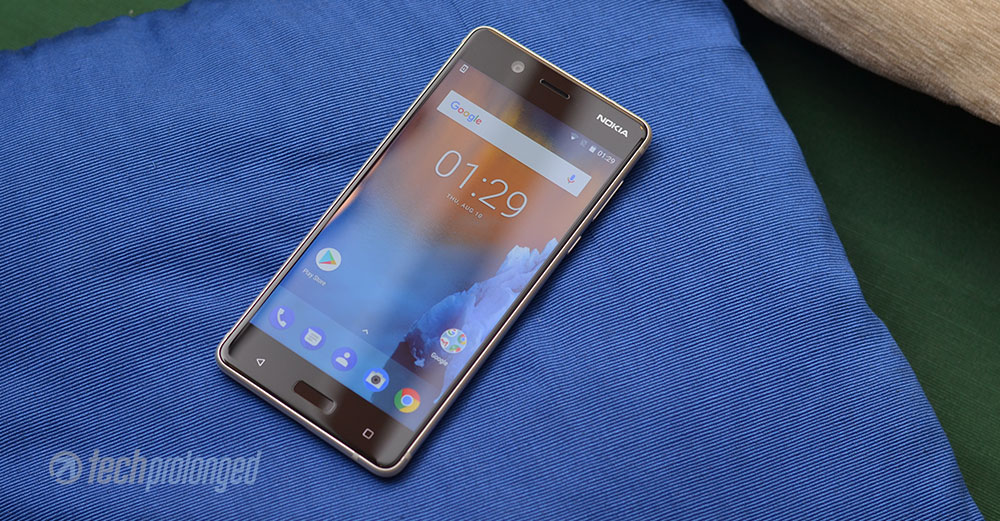
Nokia 5 actually borrows some elements from both, the starter Nokia 3 and the sturdy Nokia 6. Packs into aluminium body like Nokia 6 but has the display resolution from Nokia 3. However the display size comes between the starter and the sturdy. Staring on the front, the components give a slight impression of Nokia 6 – the rectangular home button with rounded corners.
Nokia 5 – Features
From inside, fingerprint scanner is also common between the 5 and the 6 where the Nokia 3 didn’t have one. Qualcomm’s Snapdragon 430 – the chipset is borrowed from 6 whereas the memory configuration is like Nokia 3 – 2GB of RAM and 16GB of internal storage. Battery, on the other hand is 3000 mAh also like the one in Nokia 6. Interestingly the gap between the megapixels 8, 13 and 16 of the cameras of trio also approximately matches the gap between their names 3, 5 and 6.
It won’t be wrong to say that Nokia 5 is well divided into 3 and 6. People can easily decide which one of these devices they actually want to buy and what they have to pay for them.
Nokia 5 – Full Specifications
| Nokia 5 | |
|---|---|
| PLATFORM CHIPSET / CPU / GPU |
Qualcomm Snapdragon 430 – MSM8937 Octa-core Cortex-A53 1.4 GHz Adreno 505 |
| DIMENSIONS WEIGHT |
149.7 x 72.5 x 8.05 mm 160 grams |
| DISPLAY | 5.2-inch IPS LCD Display HD Resolution 720 x 1280 pixels Pixel density: ~282ppi Gorilla Glass |
| RAM | 2GB RAM |
| STORAGE | 16GB microSD card slot |
| REAR CAMERA | 13 MP, PDAF, f/2.0, dual-LED dual-tone flash, 1080p/30fps video |
| FRONT CAMERA | 8 MP AF, f/2.0 |
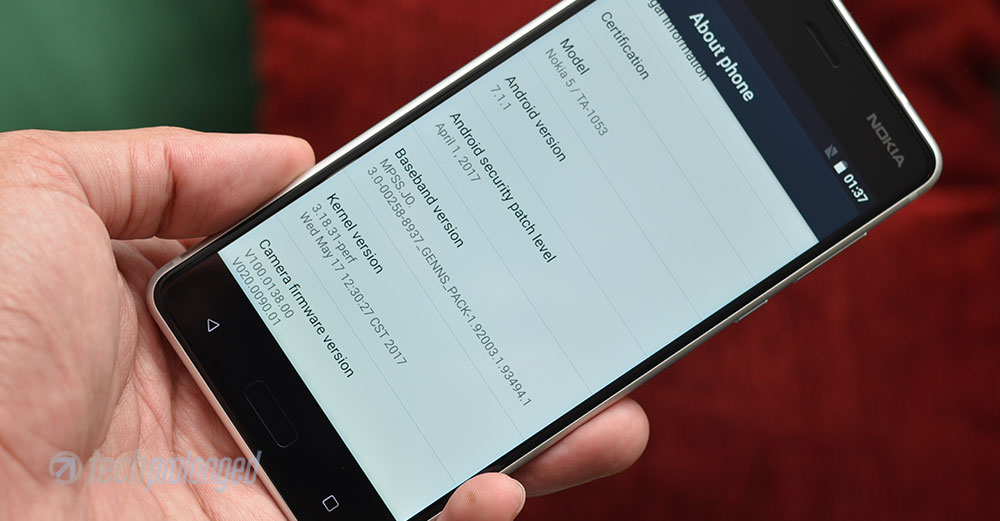
| OS / SOFTWARE | Android 7.1.1 Nougat / Pure Android |
| NETWORKS | Dual-SIM 2G/GSM, 3G/HSDPA, 4G/LTE |
| SENSORS | Fingerprint, Accelerometer, Proximity, Ambient Light, Compass, Gravity, Gyroscope |
| BATTERY / POWER | 3000mAh battery non-removable |
| PRICE | PKR. 21,900/- |
Pros
- Fully aluminium build
- Very bright display with additional sunlight readability option.
- Battery is excellent.
- Main camera is good at most conditions.
- Dedicated slots for a microSD card and two SIM cards
Cons
- 16 GB storage is a “no go” choice for requirement of today’s large apps, specially games.
- No USB Type-C
- Not enough fast charging.
Unboxing and Retail Box Content
Retail box is exactly same in size with Nokia 3. The layout is exactly same in white color as well as the back of the box prints key features of the Nokia 5 along side a profile image. On the front, there’s graphic which illustrates the traditional Nokia language of “Connecting people”. Hand-shake occurs inside the device Nokia 5 that is printed right in the middle of the box.
The slim box has a slide-out structure that after removing the wrapper you can pull out the inner container with the nob provided. The retail package brings along everything you’ll usually look for when you buy a new smartphone.
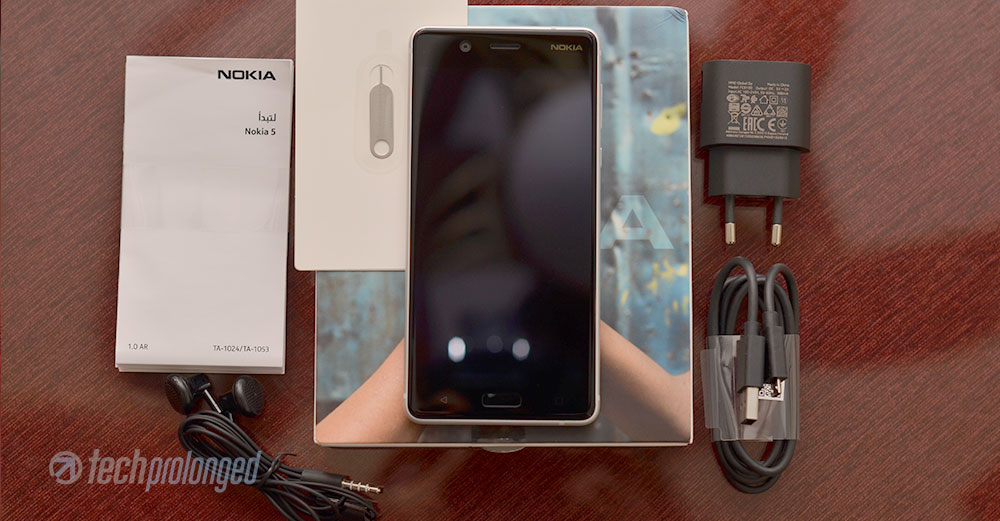
- The Device: Nokia 5
- Charger: 5V/2A
- microUSB cable for connectivity and charging
- Earphones with 3.5mm pin
- User Guide and Warranty Card
[nextpage title=”Build, Design and Display”]
Nokia 5 Build and Design
No wonder, Nokia 3 has a nice looking design mostly matching to the Lumia family with aluminium frame and polycarbonate back panel.
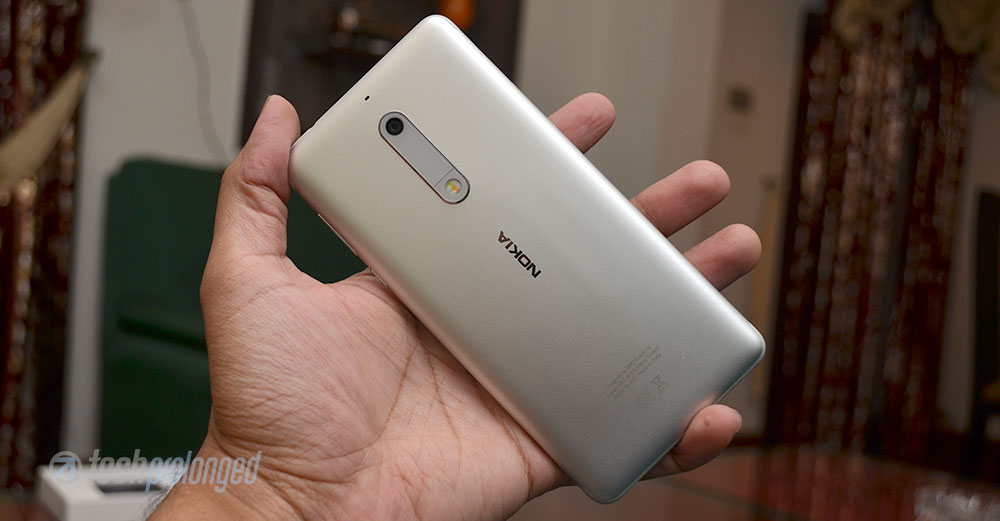
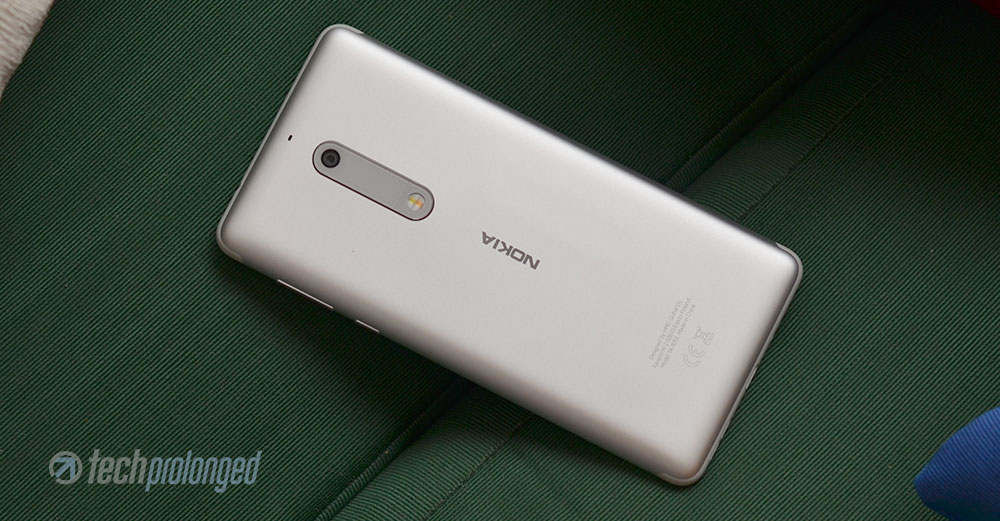
Nokia 5 goes ahead and wears a total aluminium design unlike any lower mid-range device we have seen. It’s sturdy and tough in matte finish, however it still sometimes makes its way to slip out of the hands – probably due to the plastic stripes on the corners which are smooth and perfectly merges into the metal. You can see the shoulders-like plastic stripes on top and bottom.
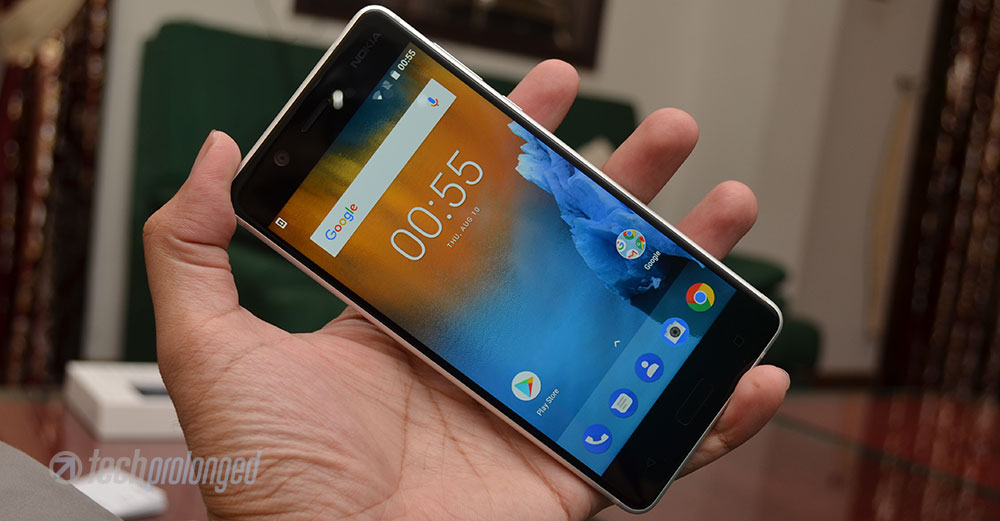
Nokia 5 weighs only 160 grams and it’s thick only a little over 8mm. The phone is pretty much handy in size, curved edges and rounded corners but as told above the polished plastic stripes on the corners can create troubles if you are involved into something else while holding the phone unconsciously.
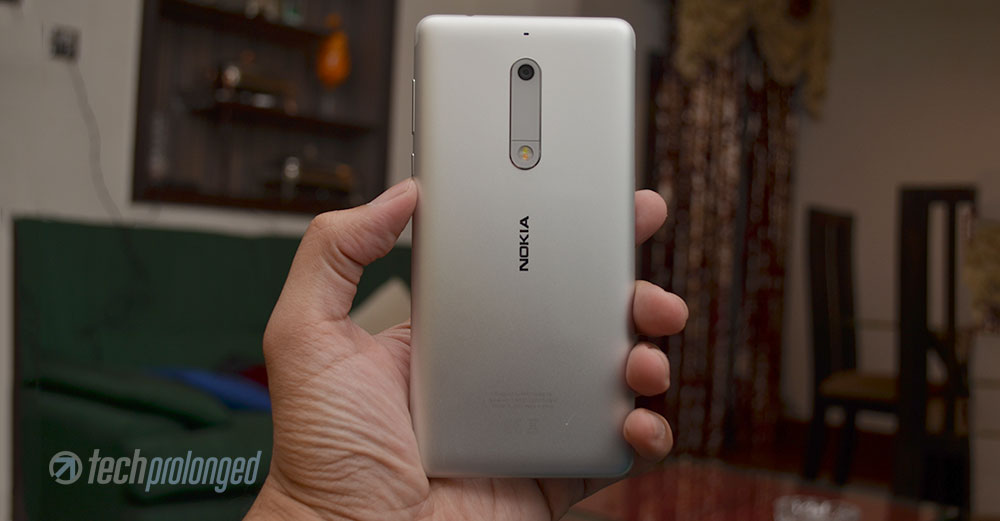
Perfectly fit in average sized hands, the phone gives premium feel from all around its corners on the back as well as 2.5D curved glass on the front. It’s a Gorilla Glass but company hasn’t disclosed the version – however throughout our experience with Nokia 5, it’s literally good at dealing with scratches. It’s nice and smooth.
Non-Removable Battery
You won’t be able to remove the battery from this lower mid-range smartphone due to its unibody design. Well many prefer to have remove able battery in their smartphones, but in current days, it’s believed that a non-removable battery gives its own impression of premium feel to any smartphone. So does it, with the Nokia 5.

If you noticed, Nokia 5’s frame is fully rounded from back to front where it meets directly into the front glass. There’s no thin middle plastic bezel between the aluminium frame and the front glass. That’s something important in comparison within this class. It indeed gives premium look, and why not? Even the starter Nokia 3 didn’t have those interrupting plastic bezels.
Controls and Components
Audio and Connectivity
Nokia 5 comes with all common components and controls on board including the 3.5mm audio jack on top and a micro USB port on bottom along side the a loud speaker. There are to speaker outlets however but a single speaker behind the bars has got support with a smart amplifier, TFA9891 – the one Google Pixel XL was shipped with.


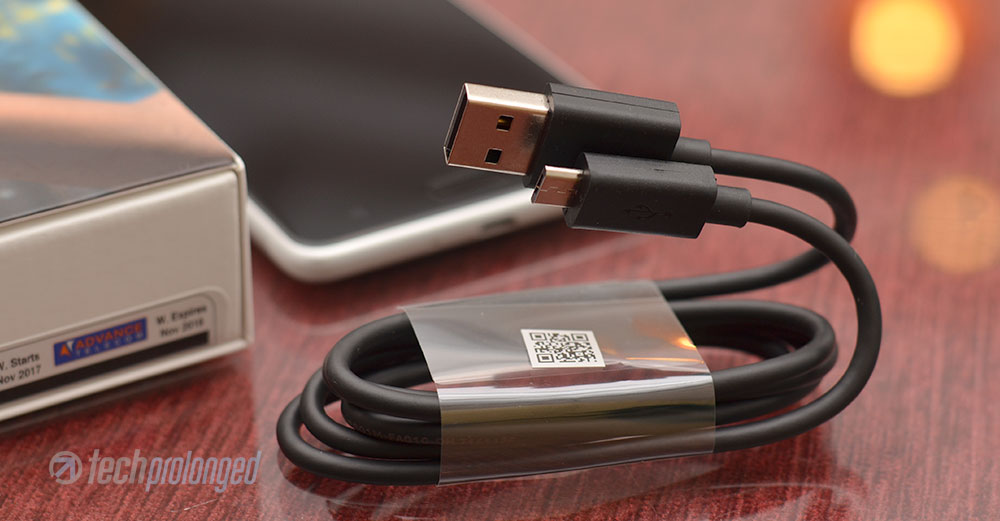
Primary mic or mouthpiece is located at the bottom as well on the other side of of micro USB port.
Power/Volume and SIM/Memory Slots
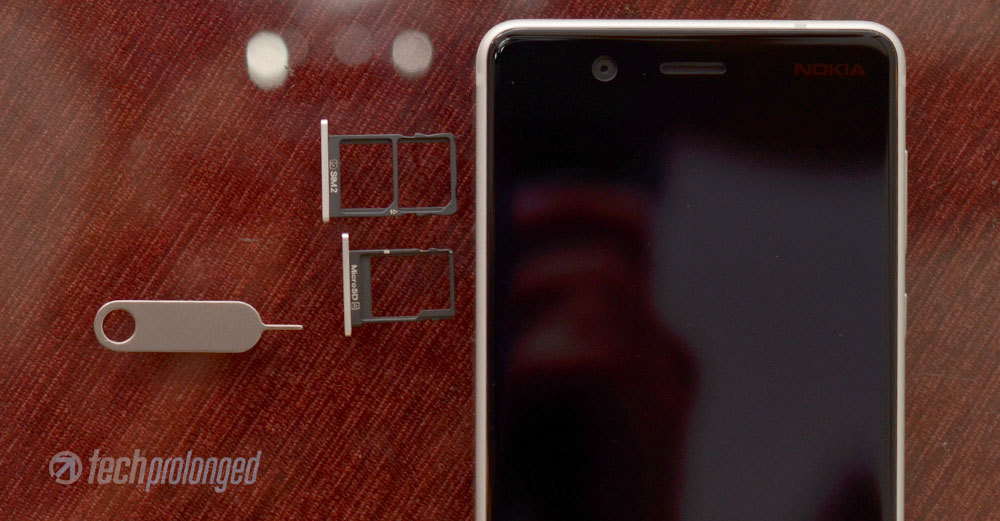
Power button and the volume rocker are hosted on the right hand side of the phone to ease your thumb reach. While on the left side of the phone, there are the dedicated slots for both the dual-SIM cards and microSD card for storage expansion.

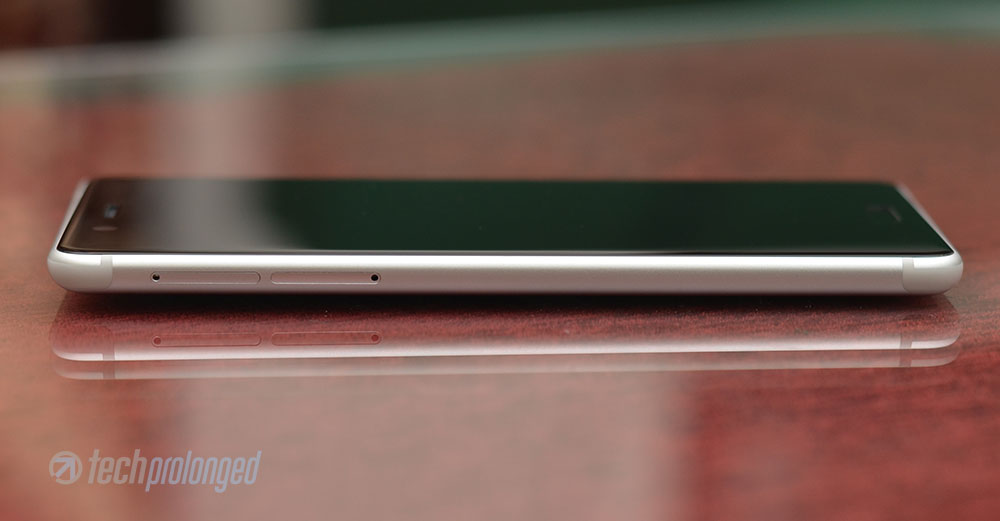
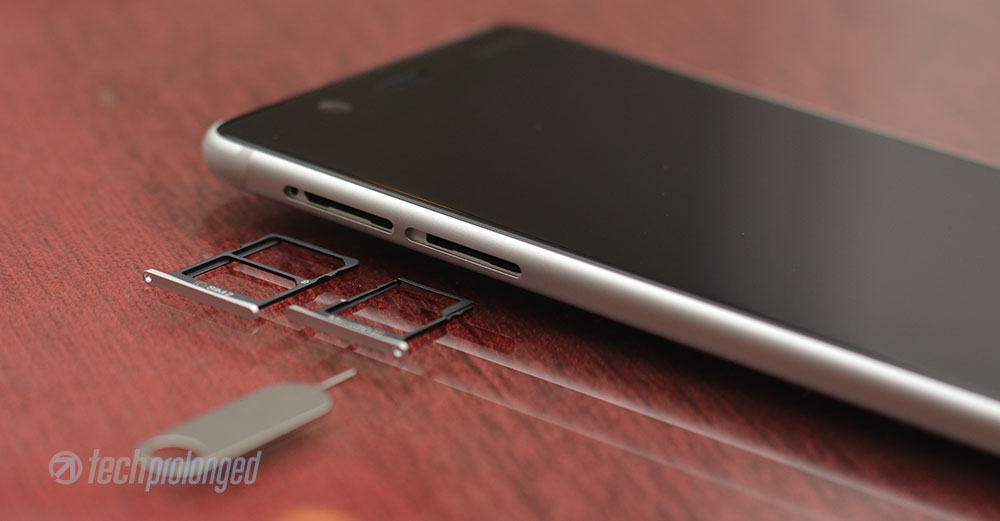
That’s always a plus point to have all three options usable unlike the hybrid slot which only lets you use one SIM if you wanted to use a microSD card.
Antenna and Rear Profile
Antenna stripes occupy the top and bottom sides edges of the phone. Shoulder-like design of the plastic stripes stay at the boundary of the frame and slightly join on the front glass for better signal reception. Secondary mic is also there on the back of the phone for noise cancellation and stereo audio recording.


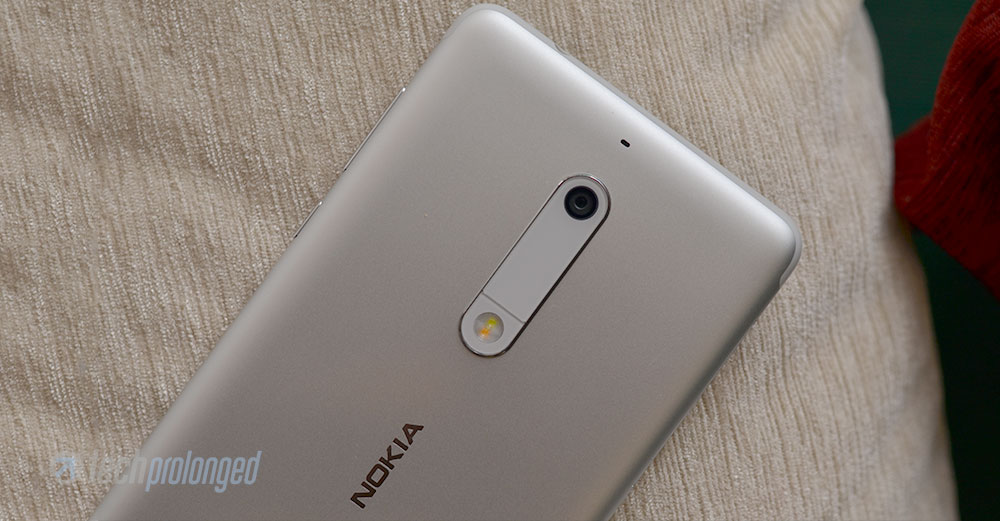
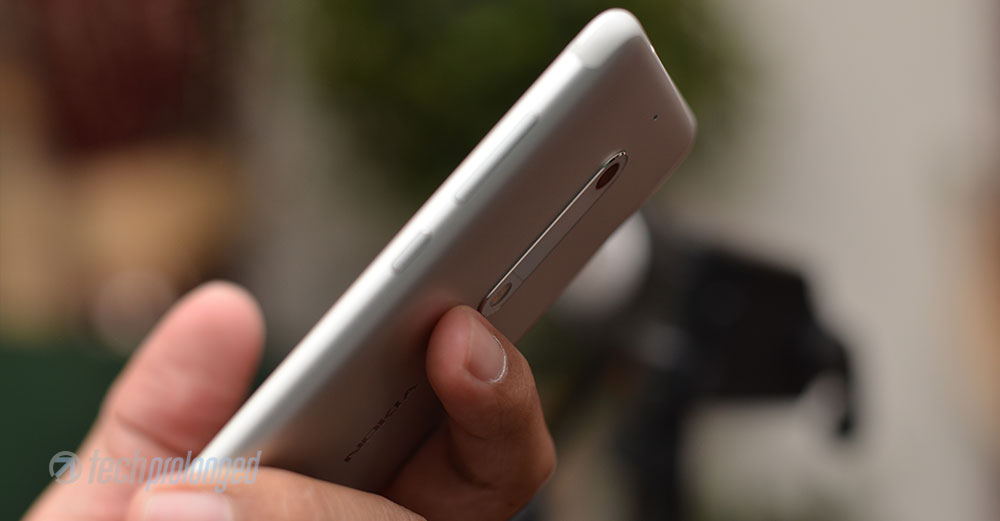
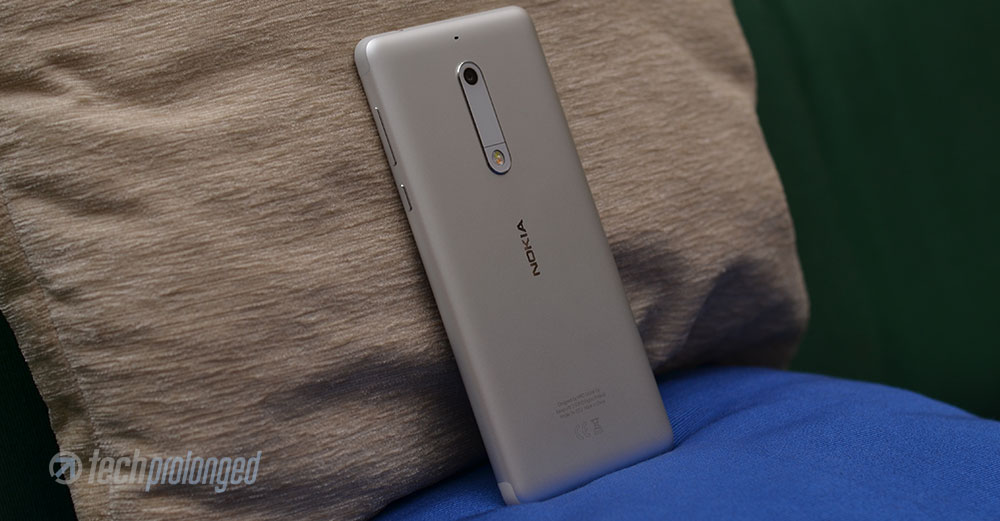
Looking over at the rear side of Nokia 5, we get long vertical bump with the camera module that adds 0.5mm to the thickness of the phone. It didn’t need to be that long as only half of it could contain the camera lens and the LED flash – like Nokia 3. Not sure if it was required by the design from inside or HMD just made it to distinct each of the three devices 3, 5 and 6 from each other. Else we have the “Nokia” branding and product labels on the back.
Front Profile
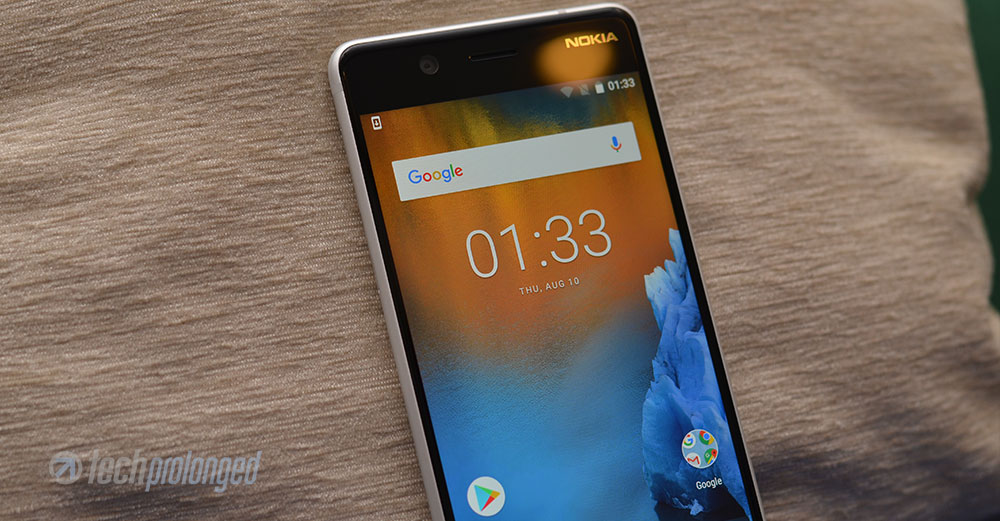
On the front, you can see that the upper portion of the screen is printing the brand name “Nokia” on the corner more like the late Lumia designs.In the middle we have an earpiece and on the side there’s front-facing 8MP camera with 84-degrees field of view – it seems larger than usual on the front. Front-camera features screen-flash to brighten up the nearer subject for some better selfies.

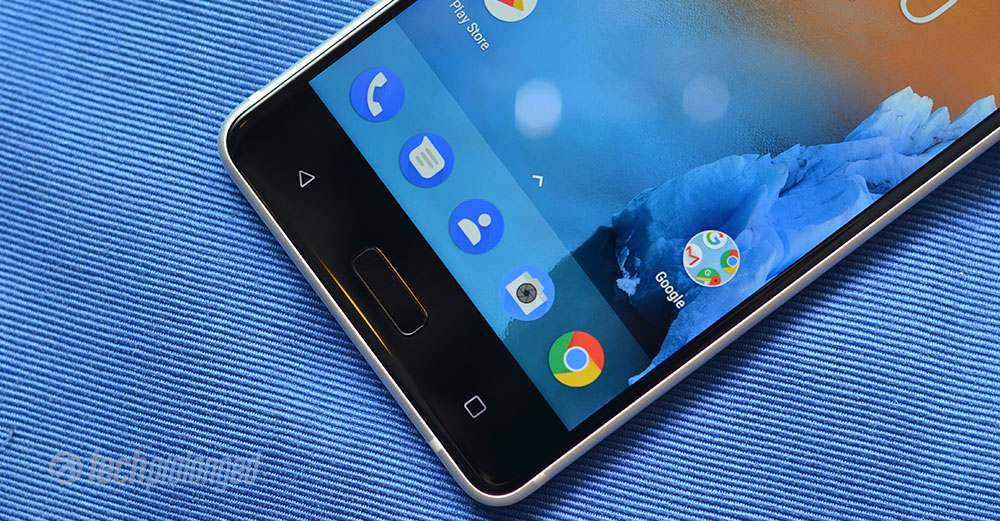
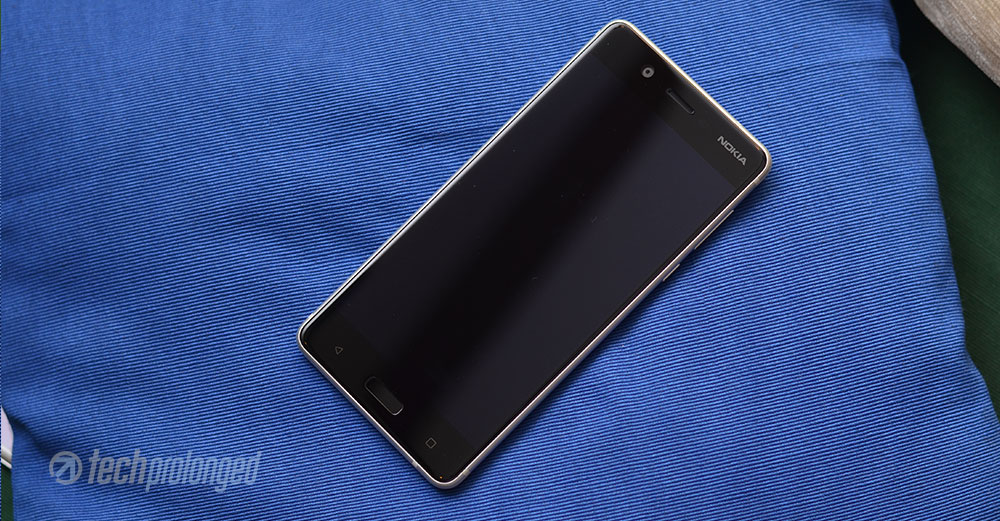
On the lower portion of the screen, Nokia 5 has capacitive home button in the middle which also has a fingerprint sensor underneath. Besides, there are “overview” and “back” keys to view open apps and to go to previous app or task respectively. Better to have them as back-lit.
Nokia 5 Display
Nokia 5 features a 5.2-inch IPS display with HD resolution of 1280×720 pixels. Many would reject the 720p display today, but you must consider the most important factor – the density of the display. Nokia 5 has a pixel density of 282ppi which is still decent for your eyes.
Within the class and price range, Nokia 5 has a an excellent display. It’s very bright at its maximum setting as well as colors are also pleasant. Automatic brightness control also works well to manage with the ambient light. Company rated this phone to have 500 nits, however when set to maximum manually, it goes beyond that. Black levels are not that impressive, hence contrast ratio is not that great.
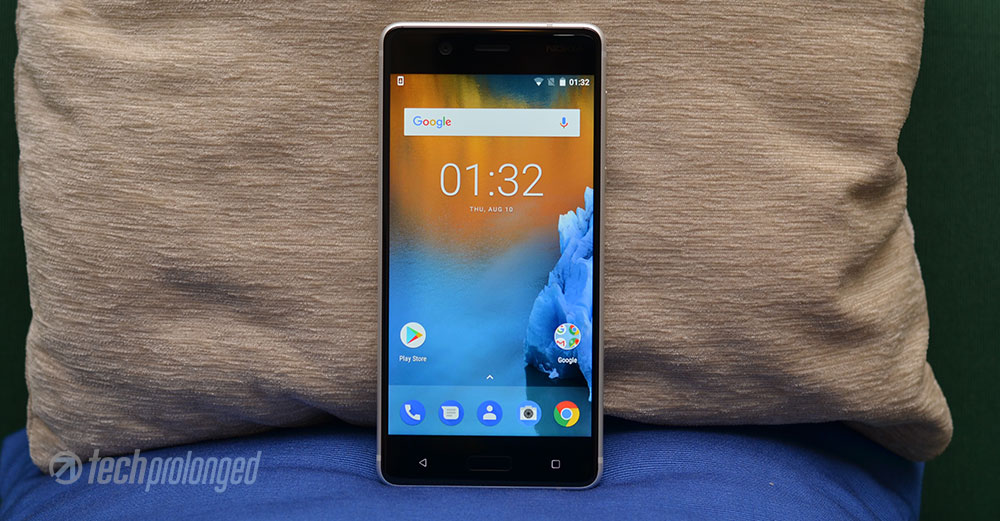
Additionally, you can turn on the sunlight readability option in Nokia 5 that also boosts the viewing experience on the phone when you are outdoors. The screen has polarizer to help reduce reflections and Nokia 5 manages it really well. Checkout the following display comparison with Huawei Y7 Prime and Nokia 6. Nokia 3 is also included.
Nokia 5 vs Huawei Y7 Prime, Nokia 6, Nokia 3
You can see how Nokia 5’s display is more visible in shadows highlights than any of the partner smartphones – Huawei Y7 Prime, Nokia 6. Leave Nokia 3 out of competition here as it’s the same class. It’s yet unclear why would Nokia 5’s display be any better than Nokia 6 as both has the similar display according to specs. There could still be a difference in a specific unit of Nokia 5 or Nokia 6 – may be.
[nextpage title=”Software and User Interface”]
Nokia 5 – Software and User Interface
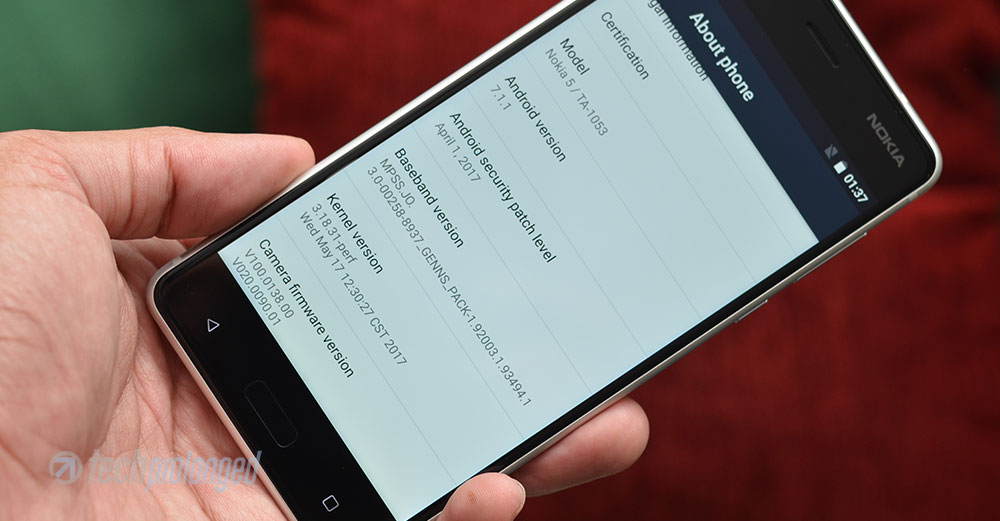
With new entry into Android smartphone manufacturing HMD decided to go for plain stock software experience with a little bit custom touch. Nokia 5, like Nokia 3 and 6, packs with pure Android features that Google ships with its own set of apps.
Nokia 5 runs Android 7.1.1 Nougat software straight out of the box with its own theme and blue icons. The user experience is mostly similar to the Google Pixel. Very first look at the home screen tells that there is no icon for app launcher in the sticky row of apps on the bottom. Instead, a little caret provided right above that row of app icons that you can simply tap once or more pleasantly pull it up to open the app drawer. Similarly you can swipe the app drawer down to close it.
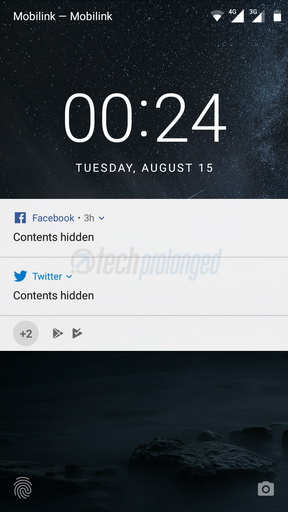
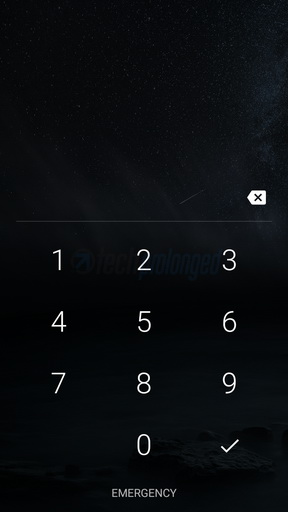
Just like Nokia 3, you can not customize themes on Nokia 5 and you have to stick with just that blue icon pack. Coming over at the user interface (GUI), Lock screen is also simple with the options to unlock with swipe or a short cut to swipe from a camera icon on the right-bottom corner which takes directly to the camera app. That camera shortcut on the lock screen actually by-passes any security and takes you to the camera app. However that only allows to take photos or record videos, as you can not go beyond the camera app in case if the security is in place.
Lock Screen and Security
Lockscreen also presents notifications in standard Nougat style – grouped, expandable and quick actions like replying to messages. Based on security, you have set up, the notifications can be set to “content hidden” on lockscreen to prevent privacy loss.
Home Screen with Nokia Blue and App Drawer
Then comes the home screen which gives you a blue shot at once when you unlock the phone. All system icons reflect Nokia’s blue color. And certainly, you can not change them. You can get use to with the same/single colored/circled icons but at first it could be hard for you to identify what you are looking for.
Google apps icons have their own standard color which you normally know them with. Similarly the third party apps also come with their own icons. The system, however modifies the icons only to mask them in circular shapes – that’s good.
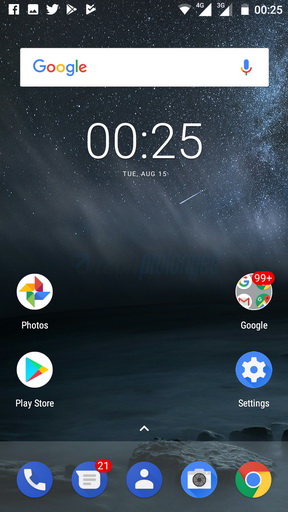
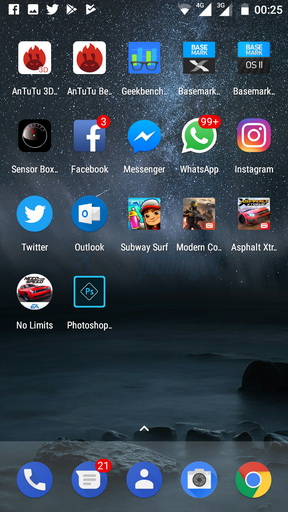
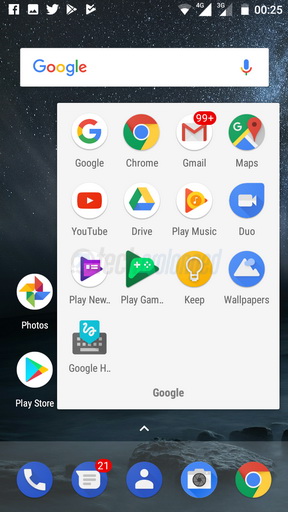
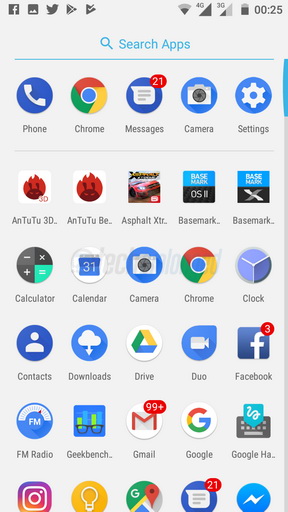
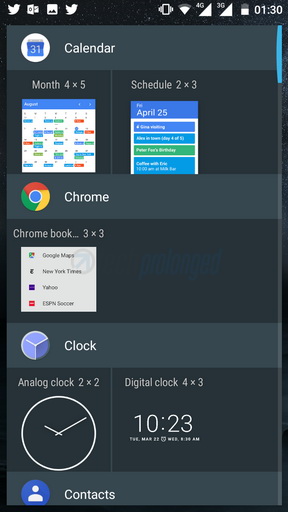
Everything is pretty much same in experience like choosing app icons from the app drawer and placing them onto home screen or organizing them into folders. Adding, removing home screens and placing widgets in those home screens, etc.
Customizing Home Screen, Background Tasks, Split Screen
Home screen can be turned into edit mode by just a long press in a free space or by a pinch-in gesture on the screen.


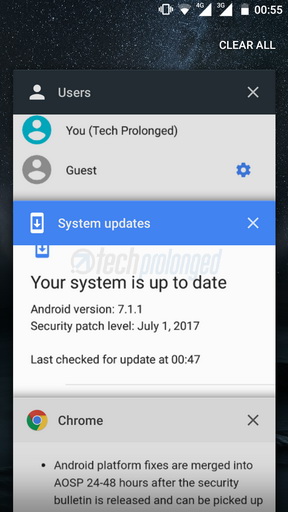
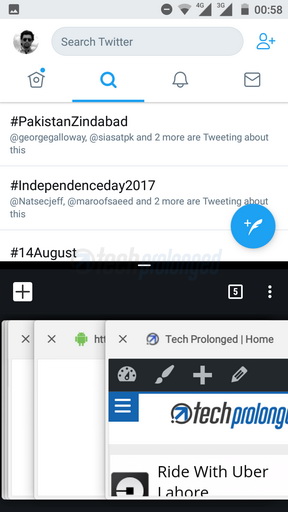
The task switcher or recent apps view appears the standard Android rolodex of app snapshots which you can swipe away to close. A cross button is also provided on each snapshot. All apps can be closed with a single tap on “Clear All” which appears only if you swipe down the rolodex – that’s not really convenient.
Split screen can be initiated by a long-tap on “recent apps” key when you an app is already open. Even though Nougat has provided the built-in support for split screen, but frankly, you don’t want it on a small screen with not enough resolution.
Google App (Google Now) and Google Assistant
Far left home screen offers Google App (Google Now) by default, which can be turned off via settings from edit mode.
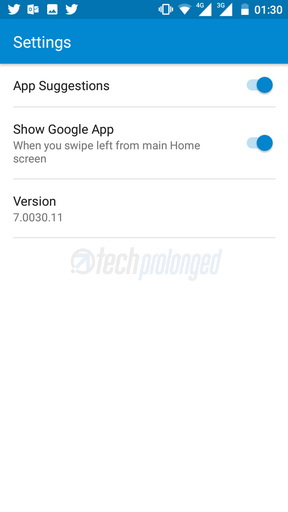



Google App on home screen is quick and fluent like it’s just one of the screens. It doesn’t give a kind of impression for being an app at all. You also don’t see it in currently running apps, it’s just a part of home screen. While a long-tap on the home button initiates the Google Assistant.
Status bar and Notifications
The top status bar is the stock one that you can pull out by swiping down. It’s the two way pull-down panel with a quick set of toggles and the notification below them. The second swipe-down on the panel will expand the quick toggles section to provide more options with more glance. With the second pull-down, you also get access to the brightness controller. However you can not turn on/off the adaptive/auto brightness. For that you have to go to settings > display.
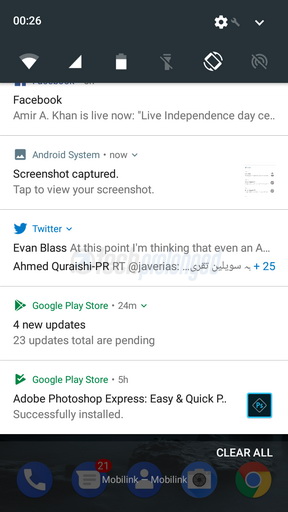
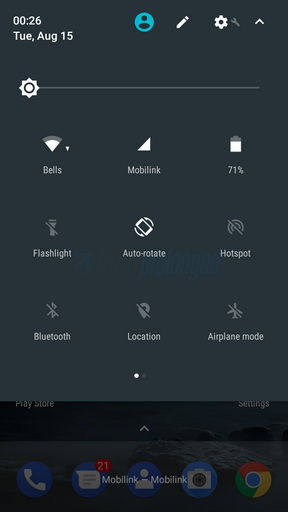
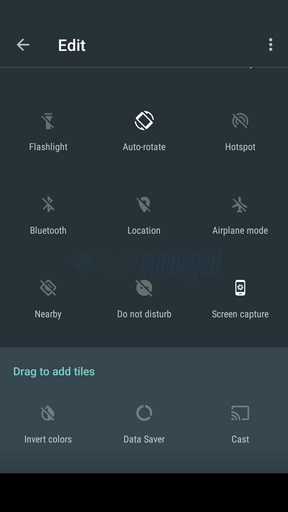

The quick actions or toggles can be customized right from there by editing them and adding or removing them. Standard Android “users” feature is also available on Nokia 5 and can be reached right from the status bar. More settings are available in “Settings” app.
Add-on Gestures & Motions
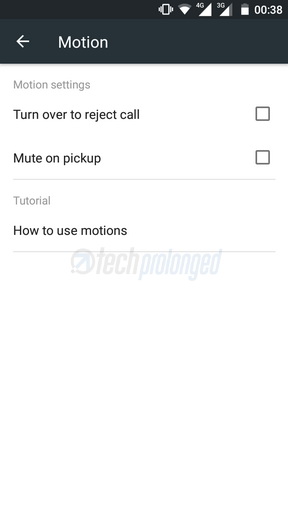
Last but not the least, there are some gestures and motions which can be accessed from Settings > Accessibility. Only a couple of “Mute on pickup” and “Turn over to reject call”.
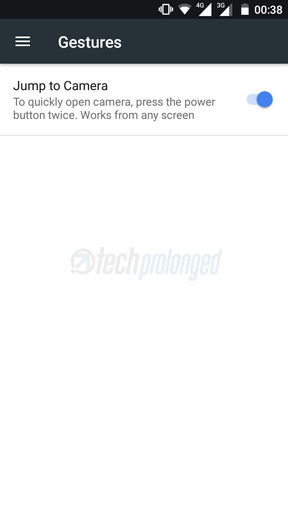
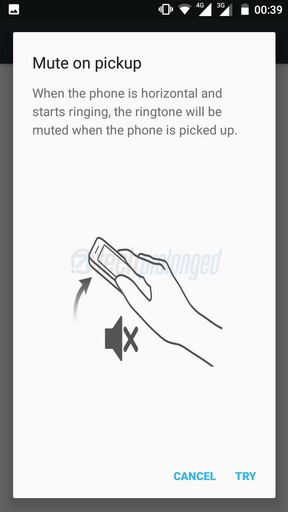
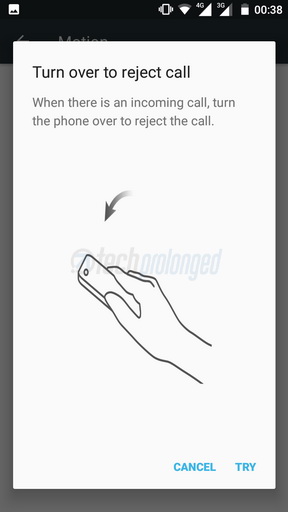
If you have been a fan of Nokia’s dedicated camera shutter button, then we are sorry that the new Nokia Androids do not feature that button. However the software allows you to use Power button to open the camera app, when you press it twice.
[nextpage title=”Battery & System Performance”]

Nokia 5 – System Performance
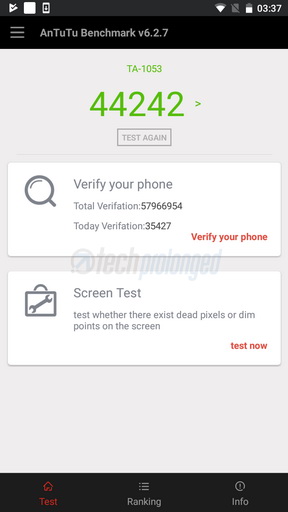
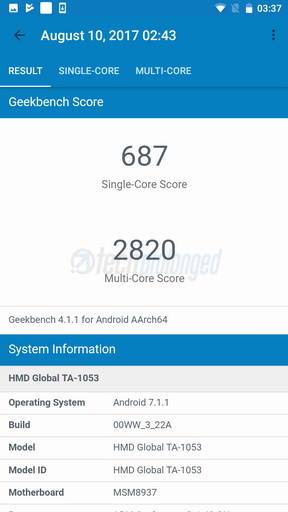
Nokia 5, stated earlier in introduction, features Qualcomm’s Snapdragon 430 – a chipset for mid-range devices. The chip is just same as it is in Nokia 6 but Nokia 5 has only 2GB of RAM. It sure is a significant upgrade over Nokia 3.
We had reservations about an year old MediaTek chipset with Quad-Core processor used in Nokia 3. It didn’t perform well even when compared with Huawei Y5 2017 which has the same chip but a little variation. Similarly Nokia 5 used Snapdragon 430 which which also had the 435 with only a little variation. It’s much better than Nokia 3.
What’s more important to you is how the Nokia 5 will actually perform as a regular phone of yours. Unlike Nokia 3, I’m quite happy with Nokia 5 running Android 7.1.1 Nougat. 2GB of RAM is sometimes loaded up but the real problem is the storage. 16GB is a no go for me at least, half of which is eaten by the system itself. Considering the performance, storage type and its speed is more important but it’s fine when compared to the phones of its class.
[videojs mp4=”https://onedrive.live.com/download?cid=182152EEBD704766&resid=182152EEBD704766%2176821&authkey=%21APKN7USufOaMTY8″ loop=”true” autoplay=”true” preload=”auto” controls=”false”]
Nokia 5 on Trial
A few games I tried on Nokia 5 – were Subway Surfer, NFS No Limit, Asphalt Xtreme and Modern Combat 5. They worked fine without lag or freezing – not that I can remember of. Cold start of apps usually faced delay. Subway Surfer if you see above, started almost equally on Huawei Y7 Prime, Nokia 6 and Nokia 5 but Asphalt Xtreme didn’t catch up the speed on Nokia 5.
Even though you can play these graphic-thirst games on Nokia 5 but still these phones aren’t for frequent gamers – if you are one, you might not want to buy Nokia 5.
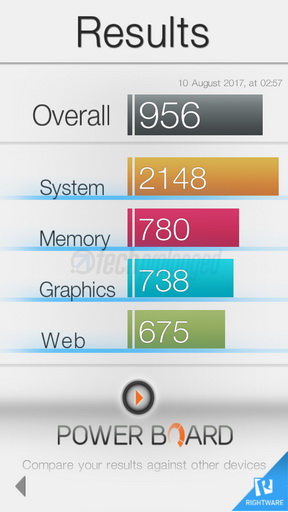
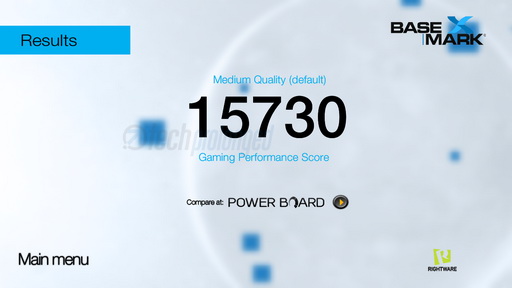
Comparing the benchmark scores, Nokia 5 is head to head with the little expensive Huawei Y7 Prime and even Nokia 6. Geekbench
Nokia 5 – Battery Performance
With 3000mAh battery, Nokia 5 is good with this capacity of power. The healthy sibling, Nokia 6 also has the same battery but might lack optimization with larger RAM and higher resolution. This phone, on the other hand, has only 2GB of RAM and 720p display on a little smaller screen size of 5.2-inches which proved to be true in our practical usage.
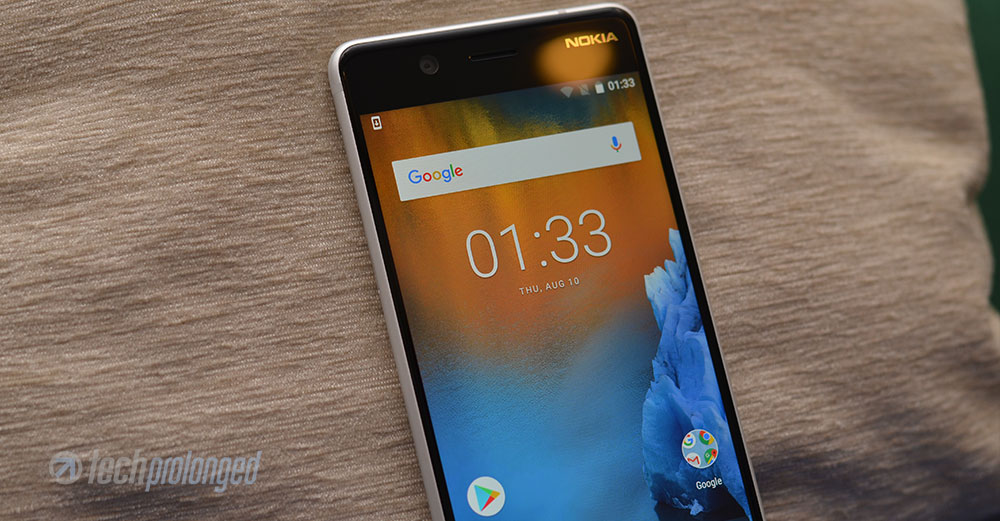
Nokia 5 manages to give you over a day easily with extensive usage of throughout the day – exclude the extensive gaming though. By extensive usage you can consider regular usage of the phone as primary device with both SIM cards active – one on 4G/LTE. Switching from LTE data to WiFi all day (assume 50/50). Browsing, examining apps, playing games, shooting photos and recording videos, installing/uninstalling apps to make room for other stuff etc. etc.
With some very basic usage that include only calling, texting, some browsing and some social interaction, specially when you are home and stays connected on your home network over WiFi, Nokia 5 might give you over 30 hours.
On the other hand if you go little aggressive and keep using the phone, playing games, watching videos online or offline, add some GPS navigation as well and anything like that. Do not expect it to give you more than 12 hours. Something which is not good that even though the charger shipped with Nokia 5 is rated 5V/2A but it doesn’t seem to charge your phone rapidly.
[nextpage title=”Camera, Photos and Video Quality”]

Nokia 5 Review – Camera
With Nokia 5, you get a 13 megapixel primary camera which is autofocus. The image sensor inside has pixels of size 1.12µm. Lens on top has f/2.0 aperture while a dual-tone dual-LED flash supports the whole unit. The image sensor has phase detect autofocus system as well.
While go through the photos quality later below, lets talk a little about the native camera app and its features in Nokia 5. The app is just same as in Nokia 3, it’s also same in Nokia 6 as well we’ll cover later in its review.
Unlike previous camera user interfaces Nokia has brought to its Symbian and Windows Phone devices which were extremely user friendly, the one on these new Nokia Android phones, the camera app is very simple on viewfinder with a couple of toggles and still/video/panorama etc. switches. On the other hand, all options are cluttered into one single settings menu which, to me at least, is very awkward in white background – black would be awesome.
Camera App Operations
The camera starts with the viewfinder and three elements on the bottom – shutter release in the middle, video switch on the left and a gallery shortcut on the right. There are a couple of toggles on top row – right side. Rear/Front camera switch, shot timer, HDR (on/off/auto), and Flash (on/off/auto).

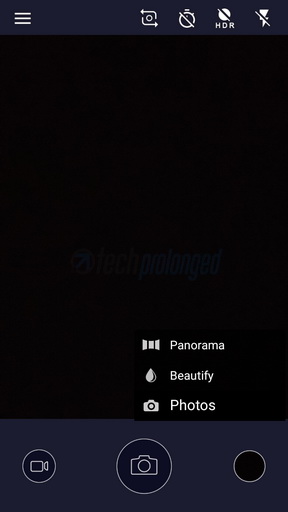
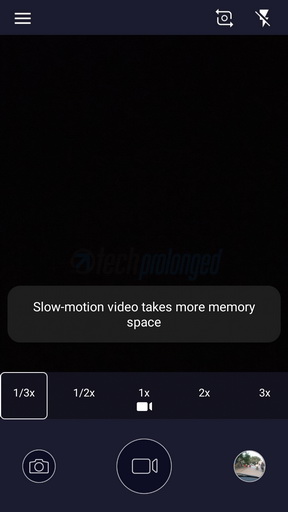
In still photos mode, you get to choose from normal photo, panorama shots and beautify mode. While in video mode, you can set the speed of recording with 1x, 2x and 3x. The slow speed recording (not calling it as slo-mo) is also supported – 1/2x when maximum resolution is set to 720p, and 1/3x at 480p. Standard 1080p videos do not support slow speed.
Settings Menu
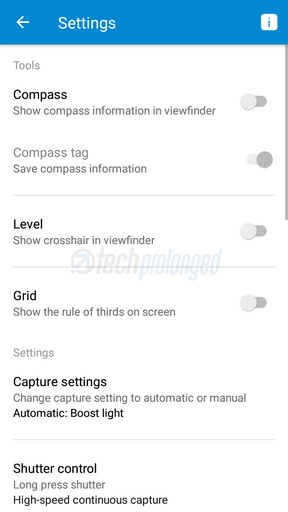
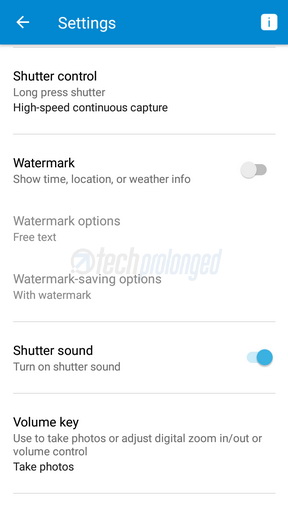
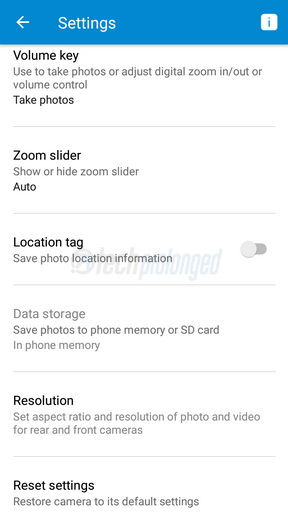
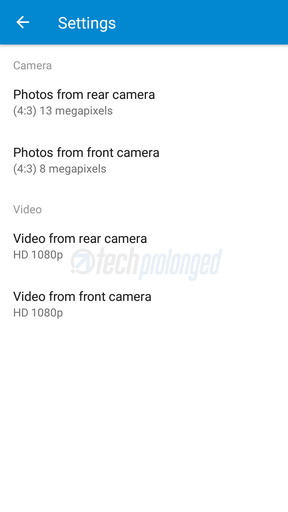
Menu has the options to turn on/off the compass, grid lines (rule of thirds), capture settings (auto/manual), shutter control (burst shots), watermark (can choose from a preset of text, weather, city, etc.). You can choose whether to use volume key as shutter release. Finally you can set resolution for photos and videos for both front and rear cameras separately.
Manual Control Gimmick
If didn’t notice about the capture settings above with “manual” option – then you should have. It’s the manual control function you can enable on Nokia 5. It’s not like a full “Manual control” like we have seen in old Nokia devices or more recently in Huawei devices.
Nokia 5 only offers to set metering (auto/evaluative/center-weighted), focus (auto/infinity/macro), white balance (auto/daylight/cloudy/shade/fluorescent/incandescent) and exposure compensation (full stop increments -2/+2ev).
No ISO handling, No exposure control? It’s not Manual
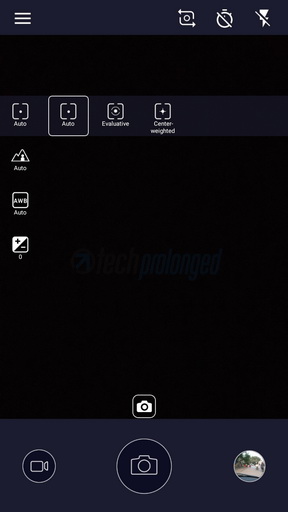
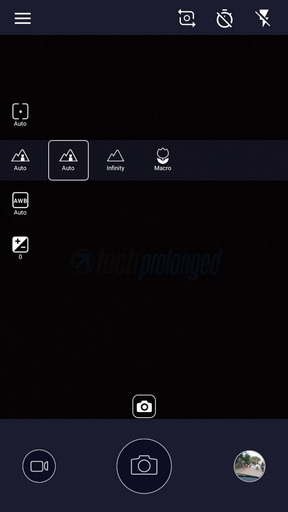
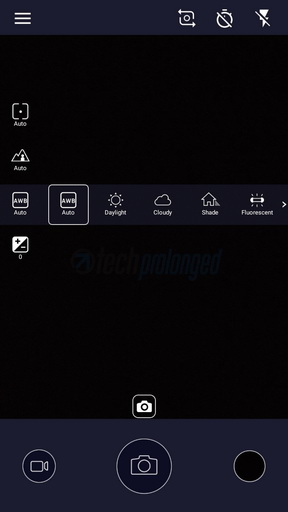

While most of the things in manual settings above we usually see in most devices but the focus options are from the old Nokia phones which usually offered “infinity” mode to keep everything in focus while the “macro” mode lets you get as closest to the object as possible by the camera.
The Focal Length
Examining the photos EXIF data from Nokia 5, we discovered that the camera delivers 21mm equivalent focal length but in real, the photos do not seem to be covering that wide field. Look at the following same scene captured by Nokia 5 (left) and Huawei Y7 Prime (right) side-by-side.
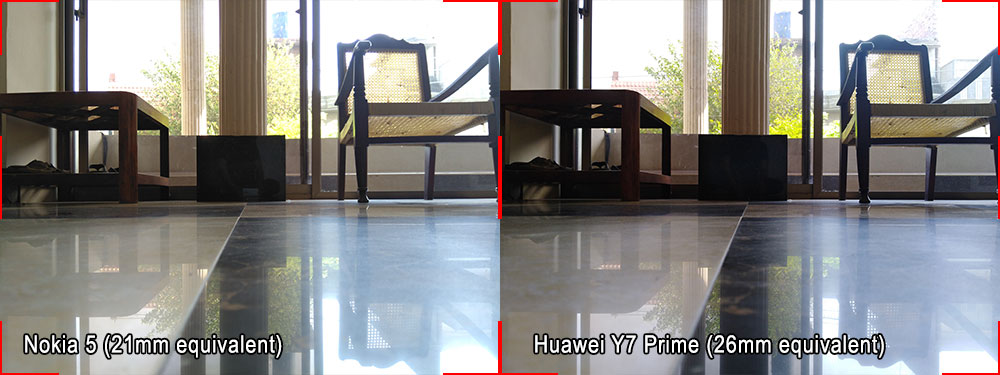
Notice to compare the coverage of field of view from both phones – they are pretty much equal whereas Y7 Prime’s EXIF data tells it to be 26mm equivalent, which is more common among smartphone cameras. So we take it as Nokia 5 might be reporting erroneous information in EXIF data.
Photo Quality
Nokia 5 actually somewhat impressed us with its image quality considering its class. You can expect nice quality images from 13MP camera. Even though some noise is present in daylight shots which is not visible until you look at a 100% crop of the image, it’s making up a good and detailed image. Color reproduction is well managed which is critically good but some consumer minds who expect vividness from their smartphone camera will be disappointed.
Dynamic range is also better at most places but it’s lost when you take an indoor shot with a window in the frame throwing huge amount of daylight. On the other hand, the shots inside a normal-lit room may introduce heavy noise and vanish all the detail we could have in bright conditions. Have a look at some outdoor shots below followed by some indoor shots.
Outdoor Shots
Indoor Shots
HDR Shots
HDR actually worked nicely in Nokia 5. In those situations where it couldn’t handle dynamic range very well, HDR could do the job pretty nicely. It does manage to recover from highlight clipping and brighten up dark shadows. In that process, you could sacrifice the real blue color of the skies.
Observe the following shots taken twice – once with HDR-OFF and then with HDR-ON. Shown in the same order.
Shots with Flash-ON
Now that’s what, I won’t recommend to use with Nokia 5. It’s completely useless in wider environment – usually in rooms. White balance is completely lost, even a meter distant subject couldn’t get any detail. However if you could want to shoot some closeup subject with the flash, it does the job with completely black background. That’s due to nicely handling flash strength to throw on closer subject to prevent over exposure leading to completely underexposed background.
Close-up Shots
Nokia 5 can focus a subject at least 3-inch distance. Even though the manual control provides a “Macro” option in focus which fixes the focus on a certain distance and you have to move your camera back and forth and take shot when you are sure the subject is in focus. Better stay with “Auto” focus and use tap-to-focus as you normally do.
Front Facing Camera
Nokia 5 offers an 8 megapixel camera on the front which is also an autofocus unit. It also have f/2.0 lens aperture and contains an image sensor with 1.12µm pixel size as primary camera’s. It’s a wide angle camera with 84-degree field of view.
This camera produces sharp images out of its front camera, well managed noise and detail is pretty good. Autofocus is impressive to take selfies.
Panorama
Nokia 5 captures approximately flawless panoramas in its class.
Video Recording
Nokia 5 can record videos at up to 1080p resolution with 30 frames per second. Sure you won’t get 4K or faster frame rate from any device technically due to Snapdragon 430 or even 435 limitation. The question is if it can record pleasing videos at the limit it supports? Well, yes and no at the same time. Videos from Nokia 5 have nice color reproduction, dynamic range is good at limited exposure differences. Image detail on the other hand is not that great as we saw in still photos, it’s softer than sharper .
[nextpage title=”Conclusion”]
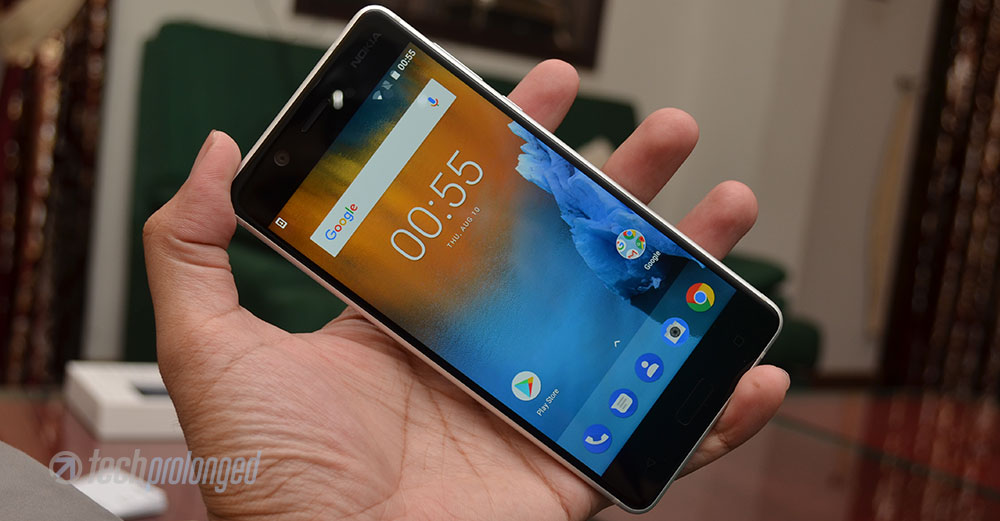
Conclusion and Verdict
Again, you do not expect great thing bouncing from inside of a mid-range smartphone. The processor, the RAM, and the storage in Nokia 5 are just what you do not want to have if you are expecting some mind blowing performance form your smartphone.
Technically this goes same with all the mid-rangers. They have pretty much similar specifications as during the review we had Huawei’s Y7 Prime in hands which is actually more comparable with Nokia 6 than the Nokia 5. But still the that phone has the similar processor with bumped up RAM and storage which is quite useful indeed but that also comes with a price, e.g. Y7 Prime costs you Rs. 25,000/- and Nokia 6 is priced just below Rs. 28,000/- while this Nokia 5 is around Rs. 22,000/- So that means what your phone lacks is for the money you save from it.
Or on the other hand, you can go for less known and less popular brands to get more features in less money if you can rely on that brand. What’s also important is that how they are gonna treat you after they have sold it to you. Infinix is going pretty good in Pakistan with its limited range of devices under Rs. 25,000/- Moto G5 with the similar specs also costs around Nokia 5’s price.
But one thing, if you prefer good looks and better build quality,
then Nokia 5 is the best choice in the class you are looking for a phone.
Sure, where Nokia 5 stands at, it’s equally good with other contenders. An appealing unibody design in fully aluminium body and a good quality is a plus for Nokia 5. If you are an old Nokia fan, and wanted to give a try to a new Nokia running Android platform then better choose Nokia 5 with a little more price than Nokia 3 if you don’t want your first impressions go bad. Now you know why I called Nokia 5 “The Start Line of the Finnish”?
Nokia 5 – Photo Gallery