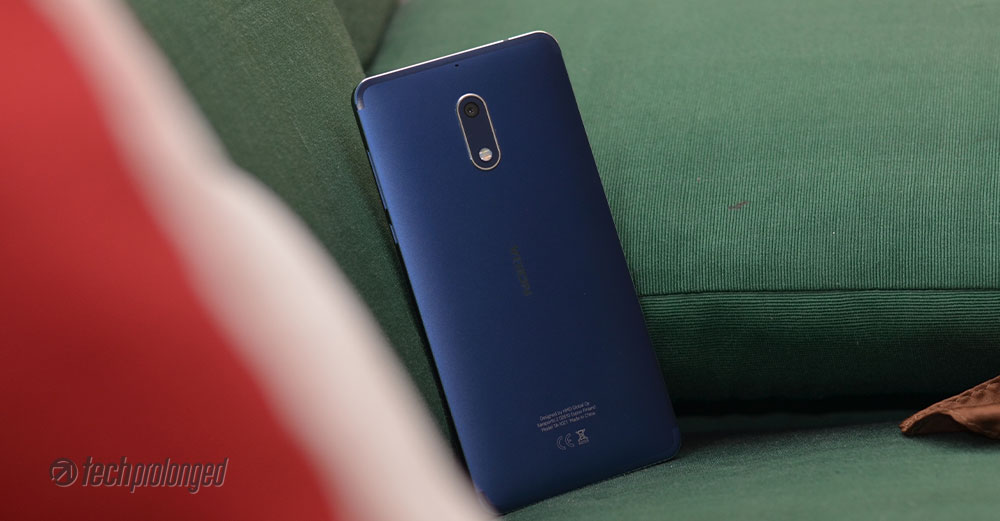
[nextpage title=”Introduction, Features and Unboxing”]
An Introduction
The inauguration of the Finnish brand name carrying pure Android platform was occurred earlier this year with the release of Nokia 6 in China exclusively. Later it followed in other regions and then global launch of the Nokia 6 was happened during the Mobile World Congress, when HMD Global – the new home of Nokia phones additionally launched Nokia 5 and Nokia 3. Nokia 6 hit the Pakistan market in August and went on sale for Rs. 27,900/- (or ~$265).
Global Nokia 6 has visually less differences than the Chinese model but features wise, the global model has improvements specially with software optimization. There could also be some hardware differences, specially the main camera module. The price however is much balanced according to other markets, considering the local taxes and import duty fees. But sure, the most important thing is, how it stands among the competition. For that, we’ll consider Huawei Y7 Prime and Samsung’s J7 Prime to compare against Nokia 6 in this review whenever possible and applicable.
To give you a little about its standing, Nokia 6 is the most expensive smartphone among the trio – Nokia 3, 5 and 6. HMD seems to have done justice to tag the pricing with these new Nokia phones as these divide the features well. However, when compared to other brands, it’s a bit expensive than Huawei’s counterpart and a little cheaper than Samsung’s.
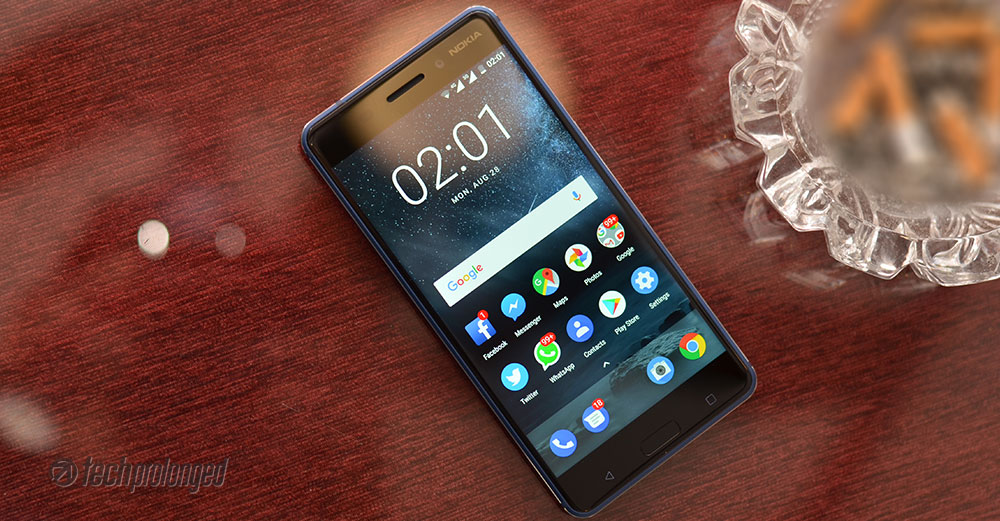
Nokia 6 – Features
Nokia 6 takes on with the features from Nokia 5 – the review and improves on with the build and design, enhanced and larger display, better camera. Nokia 6 features the same Qualcomm’s Snapdragon 430 system-on-chip as Nokia 5, with exactly same configuration of eight cores of Cortex-A53 clocked at 1.4GHz and Adreno 505 graphics processing unit. However you get more RAM and more storage for the added price tag – 3GB RAM and 32GB internal storage respectively.
There is another model of Nokia 6 which is not yet released – Arte Black variant boasts 4GB of RAM and 64GB of internal storage. Take a look at the full specifications below.
Nokia 6 – Full Specifications
| NOKIA 6 – TA-1021 | |
|---|---|
| PLATFORM CHIPSET / CPU / GPU |
Qualcomm Snapdragon 430 – MSM8937 Octa-core Cortex-A53 1.4 GHz Adreno 505 |
| DIMENSIONS WEIGHT |
154 x 75.8 x 7.9 mm 169 grams |
| DISPLAY | 5.5-inch IPS LCD Display, brightness 450 nits HD Resolution 1920 x 1080 pixels Pixel density: ~401ppi Gorilla Glass |
| RAM | 3GB/4GB RAM |
| STORAGE | 32GB/64GB internal storage + microSD card slot |
| REAR CAMERA | 16 MP, PDAF, 1.0µm, f/2.0, dual-LED dual tone flash, 1080p/30fps, 720p/60fps, 480p/90fps video |
| FRONT CAMERA | 8 MP autofocus, 1.12um, f/2.0, FOV 84 degrees |
| OS / SOFTWARE | Android 7.1.1 Nougat / Pure Android |
| NETWORKS | Dual-SIM 2G/GSM, 3G/HSDPA, 4G/LTE |
| SENSORS | Fingerprint, Accelerometer, Proximity, Ambient Light, Compass, Gravity, Gyroscope, NFC, Hall Sensor |
| BATTERY / POWER | 3000mAh battery non-removable |
| PRICE | PKR. 27,900/- |
Pros
- Full metal build
- Bright display with additional sunlight readability option.
- Smooth glass with 2.5D curved edges
- Main camera takes nice shots.
- Autofocus camera on front also takes nice shots
Cons
- CPU is more basic for the price. Snapdragon 6xx would have been better.
- No USB Type-C
- Battery is not enough.
- No fast charging.
Nokia 6 – Unboxing
Nokia 6 comes in exactly a same retail box as Nokia 3 or Nokia 5. The layout is exactly same in white color as well as the back of the box prints key features of the Nokia 6 along side a profile image. On the front, there’s graphic that illustrates the traditional Nokia language of “Connecting people” with hand-shake but in rather new style.


Likewise, the box is slim and has a slide-out design that after removing the wrapper you can pull out the inner container with the nob provided. The retail package brings along everything basic and standard.
- The Device: Nokia 6
- Charger: 5V/2A
- microUSB cable for connectivity and charging
- Earphones with 3.5mm pin
- User Guide and Warranty Card
[nextpage title=”Build, Design and Display”]

Nokia 6 Build, Design, and Display
As told earlier HMD has done a good job designing the trio and pricing them accordingly. Nokia 6 among them sure has most sturdy and tough design with premium feel. Though it looks bulky, Nokia 6 is only 9 grams heavier than Nokia 5 probably due to curved frame of the latter.
This larger Nokia 6 also receives similar points by us for its design, as Nokia 5 did. It’s very unlikely any brand would put its mid-ranger smartphone into such a sturdy metal outfit. It’s sturdy and tough in matte finish, though the flat sides with chamfered edges are pretty helpful in handling – unlike Nokia 5 which could slip out of hands with its curved sides and corners. The plastic stripes are also managed in a better way only on the back side, goes just round the edges.
Weighing 169 grams, Nokia 6 hardly outweighs Galaxy J7 Prime or Huawei Y7 Prime, whereas the 6 stands just between the two when compared to their sizes. Sure the 6 is a lot tougher than the other two. If you put the durability, reliability and that sturdiness aside for a second, Nokia 6 also has descent looks. It’s built from a single block of aluminium and it feels much premium for the price tag it carries.
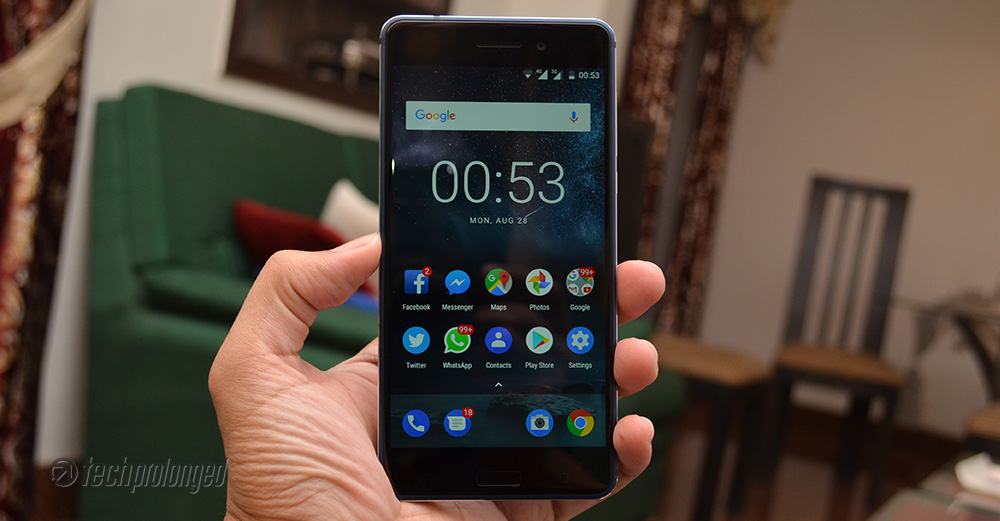
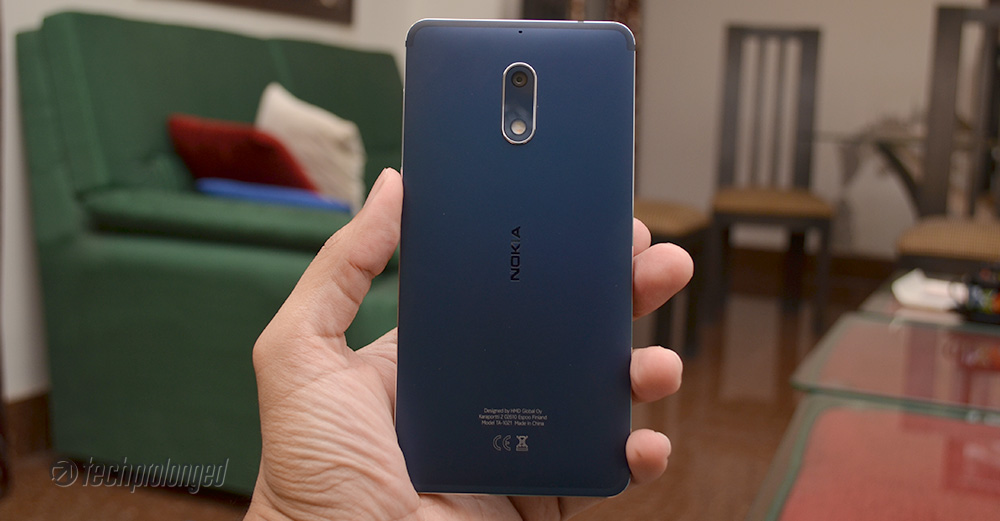
Some of you may not feel comfortable with its flat edges on your palm of hands but they are not that bad at all and not painful. Rather they give a perfect grip unlike, Nokia 5 or Nokia 3. When compared to rivals, frankly like Nokia 5, the 6 also takes more points with regard to its design and build quality than the J7 Prime, Y7 Prime or any other brand including Moto G5 which is also the most closest rival in terms of price and specs.
Chamfered edges are on each side – back and front, are left shiny without the device color which is also good in its way – but this could lead to easy start point for scratches.

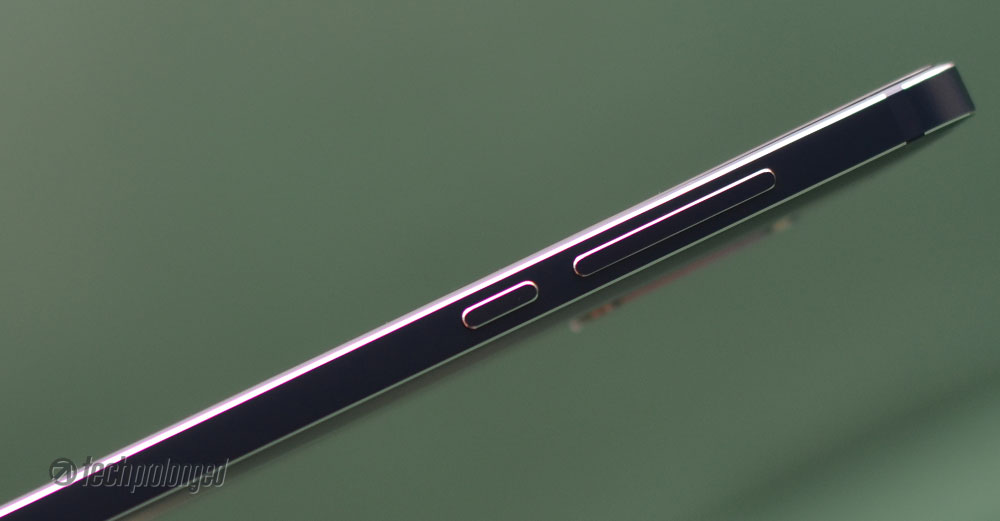
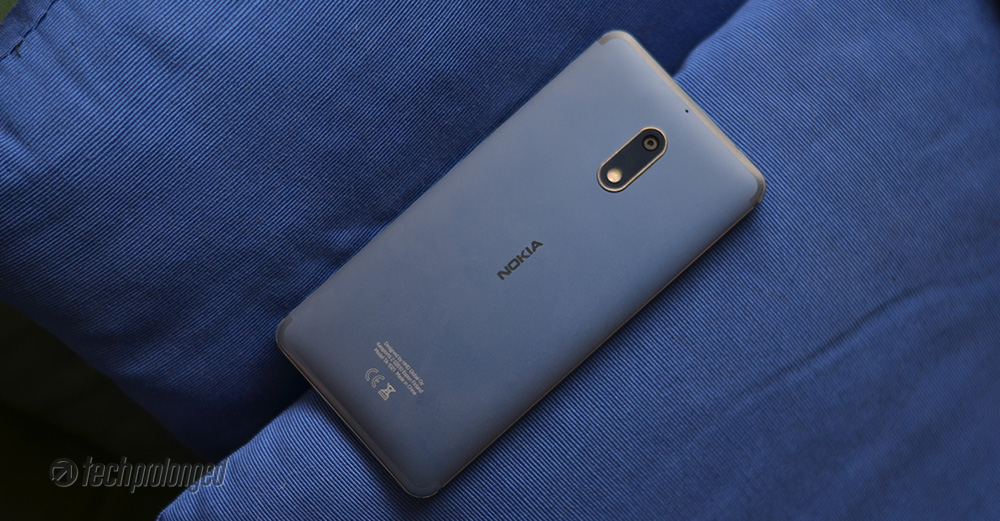
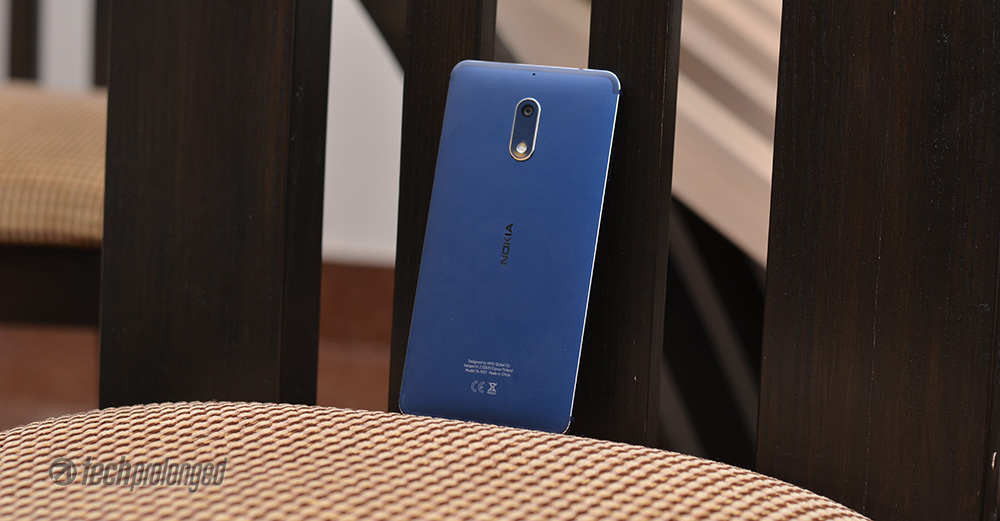
The tempered blue color we have here is impressively good looking, I’ll recommend to buy this over the matte black variant. But if you prefer to have something that is less pron to scratches, go for a silver one. Well, I do not mean that it’s scratch resistant but silver will hide the scratches better than any other dark color.
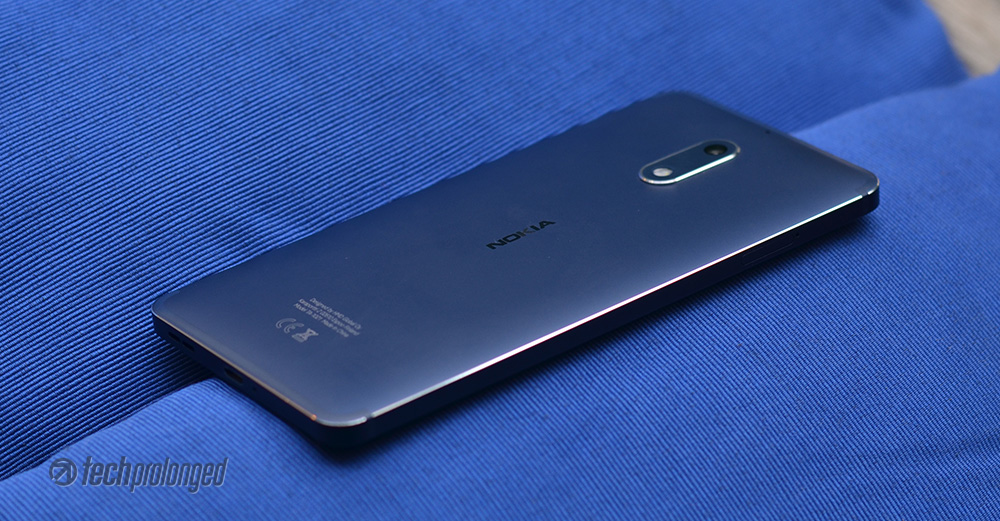
2.5D curved glass is impressively smooth, just like old Nokia Lumia smartphones. It’s Gorilla Glass for sure for protection. The front glass directly meets into the metal frame where no thin plastic frame comes in between. That’s something important in comparison within this this class of smartphones and impressively Nokia 5 and Nokia 3 also has the same thing.
Controls and Components
Audio and Connectivity
Nokia 6, like most, comes with all common components and controls on board including the 3.5mm audio jack on top and a micro USB port on bottom along side the a loud speaker – like Nokia 5, the 6 also has got support with a smart amplifier, TFA9891 – the one Google Pixel XL was shipped with.


Primary mic or mouthpiece is located at the bottom as well along side the micro USB port. If you can’t see the second speaker around it – it still has dual-speakers. Nokia 6 uses the earpiece as the second loudspeaker to create stereo sound. The 6 features Dolby ATMOS certified sound after all.
Power/Volume and SIM/Memory Slots
Power button and the volume buttons are located on the right hand side of the phone to ease your thumb reach. While on the left side of the phone, there is a hybrid slot for dual-SIM cards or a single SIM + microSD card for storage expansion.
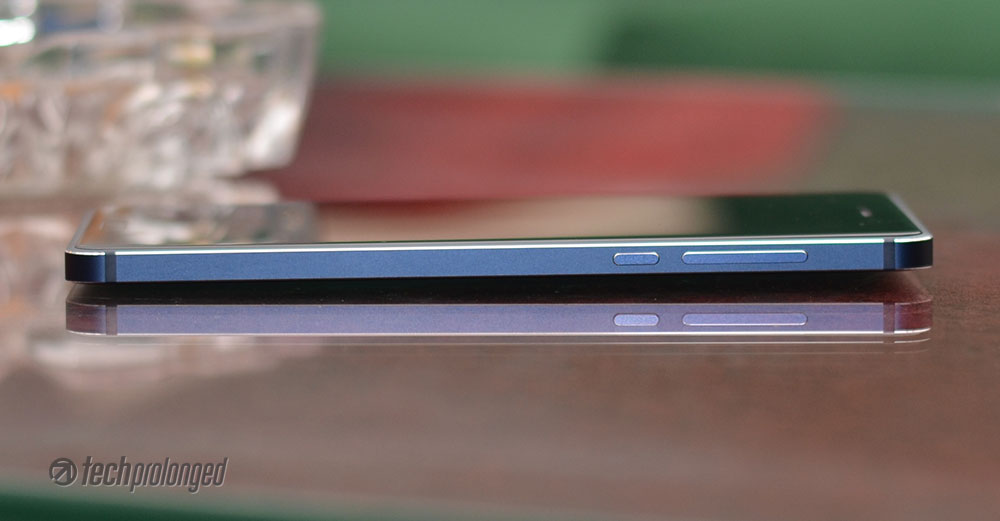

Nokia 5, in that case offers to use both SIM cards and a memory card simultaneously with two dedicated slots for each.
Antenna and Rear Profile
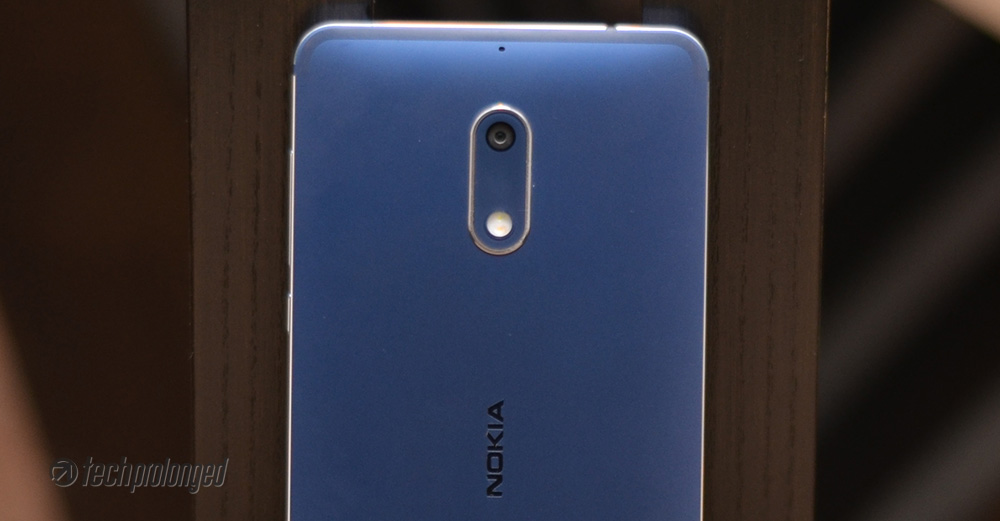
Antenna stripes occupy the top and bottom sides edges of the phone on its back. Shoulder-like design of the plastic stripes stay at the edge of the frame but do not cross into the frame sides. Secondary mic is also there on the back of the phone for noise cancellation and stereo audio recording – you can look above the camera module which is extruded a little bit.
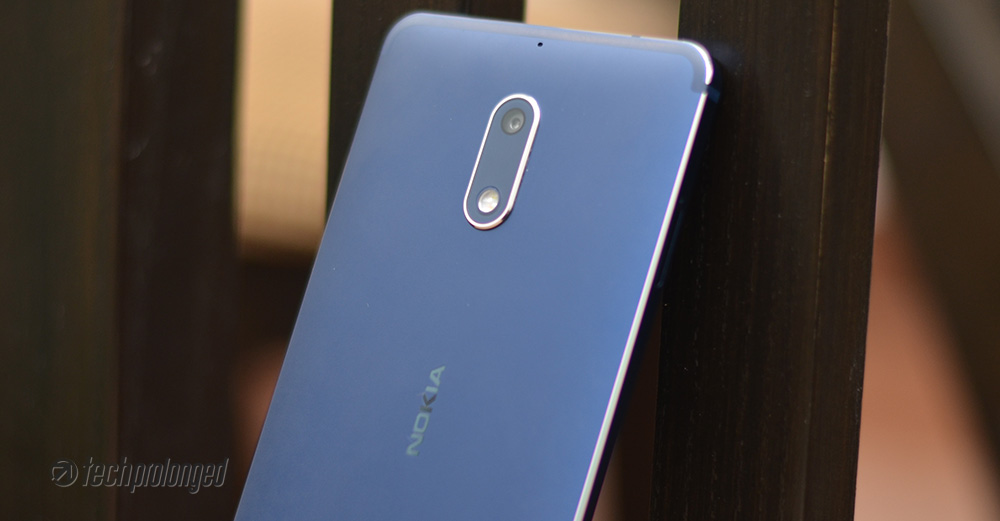

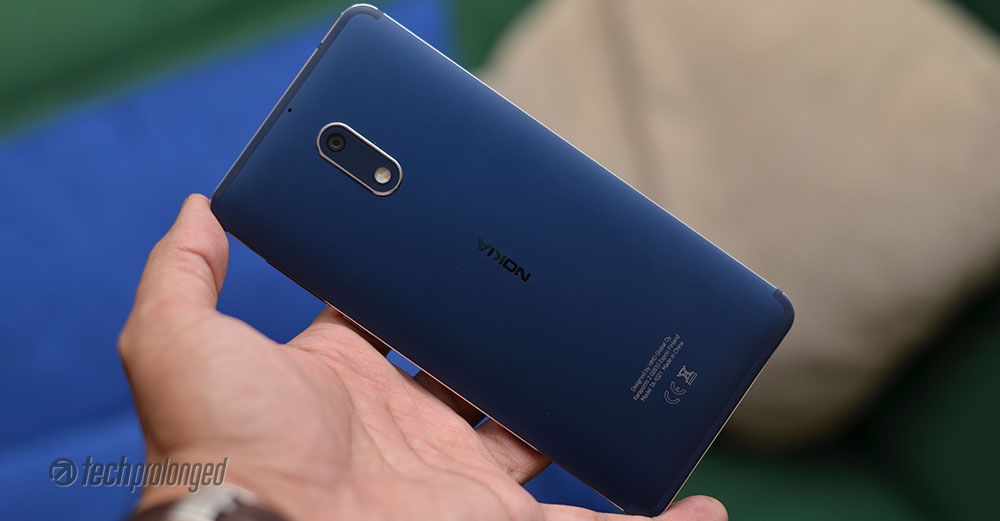
In the middle portion, there’s a “Nokia” branding and some device labels on the lower portion.
Front Profile
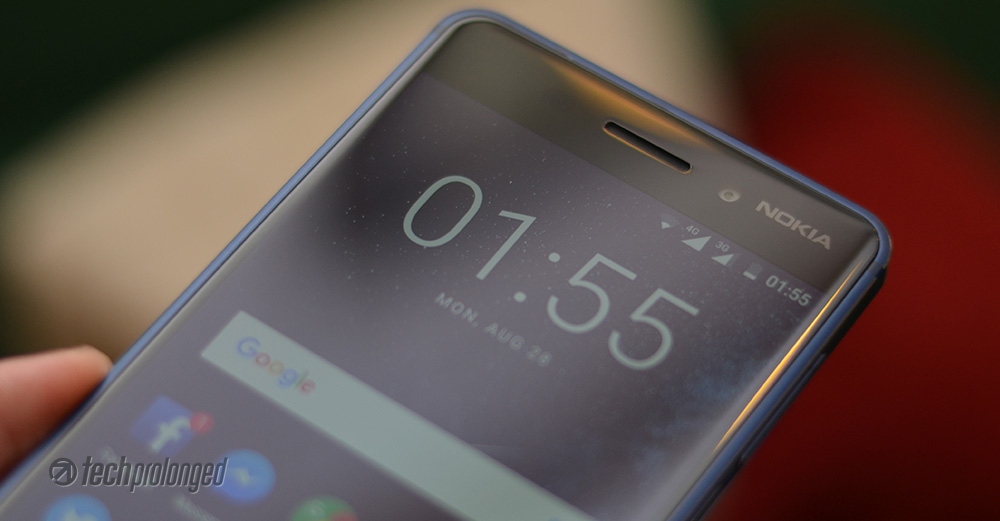
On the front, you can see that the upper portion of the screen is printing the brand name “Nokia” on the corner more like the late Lumia designs. In the middle we have an earpiece whereas the front camera is located between the earpiece and the Nokia branding. Front-camera features screen-flash to brighten up the nearer subject for some better selfies.
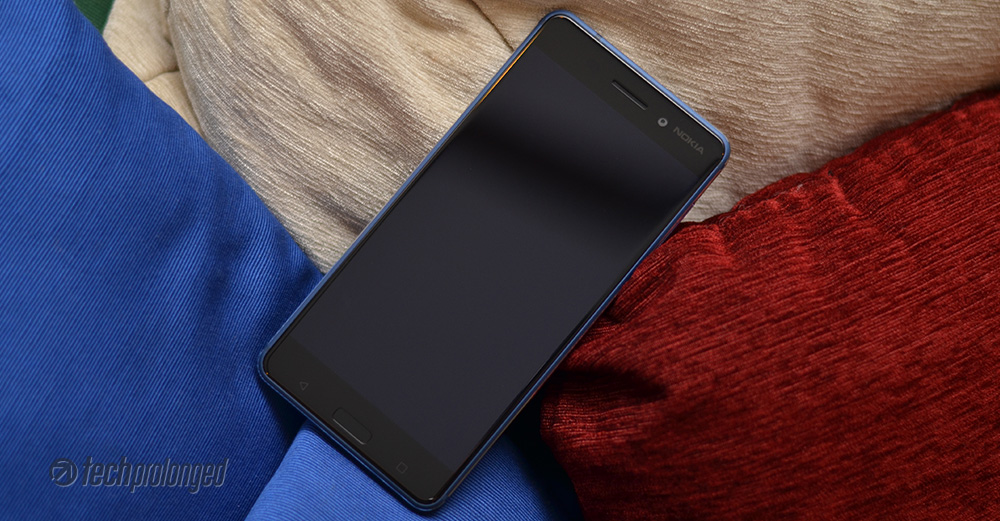


Lower portion on the front side is just similar to Nokia 5’s with a capacitive “home” button in the middle. It also has an embedded fingerprint scanner. On the sides there are “back” and “recent” apps key – these are back-lit thankfully.
Nokia 6 Display
Nokia 6 features a 5.5-inch IPS display with full HD resolution of 1920×1080 pixels. It has the higher pixel density than of the basic Nokia 3 and the middle man Nokia 5. With 401 pixels per inch, you will get better and sharper display performance in reading, viewing, playing, watching etc. Glass on the 6 is also comparatively smoother and nice to touch.

With all the recent Nokia phones, HMD did good with impressive display in such a price range. It’s very bright at its maximum setting as well as colors are also pleasant. Automatic brightness control also works well to manage with the ambient light. Black levels are not that impressive, hence contrast ratio is good but not that great. Surprisingly, the 6’s display is little less brighter than Nokia 5 but HMD has intentionally stated the difference in their product specifications as 450 nits and 500 nits respectively.
In addition to laminated display, there’s sunlight visibility option that also boosts the viewing experience on the phone when you are outdoors. Checkout the following display comparison with Huawei Y7 Prime and Nokia 6. Nokia 3 is also included.
The smooth glass on Nokia 6 has the anti-glare coating (aka oleophobic coating) that helps remove the fingerprints very easily. They in fact appear very less than on the screen without coating. Difference can be seen when compared against Y7 Prime.
Continue to next page to read about software and user interface.
[nextpage title=”Software and User Interface”]
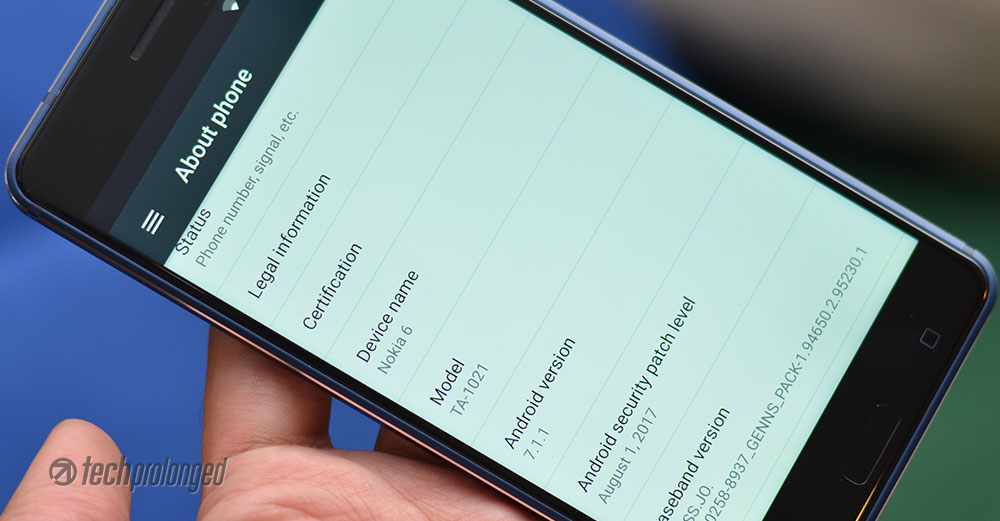
Nokia 6 – Software & User Interface
With the initial lineup of Nokia branded smartphones, HMD decided to go for plain stock software experience with a little bit custom touch. Like Nokia 5 and Nokia 4, the 6 also packs with pure Android features that Google ships with its own set of apps.
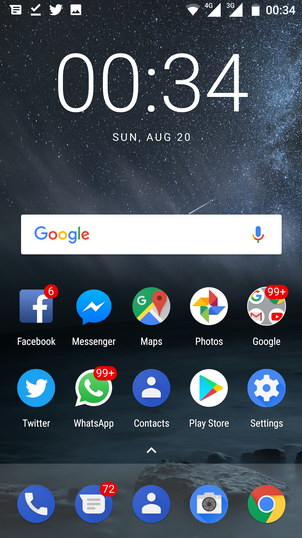
Hence Nokia 6 runs Android Nougat platform (Android 7.1.1) straight out of the box with its own theme. The user experience is mostly similar to the Google Pixel but with its own set of icons which are mostly blue. Very first look at the home screen tells that there is no icon for app launcher in the sticky row of apps on the bottom. Instead, a little caret provided right above that row of app icons that you can simply tap once or more pleasantly pull it up to open the app drawer. Similarly you can swipe the app drawer down to close it. Well that’s exactly the same in middle Nokia 5 and the basic Nokia 3.
You have to stick with just that blue icon pack as theme can not be customized on Nokia 6. Lock screen is also simple with the options to unlock with swipe or a short cut to swipe from a camera icon on the right-bottom corner which takes directly to the camera app. That camera shortcut on the lock screen actually by-passes any security and takes you to the camera app. However that only allows to take photos or record videos, as you can not go beyond the camera app in case if the security is in place.
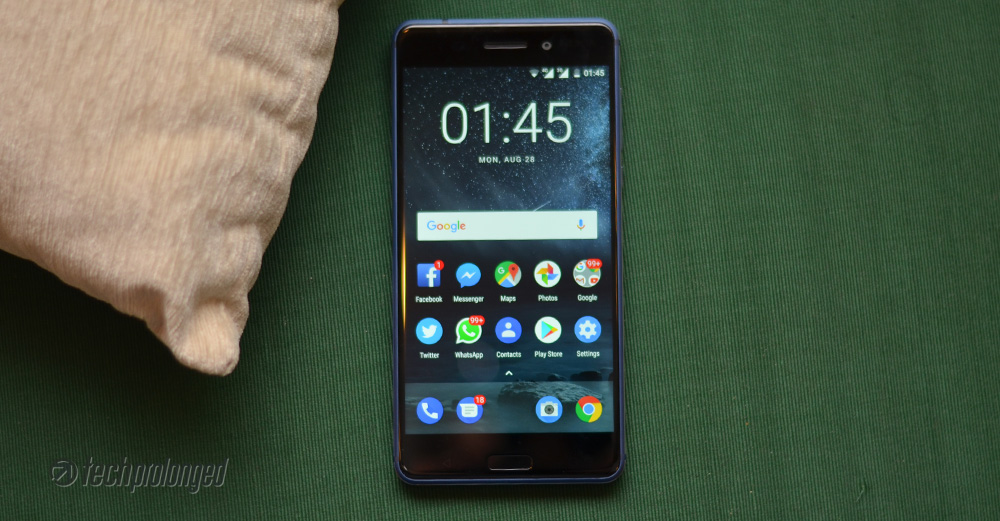
Lock Screen and Security
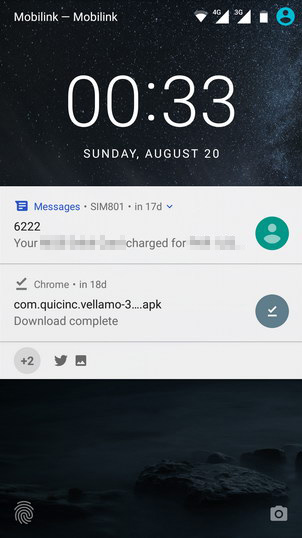
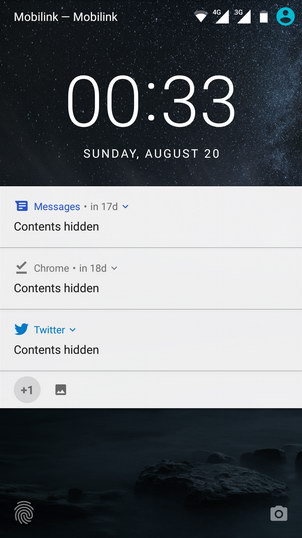
Notifications are listed on the lock screen in standard Nougat style – grouped, expandable and quick actions like replying to messages. You can set the security level as how could notifications be listed on lock screen. In following the example all three possible options were shown.
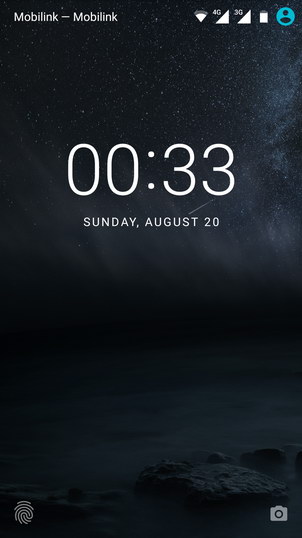
Home Screen and App Drawer
Home screen gives you a blue shot at once when you unlock the phone. All system icons reflect Nokia’s blue color. And certainly, you can not change them. You might or might not get used to with the same/single colored/circled icons. However it could be hard for you to identify what you are looking for, at first.
Thankfully, this blue theme is only limited to standard apps – such as phone, text, contacts, camera, etc. Third party apps that you download, come with their own icons and aren’t overridden by system theme. Likewise, Google apps also have their own icons with distinct colors which you normally know them with. The system, however may modify the icons only to mask them in circular shapes.
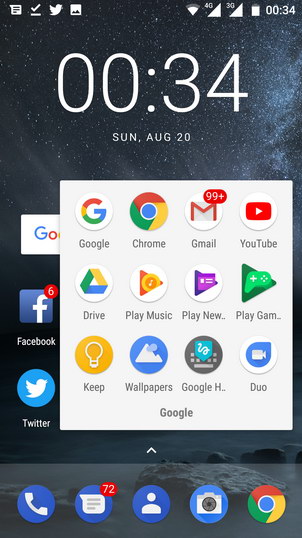
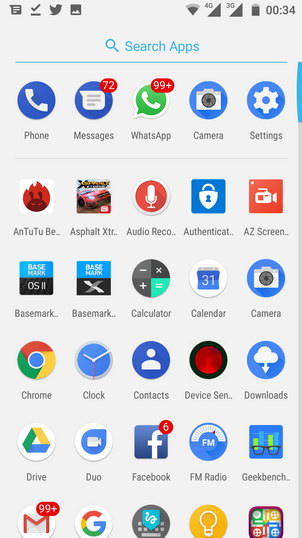
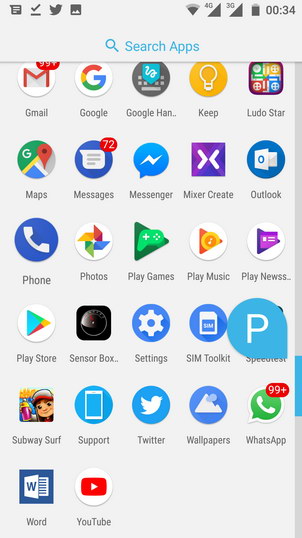
Everything is pretty much same in experience like choosing app icons from the app drawer and placing them onto home screen or organizing them into folders. Adding, removing home screens and placing widgets in those home screens, etc.
Customizing Home Screen, Background Tasks, Split Screen
Home screen can be turned into edit mode by just a long press in a free space or by a pinch-in gesture on the screen.
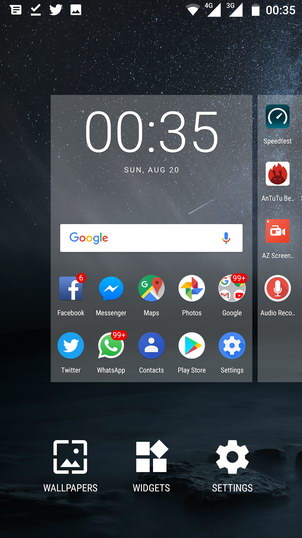
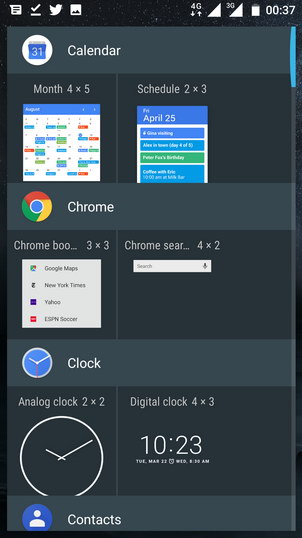
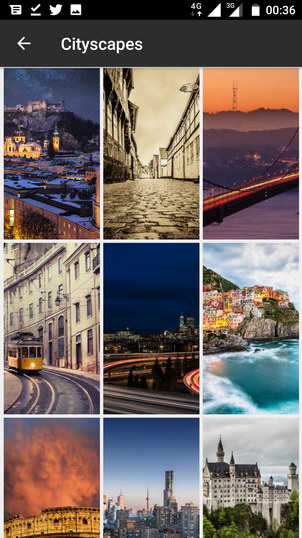
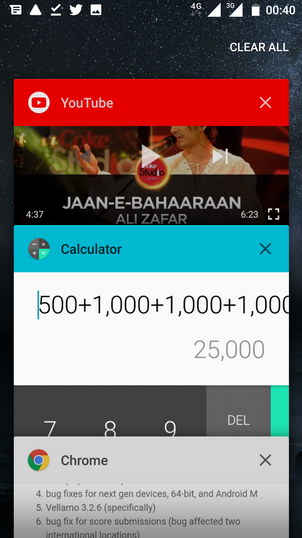
The task switcher or recent apps view appears as standard Android rolodex with app snapshots that you can swipe away to close. A cross button is also provided on each snapshot. All apps can be closed with a single tap on “Clear All”, however, to reveal that close all button you need to swipe the rolodex all the way down – that’s not really convenient.
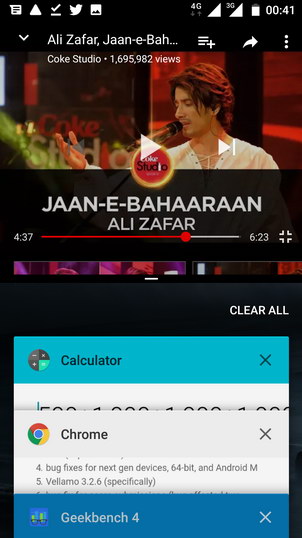
Split screen can be initiated by a long-tap on “recent apps” key when an app is already open is supported to be viewed in split screen. Even though Nougat has provided the built-in support for split screen, but frankly, you don’t want it on a small screen with not enough resolution. Anyway, 1080p and 5.5-inch display of Nokia 6 is better than the smaller Nokia 5.
Google App (Google Now) and Google Assistant
Coming back to home screen, Google App (Google Now) lies on the far left home-screen by default. It can be turned off via settings from home screen edit mode.
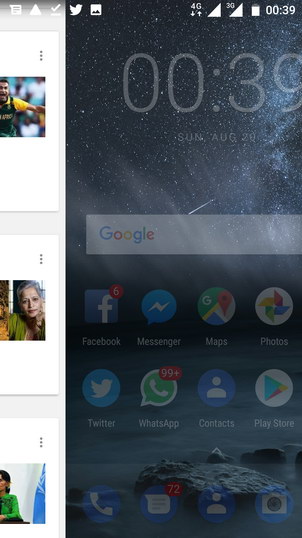

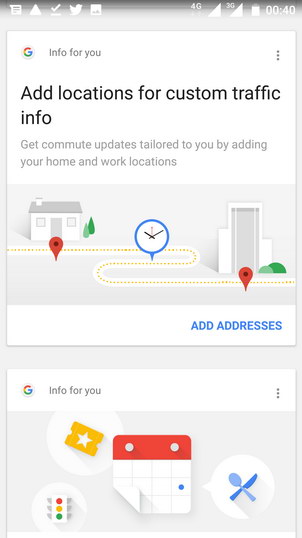
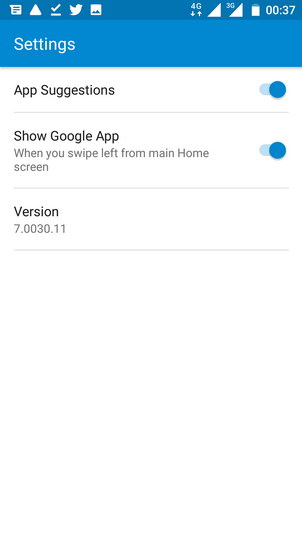
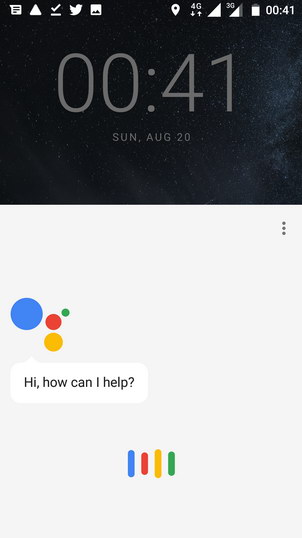
Google App on home screen is quick and fluent like it’s just a part of the home screen. It doesn’t give a kind of impression for being an app at all. You also don’t see it in currently running apps. On the other hand, a long-tap on the home button initiates the Google Assistant.
Status bar and Notifications
The top status bar is the stock one that you can pull out by swiping down. It’s the two-step pull-down panel with a quick set of toggles and the notification below them. The second swipe-down on the panel will expand the quick toggles section to provide more options with more glance. In addition, you also get access to the brightness controller. However you can not turn on/off the adaptive/auto brightness. For that you have to go to settings > display.
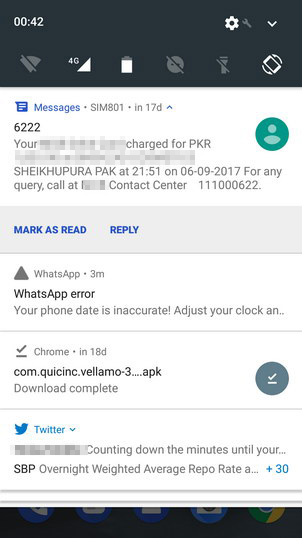
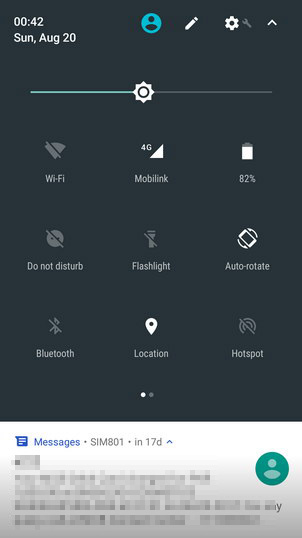
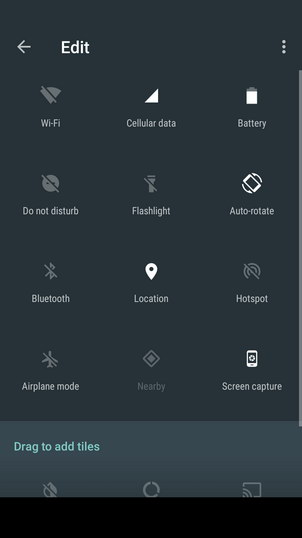
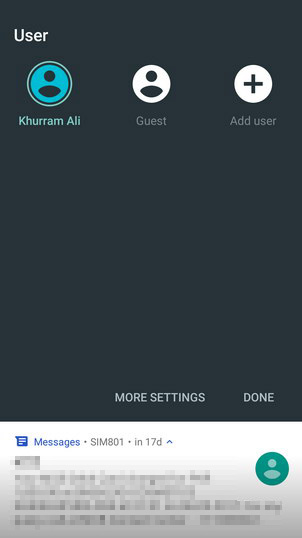
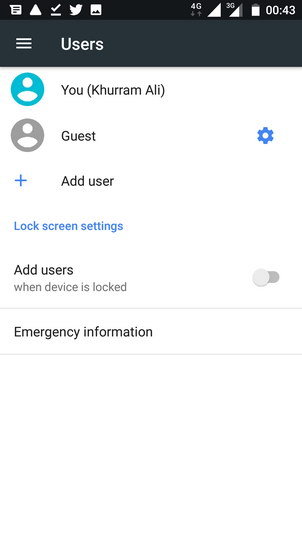
The quick actions or toggles can be customized right from there by editing them and adding or removing them. Standard Android “users” feature is also available on Nokia 6 and can be reached right from the status bar. More options are available in “Settings” app.
Add-on Gestures & Motions
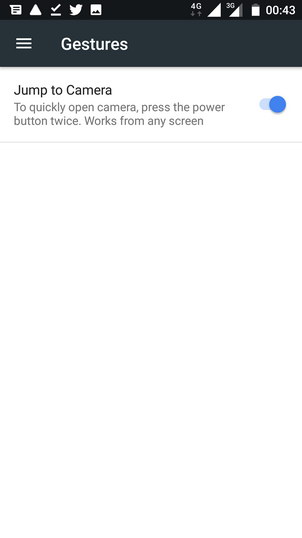
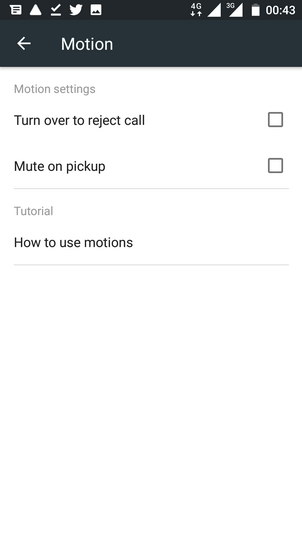
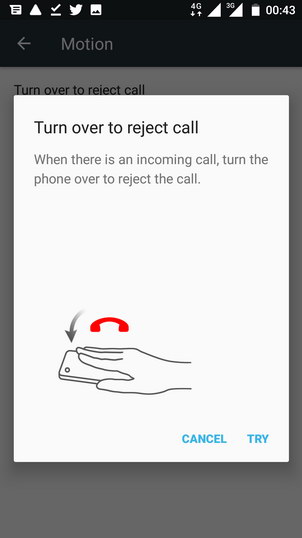
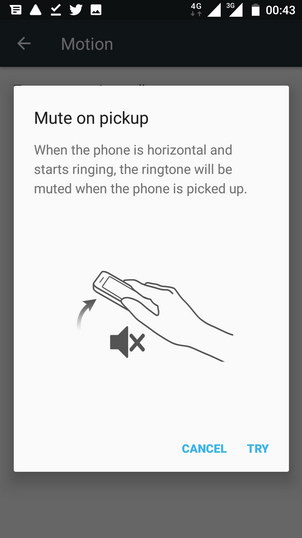
Last but not the least, there are some gestures and motions which can be accessed from Settings > Accessibility. Only a couple options of “Mute on pickup” and “Turn over to reject call”.
Continue to checkout the battery and system performance of Nokia 6.[nextpage title=”Battery & System Performance”]
Nokia 6 Performance
As stated in introduction section already, the Nokia 6 is powered by the Qualcomm’s lower mid-range Snapdragon 430 system-on-chip. Inside, an octa-core Cortex-A53 CPU is running clocked at 1.4GHz.
This mid-ranger was launched in 3GB and 4GB RAM models with 32GB and 64GB storage respectively. However, the one we have here for review is the 3GB RAM model. 3GB + 32GB combo, according to me, is the minimum must-have package to have your Android phone run smooth with enough storage to keep moderate number of apps and games. But HMD could have chosen the Snapdragon 6xx series chip for Nokia 6.
The two contenders we selected to compare throughout the review – Samsung’s Galaxy J7 Prime and Huawei’s Y7 Prime also have pretty much similar configuration. Though, Y7 Prime has an updated variant of the chip as Snapdragon 435 while the J7 Prime carries the proprietary Exynos chip. The thing is all of them have eight-core CPU with Cortex-A53 cores. J7 Prime is clocked a little bit higher at 1.6GHz and features a dual-core Mali T830 GPU whereas both the Y7 Prime and Nokia 6 have Qualcomm’s Adreno 505 to operate on graphics.
[videojs mp4=”https://onedrive.live.com/download?cid=182152EEBD704766&resid=182152EEBD704766%2176821&authkey=%21APKN7USufOaMTY8″ loop=”true” autoplay=”true” preload=”auto” controls=”false”]
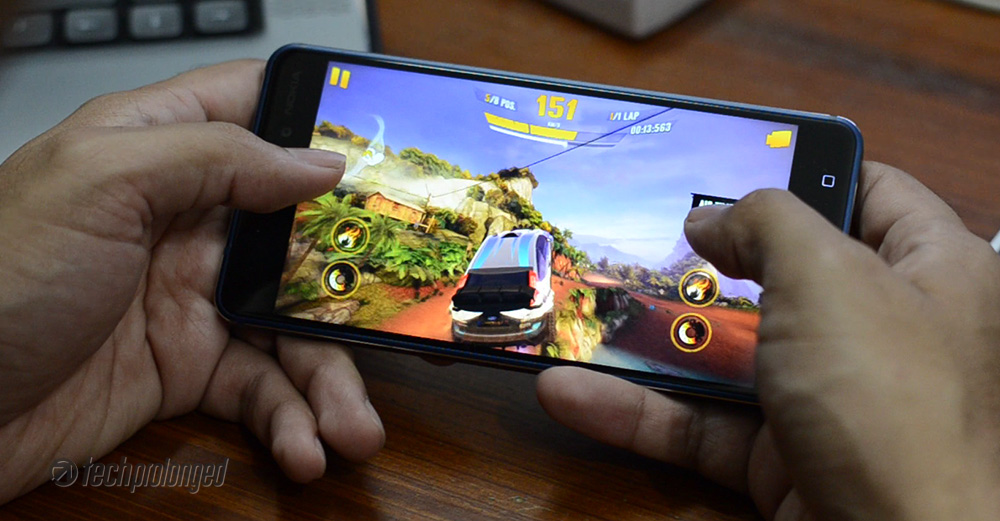
A few games tried on Nokia 6 – were Subway Surfer, NFS No Limit, Asphalt Xtreme and Modern Combat 5. They worked fine without lag or freezing – but do note a little warm up. Apps usually started without lag. See above, the Subway Surfer starting delay on Huawei Y7 Prime, Nokia 6 and Nokia 5.
Trialing Nokia 6 with some benchmark suits gave mixed results. Some tools gave higher numbers to the 6 while at others it stays among the lower numbers. Starting the famous AnTuTu’s all in one benchmark scores, Nokia 6 took followed by Galaxy J7 Prime and Huawei’s Y7 Prime.

Then Geekbench 4 – also a popular benchmark tool that individually test a device for single-core and multi-core tasks. Nokia 6 just stands below the Galaxy J7 Prime and Huawei Y7 Prime in multi-core test. But sure that could be the implementation of different vendors as you can notice the Moto G5 with exactly same configuration as of Nokia 6 but it even stands below the Nokia 5 with 2GB RAM.

Interestingly, Nokia 5 took the lead in single-core test with only 2GB RAM where others have 3GB of RAM with pretty much similar and identical processors.

Qualcomm’s own benchmark tool which is no more offered by Google Play – Vellamo is still our main tool for testing a phone at three dimensions multi-core, single-core (metal) and a browser test. Nokia 6 takes the lead here in multi-core and metal tests.

Metal test could only give a minor margin to Nokia 6 compared to Galaxy J7 Prime, whereas Huawei Y7 Prime is far below.

Nokia 6 couldn’t win the browser test among the device we are comparing in this review. But still stands above Y7 Prime.

Another third party tool – Basemark OS II tests the device for various tasks and delivers an overall score in addition to individual scores. We aren’t putting the individual bits here, just take a glimpse at overall scores from the tool where Nokia 6 stands just below the J7 Prime but shows better numbers than Y7 Prime. Margin is very small here.

Here comes the gaming factor, where Basemark X gives Nokia 6 a third spot but again Nokia 5 takes the margin here. Huawei Y7 Primes shows interesting result here.

As told above, Nokia 6 is good with Snapdragon 430 chipset – it performs well but still not marginally impressive than the other lot. Specially when we see Nokia 5 standing right beside the 6 – in fact higher at some tests, we believe Nokia 6 would have been a better stage with recent Snapdragon 6xx series chipset.
Nokia 6 – Battery Performance
3000mAh battery is exactly same in Nokia 6 as we had in Nokia 5. But the performance on the 6 is not quite impressive. With a 5.5-inch screen and 1080p display resolution, Nokia 6 has to take most of the battery juice. The processor on the other hand is not enough power efficient that could manage to balance.

During our tests, video playback, camera and GPS navigation are not enough optimized to save battery life. Add web browsing to the list as well when you are using WiFi. Nokia 6 would hardly manage to give you a full day if you keep yourself limited to very basic usage – you can add a couple of minutes browsing, youtube playback, some social interaction, and might end up within 18 hours. Push it a little more, add some camera usage and/or navigation, expect not to have more than 12 hours with Nokia 6.
Nokia 5, in this case is just out of question – but Huawei Y7 Prime which are taking as a key contender to Nokia 6, is much better with its power management.
[nextpage title=”Camera – Photos and Video Quality”]
Nokia 6 Camera
Nokia 6 has pretty much decent 16-megapixel primary camera that delivers vibrant, yet controlled, color output. The shots are not over saturated.
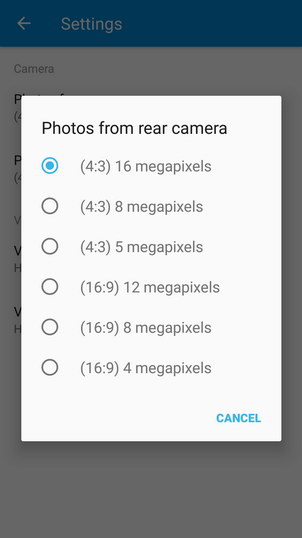
Nokia 6 features a 16 megapixels camera on the back which is autofocus and uses phase detection to focus subject. The image sensor inside has pixels of size 1.0µm. Lens on top has f/2.0 aperture while a dual-tone dual-LED flash supports the whole unit. When shot at maximum resolution, the images come out as 4:3 aspect ratio until you choose to take 12-MP shots for 16:9 wide shots.
If you have been a fan of Nokia’s dedicated camera shutter button, then we are sorry that the new Nokia Androids do not have that. However the software allows you to use Power button to open the camera app, when you press it twice and volume button to take the shot – I am not interested in that however.
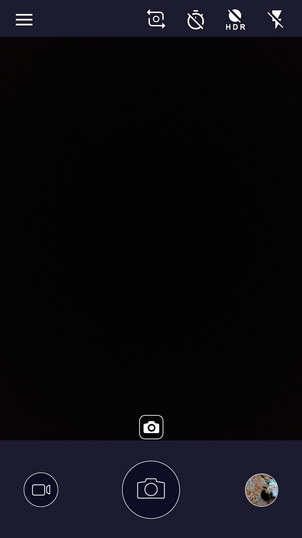
So let’s just talk about the native camera app and the user interface. First thing, the camera interface is just simple exactly as we have seen in Nokia 5 or Nokia 3.
Camera App Operations
The camera starts with the viewfinder and three elements on the bottom – shutter release in the middle, video switch on the left and a gallery shortcut on the right. There are a couple of toggles on top row – right side. Rear/Front camera switch, shot timer, HDR (on/off/auto), and Flash (on/off/auto). As told, if you choose to shoot at the resolution above 12MP, you’ll be shooting at 4:3 aspect ratio, hence you’ll have the viewfinder accordingly.
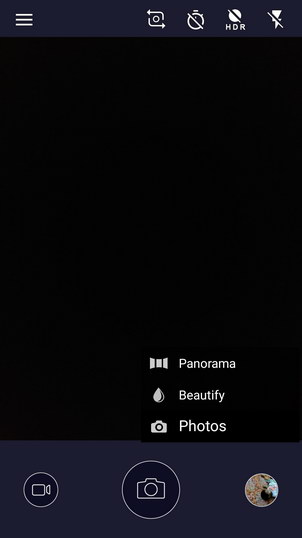
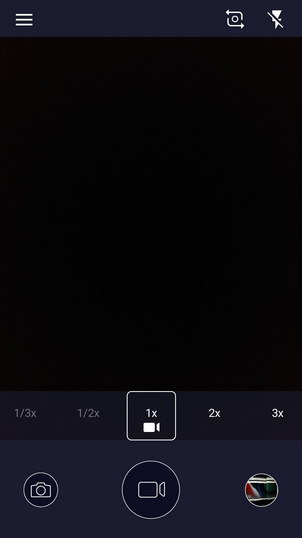
In still photos mode, you get to choose from normal photo, panorama shots and beautify mode. While in video mode, you can set the speed of recording with 1x, 2x and 3x. 1/2x (60fps) when maximum resolution is set to 720p, and 1/3x (90fps) at 480p. Standard 1080p videos do not support higher frame-rate.
Settings Menu
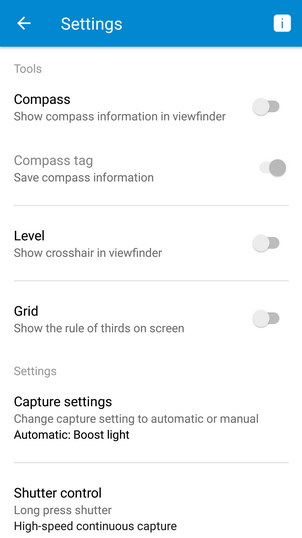
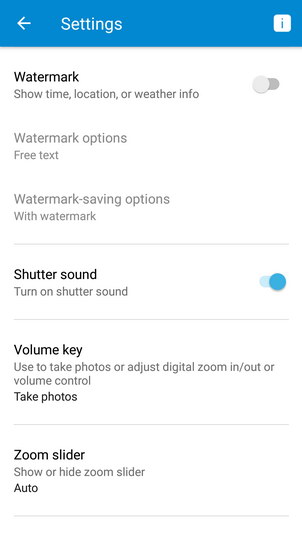
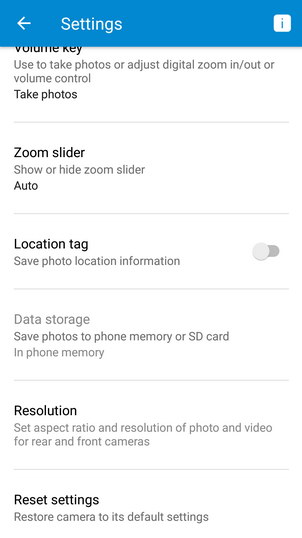
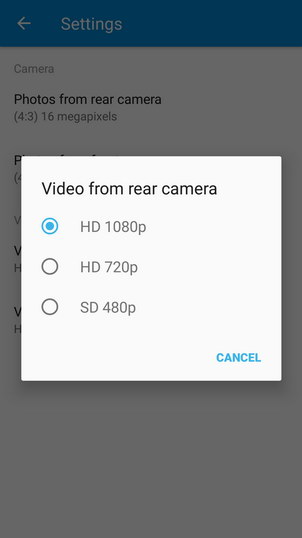
As said, the user interface follows in current Nokia Android lineup. Menu has the options to turn on/off the compass, grid lines (rule of thirds), capture settings (auto/manual), shutter control (burst shots), watermark. You can choose whether to use volume key as shutter release. Finally you can set resolution for photos and videos for both front and rear cameras separately.
Watermark Options
Nokia 6 camera features watermark option to set on pictures. You can choose place custom text, weather, city, etc. The option lets you to place the watermark in different sizes and transparency as well as you can align them across the frame.
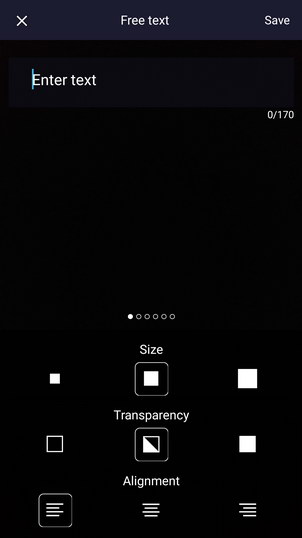
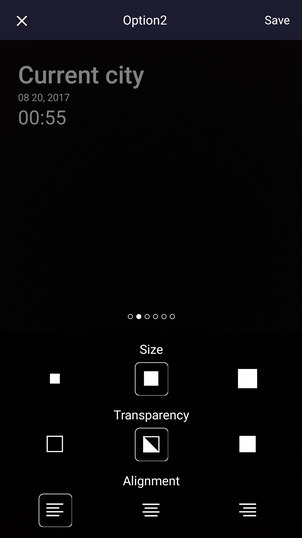
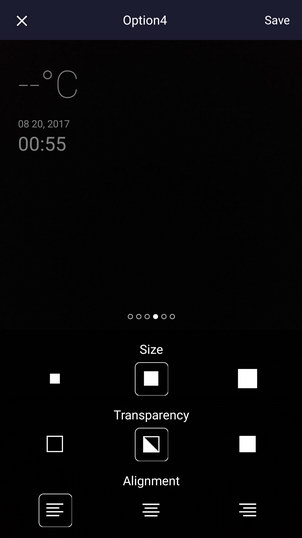
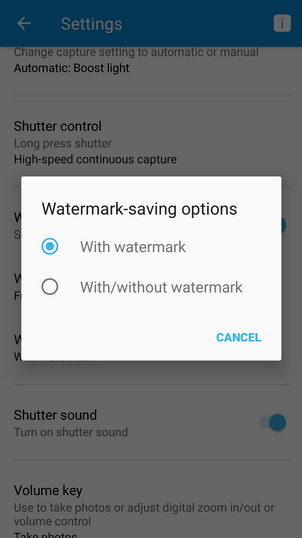
The option also offers to store both the only-watermarked images and the images with and without watermark. Latter option sure would take around double the space on the phone.
Manual Control
Nokia 6 also features the same Manual Control we have seen in Nokia 3 and Nokia 5 which is not what you think at first impression. It’s not like a full “Manual control” like we have seen in old Nokia devices or more recently in Huawei devices. It doesn’t let you choose shutter speed nor you can choose ISO of your desire.
Nokia 6 only offers to set metering (auto/evaluative/center-weighted), focus (auto/infinity/macro), white balance (auto/daylight/cloudy/shade/fluorescent/incandescent) and exposure compensation (full stop increments -2/+2ev).
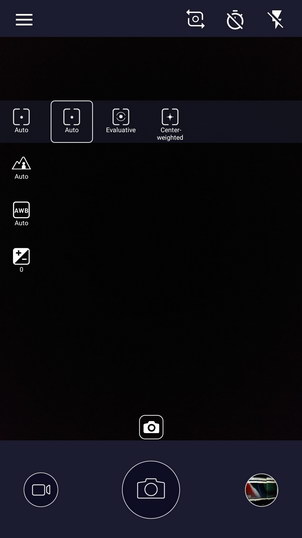
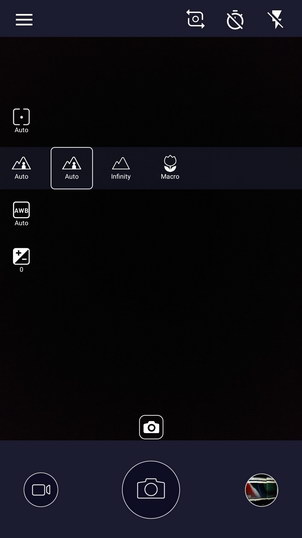
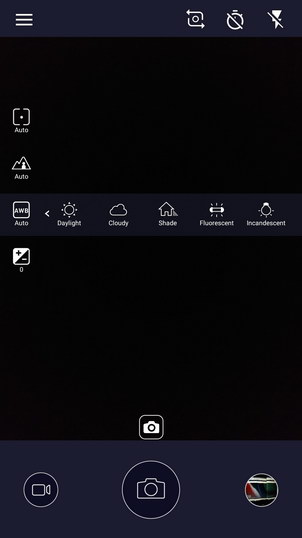
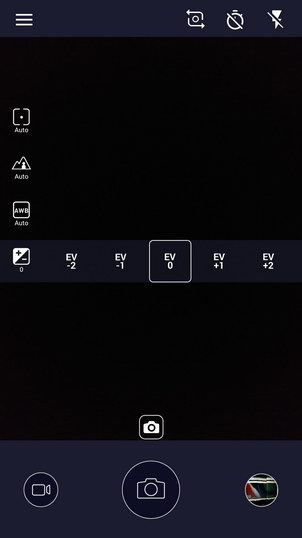
While most of the things in manual settings above we usually see in most devices but the focus options are from the old Nokia phones which usually offered “infinity” mode to keep everything in focus while the “macro” mode lets you get as closest to the object as possible by the camera.
Photo Quality
Nokia 6 has an impressive shooter for its price. It delivers nice level of detail and sharpness is also good. Noise is remarkably controlled and only visible if go deep into image at 1:1. Contrast is also appreciable as well as the colors are quite vibrant without being too over-saturated – only for the price point, I am talking. Dynamic range is not that impressive though, for which HDR mode could do some better job.
Low-light shots show some noise but not badly. The images still have nice detail and sharpness. Colors are well managed to what your eyes were seeing. Some special environments with fancy lighting could also be captured with well-controlled color noise in dark parts of the frame.
Usually we expect pixelated image with a digital zoom as it’s the enlarged image of a crop portion from actual resolution. We don’t even bother to test that but a shot that I took of a monument from around 200 meters with the zoom slider full up, that photo impressed me on the phone screen. Normally you can identify the crippled pixels right on the phone when you take the shot but the one from Nokia was pleasing though. However here it is the shot that you can see in 1:1 size to see those pixelated edges on your screen.
Portraits are good and sharp. The last one was shot during the sunset, hence has some visible noise if you zoom in and look at ti. The first two shots were taken indoor with flash-strobe while the remaining two didn’t require any lighting in the bright sunny day.
Some closeup shots
HDR Shots
What better subject could be to tell the detail in an image, than the texture of the distant tree leaves. To tackle the dynamic range issue, HDR mode works well in Nokia 6 to brighten up the shadows while keeping the highlight clipping in control on the background.
Panorama
Panorama shots also seemed good with no loss of detail and controlled noise. No stitching issues, no exposure variation. The are good indeed.
Front Camera
Once again, the 8 megapixel front-facing camera on Nokia 6 is autofocus. It has a little larger pixel size than its primary camera – 1.12um. Lens on the other hand has an aperture of f/2.0 with 84-degrees field of view. Autofocus is literally plausible on the front camera, much better to tap and focus than the vast variety of fixed-focus front cameras around us. Quality wise, it delivers good contrast and pleasing colors. Focus does the job well in bright light but most of the indoor shots we tried were not accurately focused.
Video Recording
Nokia 6 supports up to 1080p resolution in video recording with 30fps which is not too great to tell. Higher frame rate can be used only with lower resolution footage. With 720p recording you can go up to 60fps (1/2x on the viewfinder) or with 480p resolution you can further achieve 90fps (or 1/3x on the viewfinder). What’s important is the quality of video you record and Nokia 6 doesn’t exactly disappoint. Sharp across the frame, contrast is good and colors are vivid.
Full HD 1080p videos ends up on the phone with the bitrate of 20.5Mbps and stereo audio at 96Kbps. 20Mbps means the video clip is going to have more size than most smartphones do with up to 17Mbps. Following clip.
You can download untouched SOOC video footage file from (One Drive 36MB) if you are interested to checkout non-edited video clip unlike the one embedded from YouTube above.
[nextpage title=”Conclusion & Verdict”]
Nokia 6 Review Conclusion and Verdict
Finally the section you want the most – the conclusion. Let’s start with the bad thing first here today – battery. It’s not something you will appreciate on the phone which truly needed one before it could wear a crown in its class.
We know that Nokia 6 has the same same chip which is powering its little brother – Nokia 5, and the 5 could manage to deliver nicely on the same 3000mAh battery. Then there are factors on the 6 which actually needed more battery power than this. Such as the 6 has larger display with higher resolution, it has a different camera that requires more CPU power to operate, there could be issue with software optimization as well. But we indeed can not justify the what it got in managing the power. You’ll have to manage with that if you go for Nokia 6.
Good thing is that, there is nothing else we disliked about Nokia 6. Build quality is not matchable to any other smartphone in its class, the design is appealing with its decency and the premium factor. However I personally never liked the fingerprint scanner on the front home button – rear mounted one is more easily reachable for me.
Display is also competitive with among the lot with its less reflections and brighter outdoors – though Nokia 5’s display outperformed. Sunlight visibility feature is also there to add more power to display when you want to read under bright daylight.
Software on the other hand could have mixed favors from consumers. Pure Android could be less interesting for some where others may want exactly a clean Android phone. Nougat currently out of the box is sure a positive thing + it’s bound to receive Android O – now Oreo. Developers now have access to most affordable devices with pure Android OS.
Both the cameras, front and rear, are also appreciable on this mid-ranger. Primary camera does the job well with its image quality. Its colors, contrast, dynamic range handling, very low noise but detailed image are all surprisingly good. Front camera on the other hand with the autofocus sensor also surprises with more accurate focus than the fixed-focus front cameras. It also produces nice color rendering and contrast too.
Still with the key similar specifications, Huawei Y7 Prime and Samsung’s J7 Prime worth looking at. The latter is old now with only storage difference that it comes with 16GB and also runs Android 6 yet receiving security patches. New replacements from the Korean smartphone maker have already been available but a successor to J7 Prime is yet to be launched.


Huawei’s Y7 Prime on the other hand is really a good contender with Nokia 6 in all aspects but the build quality and the camera of Nokia 6 has more score.
Nokia 6 – Photo Gallery