[nextpage title=”Introduction, Features and Unboxing”]
An Introduction
Nokia 8 – the top-tier Android phone, HMD Global launched last year in August. Unfortunately the phone hit the Pakistan market as later as after four months in December. HMD announced the high-end phone in Pakistan during a launch event in Karachi. Nokia 8 was officially priced at PKR 59,900 (or approximately $540) in Pakistan at the announcement. But now at the time of writing, it stands in the market for PKR 49,900/-
Such a price drop is sure expected during the days when Nokia is going to launch the next chapter in Mobile World Congress this year. While you expect some more devices from HMD Global, you may have much chances to stay with the Nokia 8, specially for the price.
One thing to tell is sure the “back in business” factor. Nokia that persisted making its own software for the phones when iOS and Android took the market from it, had to end up selling its mobile business to Microsoft. Many other factors – such as miss-management, bad decisions among leadership took part in making the way for the software giant acquire the hardware business to make Windows the third mobile platform, that eventually failed as well. But Nokia better felt leaving the business instead of carrying an already popular mobile operating system – Android. Even though its loyal fans wanted it to but they thought better to leave after decades of the ruling in the market alone.
Now that Nokia as a brand is still owned by its own family, it has been licensed to HMD Global – another home country based name, for 10-years. One of the years has been passed and we have witnessed a first few of Nokia smartphones including Nokia 8 running pure Android operating system. The key element about Nokia Android phones, HMD wants us to remember is that it will run the latest Android OS as soon as possible before others.
Key Features
- Unibody 6000-series Aluminium
- High-resolution bright display with Gorilla Glass 5
- Dual-camera with ZEISS optics and Optical Stablizer
- Autofocus Front Camera
- 4K Video Recording with 360° spatial audio
- Instant native live streaming to Facebook/YouTube (Dual mode)
Cons
- Battery timing is not that great
- only 30fps video recording
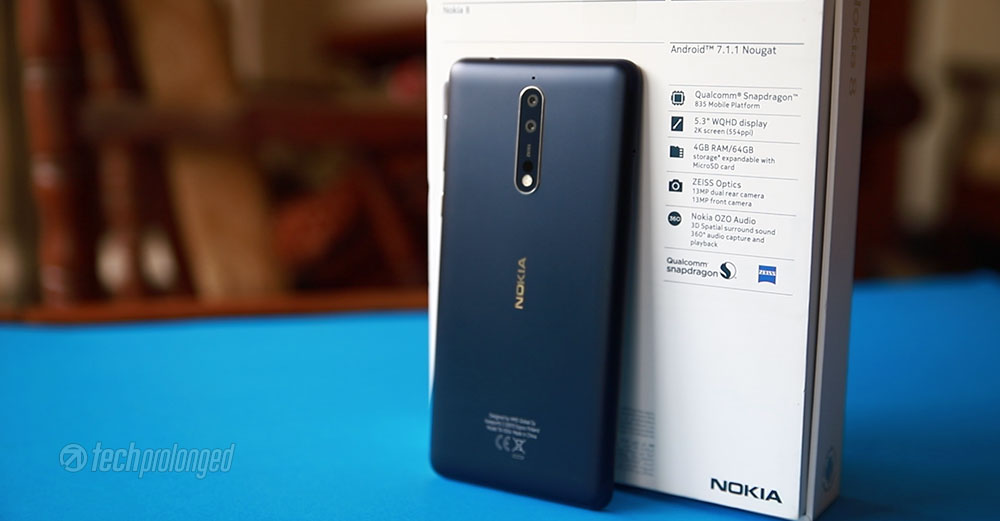
Nokia 8 – Full Specifications
| NOKIA 8 – TA-1004 | |
|---|---|
| PLATFORM CHIPSET / CPU / GPU |
Qualcomm Snapdragon 835 – MSM8998 Octa core Kryo – 4x 2.5GHz + 4x 1.8GHz Adreno 540 |
| DIMENSIONS WEIGHT |
151.5 x 73.7 x 7.9 mm 160 grams |
| DISPLAY | 5.3-inch IPS LCD Display QHD/2K Resolution 2560 x 1440 pixels Pixel density: ~554ppi 69.6% screen-to-body ratio Gorilla Glass 5 |
| RAM | 4GB |
| STORAGE | 64GB internal storage UFS 2.0 microSD card slot hybrid – up to 256 GB |
| REAR CAMERA | 13 MP (Color, OIS) + 13 MP (Monochrome B&W) 1.12um, f/2.0, 76.9° angle of view, PDAF, IR range finder, dual tone flash video recording: 4K/30fps, 1080p/30fps, 720p/30fps, Nokia OZO 360° |
| FRONT CAMERA | 13 MP PDAF, 1.12um, f/2.0, 78.4˚, display flash video recording: 4K/30fps, 1080p/30fps, 720p/30fps |
| OS / SOFTWARE | Android 7.1.1 Nougat / Pure Android (out-of-the-box upgrade-able to Android 8.1 Oreo) |
| NETWORKS | Dual-SIM 2G/GSM, 3G/HSDPA, 4G/LTE |
| SENSORS | Fingerprint, Accelerometer, Proximity, Ambient Light, Compass, Gravity, Gyroscope, NFC, Barometer, |
| BATTERY / POWER | 3090mAh battery non-removable / Fast Charging |
| PRICE |
Nokia 8 – Unboxing
Like other Nokia devices recently, Nokia 8 also comes in the similar packaging but a bit large. White color on the back with key features of the phone along side a profile photo. On the front, there’s graphic that illustrates the traditional “Connecting people” tag line with hand-shake in a new way.


The slim box has an airtight pop-out design that you will pull the outer cover off the box. The retail package brings along everything basic and standard.
- The Device: Nokia 8
- Multi Volt Charger: 18W (5V⎓2.5A/9V⎓2A/12V⎓1.5A)
- microUSB cable for connectivity and charging
- Stereo Earphones with 3.5mm
- User Guide and Warranty Card


Continue to next page for build and design review.
[nextpage title=”Build, Design and Display”]
Build Quality
Well, for Nokia, it could be a fresh start with a new software in their phones but with the name, what’s attached since decades – is their build quality and design. We have seen HMD done well initially designing the trio – Nokia 3, 5 and Nokia 6. However those devices were targeting up to mid-range market. Nokia 8 is something that the industry considered a real first step for HMD to bring the pioneer mobile brand back in to business.
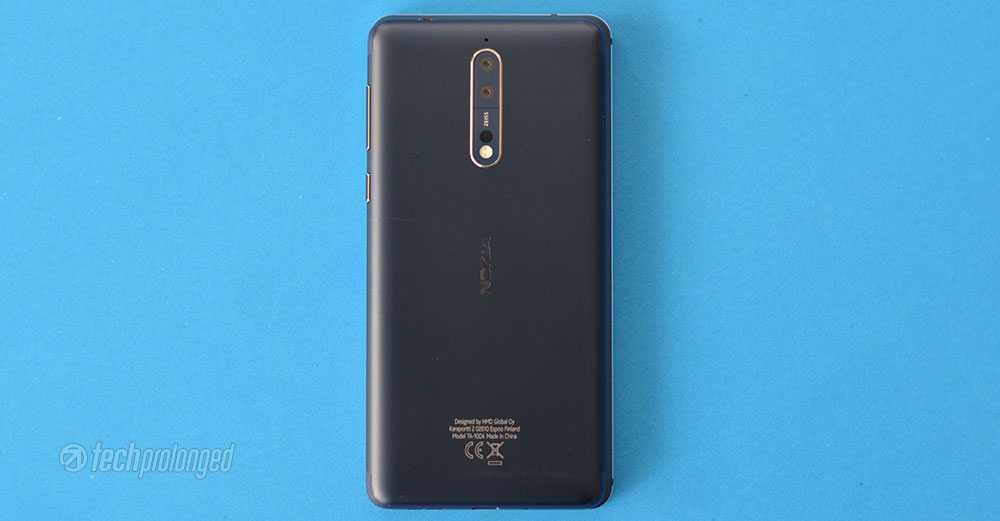
Nokia 8 comes in two finishes – matte or polished. The latter is available in blue and copper colors while the. Two others variants are Tempered Blue and Steel in matte finish. With 160 grams, Nokia 8 weighs pretty much around any other high-end smartphone or a little bit more. The phone packs all its components in a single cut of 6000-series aluminium unibody. We won’t be trialing its sturdiness during this review. However the material quality on its front and back sure will be suggested as gone through our experiences.
Unlike many brands, HMD’s Nokia 8 is not wearing a water proof body as it has only an IP54 rated dust and splash resistance.
Design
Nokia 8 indeed gives a premium feel in hands but so did the Nokia 6 and Nokia 5. In fact they did the same in a budget pack, whereas the 8 had to make you feel better for its price. For me personally, Nokia 6 had the appreciable distinction from most of the smartphones out in the wild. Nokia 8, on the other hand, is too similar to Nokia 5. That’s not, however, a point to degrade something – It feels great in hands with its clean and classy look.
So out of those four colors available in the market, we got Tempered Blue model of the phone which is quite attractive. The grip is nice but not as secure as Nokia 6’s – thanks to those chamfered edges of the 6.
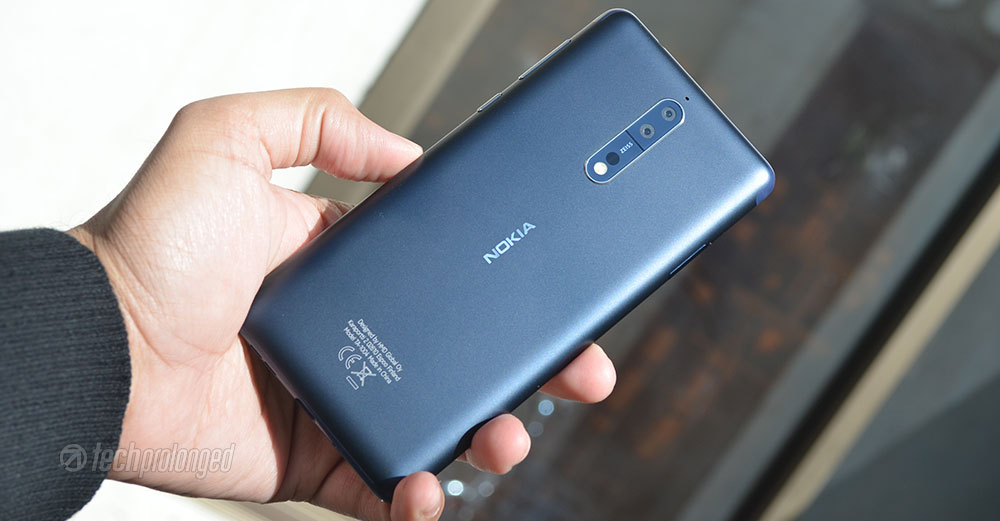
This blue model has matte finish on the back panel which is curved at the four ends. The top and the bottom of the back panel hosts antennas that goes through one corner to the other with shoulders on each corner. When in hands, these are the support for your grip as the plastic is less slippery than the rounded boundaries. HMD has claimed that its antenna conserves battery as well as gives the phone improved signal strength.
Even though the Nokia 6 that we had in our drawer was also wearing the same color and material, both look different visually – where Nokia 8’s blue is a little bit darker.


The front of the phone is next next gorgeous thing in Nokia 8. Even though it still has those two unwanted bezels on top and bottom of the screen, it’s fully covered with Gorilla Glass 5 protection and it’s 2.5D curved around the edges. So you are good to be without any kind of screen protector. In fact on these curved-edge glasses, you hardly will find a good screen protector to cover properly.
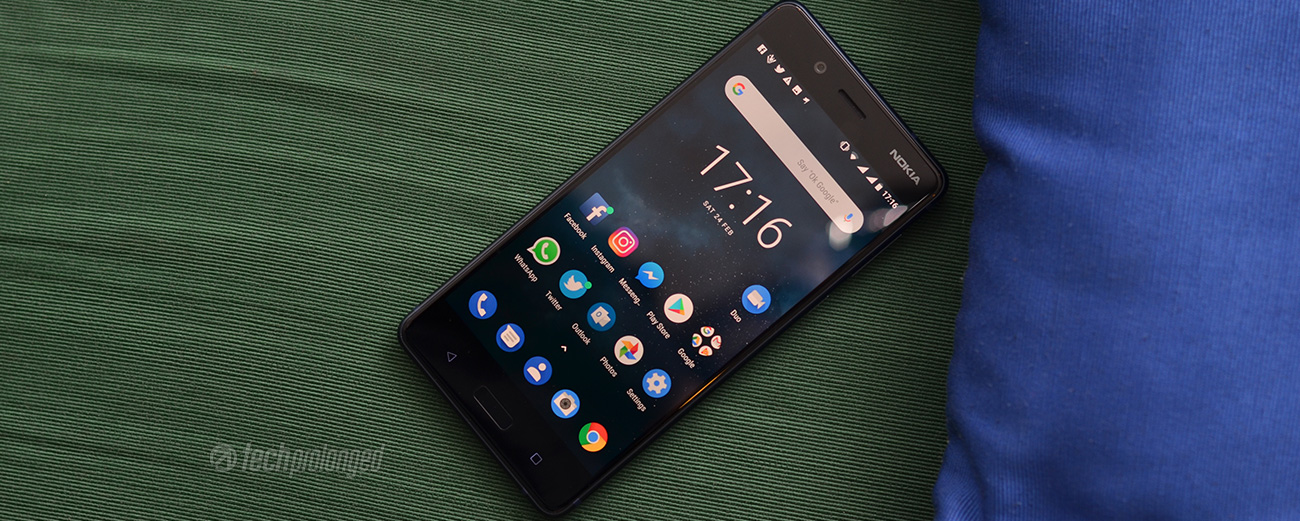
With this high-end phone HMD wants you to stay low with size. The 5.3″ display isn’t a match to those currently in this range. But it’s just a personal choice of individuals if they prefer to use larger displays or they better with moderate display sizes. I like to stay low, so Nokia 8 has a right size for those who prefer to have a phone that is well suited for the pockets as well as in their hands.


There is still a point of narrowing down the bezels to reduce the phone size and keep the large display size. HMD better bring that thing soon, probably the MWC is the best event for that.
Controls and Components
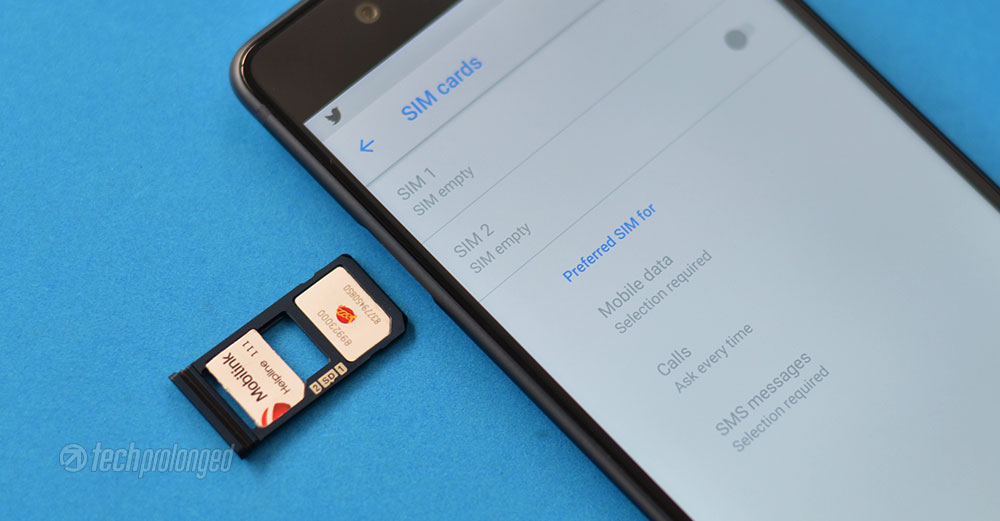
Nokia 8 has a dual-SIM slot on the left side which is a hybrid slot – you can use one micro SD card with a one SIM card, or two nano SIM cards simultaneously. On the right side, there’s volume rocker and a power button below it.


Nokia 8 comes with the standard connectivity components including the most-wanted 3.5mm audio jack, hosted on the top alone. There is nothing else besides on the top side.

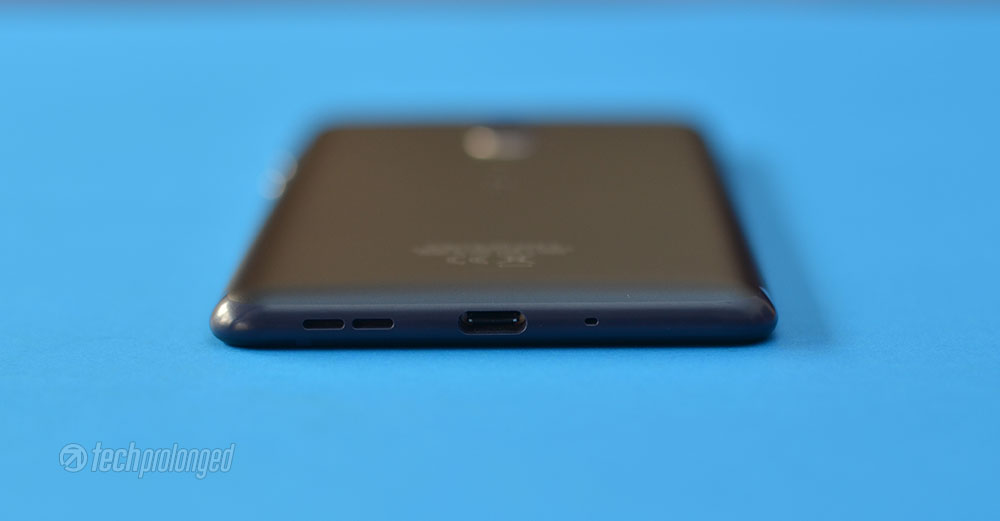
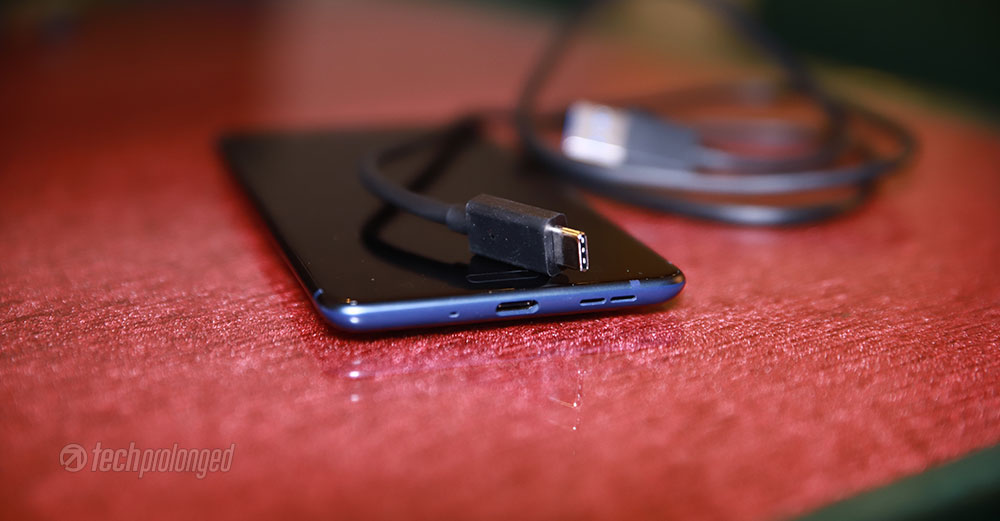
The bottom of the phone hosts a loudspeaker, a USB Type-C port and a mouthpiece. This USB C port on Nokia 8 is not confirmed to support USB-to-HDMI or other display adapters. Whereas some on the web have reported they were successful in connecting Nokia 8 to their monitors.
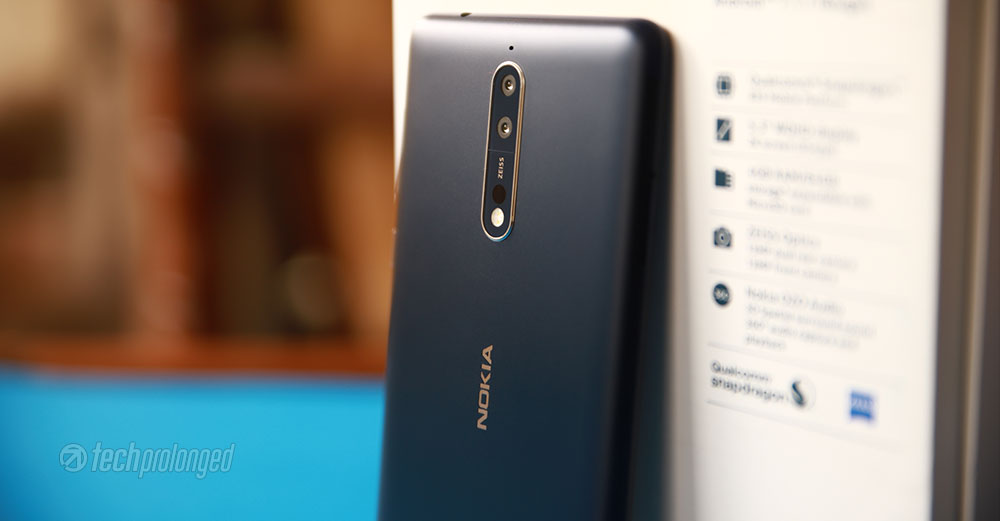
Turning the phone over, there is almost a same sized camera module as came in Nokia 5. However Nokia 8 has occupied the full module with a dual-camera lenses, a dual-tone flash, an infrared range finder. Still a room left is covered with the ZEISS branding.
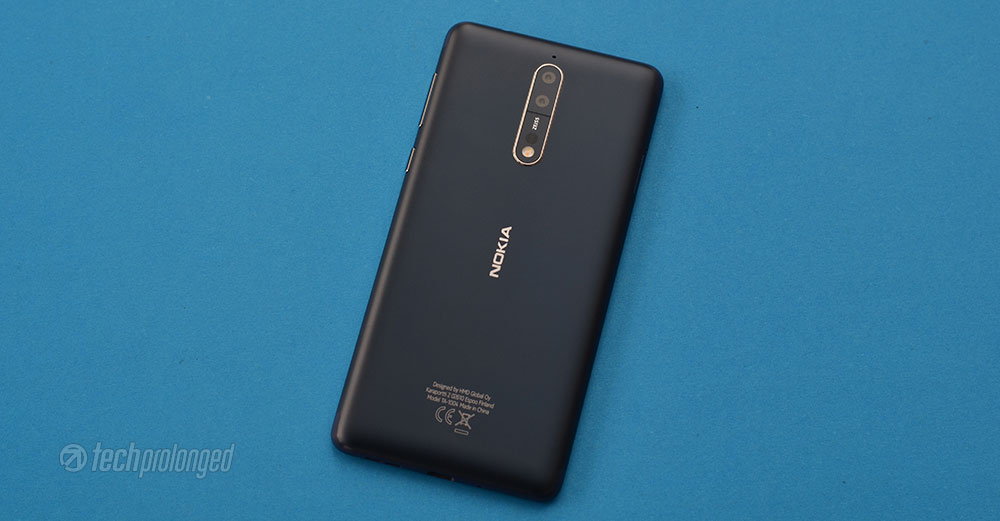


A secondary mic is placed right above the camera module. As the Nokia 8 has three mics, the third one is hidden inside the earpiece on the front top bezel.
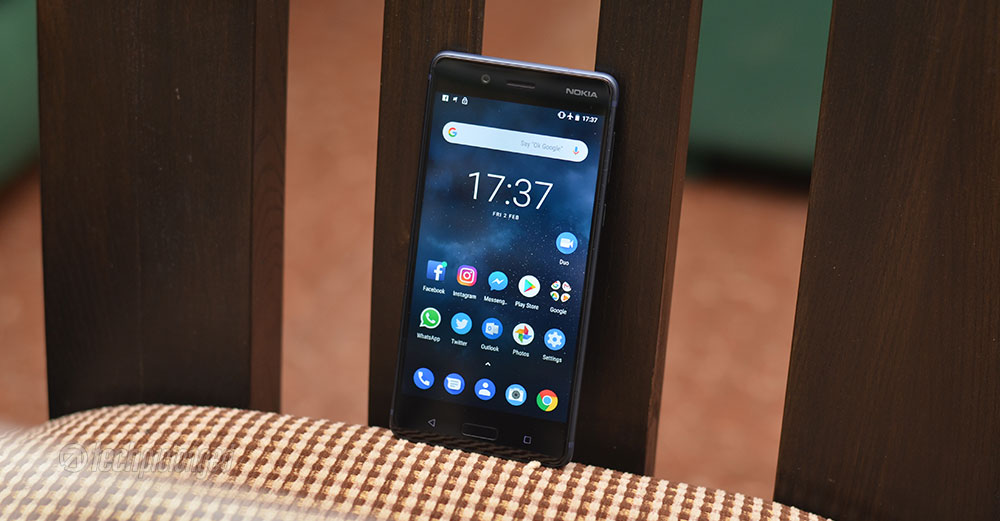
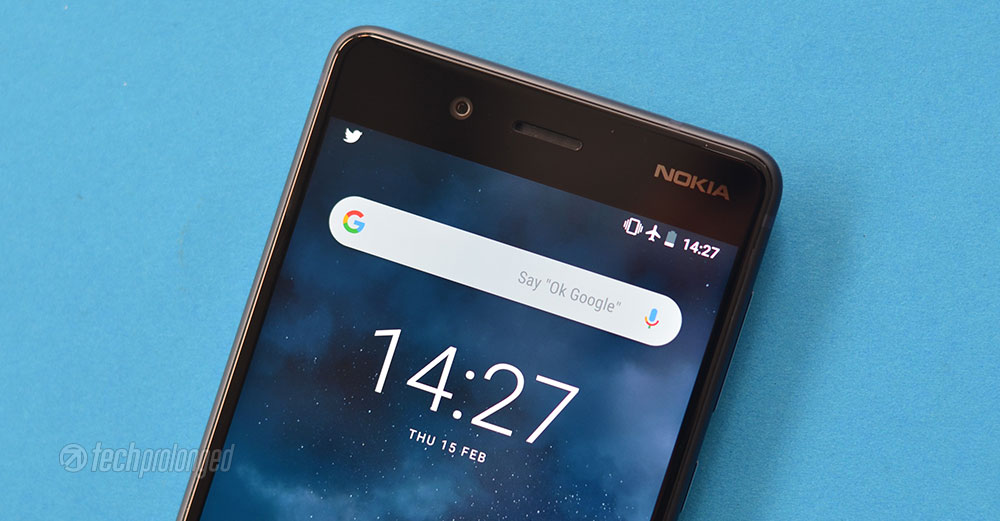
On top bezel on front side, we have a front-facing camera which is equipped with a full fledged phase detect autofocus sensor inside. The screen flash is also present to support the front camera in low-light. Even more important is that it’s the ZEISS lens on the front camera as well as on the back. To the right of the camera, there are earpiece and then the branding “Nokia” embedded as a mirror beneath the glass.

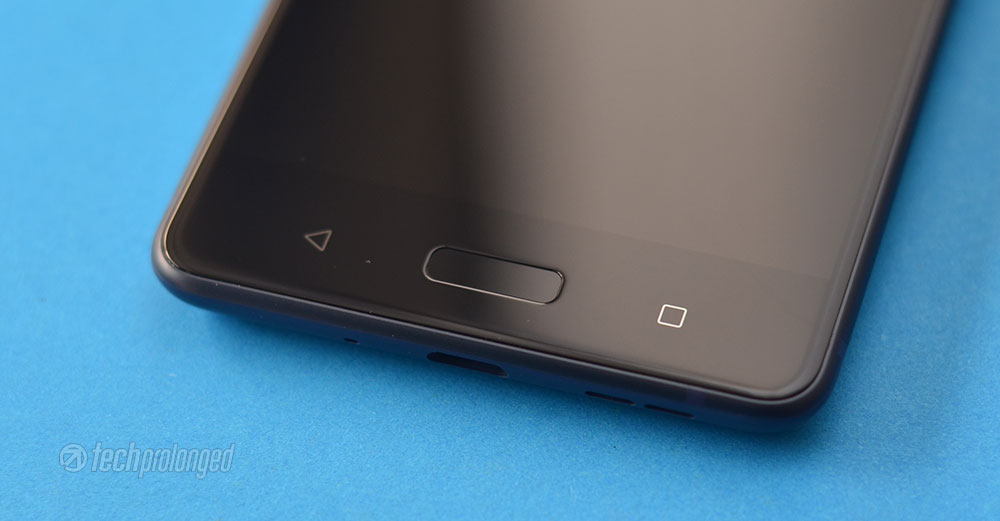

On the bottom bezel, there are three backlit navigation keys for – back, home and recent apps. Home key has an embedded always-on fingerprint scanner – something that I prefer to have on the back of the phone.
Display
The first look on the phone instantly gives the idea that it has the standard 16:9 display with large bezels on top and bottom. The display is 5.3-inch which is extremely acceptable for most consumers. Plus, the screen serves at QHD resolution of 2560 x 1440 pixels with pixel density of 554ppi which is impressive. Though it would have been even great if the company had chosen the OLED panel instead of the IPS one.
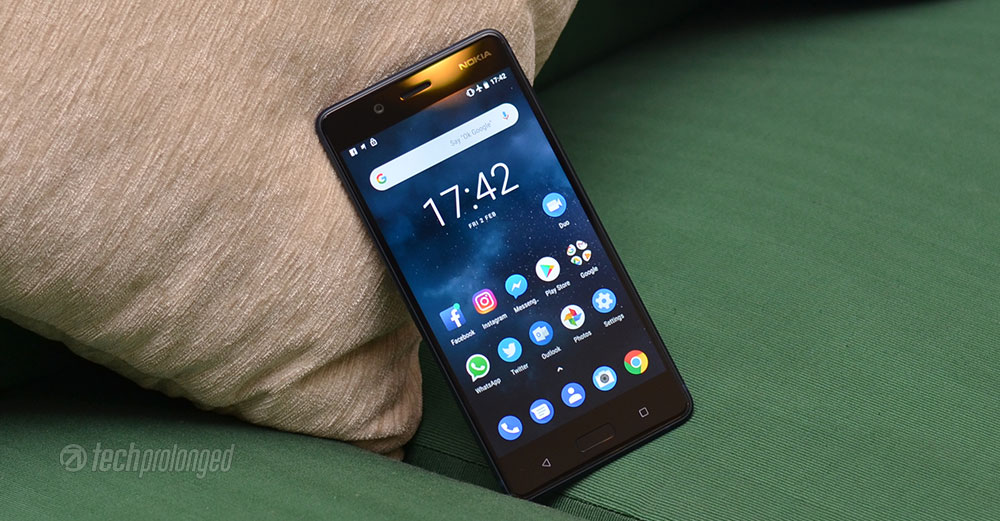
HMD Global in its press release has claimed that the Nokia 8 is rated to deliver 700 nits at maximum brightness. And we have seen this phone to deliver the same, even with its IPS panel. It’s almost the double as Nokia 6. Interestingly Nokia 8 doesn’t have a “sunlight mode” but still it’s better outside in direct sunlight.
[nextpage title=”Software and User Interface”]
Software: Android 8.1 Oreo
Again like Nokia 3, 5, and 6 or any other Nokia devices partially available in limited regions, Nokia 8 also runs almost stock Android operating system. The phone comes with Android 7.1.1 Nougat right out-of-the-box but instantly upgrade-able to to Android 8.1 Oreo at the time of writing. This review is also based on the latest 8.1 Oreo software update.
Even though most of the things are acceptable being stock in Nokia 8. Most, including myself, won’t like the camera. Despite having a good camera, one couldn’t see its capability unless provided with an intuitive camera interface. We’ll look into that in camera section later; for now we’ll continue to see what else could impress or hurt you.
As noted above, you will get a software update instantly after first start, depending if it’s not already (unlikely) up to date. This is first important and impressive factor about Nokia 8’s software. In fact all the Nokia devices release in the past year, are bound to receive monthly security updates.
User Interface
Other OEMs, which have their own software layers on top of the Android operating system to run their devices, usually have such titbis like an animated power menu. With Android 8.1 Oreo software update Google has made some changes in the user interface just like the one we talked.

The power menu is not simply a popup in the middle of the screen any more. It now appears right along the side of the screen near the power button. I just wanted to mention it because it’s the first thing I noticed.
Let’s just take an overview of the user interface and experience.
Lock Screen and Security
Notifications are listed on the lock screen in standard grouped style, expandable and quick actions like replying to messages. You can set the security level as how could notifications be listed on lock screen.
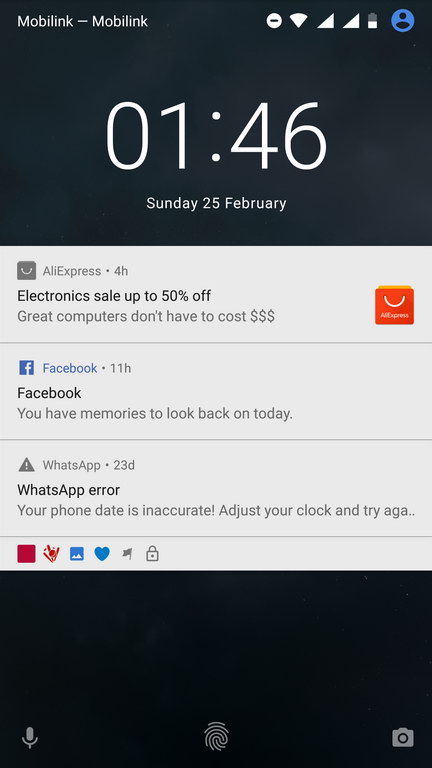
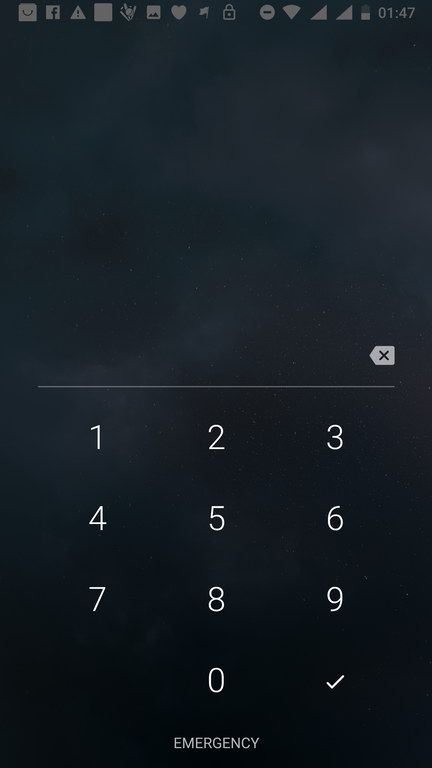
Lock screen also provide shortcuts to camera and voice assist, however only camera will be available to launch if the lock-code is enabled. Voice assist will require you to provide the pass-code. If you have enabled fingerprint unlock, the fingerprint graphic will be available. on the lock screen too.
Home Screen and App Drawer
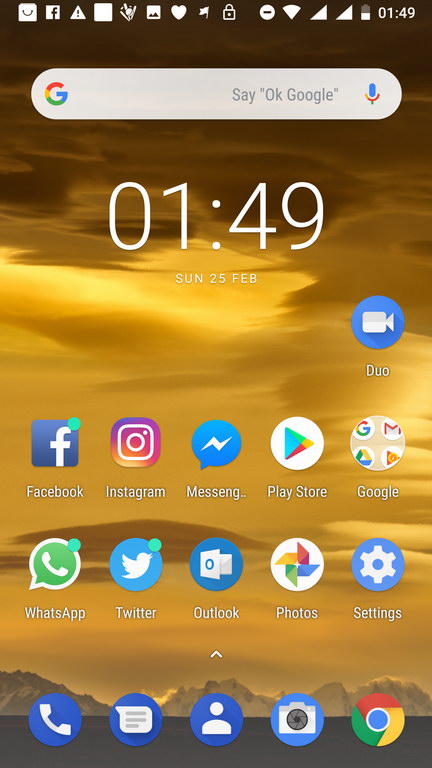
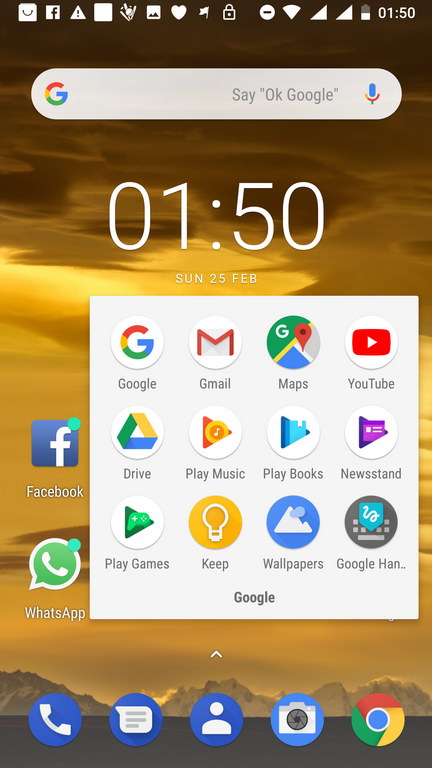
As Nokia 8 also follows the other range of Nokia devices, Home screen and app drawer are also the same. The phone provides blue colored icons for standard phone apps – such as phone, text, contacts, camera, etc. Third party apps that you download, come with their own icons and aren’t overridden by system theme. Likewise, Google apps also have their own icons with distinct colors which you normally know them with. The system, however may modify the icons only to mask them in circular shapes.


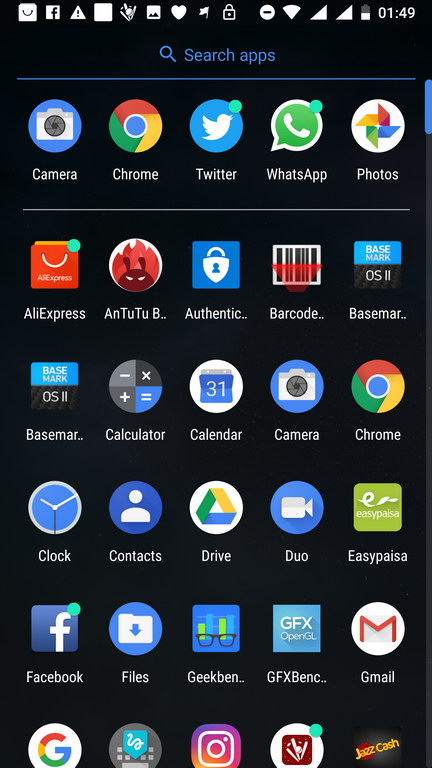
Everything is pretty similar in experience like choosing app icons from the app drawer and placing them onto home screen or organizing them into folders. Adding, removing home screens and placing widgets in those home screens, etc.
Customizing Home Screen, Background Tasks, Split Screen
Home screen can be turned into edit mode by just a long press in a free space or by a pinch-in gesture on the screen.


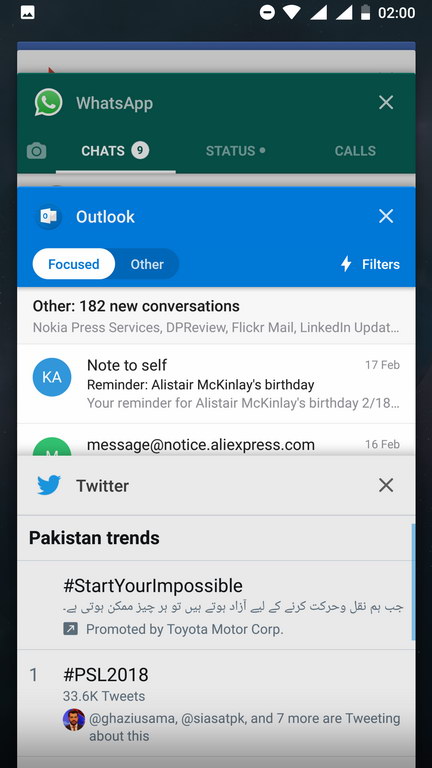

The task switcher or recent apps view appears as standard Android rolodex with snapshots of background apps that you can swipe away to close. A cross button is also provided on each snapshot. All apps can be closed with a single tap on “Clear All” at the end of the list.
Split screen can be initiated by a long-tap on “recent apps” key when a compatible app is already open. The feature is only better to use in on high-resolution displays and Nokia 8 has that display.
Status bar and Notifications
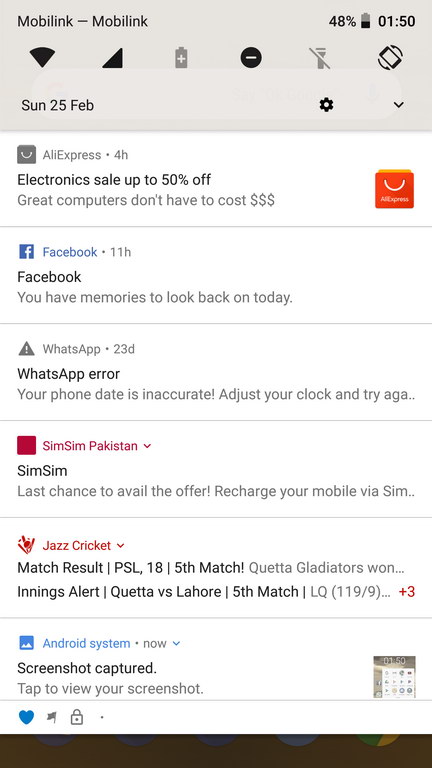
The top status bar is the stock one that you can pull out by swiping down. It’s the two-step pull-down panel with a quick set of toggles and the notification below them. The second swipe-down on the panel will expand the quick toggles section to provide more options with more glance. In addition, you also get access to the brightness controller. However you can not turn on/off the adaptive/auto brightness. For that you have to go to settings > display.
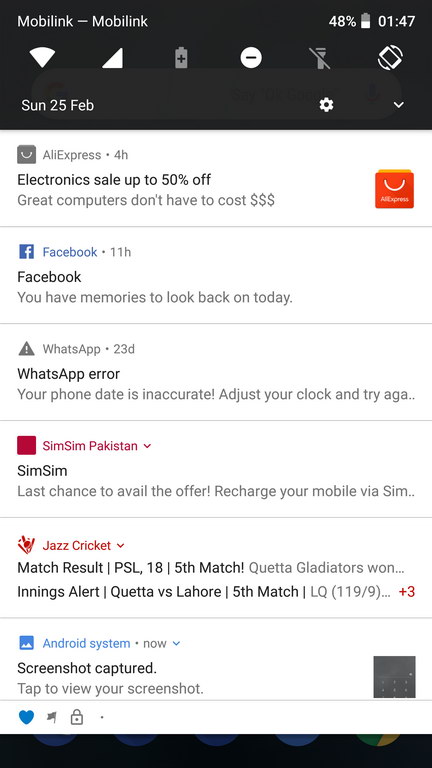


The quick actions or toggles can be customized right from there by editing them and adding or removing them. Standard Android “users” feature is also available on Nokia 8 and can be reached right from the status bar. More options are available in “Settings” app.
Bright background and Light theme
As appeared the above theme is dark but it’s based on background you choose. If you select a background with light and bright colors, the theme will be switched to light colors.


Add-on Gestures & Motions
Like Nokia 6 or 5, there are some gestures and motions which can be accessed from Settings > Accessibility in Nokia 8 as well. Only a couple options of “Mute on pickup” and “Turn over to reject call”.
Glance Screen
Now say welcome to the popular Glance Screen of Nokia, once appeared in Symbian and MeeGo, then transitioned to Windows Phone. Now it’s back on Nokia running Android operating system. Previously, it had required an AMOLED display to work with, but HMD seems to have managed the feature on IPS panel of Nokia 8. Hence it’s limited to operate continuously and default timeout value is 1 minute. However if you want, you can set it up to 20 minutes.


It’s the idle timeout of the glance screen before it disappears. The glance screen will appear sooner after your phone goes into standby mode, or you press the power button to put it down. If your phone stays static for the set time period (default 1 minute), the glance screen will disappear automatically. It will reappear with a slight movement, such as if you pick the phone up.
The auto turn-off of the Glance Screen is there to conserve battery. Remember it’s an IPS display, when it’s on, it has to be all-on. That is, all the pixels remain active with black color, unlike the AMOLED display that used to turn on only the used pixels while having the remaining pixels pure black (off). You can easily observe the difference when you are in a fully dark room and the Nokia 8’s Glance Screen is active. You will see the whole screen popping some light out if it. With AMOLED displays, that’s not the case.[nextpage title=”Battery & System Performance”]
Where the Nokia 8 lacks some features which might or might not be important on individual basis, the flagship indeed is the beast from the core. No wonder what’s running the system inside Nokia 8, is the most powerful Snapdragon chipset – the SP 835. No doubt it’s one of the best mobile processors in the market.
The processor has two Kryo clusters, each having four cores – clocked at 2.8GHz and 1.8GHz respectively. Besides running the whole system, the dedicated Adreno 540 GPU is there to support heavy kind of graphics in gaming. 4GB of RAM should perform well for Nokia 8 as it doesn’t carry any kind of over the stock material.
As we believe, the benchmark tools run at their aggressive level to test a device, a practical usage of a smartphone usually turns out as better. Still we are not dealing with any kind of mid-ranger here. As I mentioned above, Nokia 8 doesn’t really let us feel anything which shouldn’t be there in a flagship phone. It has the best hardware inside running it, it didn’t lag anywhere during the usage or in between the app-switching.
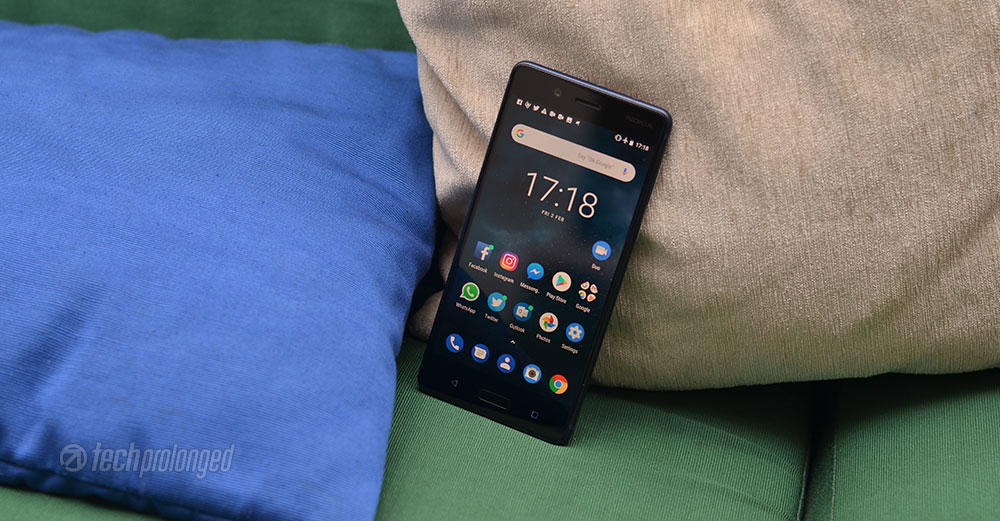
It’s really fluid to do its job without any kind of compromise. It’s quick to respond, the smooth Gorilla Glass should also have a bit of a credit here. As if the glass is not smooth to touch, even a good performance won’t matter.
Now you can check some Benchmark scores۔
AnTuTu 7
We have previously tested other devices with AnTuTu 6 but now when the newer version is out, Nokia 8 is tested with AnTuTu 7. The scores seem to be much different than of AnTuTu 6 so they can not be compared. Nokia 8 gets the total score of 210236 which is broke down in following categories
AnTuTu 7 Overall Score: 210236
- CPU: 73039
- GPU: 82440
- UX: 45787
- MEM: 8970

Geekbench 4
As expected, the Nokia 8 performed better than most recent flagships from Huawei if you remember the scores from our previous review of Huawei Mate 10 and Huawei P10. In fact it outperformed last year’s Samsung’s Galaxy S8. Nokia 8 scored as following in Multi-core and Single-core tests.
- Single-core: 1942
- Multi-core: 6595

GFX OpenGL Benchmark Tests
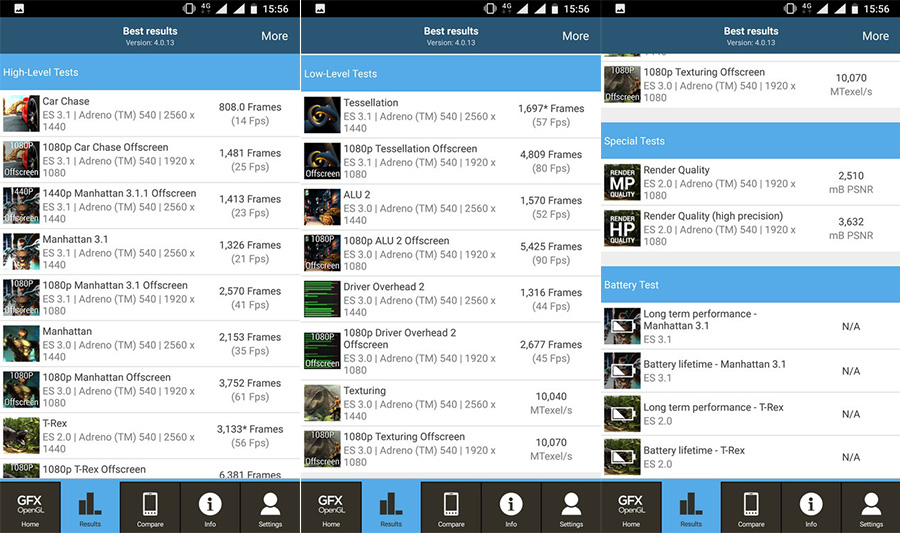
Nokia 8 couldn’t get as much score as other devices with same hardware did. However it could get 41fps in Manhattan 3.1 and only 25fps in the Car Scene for 1080p offscreen tests. Not so good that the on-screen tests for a 2k display were way too bad as around 15fps for Car Chase scene 21fps for Manhattan 3.1.
Basemark OS II / Basemark ES 3.1
Nokia 8 also did good on Basemark tests, either it’s Basemark OS II or ES graphics test. Basemark X is no discontinued officially so it will not be used for further tests.

Vellamo

Battery Performance
3090mAh battery is only 90mAh larger in capacity than Nokia 6 or Nokia 5. But performance wise, the flagship processor seemed to have done a better job in Nokia 8. It’s quite good with a 5.3-inch screen and QHD resolution. Even though it performed better than its smaller siblings, the battery capacity of Nokia 8 is not above average. There are many flagship devices which can outperform Nokia 8 in this regard.
[nextpage title=”Camera Features and Performance”]
Now that’s the part where HMD brought the olden and the golden partnership between two names Nokia and Carl ZEISS. Specially in the era when it’s not only them but many other players in the industry have joined hands with camera and optics experts – such as the most recent partnership between Huawei and Leica.
13 Megapixel Main Dual-Camera with ZEISS optics
When every other manufacturer is singing a dual-cam song, HMD Global just did that too. The dual-camera setup on Nokia 8 has two 13 megapixel sensors behind the ZEISS lenses. One of them is the color sensor and also equipped with an OIS (optical image stabilizer), while the other is the monochrome sensor that takes black & white shots to improve clarity and detail as well as reduces the color noise.
As the dual-camera configuration is not something that anyone will now be unfamiliar with. However understanding the difference between the configuration may set a target for a device what it is intended to do. A setup of a camera with a wide angle lens and a telephoto lens gives the capability of optical zoom into a phone camera.

The other setup is a pair of two with one color sensor and the second monochrome sensor. This setup’s focus is to achieve better detail in most environments with even less noise than others. The later is the setup, Nokia 8 comes with. Both have been used for bokeh effect – to isolate background from the subject at the foreground.
Feature wise, Nokia 8 comes with 360° OZO surround sound – thanks to the three microphones used in video recording. If there is a real change in software, then it’s the camera app that Nokia put it differently than the original Google Camera app. It’s straight to the point, clean and user friendly, however we are still not happy with it. With a good camera hardware a flexible software for the camera is a must. The manual controls in the Nokia camera app are useless, just like we have seen in Nokia 6 and 5. So better stay with the auto camera and yes, that’s good in many many cases.
Daylight / Outdoor Shots
The camera indeed does well with the light available to it. The images have nice detail with much less noise in bright daylight. Sharpness is quite good but not that much good however the dynamic range is much better controlled. Closeup shots were really nice and cool to examine at 100% crops.
Night and Low-light Shots
Ever heard that it’s the best light during the dawn and dusk in the day? If not then no issue, it’s not something to learn why here. Nokia 8 captured the most bits of the time and did its better to bring that light to phone in a better way. The noise is still appreciably low and the detail is impressive in that light.
As there is no manual control over the camera exposure and ISO, the automatic configuration can take the exposure down to 1/11th at minimum. With the optical stabilization, it did better to keep the photos steady. There were occasions when the pictures come out to be shaky and blurry.
Monochrome Shots
Black & White shots were also good and those images actually tell that the secondary camera works in Nokia 8 to bring better detail in color photos.
Bokeh Shots
As told above, the bokeh mode is a must feature that comes along with dual-camera. Some it portrait mode some aperture mode, but in result it’s the same thing that comes with a subject having a blurred background. One bad thing about it is that they come with visible noise. If you compare them with the the normal shots, you can easily tell the difference.
Panorama Shots
Front facing camera
Video Samples
Video quality is not that great if consider the detail as other flagship devices have reached a mark. Dynamic range is good just like still photos. On technical terms, the is only 30 frames per second support which ever resolution you choose. However the 4K support is available in addition to 1080p and 720p. With the interface, Nokia 8 gives you to choose the sound mechanism – front or rear mic or surround sound using all the mics.
Check the following short clips from Nokia 8.
Nokia 8 Camera – Video Sample 720p/30fps – Panning Handheld
Nokia 8 Camera – Video Sample 720p/30fps – Panning Tripod
Nokia 8 Camera – Video Sample 1080p/30fps Panning
Nokia 8 Camera – Video Sample 1080p/30fps Stabilizer Test Walk
Nokia 8 Camera – Video Sample 1080p/30fps Panning
Nokia 8 Camera – Video Sample 4K/30fps Panning
[nextpage title=”Conclusion and Verdict”]
One thing that must be told here is that this phone doesn’t look like the one from a company which has just started its business. In fact the team actually brought the brand name to its level. Well not up to that mark where the brand name was, Nokia 8 is clearly a phone that can be identified by a good brand.
Build quality? check; display? check; hardware performance? check; battery? check; camera? check; audio? check. Okay everything can be said with a check mark, there are still some factors which have a lot to improve on. Specially the camera; either it’s not up to what it could have been like before under the name “Nokia”. That doesn’t exactly mean it’s a bad camera but when you have used something better from a brand, what else you would say.
There could be software optimization, or the imaging sensor itself – sure it’s not the core hardware. Snapdragon 835 can do much better with good image sensors. On the other had Android Oreo is at its best in Nokia 8. The optics indeed are the Zeiss but what’s inside – the sensor? HMD Global has to bring that camera innovation back that was once the signature element of Nokia. Because, now is the time for what Nokia had done way before. Pro Camera app has to be back on this phone and the ones to come. Automatic camera? again check!
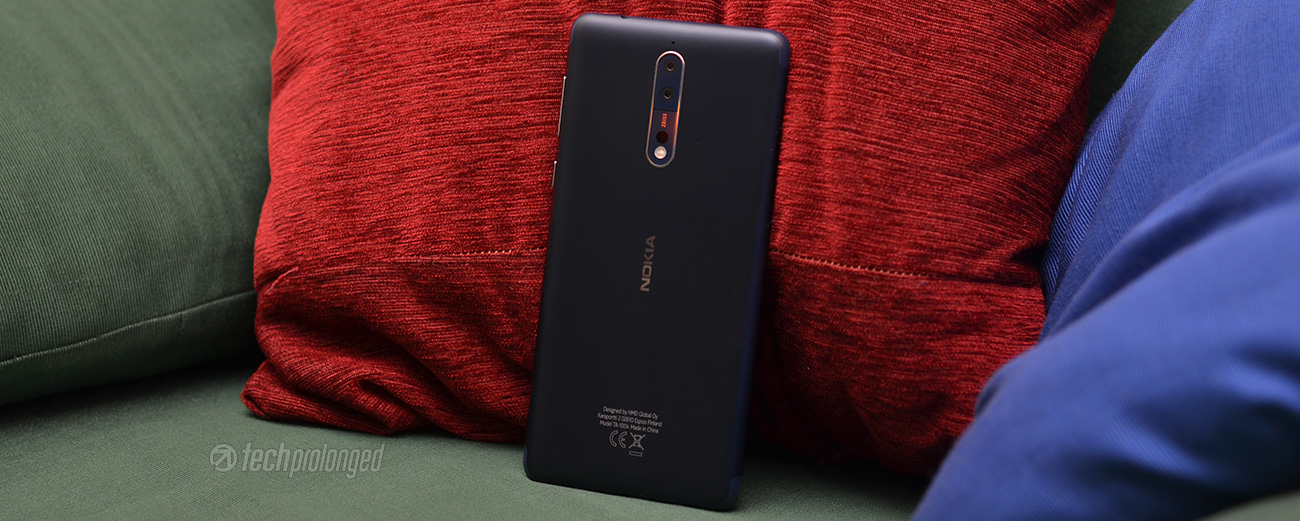
Even though I am not very happy with the grip of the phone, it’s good but you need to be careful while picking it up from the table. Design on the other hand is neat and clean.
Display has nothing to object on, it’s perfectly alright and up to the mark. The IPS display has done more than what it could have on any phone. Not to mention if it were AMOLED, it could have done even better. Glance screen has its limitation and when in dark, it clearly throws light out of it.
For a flagship phone, Nokia 8 does the job pretty well and it won’t let you down at anything. In last words, it’s won’t be incorrect to say that it s a good option among flagships like Galaxy S8 or Huawei Mate 10.
Nokia 8 in Photos