


[nextpage title=”Introduction & Hardware Overview”]
Huawei Nova Plus – Introduction & Hardware Overview
Huawei announced Huawei Nova along with a larger model Nova Plus last year during IFA globally adapting the design from Huawei P9 and Mate 8 respectively in mid-range package. Both the phones were intented to give premium feel along with impressive performance in the lower price tag.
The Huawei Nova Plus was launched later last year in Pakistan with a price tag of Rs. 40,999/- and the mid-ranger (as the developed markets term this price range) is just here with us to be reviewed. According to price we’ll term the phone as upper mid-range which is quite higher in price than it should be.
Note: After price reduction Nova Plus now costs Rs. 38,900/-
You must continue below to find out if the Huawei Nova Plus really justifies the price tag it contains.
Other Read: Huawei Honor 8 – Review
Huawei Nova Plus is quite a premium design with large screen and few more good properties but there are indeed some factors we didn’t like. Before we go any further with in-depth feature evaluation, take a look at the quick points from our experience with Huawei Nova Plus.
| PROS | CONS |
|---|---|
|
|
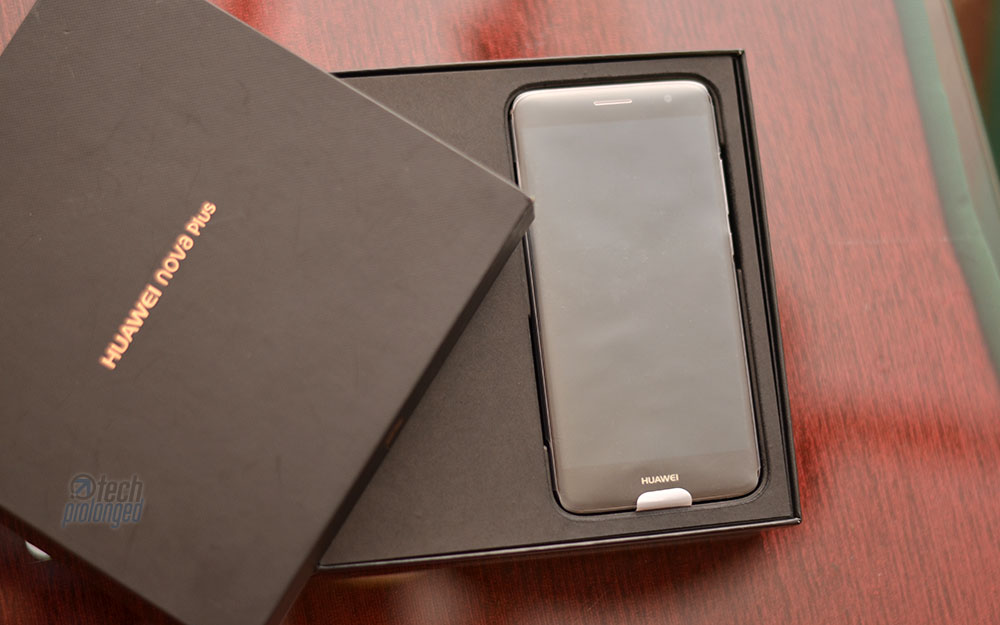
Nova Plus Unboxing
Huawei Nova Plus comes in black wide square box just like the Mate 8. You will know how does the phone compare to Mate 8 throughout this review. Inside the box, top layer places the device while underneath boxed compartments are designed side by side. One of the boxes contains charger, the other contains headphones and data cable. An envelop box is also there that packs the manual and other things alike. Nothing special is served with the retail package.


Huawei Nova Plus – Specifications and Features
Huawei Nova Plus is powered by mediocre processor for the price as already told above. With the 5.5 inch display the phone carries 3GB of RAM and 32GB of internal storage. Nova Plus also features a fingerprint scanner on the back like many Huawei devices.
Interestingly, Nova Plus features 4K video support as well as features optical image stabilization (OIS). Both of which aren’t present in either Honor 8 or even Leica branded Huawei P9. Seems like it borrows the camera features from Mate 8 too in addition to its design – we’ll see in the review below.
| Huawei Nova Plus | |
|---|---|
| MODEL | Huawei MLA-L11 |
| OS / SOFTWARE | Android 6.0 / Emotion UI 4.1 |
| SOC CPU GPU |
Qualcomm Snapdragon 625 (MSM8953) 8x Cortex-A53 2.0 GHz Adreno 506 |
| RAM | 3GB |
| NAND | 32GB + microSD (upto 128GB) |
| DIMENSIONS WEIGHT |
151.8 x 75.7 x 7.3 mm 160 grams |
| DISPLAY | 5.5-inch, IPS Display, 1920×1080, ~401ppi Screen-to-body ratio: ~72.5% |
| CAMERA PRIMARY | 16MP 1/2.8” 1.12µm pixels, Sony IMX298, phase detection autofocus (PDAF), HDR, dual-LED flash (dual-tone), f/2.0 lens aperture, 4K (2160p) @30fps Video recording |
| CAMERA FRONT | 8MP, f/2.0 lens aperture |
| CONNECTIVITY | 2G / 3G / 4G LTE Dual-SIM, WiFi b/g/n 2.4GHz, USB Type-C, Bluetooth 4.1 |
| SENSORS | Fingerprint Scanner, Hall Sensor, Proximity Sensor, Ambient Light Sensor, Digital Compass, Gravity Sensor, GPS/GLONASS |
| BATTERY | 3340 mAh, non-replaceable, 5V/2A Charger – No Fast Chaging |
[nextpage title=”Build, Design and Display”]
Huawei Nova Plus – Build & Design
The Nova Plus can be called as a smaller Mate 8 with pretty much similar design and outfit. If you liked the Mate 8’s design, you would definitely like the Nova Plus too. In fact in a little smaller size, you will feel comfortable with it.
Packed in a unibody structure of metal and glass, the phone measures 151.8 x 75.7 x 7.3 mm and weighs 160 grams which, if you compare with the larger Mate 8, has larger body in average. With 5.5 inch display, the screen-to-body ratio is only 72.5% approximately whereas Mate 8 had better 78% with smaller upper and lower parts on the front.
Tendency towards the Nova Plus was quick indeed as it became my primary smartphone with both the SIM’s in it – one connected to 4G network and the other at 2G. Only one SIM can connect to LTE network which then serves with the internet connectivity, the other SIM remains on the GSM network.

It’s still not that small for most of the users with average hands, but if you have used similar sized displays, you won’t feel any difference but the comfort and handling is quite good with Nova Plus. Huawei offers single-handed operation mode via software which can be switched on (and off) by swiping on the on-screen navigation keys.
one thing must be told, It’s a solid and sturdy design
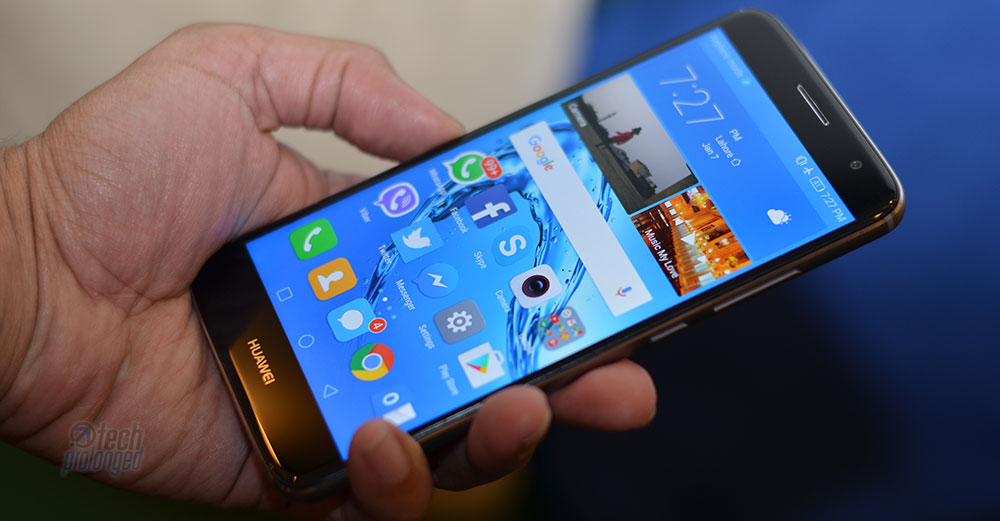
Coming over at the controls and components; on the front, there is an earpiece placed right where usually it resides. On the right of it, there’s the front facing camera along side some sensors hidden inside the front panel. An LED notification light is also present there which is not visible unless lighten up.

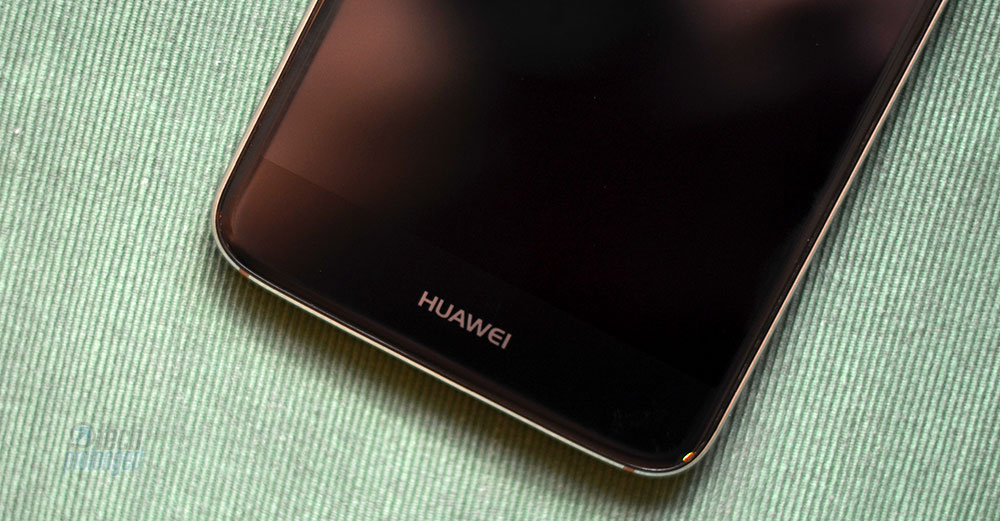
On the bottom of the screen, there is only “Huawei” branding.
The top side of the phone hosts standard 3.5mm audio jack. Along side, a secondary microphone is present for noise cancellation. The primary mic present at the bottom side combined with the secondary mic on top also work as a stereo audio recording.


On the bottom we also have a speaker grill on one side where as the other grill is home for a mic. In the middle, it’s a USB Type-C port for all kind of connectivity including data transfer and charging.
The right side of Nova Plus hosts the standard power button along with the volume rocker while on the left side of the phone a SIM slot is present which is hybrid in functioning – use two nano SIM cards at once or use a single SIM accompanied by a micro SD card slot.


On the back we have 16 megapixel camera with a dual-LED dual tone flash. Below the camera we have a fingerprint scanner just like any other Huawei smartphone. The camera module is extruded a little bit.
The lower part of the rear panel only prints Huawei branding and a few product labels.


While the back panel is aluminium built, the top and bottom parts of the back panel are thin plastic layers which also join through the antenna strips embedded into the metal frame.
The Nova Plus has all those aspects of design as can be seen any high-end package. The chamfered edges all around the back panel joining at the frame give a premium feel.
Huawei Nova Plus – Display
Manufacturers are going crazy with the display throughput of handheld devices as no the display resolution of smartphones has reached the quad and wide quad high definition but they have still not been fully adapted even in many high-end devices – not until late 2016. But here we are talking about a mid-ranger (or say upper mid-range device.) Nova Plus serves only at a Full HD resolution of 1920×1080 pixels on a 5.5 inch display.
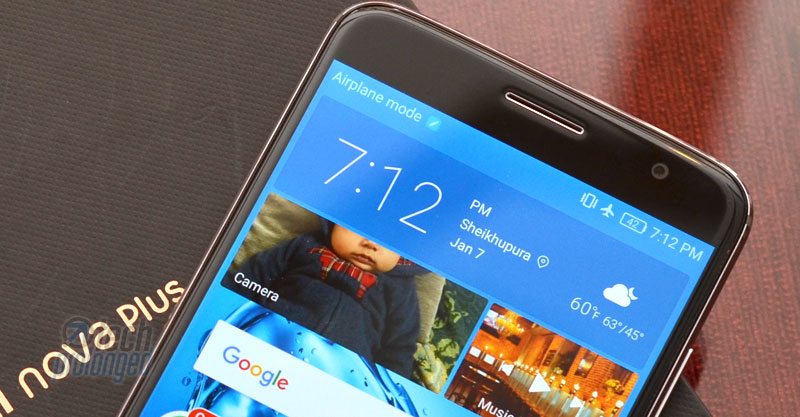
Yes, on paper, these numbers now are a bit old but still if you look at the density, it’s way more than you would need practically. With 401 pixel density, the Nova Plus is pretty much sharp in delivering content on the screen. Huawei claims the Nova Plus provides 450 nits of maximum brightness which we believe the phone would stand around the claim as it’s really bright.
Overall the screen is crisp and better at colour reproduction on all kind of content, whether you are reading text on a web browser, playing a game or watching a video. But wait! it just ends in a room.
Outdoors in direct sunlight, the visibility and readability on screen can be regarded as poor as good indoors. Higher reflection ratio adds more difficulty to the visibility.
[nextpage title=”OS & Software – EMUI 4.1″]
Huawei Nova Plus – OS & Software
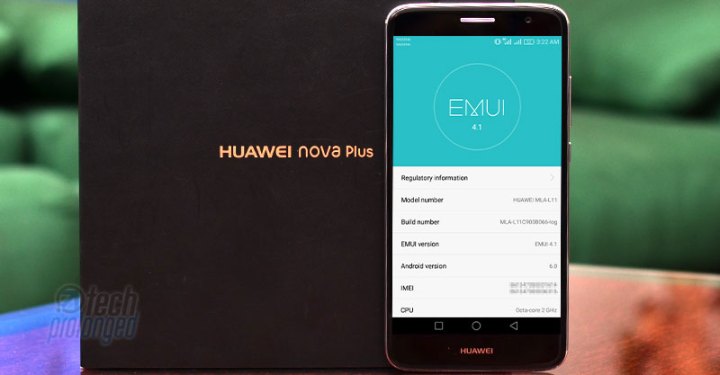
First question about an Android smartphone is usually the one and only – what version of Google’s platform is this smartphone running? So first thing first, Huawei Nova Plus runs Android 6.0 Marshmallow out-of-the-box. On top, the firm ships its emotion user interface (EMUI) version 4.1.
I know many people do not like Huawei’s software layer on Android OS due to various reasons, I am not listing them here again. Seekers should really be excited about Huawei’s latest EMUI 5 which brings a lot for those who disliked most of the things in its software. EMUI 5 was first shipped with company’s latest flagship Mate 9 and is set to roll out to various recent models, which is good.
Talking about Nova Plus here – this specific model is not listed in the devices rumored to get Android 7 with EMUI 5 but the other variant Huawei Nova is indeed listed. Hopefully, this one will too receive the upgrade, but don’t take our words as guarantee.
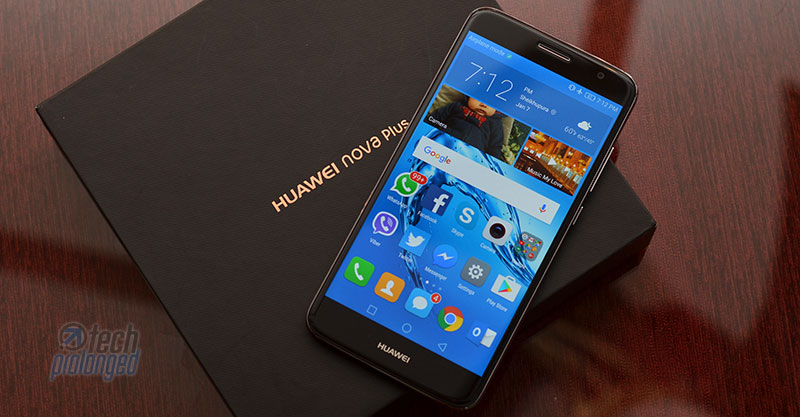
Like previous iterations, Nova Plus software has no app drawer. There are only home screens that can be rearranged in anyway how the users like. There are ways how the home screens swipe through, there are widgets which we can add into home screens along side the app icons and folders. You can switch from 4 columns grid view to 5 columns if you prefer.
Lock screen be customised with Magazine style which shows a different wallpaper whenever you wake the phone from sleep. Swiping in any direction the the screen gets unlocked but swiping from the bottom edge, a set of quick controls and shortcuts appear. Along with a standard pin code or pattern unlock feature, the fingerprint security is there to take you straight to the home screen without even showing the lock screen.
Home Screens and Features
Home screen offers with multiple walls of app icons and a sticky bottom row that serves with the feature to use for most frequent functions of the phone e.g. Calling, Messaging, Internet browsing etc. There is no app drawer and if you like to have the app drawer for all of your apps and instead want only a few (your favourite) ones on the home screen then you will miss it. That’s the way EMUI has been offering, but with EMUI 5 it’s been changed – you can do all what you wanted, plus a lot more which now makes it a real contender among various other Android skins.

Swiping anywhere on the home screen, but not from top-edge, initiates the search feature that provides search box on top with recently used apps or functions below it. This feature searches through everything on the phone, in contacts, in messages, in emails, in apps, in settings etc. If you don’t find anything, it also provides a link to search online for the keyword you have put in.
Notifications and Shortcuts
Notification center can be pulled down from the top status bar that brings two sections. There are shortcuts in the right tab, and the notifications on the left.

The third screen above is customization section that opens right from the shortcuts section and serves with all the available shortcuts where the upper half lists the shortcuts which are currently present on the main shortcuts section (middle screen above). The shortcuts in the lower half are unused which can be dragged to the upper half to display in the main shortcuts section.
It’s pretty much same across EMUI 4.1 in other Huawei devices as well.
[nextpage title=”Camera 16MP – OIS”]
Huawei Nova Plus – 16MP Camera with OIS
On paper, the rear camera on Huawei Nova Plus features a 16 million pixels sensor with support of phase detection autofocus and contrast detection.
The pixel size on the image sensor are not too big as 1.12µm. The camera gets support with a dual-LED flash to bright any dark situations.
Interestingly, the Nova Plus camera also features optical image stabilization (OIS) which helps better to take photos in low-light conditions. Even various Huawei flagships didn’t support optical stabilization in images or videos before. The lens on the camera has wider aperture opening – f/2.0.
While not disclosed officially, the image sensor seems to be exactly like 2016’s Mate 8 but the lens on Nova Plus has upgraded features such as OIS.
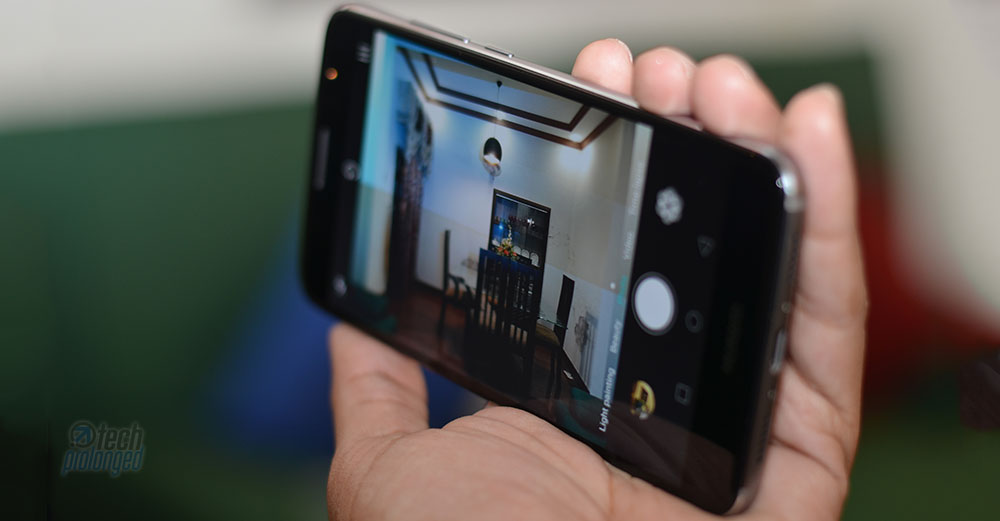
Huawei’s camera interface is much simple with usual swipe gestures from right/left edges and a viewfinder with a few switches and a menu button on top. The bottom row serves with the gallery button, capture key and filters. While the photo/video mode along with several others can be activated by swiping on the screen.
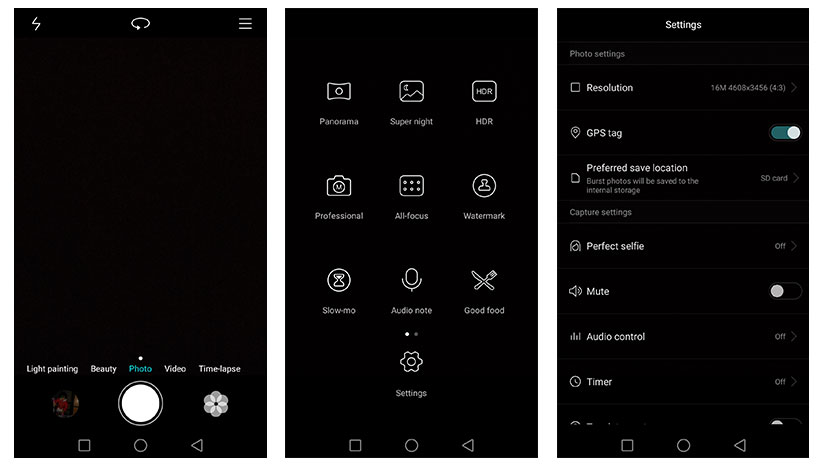
In addition to photo and video, modes light painting, beauty, and time lapse. Settings and options change according to the mode selected. The EMUI has been offering Pro-settings for capturing photos since long. HDR mode is also there along with Super Night option that doesn’t capture but records the scene and needs a tripod for steady long-exposure shot.
Light painting is the feature that was launched with Huawei P8 and since than the Chinese phone maker is shipping the feature into most of its smartphones. It provides easy options to capture Light trails, Light graffiti, Silky water and Star track.
Putting the features aside, the camera results are not something to really impress. Sure the professional or manual mode for taking shots gives somewhat impressive results but that’s not the thing for most consumers. Most people will prefer to take pictures with their smartphone in a fast auto mode.
I am not impressed with the 16 megapixel camera that is not good at dynamic range in most cases. Highlight clipping is too eager to enter into frame. Image detail, however, is good to be true. Noise levels are also controlled well.
Daylight light shots in sunny conditions are indeed better in viewing but cloudy conditions couldn’t give enough light to capture but still the camera did great resolving detail with very low noise. Focusing was another issue where the Nova Plus struggled.
4K Video Recording
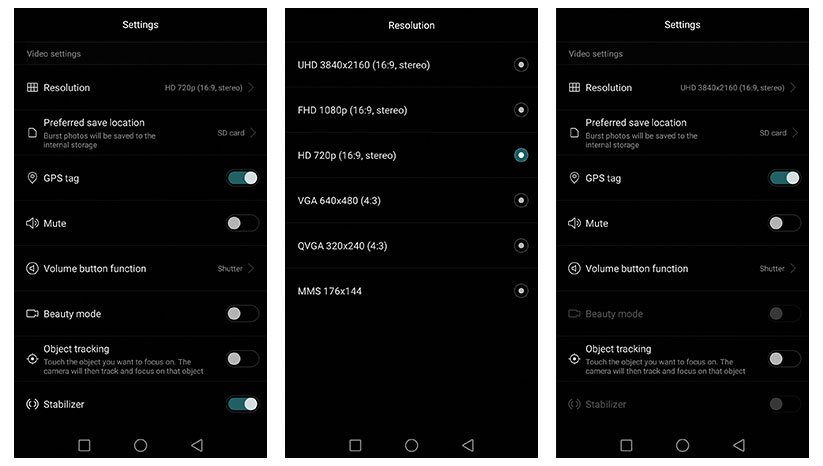
Nova Plus camera actually leads the smartphones by the company including Huawei P9 and Honor 8 by providing 2160p video recording. However the 4K footage is only supported at 30fps. Also the OIS is not usable in 4K mode.
1080p recording also supports 30fps at maximum but optical image stabilizer is available to use with this resolution. Both ultra and full HD videos record stereo audio (2 channels) at 96kbps while the 4K video bit-rate is 42Mbps and 1080p footage is recorded at 20Mbps.
In results, we found the 4K footage really impressive with its stunning detail, colors and contrast. Dynamic range is still average like photos. Focusing issue was also sometimes introduced. However the 1080p footage was as bad as we liked the 4K video.
Even the OIS in 1080 didn’t impress as the footage ends up with enough video distortion.
[nextpage title=”Performance & Battery Life”]
Huawei Nova Plus – Performance
Whereas the Nova Plus borrows a lot from last year’s high-end Mate 8, it is a mid-ranger (upper mid-ranger) with the price around $380. The phone is powered by Qualcomm’s Snapdragon 625 processor just like many mid-range devices in the crowd. Along with 3GB RAM, the phone practically did well round the clock.
Gaming was also pretty much fine without any trouble as much as I tried but sure none of the games was tested to its peak. We just threw some titles on it, started and played for a few minutes and it did good, there was no lag. However what we noticed was the loading time of the games on Nova Plus. It was longer to be somewhat annoying but once the game is up, it’s smooth in experience.
Fingerprint scanner on Huawei devices, we have tested so far, always impressed us with its fast efficiency and accuracy. The one in the Nova Plus may not compare to its high-end family members like Mate 8 or Huawei P9 but it’s still as good as should be fine. Through out the trial, it never failed on me and always opened the portal just within a second.

Battery Life
Battery on the other hand is another factor in Huawei’s devices that usually impress by its timing. Nova Plus is no different. With the capacity of 3340mAh, the battery’s standby timing is staggering. Thanks to well optimized software which could let it happen that the phone doesn’t consume the battery badly when it’s asleep.
With very moderate calling for around an hour a day, along with texting, exploring web, watching videos, the phone could last two to three days. However most extensive usage of all these features still could give you a 24 hours up time with on full charge. If you add continuous gaming and a little travel with GPS navigation, expect the phone last 12 to 18 hours after a full charge.
Additionally, Huawei software offers extended battery saving modes such as ultra power saving that allows the phone to turn off rich features in extreme battery conditions. That actually helps saving battery juice for more important tasks like calling and texting.
Overall usability across the device was also perfectly alright with no lagging, stuttering or freezing. You can give credits to Huawei’s software optimization for a fluid and smooth experience.
[nextpage title=”Conclusion & Verdict”]
Conclusion and Verdict
Everything you have read in previous sections of this review, Huawei offers really good devices in the build quality. Their devices also have good hardware but the software is somewhat most people do not like much. Even though the software works fine in most cases, people miss the features like app drawer whenever they are asked.
EMUI 5 is supposed to hit some of the devices Huawei have released recently but it’s not what we are reviewing. What we have just evaluated above, is Nova Plus with EMUI 4.1 that has mid-range features but much higher price tag. You know what I mean, yes! I won’t recommend to go for this specific phone. Although the phone performs well and does a great job in every context but price is not what should you pay for it.
Instead with a little more thousands go for a capable smartphone like Honor 8 that even has gorgeous looks. On the other hand smartphones such as OnePlus 3 could be a better choice for you but not in Pakistan.
I still want to justify here that Nova Plus is not something like an incapable device for what it does. Camera is good with features like OIS and 4K video recording. Battery life is impressive, display performance is cool and it’s much better in regular usage. The price is the only factor it doesn’t granted our recommendation.
If you have already bought a Nova plus, do share below with the experience you had or you are having.


