


[nextpage title=”Introduction, Features and Unboxing”]
Nokia 3 – Introduction
Among the latest launch by HMD Global – Nokia’s first real Android smartphones are hitting global markets one by one. Nokia 3 is the first to be available in Pakistan market along with its neighboring country.
You will get a “Made in China” Nokia 3 in the market that costs Rs. 17,000/- officially but is available at various price cuts from various retailers. So you better take round around the market and get the best value. Market response is obviously highly impressive – sure due to long lasting “Nokia” brand trust in Pakistan market. We also heard some of the times the phone went out-of-stock.
If you are one of those who are still waiting to buy a smartphone in this range and have still not decided which one to buy. Here we have the budget Android smartphone – Nokia 3. If you were having this device in your list of options, hope this review will help deciding on an option.
Review Content
- Introduction, Features and Unboxing
- Build, Design and Display
- Software
- System Performance
- Camera
- Conclusion

Nokia 3 – Features & Specifications
| Nokia 3 | |
|---|---|
| Model | TA-1032 |
| OS | Android 7.0 Nougat |
| SoC CPU GPU |
MediaTek MT6737 Quad-core 1.25 GHz Cortex-A53 Mali-T720 MP2 |
| Dimensions | 143.4 x 71.4 x 8.48 mm 8.68 mm thick with camera bump |
| Weight | 140 grams |
| Display | 5.0-inch IPS Display 720p HD Resolution 1280×720 pixels Gorilla Glass, Polarized Display |
| Storage/RAM | 16GB / 2GB |
| Rear cameras | 8 Megapixel, 1.12µm pixel size, f/2.0 aperture lens, LED flash, HDR, Panorama 720p / 30fps video recording |
| Front camera | 8 Megapixel, 1.12µm pixel size, f/2.0 aperture lens, HDR 720p / 30fps video recording |
| Connectivity | Micro USB (USB 2.0), USB OTG, Bluetooth, Wi-Fi, 3.5mm headphone jack |
| GPS | GPS/AGPS |
| SIM/SD | 1 dedicate dual-SIM slot, 1 dedicated microSD card slot |
| Sensors | Accelerometer (G-sensor), ambient light sensor, e-compass, gyroscope, proximity sensor, NFC for sharing |
| Colors | Tempered Blue, Silver White, Matte Black, Copper White |
| Battery | 2630 mAh, Non-removable |
| Global Price | €160 |
| Pakistan Price | PKR 16,999/- |
Nokia 3 – Unboxing
Retail box is pretty much simple with a slide out inner-box. The front of the box prints the phone design with the “connecting people” background in a new design. While on the back, there’s profile photo of Nokia 3 with front, back and side views. Besides, we have some key features listed from the Nokia 3 and some other labels and branding.


Sliding out the inner-box, reveals the phone residing on the side of the board wrapped into a plastic bag just like any premium model. Pickup the phone with the tray to see the standard user guide and warranty card.


On the left side of the package there is long container that packs inside the travel charger, earphones and the micro USB cable.
[nextpage title=”Build, Design and Display”]

Nokia 3 – Build & Design
One thing about Nokia 3 is its first impressions which sure will blow your mind and make you expect more from inside. Being a budget or low-end Android smartphone, Nokia 3 really impresses with its great build quality in its class.
Even though “Designed by HMD Global Oy” labeled on the back of the phone, the design itself reminds me of the late Lumia designs with polycarbonate back panel with a slightly curved edges meeting into aluminium frame. The closest example is Lumia 925 with a little bit differences on corners and antenna stripes.
In hands, the phone seriously gives premium feel from all around. Perfectly fine in grip and on top the smooth Gorilla Glass with 2.5D curved edges. This white model didn’t have any handling issues, however the matte black finish of Nokia 3 is more comfortable.
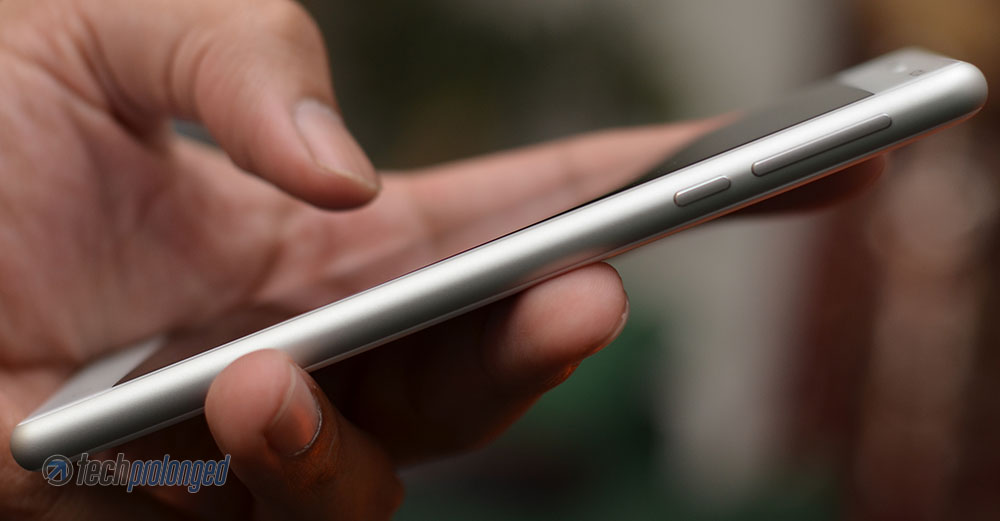
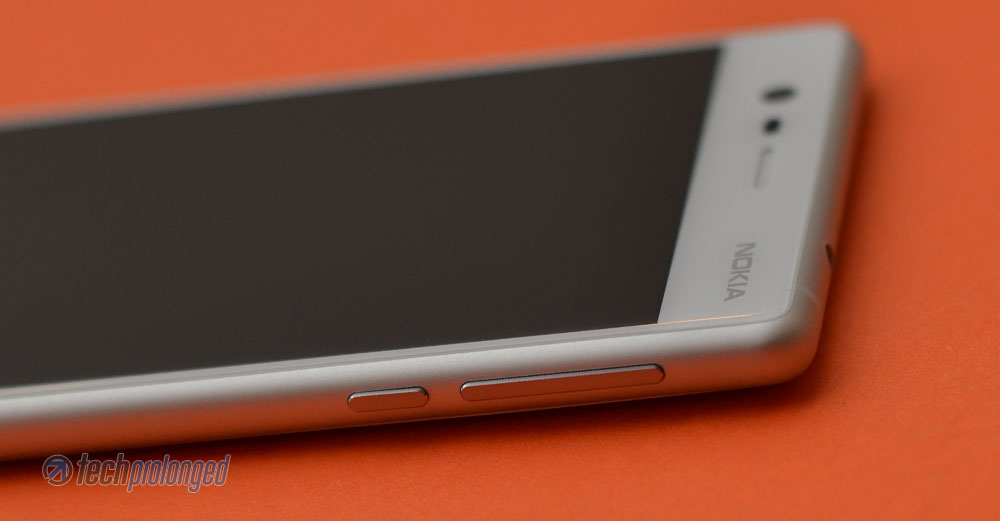
Nokia 3’s frame is fully rounded from back to front where it meets directly into the front glass. There’s no thin middle plastic layer between the aluminium frame and the front glass or back panel just like its premium offerings a couple of years ago.
That’s where other brands will lose the point at this price range as you will mostly find them having a thin plastic layer between the screen and the metal frame or even no metal frame at all.
But in this price range, the HMD could have let the rear panel removable.
Controls and Components
Nokia 3 comes with all common components and controls on board including the 3.5mm audio jack (on top) and a micro USB port along side the a loud speaker (on the bottom of the phone). Primary mic or mouthpiece is located at the bottom besides the micro USB port and a secondary mic – for noise cancellation or stereo audio recording, is located on top besides the audio jack.


The antenna stripes are embedded into the metal frame on both the top and the bottom side of the phone. However there is no visible plastic element found on Nokia 3 otherwise.
Power button and the volume rocker are hosted on the right hand side of the phone to ease your thumb. While on the left side of the phone, there are the dedicated slots for both the dual-SIM cards and microSD card for storage expansion.


Provided SIM eject tool works on both, however the SIM slots are referred, as usually, by the SIM 1 and SIM 2 whereas only SIM 1 is 4G/LTE enabled. Once the cellular data is set on SIM2, you will be limited to use 3G or 2G.
On the rear panel, there’s only some branding labels on the lower half portion. On the upper portion, a little module is positioned in vertical with a primary camera and an LED flash.


We’ll talk about camera features afterwards in a separate section. For now continue with the components on the front side.
The upper front portion hosts the very common components on the phone including the basic earpiece along side the proximity and light sensor as well as the front-facing camera. The “Nokia” branding on the upper right corner also follows the similar presentation from the late Lumia smartphones.


On the other hand the standard capacitive navigation keys – the back, home and recent apps key are the lower portion below the display. Unimpressive that they are not back-lit. HMD could have chosen on-screen navigation keys which could be more useful in dark. Don’t know about others but I feel little bit limited when the navigation keys are present but not visible.
Display
Nokia 3 has 5-inch screen with IPS display and serves at the HD resolution of 1280×720 pixels. The display is laminated and polarized for fingerprint resistance and reduced reflections when viewing outdoors. It gives better viewing angles than the lot other in its price range.
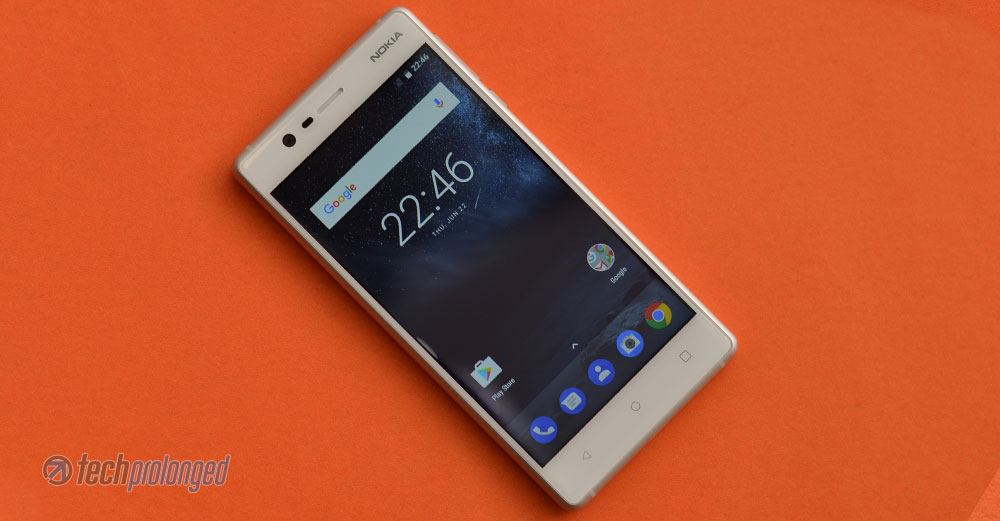
As per our test, Nokia 3 actually stands at what it promises about when we talk about its display. With the Gorilla Glass on top, it reminds about that smooth experience on its latest flagship phones. Android’s adaptive brightness keeps things in control for better viewing in a certain ambient conditions.
Bright Display
But when we compared it with the Huawei’s Y5 2017, both were equally vibrant in colors whereas the Y5 had some warmth while the Nokia 3’s were more natural.
[videojs mp4=”https://onedrive.live.com/download?cid=182152EEBD704766&resid=182152EEBD704766!76811&authkey=!AJe7hvlu2gYZkf4″ loop=”true” autoplay=”true” preload=”auto” controls=”false”]
Reduced Reflections
Most importantly, the key thing to tell is the viewing angles. Nokia 3 performs really well in all viewing angles. Impressively, this low-end Nokia phone is far better with its reduced reflections and high-contrast when compared to Huawei Y5.
[videojs mp4=”https://onedrive.live.com/download?cid=182152EEBD704766&resid=182152EEBD704766%2176812&authkey=%21ABW4DRz8WVdI5Uo” loop=”true” autoplay=”true” preload=”auto” controls=”false”]
In sum up, the display of Nokia 3 is quite bright with vibrant colors. With laminated Gorilla Glass Nokia 3 provides a nice and smooth experience with well controlled fingerprint glares on the screen. Viewing angles are impressive with outdoor visibility and readability too great to be on this budget smartphone.
HD display with only 720p resolution could make you think that it’s not a good choice but comm’on you are looking at a budget phone. On a 5-inch display it makes the pixel density of about ~294ppi which is is not bad for your reading or visual experience.
[nextpage title=”Software and User Interface”]

Nokia 3 – Software and User Interface
With new entry into Android smartphone manufacturing HMD decided to go for plain stock software experience which they believe the user will like the most. Well, we believe too.
Nokia 3 runs stock Android 7.0 Nougat software straight out of the box with no alteration in user interface. However the very first look at the home screen tells that there is no icon for app launcher in the sticky row of apps on the bottom. Instead, a little caret provided right above that row of app icons that you can simply tap once or more pleasantly pull it up to open the app drawer. Similarly you can swipe the app drawer down to close it.
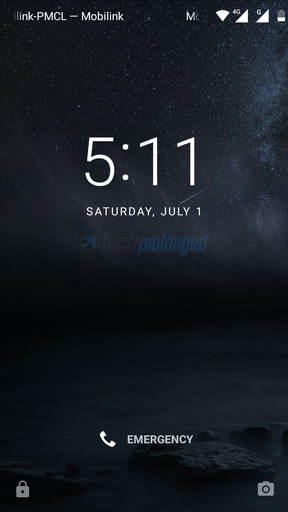
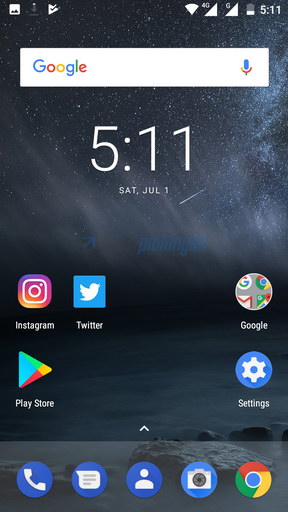
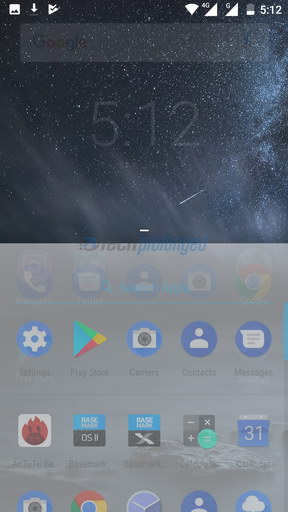
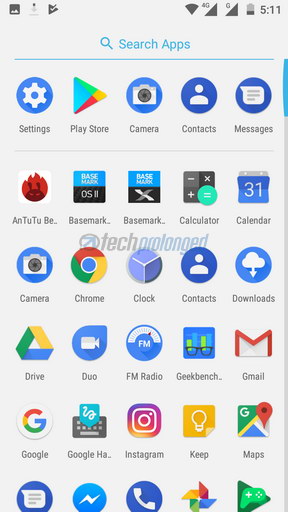
Lock screen, on the other hand, is also simple with the options to unlock with swipe or a short cut to swipe from a camera icon on the right-bottom corner which takes directly to the camera app. That camera shortcut on the lock screen actually by-passes any security and takes you to the camera app. However that only allows to take photos or record videos, as you can not go beyond the camera app in case if the security is in place.
Everything is pretty much same in experience like choosing app icons from the app drawer and placing them onto home screen or organizing them into folders. Adding, removing home screens and placing widgets in those home screens, etc. The recent apps view appears in vertical carousel of app snapshots which you can swipe away to close it. All apps can be closed with a single tap on “Clear All” which appears only if you swipe down the carousal.
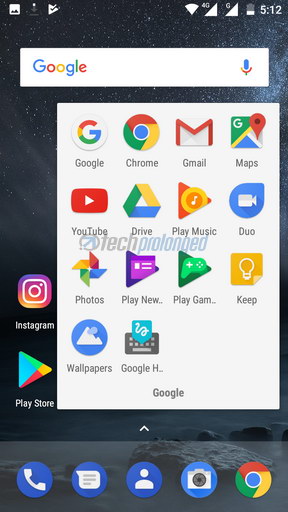
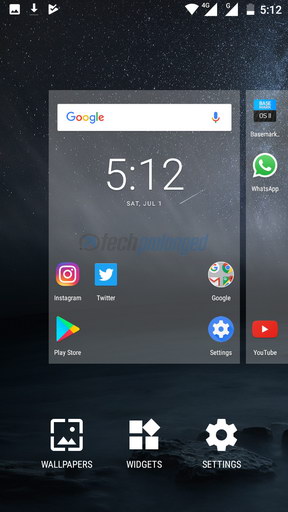
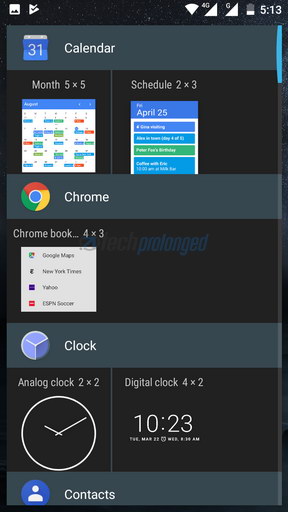
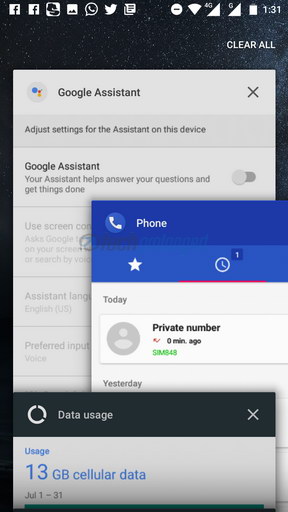
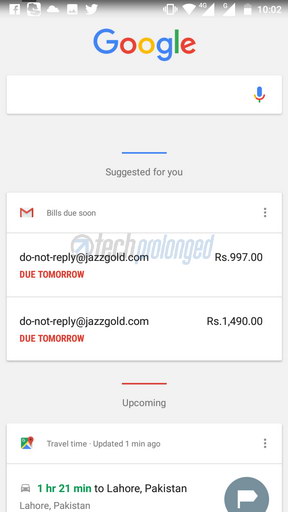
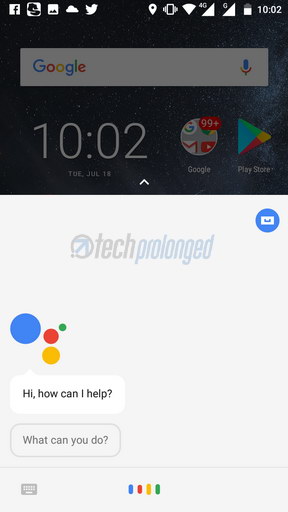
To navigating from one home screen to other, just swiping right or left. At the most left, there stays the Google Home view (the native Google app) with the web search form. You can initiate Google Assistant anytime by tap and holding the home button on Nokia 3. When Google Assistant is enabled, the Google App brings much more information along on the home screen.
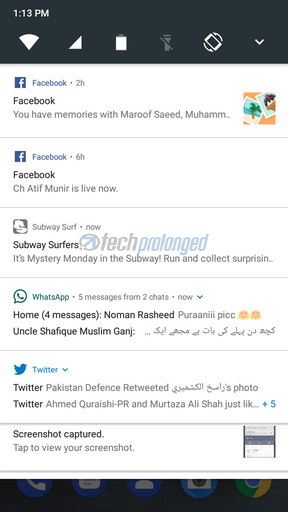
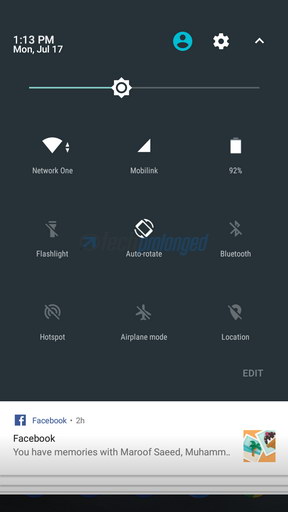
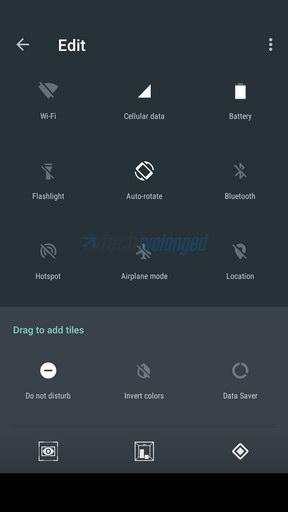
Again on the top, the stock task bar that you can pull out by swiping down. It’s the two way pull-down panel with a quick set of toggles and the notification below them. The second swipe-down on the panel will expand the quick toggles section to provide more options with more glance. The quick actions or toggles can be customized right from there by editing them and adding or removing them.
Interestingly this budget smartphone also features NFC and supports P2P sharing, Android Beam, NFC tag reading/writing, card emulation, and Android Pay.
[nextpage title=”Battery & System Performance”]
Nokia 3 – System Performance
Nokia 3 is the most low-profile Android smartphone among two others – Nokia 5 and Nokia 6, launched earlier this year by HMD Global Oy. This budget or low-end phone is powered by an year old MediaTek system-on-chip MT6737. The chip carries a 64bit quad-core processor clocked at 1.25 GHz along side a GPU Mali-T720 MP2.
Frankly, this chip is really for lower end devices and performs just below the mark. Some manufacturers quickly adapted an improved version of the chip MT6737T – T for Turbo usually, which is just a boost of clock speed on both the CPU and the GPU. Example is the recently launched Huawei Y5 2017. The difference is like double the benchmark scores.
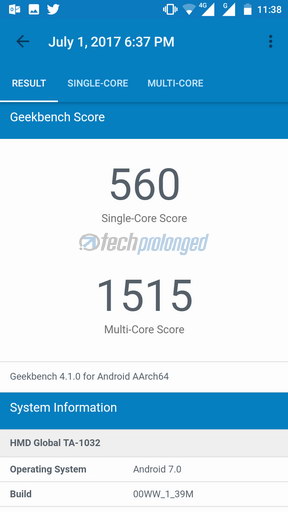
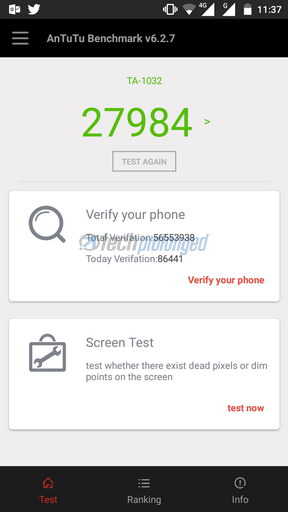
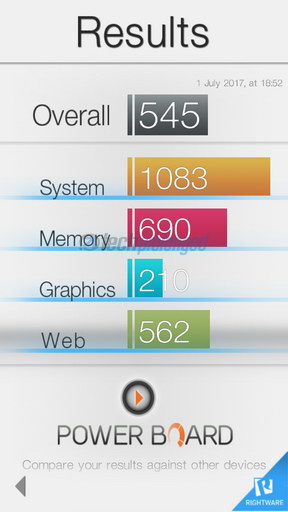
But, a regular user hardly will use to run these benchmark apps on your phone from time to time. They will concern about the device how does it perform practically in their day to day use. How much extensively they can use a phone in comfortable way. If these are the questions in your mind, then sure Nokia 3 is good to go in your hands most of the times.
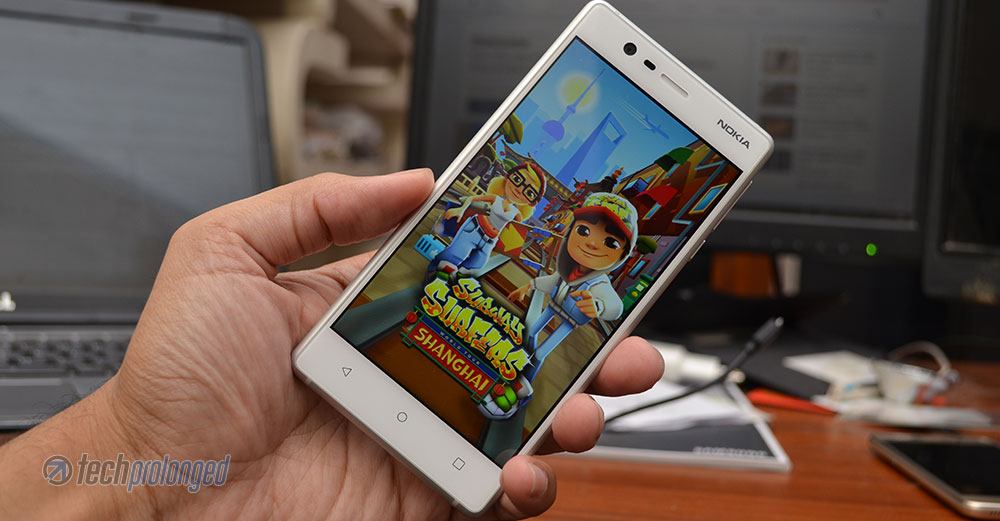
Tried the games such as NFS No Limit and Subway Surfer on this piece of hardware, they actually worked fine mostly but a very rare lag or freezing moment were faced – not frequently though. That’s not something you won’t expect from a low-end phone such as this one. However if you keep things smooth and not put some harsh burden on this little thing, it will go along with you easy. In fact, the phone won’t go hot while playing game for a few minutes. But the camera usage, specially when outdoors, may warm your hands quite well which indeed is uncomfortable.
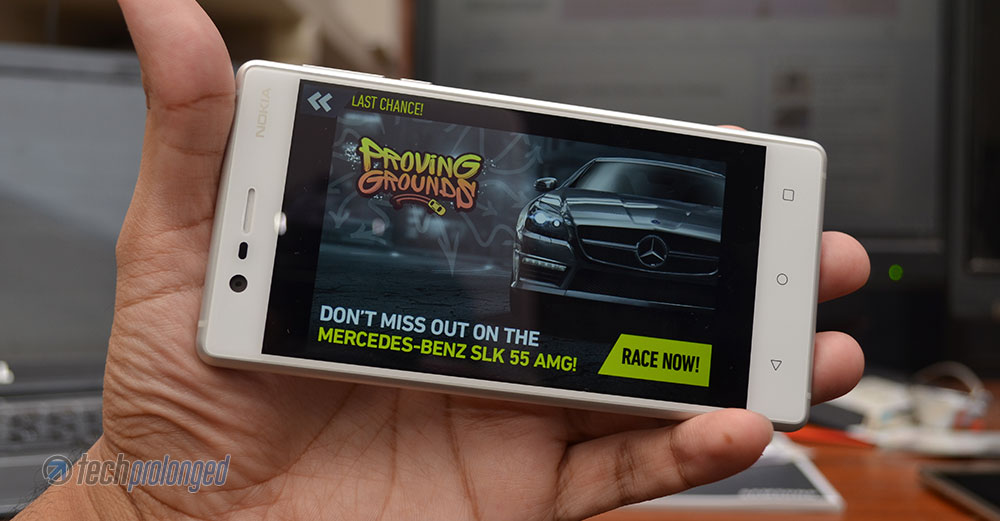
The truth is, this phone is not for gamers. So if you are one, just stay away from it.
Burden means, you wouldn’t to overload this phone if you want some smooth experience. This phone gives quite a nice and smooth experience when you set it up initially. Sure the social apps such as Facebook, WhatsApp or even Twitter would be ones of the first installs for many out there. The more you go installing this and that app, you will lose the storage as well as, if the apps stay there on the background, you will start feeling delays in opening or resuming the apps. So you’d better keep control of the apps and games on Nokia 3 if you want some good experience.
It will mostly fail on you, just like any other device with low storage space. Right now, with only two games installed – NFS No Limit (1GB) and Subway Surfer (111MB), I have to take care of auto download stuff in apps like WhatsApp (better to keep it turned off). Within a month this unit with me had normal use of camera and keep storing photos (without removing the crap out of it) is now giving me hard time with alerts to remove other stuff. While writing this factor here, I just removed around 1 GB of auto downloaded images/videos from the WhatsApp folders. So 16 GB storage in today’s age is something you need to keep under control. But it’s not a complaint about Nokia 3, if you got to get a lower-end smartphone in this price range, you will get more storage than this.

Battery Performance
Nokia 3 is good at its battery power. It manages to give you over 24 hours easily with extensive usage of throughout the day – exclude the extensive gaming though. By extensive usage you can consider regular usage of the phone as primary device with both SIM cards active – one on 4G/LTE. Switching from LTE data to WiFi all day (assume 50/50). Browsing, examining apps, playing games, shooting photos and recording videos, installing/uninstalling apps to make room for other stuff etc. etc.
With some very basic usage that include only calling, texting, some browsing and some social interaction, specially when you are home and stays connected on your home network over WiFi, this phone can give you over 36 hours.
On the other hand if you go little aggressive with it and shutdown your other work to keep using the phone, playing games, watching videos online or offline, add some GPS navigation as well and anything like that. Do not expect Nokia 3 to give you more than 12 hours. The worst thing is that it’s gonna take hours to take full charge.
[nextpage title=”Camera – Photo and Video Quality”]
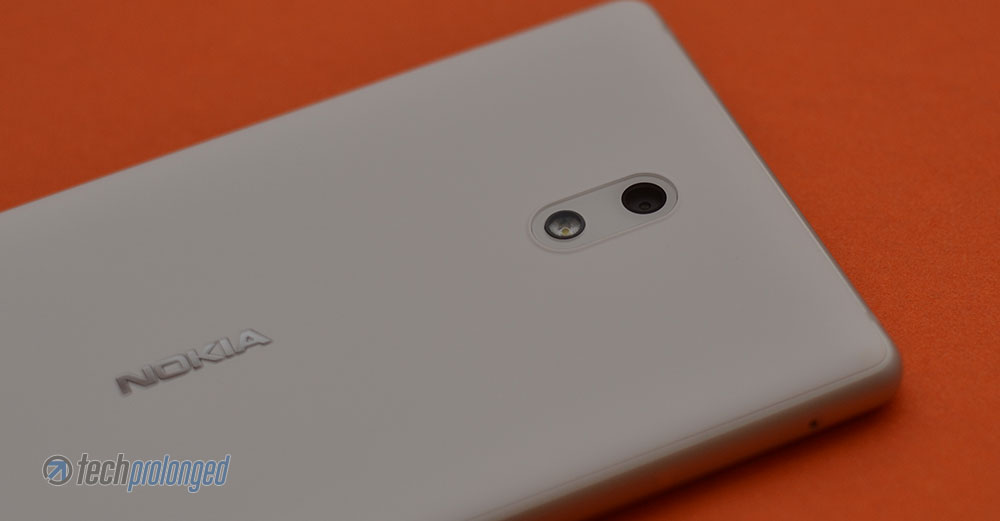
Nokia 3 – Rear/Front Camera
There you get an 8 megapixel primary camera on Nokia 3 which is indeed autofocus. The phone offers the same 8 megapixel camera on the front as well, that too is autofocus. Both have f/2.0 lens aperture and contain inside the same image sensor with 1.12µm pixel size.
No words if the exact same image sensor is used on both cameras or not. The official specs mention that the front-camera has 84° field of view but in our results the rear-camera also seems to have the same field of view when compared shots for specific purpose.
Regarding interface, the viewfinder provides access to a shutter button for quick photo capture on the bottom. Along there is a video mode switch on one side and a gallery shortcut on the other side. The video mode offers to record in faster speeds as 2x or 3x – there is no slow motion recording mode.
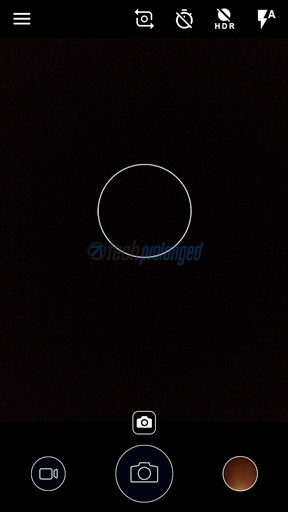
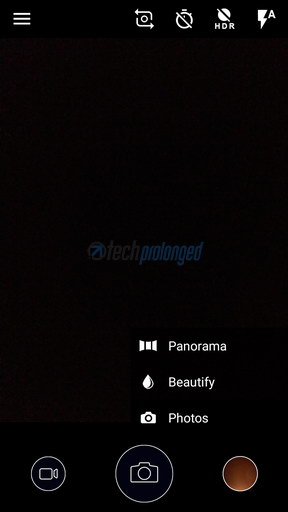
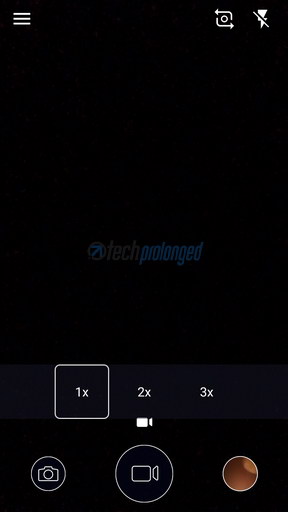
On top of the frame, you get quick switches for front/rear camera, timer, HDR and Flash.
On the corner there is hamburger icon for settings which brings up an awkward settings panel with white background – I liked the stock interface of settings though with dark color and smaller font size.
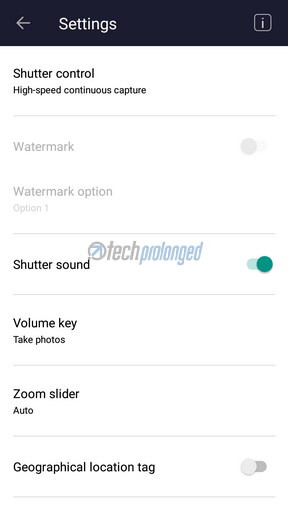
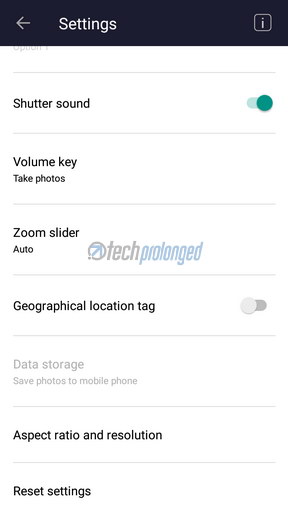
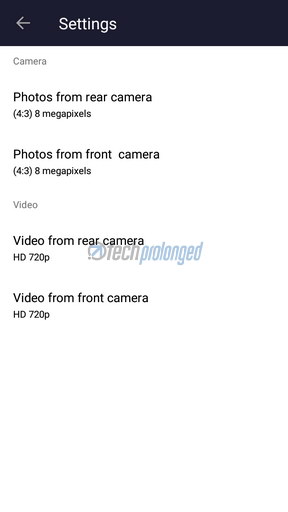
The native camera of Nokia 3 is custom designed and not the stock Google Camera of Android 7. Nokia 3’s camera app comes with some added features such as a little “manual control” which doesn’t include everything-manual but only a few ISO settings (100,200,800,1600), white balance presets, exposure compensation with full stop differences (from -2/+2 EV) and focus switch from auto, infinity or macro. It’s not something like pro-camera controls but a bit better than the pure-auto experience of stock Google Camera. You lose the HDR mode when you go into manual mode.
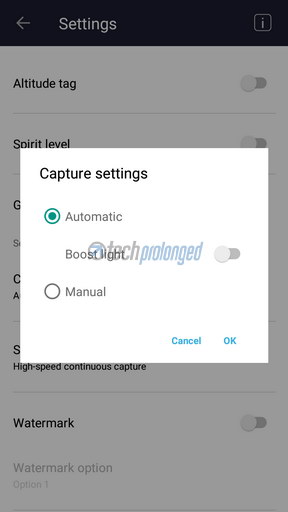

The manual mode is hidden in the settings under “Capture Settings”.
Other features of the camera include switching resolutions in photo or video mode. It can take 40 burst shots when you tap and hole the on-screen shutter button. 4x digital zoom (crop zoom) is supported. Some visual elements like compass, altitude, spirit level and grid are also available to provide framing reference and camera angle or elevation etc.
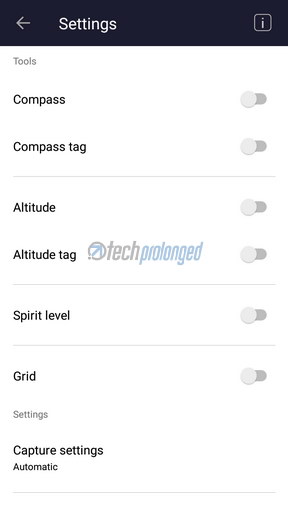
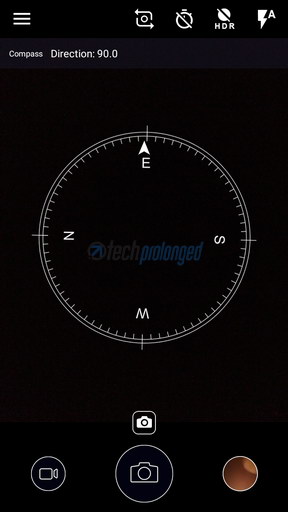
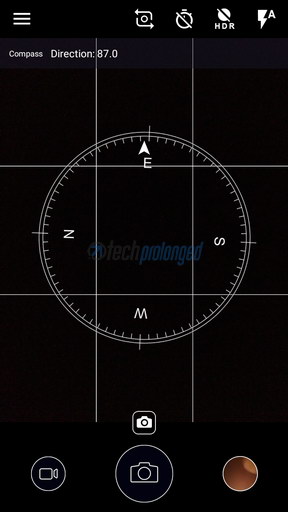
Interestingly every one of these features are available on both the rear and front cameras. However the Flash support is only for the rear camera as well as Panorama mode is only available on the rear camera, mainly due to natural factor of taking wider landscape shots. But the feature could have been really useful on the front camera as well if incorporated to take group selfies, no?
That’s only what we have in the user interface of the native camera app which is quite enough on a budget phone like Nokia 3. What matters the most when you talk about smartphone camera is the quality of photos or videos when you take or record them respectively.
Image Quality
First of all keep in mind that you are looking at a budget smartphone. Nokia 3 doesn’t deliver great image quality, however image detail is impressive considering it’s from an 8 megapixel camera. On negative side, the noise handling is not that great which is easily noticeable at solo color portion of the image.
Another bad thing is the struggling autofocus when you move the camera around. It’s a big issue when you are recording video and only a little movement can lead the camera to lose focus and readjusting it again repeatedly. This could be fixed in software updates though the problem exists on either of rear/front cameras. Exposure is also not consistent to metering as it can be different each time you tap on a spot, the exposure might be different. My advise is to keep Nokia 3’s camera for a point and shoot purpose only. Do not try to tap on the view finder to tell the camera to focus on something or you may lose the moment while struggling with focusing or adjusting exposure.
Dynamic range is another thing that is not impressive as well as foliage in the fields are worst when you look closely. It’s smudged across the frame which actually was taken care of by the HDR feature.
HDR mode is only available when shooting in auto and it manages give nice detail in greenery, the grass and foliage. But it does bring some over sharpening across the frame as well as the shadows seem to be magically disappeared making it flat and away from some realistic image.
Indoor result in some dark environment the noise is very disturbing and is completely vanishing the detail as well. Direct lights on distant subjects or using on flash on closer subjects somewhat help to reduce noise around that certain part and we get some detail as well.
Closeup shots show nice detail as well as the the subject closer to the camera come with good detail in wider shots.
Front camera on the other hand that has 8MP autofocus sensor with 1.12µm pixel size and f/2.0 aperture lens also can impress only on paper to be a selfie camera. The performance of the front camera is pretty much same to what we have experienced with the rear camera. Same inconsistent focus issue. Similarly the detail comes out to be better outdoor when there’s good lite to pour into sensor.
Panorama shot on the other hand are good with no visible stitching errors. The detail is fine as well however the resolution is limited and can not be change to higher level as possible with the stock Google Camera app.
Last but not least, the video recording from Nokia 3 is also not quite good to appeal. The camera supports HD resolution video footage of 720p at 30fps. However the system only could achieve the top limit of frame rate in good light. In low light, the the average frame rate was 17fps in our tests however a direct light source in dark also may help increase the frame rate during the video recording. With really a bad impression, Nokia 3 records the old 3GP format.
Quality wise, the video footage is OK with nice color rendering and detail. However, dynamic range is the issue as well as focus inconsistency exists in the video recording too.
[nextpage title=”Conclusion”]

Nokia 3 – Review Conclusion & Verdict
Very nicely, Nokia 3 could only impress with its looks, handling and feel. It no doubt has old Nokia’s design values. But with regard to usability of this phone, it doesn’t match up to standards of some reliable smartphone.
The phone mostly lived up to some smooth experience but not longer than you keep it using on regular basis. As long as the phone gets loaded with things, you will be feeling irritated with its sluggish behavior. Sure the price point of this phone suggest the exact same scenario that it’s going to give the users. The price however is little bit above than the devices with identical-hardware so you can have options to choose from.
On the other hand, different manufacturers chose to use MT6737T over the initial model of the chip – MT6737 in the similar price point. Those devices actually performed much better than Nokia 3. Example is Huawei’s recent Y5 2017. Still no doubt, the look and feel of Nokia 3 can easily beat any other device from its price range. As well the Nokia 3 is the only smartphone in this price point that runs the latest Android 7 Nougat software.
Now you have the reason to buy or not to buy this phone, depends what you prefer – the good looks or the good performance.
Camera on the other hand is mediocre can also be justified with its price range. But it also didn’t impress with its usability over the battery. Likewise the camera used to get warmer when specially when shooting outdoor in bright sunlight.
HMD was supposed to make some really nice devices to use the popular Nokia brand name. Seriously, Nokia 3 is only something that I can recommend to someone who is not an extensive smartphone user and only could use it for below moderate social activities, no camera user, no gamer at all.
Photo Gallery


